Switchboarding
Acer Liquid X2 review: Switchboarding
Gallery
The Acer Liquid X2 comes with a standard-issue gallery, which offers three views based on albums, location or time. Three thumbs a row is the norm here and no pinch gestures can change that.
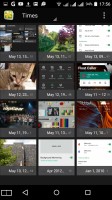
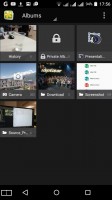
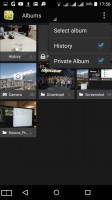
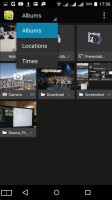

Gallery
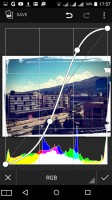
The editor, on the other hand, is a bit more powerful. It offers the obvious cropping, rotation and mirroring, color filters and picture frames, but also more serious editing like curves adjustment.




Viewing and editing an image
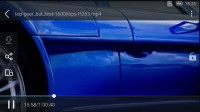
Technically, there's no dedicated video player, videos are played from within the gallery, and play/pause is as far as features go. That said, the UC Browser comes pre-installed and it features its own video player, if you don't have a favorite solution of your own.

Gallery video player • Third-party video player
Google Play Music
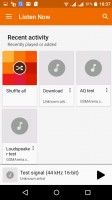
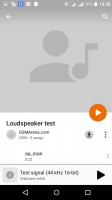
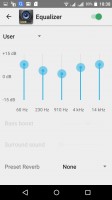
For listening to music, the Liquid X2 relies on Google's Play Music app, sporting the familiar Material design. It greets you with a "Listen now" screen which shows your recent activity. A swipe-in from the left opens up a menu where you can access your library, playlists, settings and the Instant mix feature. When fiddling with the phone, the app remains active in the background with controls, accessible from the notification shade. If you lock the phone altogether, a small control bar shows up on the lockscreen.

Google Play Music
FM Radio
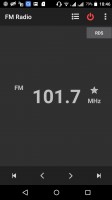
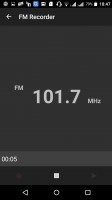
A very nice FM radio app is available on the Liquid X2. It has RDS and can retrieve the stations' names, but interestingly enough, only displays them when the current station is playing. If you want the names to appear in the list of stations, you need to input them manually. You can also record audio straight from the radio app.
FM radio
Audio output not quite to audiophile standards
The Acer Liquid X2 isn’t a particularly inspiring musician. When used with an active external amplifier its scores were as high as you’d expect for the most part, but the frequency response disappointed. Add the disappointing volume levels - this is one of the quietest phones we’ve seen and you get why we aren’t particularly enthusiastic.
Plugging in our standard headphones led to worsening of the signal-to-noise ratio, and increase in stereo crosstalk. Volume levels plummeted further down so don’t bother attaching very powerful headsets to this one. It’s one of the tests where the Liquid X2 budget nature really shined through.
Here go the results so you can do your comparisons.
| Test | Frequency response | Noise level | Dynamic range | THD | IMD + Noise | Stereo crosstalk |
| Acer Liquid X2 | +1.01, -0.13 | -86.1 | 86.3 | 0.012 | 0.023 | -88.1 |
| Acer Liquid X2 (headphones) | +1.48, -0.14 | -77.8 | 82.6 | 0.013 | 0.178 | -56.5 |
| Lenovo Vibe K5 Plus | +0.02, -0.08 | -93.8 | 92.8 | 0.0037 | 0.034 | -91.3 |
| Lenovo Vibe K5 Plus (headphones) | +0.09, -0.03 | -93.5 | 92.6 | 0.070 | 0.075 | -49.0 |
| Huawei Honor 5X | +0.02, -0.08 | -93.4 | 90.1 | 0.0028 | 0.012 | -93.4 |
| Huawei Honor 5X (headphones) | +0.10, -0.03 | -92.9 | 89.8 | 0.0048 | 0.071 | -78.2 |
| Samsung Galaxy A5 (2016) | +0.02, -0.07 | -94.3 | 92.2 | 0.0065 | 0.010 | -95.0 |
| Samsung Galaxy A5 (2016) (headphones) | +0.42, -0.01 | -93.4 | 87.1 | 0.029 | 0.254 | -53.0 |
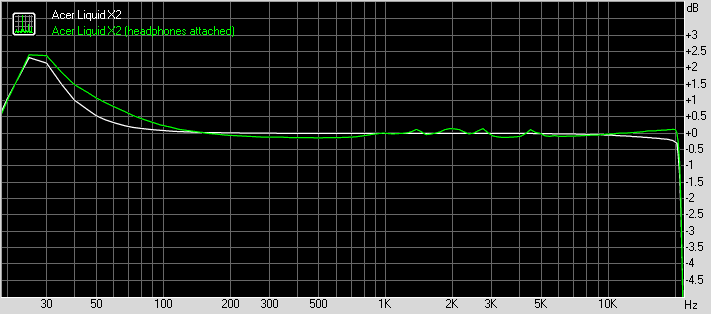
Acer Liquid X2 frequency response
You can learn more about the tested parameters and the whole testing process here.


Tip us
2.1m 180k
RSS
EV
Merch
Log in I forgot my password Sign up