First Look
Apple iOS 6 preview: First Look
Shared Photo Streams
Apple is creating a sub-social network for pictures right inside the Photo app. You will be able to choose what pictures to share and which people to share with. Your buddies on the receiving end will be able to like them and post comments.
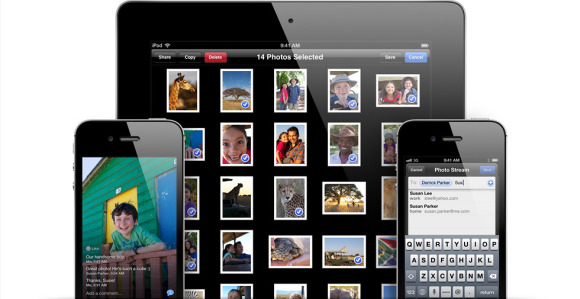
The official Shared Photo Streams picture
The Shared Photo Stream is obviously not enabled yet, as we couldn't get it to work on our iPhone 4S.
VIP contacts and Flagged emails
The Mail app got a few new tricks as well. You can set a VIP list, and emails from people on the list will be delivered to a dedicated VIP mailbox and will appear highlighted in the regular inbox. You can also set a different notification regime for VIP emails - so they appear on the lockscreen, for example.
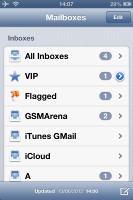
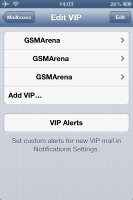
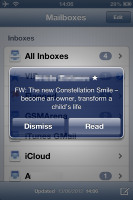
The new Mail box with VIP contacts and Flagged section • A VIP email notification • Emails
You can also flag important emails. After you flag your first message, a new Flagged mailbox will appear gathering all of your flagged emails.
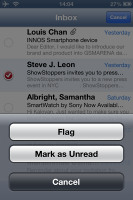
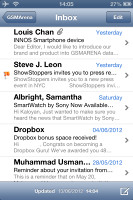
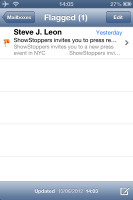
Flagging an email
If you use multiple email accounts, with the iOS 6 you can have different mail signatures for each of them.
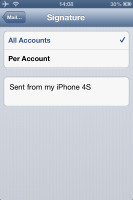
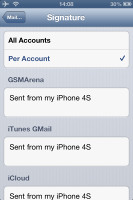
Assigning different signatures
The update button is now gone and there's pull to refresh instead. Also a new features is you can insert pictures or videos while composing an email - just tap and hold on an empty space and use the popup menu.
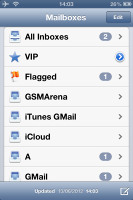
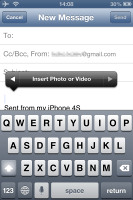
Refreshing the mail • Uploading multimedia is now easier
The iPhone Phone app gets better
The Phone app has had a few tweaks and touches too. The dialpad itself looks different, though it brings nothing new.
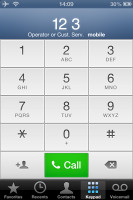
The new dial pad
A new (tell that to any Nokia from 2005 or thereabout) feature is Reject call with SMS. Alternatively, you can set a reminder to call back. Better late than never, we guess.
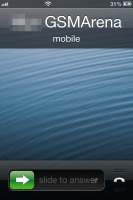
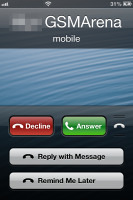
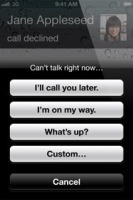
The reject with SMS feature
The new Do Not Disturb mode will silence all incoming texts and calls. When activated, a small crescent moon icon will appear on the status bar next to the clock.
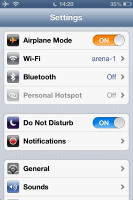
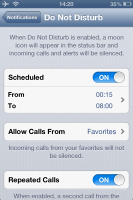
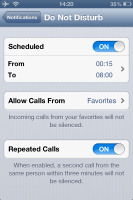
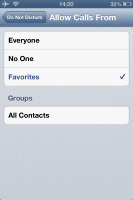
You can configure the DND mode from the Notifications screen in Settings. It can be scheduled (i.e. between 10PM - 7AM) or activated manually. The DND will silence every call except from callers you've specifically excluded from the list.
Another neat option of the DND mode is Repeated calls. When turned on, a second call from the same contact made within less than three minutes from the first one will not be silenced, as it may be an emergency .
FaceTime now works over 3G
The iOS 6 finally allows the FaceTime to work over cellular networks, not just Wi-Fi. About time!
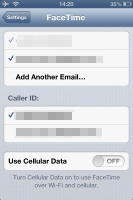
The FaceTime settings
The unified FaceTime/iMessages ID lets you receive calls on an iPad using your phone number.


Tip us
2.1m 180k
RSS
EV
Merch
Log in I forgot my password Sign up