GSMArena.com GSMArena.com

Tip us

2.1m
180k
RSS

EV

Merch

Log in

Login

I forgot my password
Sign up
  • Home
  • News
  • Reviews
  • Videos
  • Featured
  • Phone Finder
  • Deals
  • Merch
  • Coverage
  • Contact
ADVERTISEMENT

New Google Play Store update makes it easier to manage your apps
  • Post your comment
  • Comments (41)

Enrique 20 April 2017

Google Online services Apps Android

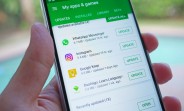
Over the past day or so, we've noticed a major change in the Google Play Store. While the main Play Store screen has remained untouched, an overhaul to the "My Apps & Games" tab has arrived aimed at making it much easier to manage updates, and makes far more efficient use of the available space.

If you wish to force the update, you can do what we did to our Huawei P10 unit: We simply restarted the device and opened the Play Store. This triggered the change and we were able to see the new "My Apps" UI.

The My Apps and Games tab has been shuffled around a bit: There is no longer a "Subscriptions" tab and the "Installed" tab no longer displays updates. Now, "Updates" gets its own tab and here you'll be able to see which app updates are available, how long ago they became available, and below that, you'll see your most recently updated apps and how long ago they were updated. The most recent updates available show up on top.
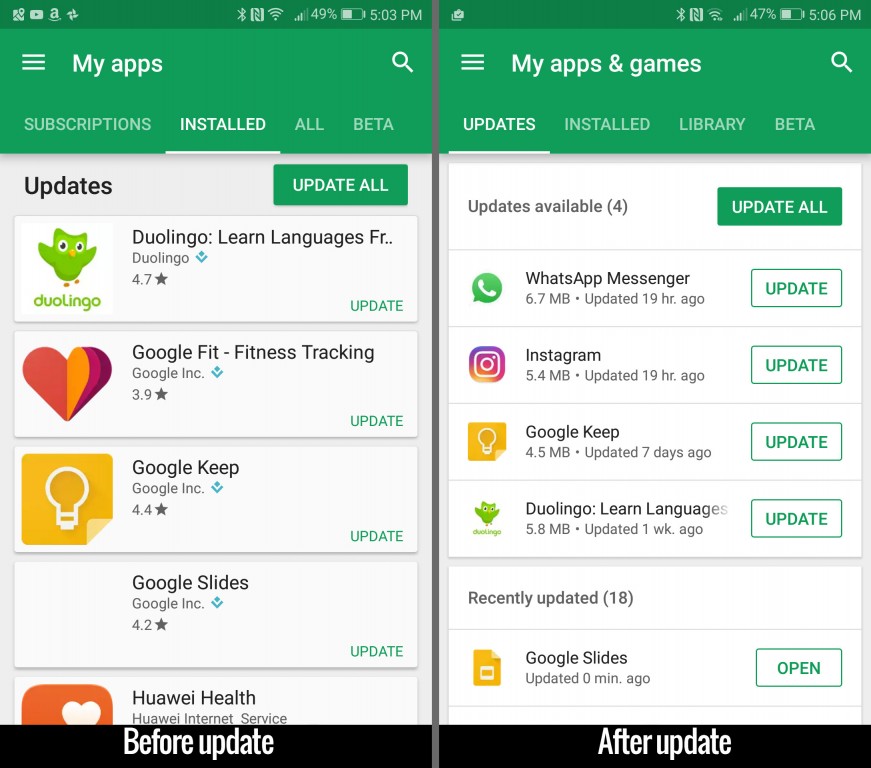
Google Play Store Update

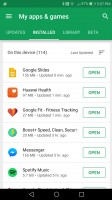
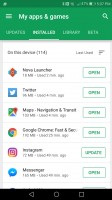
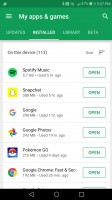
If you head to the "Installed Tab" this is where you'll see all the apps installed on your device. Now you can sort your apps by Alphabetical order, Last updated, Last used, or Size. This helps to find and uninstall apps that you might use infrequently or delete an app that will clear up some storage space. As you can see, Spotify takes up the most amount of space on this Huawei P10.
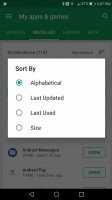
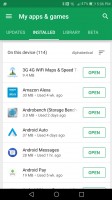
Sort installed apps - Google Play Store Update Alphabetical - Google Play Store Update Last updated - Google Play Store Update Last used - Google Play Store Update Size - Google Play Store Update
Sort installed apps • Alphabetical • Last updated • Last used • Size

It makes more sense to call the third tab "Library" instead of the previous: "All". This is where you can see a list of previously installed apps that you may have installed on another tablet or smartphone that used the same google account.
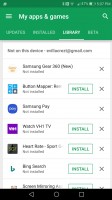
Library tab - Google Play Store Update
Library tab

Finally, the "Beta" tab stays the same. Here is where you can manage which apps you have installed that are using Beta builds.
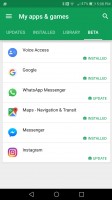
Beta tab - Google Play Store Update
Beta tab

If you still don't see the new update, just be patient. It seems to be rolling out to everyone now and if it hasn't reached you yet, you should see it appear over the next week or so.
Related articles
  • Google Play Store updated with new 'Free App of the Week' section Google Play Store updated with new 'Free App of the Week' section
  • Sense Companion app for the HTC U Ultra is now available in the Play Store Sense Companion app for the HTC U Ultra is now available in the Play Store
  • Snapchat crosses 500 million installs milestone on Play Store Snapchat crosses 500 million installs milestone on Play Store
  • From now on all new Chromebooks will have the Google Play Store From now on all new Chromebooks will have the Google Play Store

Reader comments

?
  • Anonymous
  • uZa
  • 23 Jun 2022

Pleas play store update

  • Reply
?
  • Anonymous
  • LY5
  • 23 Apr 2017

It sucks that you can't select more apps to select at once. Now you have to press install on every single app

  • Reply
?
  • Anonymous
  • UD{
  • 22 Apr 2017

I already have it on my old xperia that runs v4.3 JellyBean. Didn't expect that I will receive it.


  • Reply
  • Read all comments
  • Post your comment
Total reader comments: 41

Recommended
  • Apple announces new MacBook Pro models with OLED and touchscreen Apple announces new MacBook Pro models with OLED and touchscreen
  • Ultrahuman Air is a smart ring that monitors sleep, recovery and more Ultrahuman Air is a smart ring that monitors sleep, recovery and more
  • Samsung's sleep apnea detection gets better on the Galaxy Watches and Galaxy Ring Samsung's sleep apnea detection gets better on the Galaxy Watches and Galaxy Ring
  • Fastest mobile chipsets ranked (2026) Fastest mobile chipsets ranked (2026)
ADVERTISEMENT

Phone finder

  • Samsung
  • Apple
  • Huawei
  • Nokia
  • Sony
  • LG
  • HTC
  • Motorola
  • Lenovo
  • Xiaomi
  • Google
  • Honor
  • Oppo
  • Realme
  • OnePlus
  • Nothing
  • vivo
  • Meizu
  • Ulefone
  • Alcatel
  • ZTE
  • RugOne
  • Umidigi
  • Fairphone
  • Oscal
  • Sharp
  • Micromax
  • Infinix
  • Asus
  • Tecno
  • Doogee
  • Blackview
  • Cubot
  • Oukitel
  • Itel
  • TCL

All brands Rumor mill

ADVERTISEMENT

Top 10 by daily interest

  Device Daily hits  
1.Apple iPhone 18 Pro Max17,525
2.Oppo Find X10 Pro Max16,859
3.Samsung Galaxy S26 Ultra16,253
4.Samsung Galaxy A5714,912
5.Xiaomi Poco X8s14,326
6.OnePlus Ace 7 Pro13,419
7.Xiaomi 18 Pro Max13,013
8.Nokia 2360 Flip12,905
9.Samsung Galaxy A1712,488
10.Motorola Signature 2712,389

ELECTRIC VEHICLES

Toyota and Waymo team to deliver driverless taxis in Japan Toyota and Waymo team to deliver driverless taxis in Japan Here's how expensive Ford's upcoming Fathom electric truck will getCheap hatchbacks and Chinese partnerships are propping up the Stellantis EV strategy
ADVERTISEMENT
Ads by Playwire

Home News Reviews Compare Coverage Glossary FAQ RSS Youtube Instagram TikTok Facebook Twitter

© 2000-2026 GSMArena.com Mobile version Android app Tools Contact us Merch store Privacy Terms of use