O2 XDA mini S - user opinions and reviews
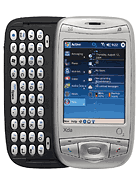
- simon
- pYB
can u help have new xda midi s i have installed active sync whe i conect phone via usb the active sync program comes on and says conecting but thats it nothing happens
outlok is instaled and defult mobile device is in my computor but empty page the file menue on active sync is grayed out none selectade anyone have the answer dodgy phone ?
- simon
- iGS
Hi If some body did hard reset to turn off o2 software, pleas send your opinion, that it work ? Is hard reset safe ? Fhank Simon
- Nick
- mHh
Hi, seems like a great device, my question is
how do I download my Webmail-attachments to the 2gig memory card, and any reason why the mobiles of version of using hotmail, does not show drafts, ( i wanted a way of forwarding my cv on the move)
thanks
- Udji
- PEG
Can someone help me please.... my QWERTY keyboard is not working properly, sometimes it does but most of the time it doesn't work that well... Does anyone know how to troubleshoot this matter? i've been trying to restart my xda however it still doesn't help.... help me please!!!!! thank you!!!
- exbros
- mq4
Hi, I'm just finalising my upgrade deal and I desperately need information -
can anybody confirm there IS or IS NOT possibility to send DTMF signals after the call is conected? in other words - can you use pre-dialed services (like pennyphone, telediscount) where you need to call 0844xxxxx number and when the call is answered to choose the destination number?...
I saw info that this is not possible, but it's hard to belevie...
Thanks for speedy answers.
- Riccardo
- my5
Just started using xda mini and i am enjoying it. Have 1gb card, with an audiobook and a couple of tv series on it to watch and listen to. Shame cant use bluetooth to listen and need to use the headset. Added `spb pocket` but quickly took it off as caused freezing. Should i add an antivirus? Battery life a little disappointing. All in all pleased with my switch to pda`s
- dog
- RKp
i have the xdaIIs and am really disappointed with it because i often can't hear the caller and have to soft reset the unit. i noticed that this is a common problem by other xdaIIs owners. does this happen with the xda mini S? i'm planning to change it and am looking for an alternative O2 unit. thanks
- Alvin
- ijX
Well tiger, have you checked your settings? There are few setting that have to be corrected to ActiveSync. First is to check your O2 xda mini S itself. GO to Start -> Programs -> ActiveSync. Select Menu and choose Conections. At "When cradled", tick the box "Synchronize all PCs using this connection and choose "USB" from the drop down box. Btw, do you know that you can also do ActiveSync via IR and also Bluetooth? It's all in the Menu tap. If you click on the Menu under at the ActiveSync and choose Options, you can select what to sync by putting a tick in each data you want to sycn. Now that your O2 xda mini S is set, then you may also check your computer Activesync. First open your ActiveSync program in your computer, click File -> Connection Setting. Make sure that the "Allow USB connection" and "Open ActiveSync when my device connects" is ticked. Then try to click the "Connect" button to establish the connection. Hope that will help. Alvin.
- tiger
- 2SQ
hey alvin thanks a tonne for your help, got what i have been looking fo, did download AC form windiwos but am facint another problem the AC does not seem to sync with my laptop it alwas gives an error and am not able to sync my contacts form outlook to my xda any suggestions appriciated. thanks
- Jakub
- xqC
cool xda, but only 200MHz?!
I wanna ask if skype program (internet calling for free) can be working if skype web page recommend at least processor 312MHz.
Thanks
- Alvin
- ijX
Well for tiger, there are 2 sites where you can go to get the english language of manual and activesync. For the manual in english, it's here in the page itself. Just look to your left where you can see "Specification", "Read Opinions", "Compare", "Pictures" and the one you're looking for, "Manual". As for the ActiveSync, why didn't you go to the Microsoft Mobile Update site where they got already the release of Microsoft ActiveSync 4.1 in English for download and update.
- Alvin
- ijX
For jagat, you said that the "y" and "z" letters on the keyboard is maybe you're using the German model. If you notice the keyboard in the one we usually use, you'll see the letter QWERTY but for the German models you'll see QWERTZ. Nothing wrong with this cause I'm also using the German model (with QWERTZ keyboard). As for candy who has problems on the flight mode, from what you're stating, your phone is in "flight mode on". This is where the phone function of your O2 is shut cause the name itself gives the meaning. If you're on a flight, your phone should be switch to off. O2 has the functon to switch "flight mode on" and "flight mode off". To use your phone for simply activate the "flight mode off" by clicking on the signal strengh (if in "flight mode on" you will see that the icon have a "x" there) and then click on the "turn off flight mode" and wait until the signal bar shows up on the icon.
- Brian
- MSM
Had the phone for 2 weeks now I think it's an excellent handset. I have a few niggles with it but I don't know if this is just me! I purchased a browse and download bolt-on with this handset (it was an upgrade) and have checked every other day with O2s on-line billing to see how much I use and to date it's still showing zero! Great! Apparently I can browse to my hearts content on O2! Anyone else found this?
Some hints and tips:
- Definitely turn off the O2 software as this clutters the Today (home) screen but do this when you first set-up the phone or do a hard reset and choose (I think) the custom option (not the recommended one).
- You have turn up the volume of the handset to hear if you have received a text or have set an alarm or reminder (are there profiles like Nokia have on this handset?) and then turn it down to use the phone/stylus so not to appear a noisy so and so.
- Set up one of the buttons as a shortcut to Task Manager and use the 'End Task' to close applications. Also note that after using the phone to make calls, in Task Manager it will appear that you have at least one blank application running. Do NOT close this/these as you will not be able to access the phone and will have to do a soft reset! I learnt this by accident so take note.
- Instead of Task Manager, use the Memory application (Start, Settings, Memory) to stop all applications running by selecting 'Stop All' in the 'Running Programs' tab (shame no shortcut can be set-up for this).
- I've copied all my notes from my Nokia 6230 to the handset but when I use ActiveSync they disappear! Am I doind anything wrong (I have yet to set up my Outlook email to sync with the handset and guess this could be why).
- The calendar is disappointing as you can only view appointments one day at a time in the same view.
- Shame that you cannot copy your contacts from the handset to the sim card for any future upgrade.
- In camera mode, if you change the capture size in the camera settings to 1600x1280, once you select ok (or start camera), the phone states in the bottom left-hand corner that the camera is set as 2M - 2 million pixels (apparently)!
- Remember in Internet Explorer to 'Clear history', 'Delete Files' and 'Clear Cookies' to free up memory.
That's all I can think of for now!
- tiger
- 2SP
Sorry guys forgot to metntion my mail id plsssssssssssssssss help also need to know where to find the users manual for O2 mini S im having this phone now for over a month and am not able to get the deivers and manual in english im in India pls, pls pls help
- Tiger
- 2SP
Hi guys have got the o2 mini S but the drivers are in german need help here to install activesync on my laptop, Help is thanked in ddvance
- candy
- PZu
hello! i just want to ask if you know how to turn off the flight modes because everytime i try to on my bluetooth i got a pop up warning saying turn off the flight mode first. i don't know how to do that. i'm so sad bcoz i can't beam a file. please help me. thanks
- tuan
- 2IJ
How can i connect by USB cable to my computer?
- Anonymous
- nEv
have it for 6 days now, considering i had used several nokia smart fones and SE P9 series.. these are my comments:
PROS i love the WIFI feature that alerts you whenever a hotspot is detected, i love the WLAN, i love the windows interface, battery saving features, stylus accuracy unlike the SE P9's. i love the hard button design, truly ergonomic.
CONS in 6 days of use 3 times it freezes and hangs maybe because of the slow processing speed, it says 3 running application even if u shut down everything at the Running Program list, the main problem is the program running even if u had closed it!sucks! If your goung to call someone with an additional menu that requires you to press additional numbers to get in local lines etc(eg. "press 1 to go back to main menu, press 2 for customer service") it simply doesnt work on this fone!
IN CONCLUSION, theres a lot to like about the fone, but there isnt enough processing speed and memory to enjoy it.. IF this baybe had MORE processing speed & MORE memory, THIS FONE WILL FLY!
- jagat
- Bgd
just bought this pda phone yesterday but found i problem with the "y" and "z" keys if i press "y" it spells "z" and vice versa can anyone help please
- Anonymous
- iRD
Does this model support synchronization with Lotus Notes(email/calender)???

Tip us
1.7m 126k
RSS
EV
Merch
Log in I forgot my password Sign up