Reminder: Side Sync for the Galaxy S7 is pretty awesome
Side Sync is nothing new. It’s been around since the Galaxy S4 and it works all the way back to the Galaxy S III as long as you’re on KitKat 4.4 and above and it’s a pretty underrated feature of the Galaxy lineup.
You can install Side Sync on a PC or Mac and it allows you to control everything about your smartphone, drag and drop files, open apps, take phone calls, share your clipboard, and click around on a virtual version on your phone, all without root!
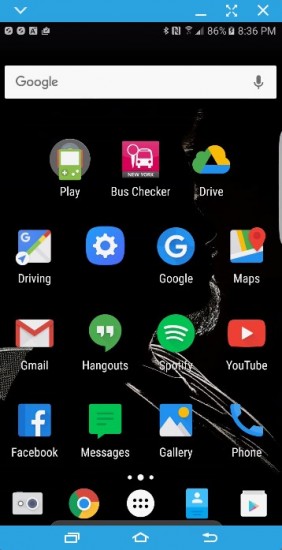
To get started:
- Install Side Sync on your Galaxy device from the ‘Galaxy Apps’ store or Google Play Store
- Install Side Sync on your PC or Mac from here
- Launch Side Sync on the computer first, then launch on your device
- Connect to your computer by using a Micro USB cable
- Control panel window appears
It’s worth noting that you don’t need to connect your phone directly to your computer, you can also connect with Side Sync over a shared Wi-Fi connection (not Wi-Fi direct). Though, the connection isn’t going to be as stable as a physical USB cable. You can pair the two devices with either a QR code or a 3 digit PIN that you must enter into the Desktop app.
Once connected, the control panel shows you a few icons, and a notification center. You can dismiss notifications directly from this notification center. Clicking on a notification will launch your phone’s screen in a separate window and automatically open the corresponding app. From here, you can use the mouse and keyboard to control your phone and take action upon the notification as needed.
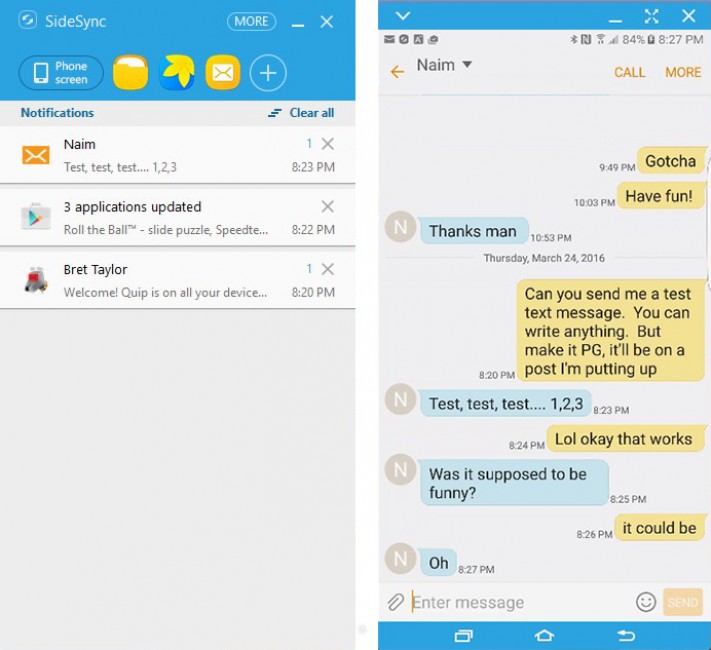
A row of icons above the notification window can be customized, you can add any app to this list of shortcuts to easily launch it right on your phone and bring it up to your desktop screen automatically.
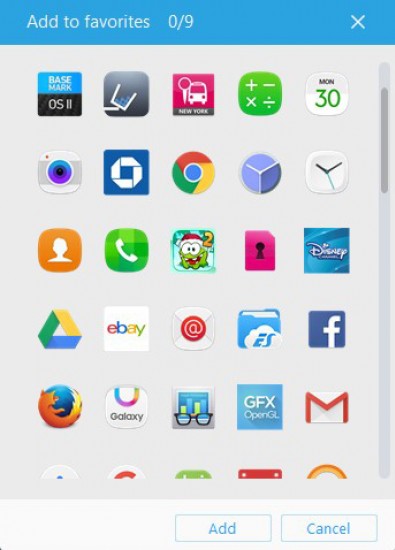
More features include “Keyboard and Mouse Sharing” (which lets your cursor actually appear on your phone), a mobile hotspot shortcut, Call forwarding (yes, you can take calls on your PC just like Apple’s Continuity), and opening “My Files” lets you drag and drop files (only one way, from PC to phone).
Reader comments
- AnonD-632266
- L@2
My phone calls are not working properly, I can't hear the audio on pc, tried on mac and windows 10. Mic works fine. Am I doing something wrong?
- Anonymous
- M1a
Why people say? If I can do this at work without people seeing me on my phone a lot, it's a win right there. If I can access my apps on screen, and if I'm using my 4G, so I'm accessing person things without going through the company router, and log...



Tip us
2.1m 180k
RSS
EV
Merch
Log in I forgot my password Sign up