Samsung L700 - user opinions and reviews
- Rahul
- Xdt
Vijay, 13 Aug 2012Ya True !! Even I am Using It Since Last 3.5 Years Yet No Problem :)I have change its display several times 8-9times and it is still diaplay is going very bad mobile ever seen
- Anonymous
- vGC
Ajith, 10 Apr 2013All features are good,I using this phone since 2008.now I want to buy a full housing,but I ca... moreyou can find it at Elephant house, Ameerpet, Hyderabad, Andhra Pradesh.
- krishna
- vGC
Anonymous, 01 Jul 2013I am having the Samsung, unfutunately the display has disconnected. Original display not avala... moreOriginal Display ain't available... try other display. I made repaired for 480rs..
- Anonymous
- bEZ
Not justfy 3g
- AnonD-185795
- KAx
I bought this phone for my better half and gifted it during a valentines before wedding in 2008. For some reason this phone gets into some issues and after a brief shut down everything gets fixed on its own.
1. Gets very hot while talking and charging - Still persists.
2. Display never goes off - Solved by its own.
Stopped using it and switched on after a year (today) and its working like a charm now.
Must say its a SOLID BUILD like a tank!
Looking for the charger which i misplaced somewhere, also looking to do a full service at Samsung service center, not sure whether they will take it.
- Ajn
- Kxy
I have used L700 for close to 5 years and am still using it. One major problem that I have faced is that if it is kept in your pocket and close your skin for long, it burns your skin over time. It could be because of the metalic body combined with the fact that I always keep my phone on vibration mode. I now put it in a hard cover to avoid the problem. Another problem I face is that something has gone wrong with its software and I am no longer able to read service text messages. I can read all SMS except the ones sent by my service provider as only special characters appear instead of alphabets. Apart from the above I have faced no problems at all. I have never had to repair it even once in close to 5 years that I have used it.
- Anonymous
- Xj6
I want to purchase a mobile but cant leave it
- Anonymous
- 9Fw
I am having the Samsung, unfutunately the display has disconnected. Original display not avalable in Kurnool district. I came to know that this old model and it is not available. Please let me know avaijabulity and its cost may be informed.
- pramod
- GRS
It is just like AK-47. I mean a device whatever like use. Zero maintenance phone. A great Modem (window7). Awesome internet speed with ucWeb(itz basic browser is nt so good). Superb battery back-up(look its last line of battery signal,how long it work). Youtube without buffering(depends on ur network streingth). Excellent 2mp cam. Great look. I am negleting even Android 4.1 os. Due to this. No even single problem since 2008. I will use this phone till it will destroy itself. (may b aftr 10 to 20 years ;) ha ha ha.) full paisa wasool phone. Even u can use this as a arm,during fighting. Itz heavyduty steel body can keel someone(when no way to save our soul) ***** star phone. I m lovin it.
- J.C.S.RAO
- 7tM
so nice phone for common man.and long time going.
- AnonD-98800
- K5g
Honestly, it's been four years I've been using this as a second phone, and it still works like a charm! AMAZING!
- Anonymous
- rAW
kafii nice phone really so nice
- Gagan
- Rx5
Is this handset whatsapp compatible?
- Rajaram
- uuB
very good hand settttttttt
- lalit
- 7tU
soo nice phon
- Ajith
- XNp
All features are good,I using this phone since 2008.now I want to buy a full housing,but I can't find where the place.I can pay by visa card.please help me by this original housing or Phone. eny informaion please sent me this email,ajithkandy@gmail.com
- diptesh
- U@9
@Jonas,
yes you can. my phone fell alot of times too and still great as it was before. no questions about the great build quality.
but my phone fell in water 2 times. both times phone died and in 2 days it woke up itself. amazing, isn't it?
and my phone's battery had to be replaced and the microphone stoped working and I had it replaced with like only 700ish INR. :)
it was my first phone and amazing phone it is.
- jeet
- U@2
very good phone..i am using for the past 5 years,,only thing that it gets hanged with new 3g sim.
- Jonas
- Ms@
Eve, 09 Feb 2013I actually got this phone when it came and I've been using it since, which means I've used it ... moreI don't believe this! My samsung L700 has been fallen one time to the ground and the internal microphone doesn't work anymore, so now it is impossible to call without the headphones. Despite this it's a good phone. Someone an idea if it's possible to repair the microphone?
- prada
- s8e
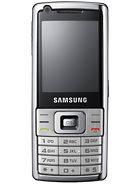
L700- from 2009 & m still using it, u can really feel world in ur hand... With this "Smart phone" without android ;) had a very very good experience with this phone, it includes almost everything, i.e, 3G, video calling, internet connectivity... And with a metal body, a stylish phone...:)

Tip us
1.7m 126k
RSS
EV
Merch
Log in I forgot my password Sign up