Samsung M3510 Beat b - user opinions and reviews
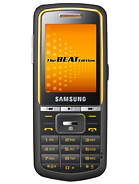
Samsung

Check Price

Popularity

Daily interest
2.2%
Total hits:
347779

Voting results

Design
8.1
Features
8.0
Performance
8.1
Votes:
1786

to instal da games/softwares ....use jar and jad format ...

  • Reply
  • 2010-03-17 15:38
  • wdQ3
  • R

i have opera mini 4.2 installed in my m3510. anyone kn0ws how 2 run it in dis unit without being charged? others r enjoying free browsing using opera mini 4.2.

--
Sent on a phone using T9space.com

  • Reply
  • 2010-03-17 04:29
  • kT3L
  • U

> In reply to Anonymous @ 2010-03-16 07:15 from tCQkyep, the E stands for Edge, which means that Edge (236 kbps) is available wherever you are. Basically you can browse the net through your phone with speeds up to 236kbps. It's not bleeding edge like HSDPA or Wifi but hey, it's faster than GPRS. :)

No, you can't get rid of it.

  • Reply
  • 2010-03-17 03:59
  • w0QN
  • R

> In reply to yanne @ 2010-02-13 08:06 from t7x3The last time this happened to me, the memory card didn't get recognized suddenly. When I removed it and reinserted it to the phone, everything came back.

Give that a try first, and make sure the phone can recognize the files. There should be another tab in your My Files for the memory card. If there isn't, the memory card probably became loose for some reason.

If the memory card is there, the files are there, and you can play the files from the file browser, try checking if any of them had tags. If they don't, tag them.

But, I'm guessing they do have tags because you were able to browse them before right? So try removing the memory card and reinserting it back.

  • Reply
  • 2010-03-17 03:55
  • w0QN
  • R

> In reply to JV @ 2010-02-25 15:32 from sxtPNo problem.

I don't use the PC Suite that came with the phone, instead, I plug it into my computer and I choose Mass Storage when the phone prompts.

when you plug the USB cable, the phone will ask what kind of connection to use: PC Studio, Media Player, or Mass Storage. I suggest you choose Mass Storage so that your computer (Windows, Linux or Mac) will 'mount' it as an external storage device, like a flash drive. For this to work properly, you have to make sure that your memory card is properly inserted. To check if it is, there should be another tab in My Files for the memory card contents or they should be an icon in your standby that looks like a memory card (it's usually right next to the Profile icon).

You don't have to set anything to tell the music player to look for files in the memory card. If a memory card is inserted, it looks through that automatically, by default. If for some reason you can't see your music files, try (1) taking the memory card out and then put it back again, (2) reformat the memory card using the phone itself, (3) make sure your music files are tagged properly: title, artist, album, genre stuff like that. The tags are necessary for Samsung because they're not like Sony Ericssons where you can tell it where to look EXACTLY.

If the USB cable procedure still doesn't work for you, try using Bluetooth or better yet, try using a memory card reader.

  • Reply
  • 2010-03-17 03:49
  • w0QN
  • R

> In reply to Anonymous @ 2010-03-16 07:15 from tCQk"E" stands for "EDGE"...and i think...it usually appears when you travel to diff. places..( i dunno actually its function)

  • Reply
  • 2010-03-16 11:46
  • PSk@
  • R

an E sign appeared on the upper left after the signal sign. whats that and how do i get rid of it? thank you

  • Reply
  • 2010-03-16 07:15
  • tCQk
  • U

How to run opera mini in this model.


  • Reply
  • 2010-03-15 19:29
  • tjJB
  • Q

how i can i view all the files stored on my samsung m3510. when i open the myfiles menu music folder, it says i unable to display all files exceeding 52 characters..

  • Reply
  • 2010-03-15 05:55
  • t7sr
  • Q

Found it. My mic cord is defective. Have to return it to the shop for replacement.

  • Reply
  • 2010-03-13 05:26
  • vx6T
  • H

Why can't I move a thing when my headphones are attached? I can't make a call. Please help.

  • Reply
  • 2010-03-13 05:08
  • vx6T
  • H

> In reply to Blitz @ 2010-03-11 09:48 from t7Xinew message>options>save and send........hope dat helps

  • Reply
  • 2010-03-12 11:38
  • PSk@
  • R

how can i activate shake control for music player?, tnx

  • Reply
  • 2010-03-11 14:00
  • IaH9
  • Q

need help...

everytime i send a message, don't know where it is stored.

main concern... i want to save all my sent msg..

thanks

  • Reply
  • 2010-03-11 09:48
  • t7Xi
  • U

> In reply to JV @ 2010-02-25 15:32 from sxtPgo to setting > memmory > default memmory the select.

for music transfer try to set your phone to mass storage. see to it that your memmory card is inserted properly.

  • Reply
  • 2010-03-11 04:37
  • MfxH
  • R

this phone is great when it comes to screen and sound quality. ring and message tone are personalized. very light and handy.

  • Reply
  • 2010-03-11 04:30
  • MfxH
  • H

> In reply to Anis88 @ 2010-03-04 11:21 from PxxdBecause gp used edge and aktel used gprs

  • Reply
  • 2010-03-07 04:57
  • Pxxd
  • R

> In reply to Anonymous @ 2010-03-01 16:24 from uNVDHi brother.....i hope u r well.. I m using gp sim...but when i use aktel sim, my opera mini or mig33 is not running....i know that i have 2 change my application connection settings but what i will write in APN..or Other options....pls let know....

  • Reply
  • 2010-03-04 11:21
  • Pxxd
  • Q

> In reply to T @ 2010-03-02 20:43 from P%%wsorry, i dont know the exact settings for Banglalink. u can ask the customer care for that info.

  • Reply
  • 2010-03-04 08:43
  • uNVD
  • R

> In reply to Anonymous @ 2010-03-01 16:24 from uNVDHi. I am from Bangladesh too. I am using Banglalink SIM. I want to use its modem also. But da same prob. Can u plz tel me da same three numbers of banglalink? It also wants DNS1 & DNS2. I wil be waiting 4 ur help. Thanks in advance.

  • Reply
  • 2010-03-02 20:43
  • P%%w
  • R

Note: Sponsored advertising links are in green.
