GSMArena.com GSMArena.com

Tip us

2.1m
180k
RSS

EV

Merch

Log in

Login

I forgot my password
Sign up
  • Home
  • News
  • Reviews
  • Videos
  • Featured
  • Phone Finder
  • Deals
  • Merch
  • Coverage
  • Contact
ADVERTISEMENT

Security flaw discovered in AT&T's Galaxy S II lock screen
  • Post your comment
  • Comments (134)

01 October, 2011

Samsung Android Touch UI AT&T

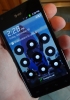
BGR has come across a security flaw limited to AT&T's Galaxy S II where the secure lockscreen can be bypassed without having to enter the password using a simple trick.

Most of you will be aware of the pattern and password lockscreen options available in Android, along with the regular non-secure swipe lockscreen. They require a specific pattern or a number to be entered to unlock the device. With this little hack, however, you can easily bypass either of the two locks.

As you can see in the video above, all one has to do to bypass the lock is wait for the display to timeout on its own and then press the power button. This removes the previous secure lockscreen and replaces it with a standard, non-secure lockscreen.

Depending upon what you store on your device, you may think of this as trivial or a matter of national security. Either way, you'll be glad to know that Samsung and AT&T have acknowledged the issue and working on fixing it.

We received an official statement from Samsung regarding the issue. See it below.

Samsung and AT&T are aware of the user interface issue on the Galaxy S II with AT&T. Currently, when using a security screen lock on the device, the default setting is for a screen timeout. If a user presses the power button on the device after the timeout period it will always require a password. If a user presses the power button on the phone before the timeout period, the device requests a password – but the password is not actually necessary to unlock it. Samsung and AT&T are investigating a permanent solution. In the meantime, owners of the Galaxy S II can remedy the situation by re-setting their time-out screen to the “immediately” setting. This is done by going to the Settings->Location and Security->Screen unlock settings->Timeout->Immediately.

Source

Reader comments

A
  • Alex
  • mfC
  • 13 Nov 2011

The security flaw is the grease on our fingers. You can easily tell what the pattern looks like by the traces and finger prints on the screen surface.

  • Reply
s
  • salmander
  • QJ7
  • 04 Oct 2011

gsmarena not supporting russian it looks like... meant to say 'not possible ! '
  • Reply
s
  • salmander
  • QJ7
  • 04 Oct 2011

doesn't mean its 'fake'.

  • Reply
  • Read all comments
  • Post your comment
Total reader comments: 134

Recommended
  • Apple's official silicone case for the iPhone Duo requires adhesive Apple's official silicone case for the iPhone Duo requires adhesive
  • Chargers explained - how to pick up the right phone charger Chargers explained - how to pick up the right phone charger
  • Qualcomm denies rumors about Snapdragon 8 Elite Extreme Gen 6 overheating Qualcomm denies rumors about Snapdragon 8 Elite Extreme Gen 6 overheating
  • Ultrahuman Air is a smart ring that monitors sleep, recovery and more Ultrahuman Air is a smart ring that monitors sleep, recovery and more
ADVERTISEMENT

Phone finder

  • Samsung
  • Apple
  • Huawei
  • Nokia
  • Sony
  • LG
  • HTC
  • Motorola
  • Lenovo
  • Xiaomi
  • Google
  • Honor
  • Oppo
  • Realme
  • OnePlus
  • Nothing
  • vivo
  • Meizu
  • Ulefone
  • Alcatel
  • ZTE
  • RugOne
  • Umidigi
  • Fairphone
  • Oscal
  • Sharp
  • Micromax
  • Infinix
  • Asus
  • Tecno
  • Doogee
  • Blackview
  • Cubot
  • Oukitel
  • Itel
  • TCL

All brands Rumor mill

ADVERTISEMENT

Top 10 by daily interest

  Device Daily hits  
1.Apple iPhone 18 Pro Max18,059
2.Samsung Galaxy S26 Ultra15,314
3.OnePlus 1614,922
4.Xiaomi 18 Pro Max14,820
5.Samsung Galaxy A5714,679
6.Oppo Find X10 Pro Max11,938
7.Samsung Galaxy A1711,879
8.ZTE nubia RedMagic 12 Pro+10,558
9.Honor X9e Pro10,028
10.Honor Magic9 Pro Max9,910

ELECTRIC VEHICLES

The second-gen BYD Seagull grows up, but keeps its price under $10,000 The second-gen BYD Seagull grows up, but keeps its price under $10,000 Mercedes launches its MB.Drive Assist Pro autonomous driving system in GermanyXPeng begins European deliveries of the L03 in Paris ahead of November UK arrival
ADVERTISEMENT
Ads by Playwire

Home News Reviews Compare Coverage Glossary FAQ RSS Youtube Instagram TikTok Facebook Twitter

© 2000-2026 GSMArena.com Mobile version Android app Tools Contact us Merch store Privacy Terms of use