GSMArena.com GSMArena.com

Tip us

2.0m
150k
RSS

EV

Merch

Log in

Login

I forgot my password
Sign up
  • Home
  • News
  • Reviews
  • Videos
  • Featured
  • Phone Finder
  • Deals
  • MerchNew
  • Coverage
  • Contact
ADVERTISEMENT

Nokia N8 - user opinions and reviews
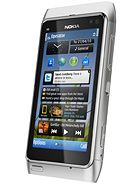
Nokia N8
MORE PICTURES
  • Released 2010, October
    135g, 12.9mm thickness
    Symbian^3, up to Nokia Belle Refresh
    16GB storage, microSDHC
  • 2.0% 41,185,092 hits
  • 1163 Become a fan
  • 3.5"
    360x640 pixels
  • 12MP
    720p
  • 256MB RAM
  • 1200mAh
  • Review
  • 360° view
  • Pictures
  • Compare
  • Specifications

  • Post your opinion
Pages: «1…80 81 82…2449 »

Sort by:
v
  • venkat
  • wdR
  • 10 Jan 2014

i this support the whats app, line,hike,and the all format videos like the avi,mkv,and etc,,,,,,.

  • Reply
    S
    • Stupid me
    • LKp
    • 10 Jan 2014

    AnonD-172944, 09 Jan 2014Thank you bro. I would be so delighted for your assistance. thanks in anticipation @MdN and... moreHi Terjim2. I am not encouraging you, OK. My upgrading was a personal decision. I am not fussy and not a techie by any means but I bought my phone for the camera, so I was scared to tamper with it. Just be aware that other people have complained about their camera afterwards. I could have just as well stayed with and be happy with Anna. By the way, I would really be the last one to notice if my photos deteriorated :-))).

    BELLE UPGRADE as provided by Carol:

    Now, what Windows says does not matter so much. Nokia suite is pretty much able to do more than you think. And that means: to rewrite your system. SO STOP THINKING. Nokia will not release a tool that can destroy your device ;).

    1. NOW. Do a BACKUP of important files and rename it with whatever name you want (don't let the default name it). Tell you why later. BACK-UP your Contacts & messages. NB. Transfer your contacts to mass memory. Back them up on Nokia PC Suite. RENAME them during the backup. You’ll find them in Documents afterwards.

    2. (Unplug the phone from the USB). Now, factory reset the damn thing. Dial *#7370# and follow the instructions (this will format your mass memory, so if it came with apps on it, they are gone). The format will take from 3 to 10 minutes depending on the memory. So let it do its job until it starts up and asks for PIN (if you have one, which I recommend deactivating during the update, just deactivate to spare some seconds and too much THINKING :))

    Settings/Phone/Phone management/Security settings/Phone and Sim card/PIN code request (Off)

    3. Continue with setting up your country & clock and so on. Set the time and date and go on with the start-up. Set the time and date good. Don't pass them (not required, but for safety in case of a phantom or something :)). (I did this in advance on my hard copy so I would not have to think to do it.

    4. Now after it starts and while it is loading the widgets, let it do its job - just give it 1 or 2 minutes to load all the crap it needs to load.

    5. Then open Nokia Suite then plug the phone in USB. Let Nokia suite install its plugins. This will take something like 30 seconds. No big of a deal.

    6. Now (again just to avoid any possible problems, minding you are scared as hell) unplug your device and restart it. Let it load to the full, just leave it after it restarts to be sure it has loaded everything.

    7. Meanwhile, restart your pc too and let that rig load its system till it goes crazy. By the way, you will need to remember what I've said because we're not gonna open anything besides Nokia suite after it is loaded. (I made a hard copy, just in case).

    8. After everything is loaded, finally open Nokia Suite and after it is fully loaded, plug your N8 in USB and FINALY Hit software update.

    9. Follow the instructions, Nokia will make an automatic backup of NOTHING, cause your phone is empty, so that is why your original backup has a name of your own so you won't get confused while manually restoring.

    10. Let Nokia suite do its job. Your phone will go blank and Windows will say several times that your device was plugged, unplugged trying to install it. It will also say that the upgrade is complete BUT ignore everything that Windows says and just follow what Nokia Suite says. Don't touch your device during the update. Don't set anything until Nokia Suite says it has finished (only if you have set the PIN code I told you to deactivate) meaning it has installed the additional stuff and so on - when Nokia says you can use it. (Also, the Nokia store came up at the beginning and at another point, to confuse my brain, but tap the help option and the correct screen will come back).

    11. Then you can unplug and you can use it. There you go, you are up and done Belle Refresh is in your device :).

    12. As addition, Don't install Microsoft office updates. They will eat too much of your memory. Update I think are useless and never installed: Colorizeit, Microsoft Apps, New Social, Nokia Music, upload to Skydrive.

    13. Stop your negative thinking and go ahead.:)

    I prepared the following in advance so I did not have to think it out:

    TIME & DATE SETTING:
    Time eg. 10.00pm
    Time zone GMT – 4hours, country (whatever)
    Date:
    Date Format dd mm yyyy
    Date Separator /
    Time Format 12-hour
    Time separator: :
    Clock type: Digital
    Clock Alarm tone: Default tone
    Alarm snooze time: 5 minutes
    Workdays: Mo, Tu, We, Th, Fr
    Automatic time update: On

    • Reply
      M
      • MdN8
      • B}Q
      • 10 Jan 2014

      Stupid me, 09 Jan 2014“Men have to learn a lot to get to the same level of ignorance.” OMG! I am cracking up :-))).... moreMy dog has two sofas, I have just one bed, so it's no big deal. :-)

      Hey, be as obsessed about photography as you want, that's what we're here for. :-) I think the target got whiter because of different weather (more sun), or angle, but was it sharper? You should have tried two photos from the same spot in auto and landscape to see if there's a difference. Landscape mode simply focuses your camera to infinity so there's no danger of focusing on some object between you and the landscape and getting blurred hills and mountains because one branch was in the way. I remember how one of my first photos with an autofocus camera was through the window, and of course the phone focused on the dirt on the glass instead of the scene outside. :-))) And that phone had very bad controls, had to dig so deep to get something that I'd just give up.

      If your image (or the part you want to see) is too white set white balance to "sunny" or adjust exposure a little. Or simply don't worry - all phones have lower dynamic range than big cameras, so, if the differences between light and dark are too extreme, the light part will go white. It's called "clipping". I was worried because it happens during summer, but then I saw that Galaxy S4 has even worse problems (Xperia Z1 even in very low light) so I stopped caring. Speaking of light, I can manually adjust ISO (sensor sensitivity) from 100 to 800. However, I took a photo of a friend's dog jumping in Sport mode and later saw that ISO was 984! This phone still keeps surprising me. :-D

      Hmmm, now that Weather doesn't work any more maybe I should delete it. Yep, I think you're fine as it is. With a hacked phone you could get some more space, but it's not too important if you have enough. Also there are some modifications and improvements you could try but there's plenty of time for that. But hacking is really not too hard, just blindly following the instructions and the worst thing that can happen is that your phone keeps working like it did before. Now there are no more updates from the Store and people still develop apps, having a hacked phone is just convenient (as they can't sign their apps).

      I already gave Terjim the same copy-paste instructions on page 8 or 9, but he doesn't get Belle as an option, at least that's what I understood. Let's see if Carol manages to help. :-)

      • Reply
        C
        • Carol
        • L71
        • 09 Jan 2014

        AnonD-172944, 09 Jan 2014I hope the applications and games I installed on my Anna OS will work for the Delight firmware... moreYou most probably have an "off the shelf" product. The so called testers. Or a branded phone. One from the two. But, on how you describe your phone. Sound more like an shelf product then a branded one. the only way to get belle refresh with your device is by flashing it with phoenix. Here you can find a good tutorial http://n8delight.blogspot.co.uk/2013/07/how-to-flash-phoenix-flashing-tutorial.html

        As for flashing the official firmware, which i recommend doing, you will need do download it. Navifirm does not work anymore so that will be a bit of a problem. With phoenix you can download an official firmware but i don't remember exactly how, all i know is that you will need to find an official product code for your country (minding the fact that you don't have an official product code), and your n8 color (the color is not that important). With that product code you can download the official firmware then just flash it with phoenix follwing the tutorial i gave you... Maybe i can help you with the product code, but i don't promise anything. What is your country? is the first question...

        • Reply
          D
          • AnonD-172944
          • fm2
          • 09 Jan 2014

          Stupid me, 09 Jan 2014“Men have to learn a lot to get to the same level of ignorance.” OMG! I am cracking up :-))).... moreThank you bro. I would be so delighted for your assistance. thanks in anticipation

          @MdN and Carol, I am still expecting your step by step guide to the upgrading to Belle OS. thanks man

          • Reply
            ?
            • Anonymous
            • Hkq
            • 09 Jan 2014

            RALPH, 09 Jan 2014how to hack my phone sir?Hacking ur phone makes it completely free from all the restrictions & enables ur phone's highest performance capacity. I have hacked my phone & now i can install all the apps which i wasnt able to install before hacking. Problems of certificate error, supplier not trusted, etc. now doesnt arise & now i am even able to do beepless recording of calls. Open the link i am providing below. There is step by step explanation about how to execute the hacking process. 1st read the entire process carefully & then download & execute it.
            Download link: http://www.n8fanclub.com/2011/09/norton-symbian-hack-by-coderus-symbian3.html

            • Reply
              S
              • Stupid me
              • TgY
              • 09 Jan 2014

              MdN8, 08 Jan 2014Don't worry, standard camera app can do almost everything unless you obsess about hyperfocal v... more“Men have to learn a lot to get to the same level of ignorance.” OMG! I am cracking up :-))). I hope you know that men end up in the dog house for statements like that :-D. Hilarious parrot talk, too :-) …but I intend to take some photos of them – whenever. Hope my camera delivers there!!!

              Well, sorry to sound obsessed with photography but yesterday, we went back to the same spot and I took some shots again but in “landscape” and guess what, the automatic shots were better. I used the little church in the distance as my reference. It was quite recognizable with the automatic shot but was just a white shape in the landscape shot, despite the weather being glorious. Maybe there was too much light??? Well, that is just my experience. Not climbing that hill again for a while.

              No, I have not tried setting up my email yet. Sounds like a lost cause now, so maybe I won’t bother to waste my time trying when I can get it off my PC. I reinstalled App Stop, vLight, YouTube downloader, Skype, Opera Mini, Viber (don’t know why) and my favourite NetQin Security v5.0 Pro. I’ll use NetQin to try and delete some of the useless Apps. Way back, I was delighted to delete the weather app which had refused to go, but I never got around to trying to delete anything else after that. But…I remember going to NetQin’s App management, selecting the weather app and deleting it from there when all other attempts failed. I only just discovered too, that NetQin finds other running apps so, by using both App Stop and NetQin together, I can conserve a lot more on the battery.

              I am not daring enough to hack my phone and install all kinds of apps. After all, women are ignorant, right? :-D So, if NetQin is cleaning out my phone, giving me back memory, blocking viruses, scanning the system, deleting unwanted apps, finding & and shutting down running apps, optimizing performance and telling me “Your phone is running good” :-) then what more can an ignorant woman want, huh? :D

              Oh! If no one responds to Terjin (about Belle upgrade) by the time I get back I'll do so, but later. It will be Carol's instructions which I altered (only the wording) to suit myself. Just alerting him that I tampered with it. Hope I get internet connection because the erratic service is driving me nuts so I may have to go and lodge another complaint.

              • Reply
                h
                • howiwish
                • XMm
                • 09 Jan 2014

                good eve to nokia users. what do you think if nokia woul put some important application able to download on the store like the mobile cleaner or whatsoever.. pls nokia????

                • Reply
                  W
                  • WANABEASTAR
                  • XMm
                  • 09 Jan 2014

                  HI GUD AFTERNOON I JUST WANT TO ASK HOW TO UPGRADE MY SYMBIAN3 TO BOKIA BELLE REFRESH AND WHAT ARE THE CONS FOR THAT? and is it posible to downgrade if i dont like it?
                  and one last thing sir, how can i download the mobile cleaner my nokia doesnt support the app i think. thanks so much and more power

                  • Reply
                    R
                    • RALPH
                    • XMm
                    • 09 Jan 2014

                    Anonymous, 09 Jan 2014Mobile cleaner works best when the phone is hacked. I use the app & it works fine. I had h... morehow to hack my phone sir?

                    • Reply
                      ADVERTISEMENT
                      ?
                      • Anonymous
                      • Hkq
                      • 09 Jan 2014

                      RALPH, 09 Jan 2014good morning i nedd some help guys my nokia n8 cant support the mobile cleaner when i star to... moreMobile cleaner works best when the phone is hacked. I use the app & it works fine. I had hacked my phone with nortan. So try using mobile cleaner after u hack ur phone.

                      • Reply
                        k
                        • kevin
                        • fu0
                        • 09 Jan 2014

                        MdN8, 09 Jan 2014It has fixed some Belle bugs, more memory, more widgets, already hacked, faster etc. You can r... morekevin

                        • Reply
                          R
                          • RALPH
                          • XMm
                          • 09 Jan 2014

                          good morning i nedd some help guys
                          my nokia n8 cant support the mobile cleaner when i star to download it some images appears that i cant understand
                          pls help
                          i have downloaded the signed and unsigned version but the error stil the same

                          • Reply
                            M
                            • MdN8
                            • B}Q
                            • 09 Jan 2014

                            AnonD-172944, 09 Jan 2014No it does not allow me choose. the option for both is not even there. How do I upgrade to ... moreIt has fixed some Belle bugs, more memory, more widgets, already hacked, faster etc. You can read about it here:
                            http://n8delight.blogspot.com/2013/10/n8-delight-v63.html
                            As for apps and games you'd have to reinstall them, but when Delight gets updated, they stay. This is just a suggestion if you can't get Belle. I got my phone with Belle Refresh already installed so I'm not an expert in flashing. It's 3 in the morning here so talk tomorrow! ;-)

                            • Reply
                              D
                              • AnonD-172944
                              • fm2
                              • 09 Jan 2014

                              MdN8, 09 Jan 2014I'm mostly here or just looking around on DailyMobile forum and some others... I see I already... moreI hope the applications and games I installed on my Anna OS will work for the Delight firmware you advised

                              • Reply
                                D
                                • AnonD-172944
                                • fm2
                                • 09 Jan 2014

                                MdN8, 09 Jan 2014I'm mostly here or just looking around on DailyMobile forum and some others... I see I already... moreNo it does not allow me choose. the option for both is not even there.

                                How do I upgrade to the Delight? Is it more preferable to Belle? or why should I upgrade to Delight (it is only a question)?

                                Thanks Bro

                                • Reply
                                  M
                                  • MdN8
                                  • B}Q
                                  • 09 Jan 2014

                                  AnonD-172944, 09 Jan 2014Where can I go if I need your help and assistance?I'm mostly here or just looking around on DailyMobile forum and some others... I see I already gave you Carol's instructions, but if Belle is not an option and you just got Anna then maybe it's not available for your phone? Maybe Carol will know better, check out again tomorrow...
                                  Would you consider upgrading to custom firmware instead? Like Delight, it's the same as Belle but a little improved. And seems to be easy enough to do.
                                  As for 2G/3G, if you go to Settings - Connectivity - Network, does it let you choose Network Mode? 2G = GSM.

                                  • Reply
                                    D
                                    • AnonD-172944
                                    • fm2
                                    • 09 Jan 2014

                                    MdN8, 31 Dec 2013Wow. :-) I just went to the window... Light rain, firecrackers, rather cold, but hell didn't f... moreWhere can I go if I need your help and assistance?

                                    • Reply
                                      D
                                      • AnonD-172944
                                      • fm2
                                      • 09 Jan 2014

                                      Stupid me, 31 Dec 2013Happy New Year everyone! Here is wishing only wonderful things for you in 2014. May all your w... morecan you lend me the same assistance been given to you so I can upgrade my N8 from Anna to Belle. thanks

                                      • Reply
                                        D
                                        • AnonD-172944
                                        • fm2
                                        • 09 Jan 2014

                                        MdN8, 27 Dec 2013Anyone wants some presents? MrAlshahawy (creator of Belle Extra Buttons) made 16 of his apps... morecan you simply help me out with my nokia n8? i upgraded it to anna instead of belle using nokia suite. i tried using my phone and the nokia suite to check for update to know if i can have belle os as an option but could not find it. how can you help me step by step in having my phone upgraded to belle instead of anna.

                                        secondly, my anna does not use 2g network. it is fixed on 3g network and does not have features to switch it to 2g network. i hope the belle os has 2g network because the 3g network makes my phone hot after few moments of browsing which consumes my battery life at an high rate.

                                        • Reply
                                          • Post your opinion

                                          Sort by:
                                          ◄1…80 81 82…2449►
                                          Total of 48962 user reviews and opinions for Nokia N8.
                                          ADVERTISEMENT

                                          Phone finder

                                          • Samsung
                                          • Apple
                                          • Huawei
                                          • Nokia
                                          • Sony
                                          • LG
                                          • HTC
                                          • Motorola
                                          • Lenovo
                                          • Xiaomi
                                          • Google
                                          • Honor
                                          • Oppo
                                          • Realme
                                          • OnePlus
                                          • Nothing
                                          • vivo
                                          • Meizu
                                          • Asus
                                          • Alcatel
                                          • ZTE
                                          • RugOne
                                          • Umidigi
                                          • Coolpad
                                          • Oscal
                                          • Sharp
                                          • Micromax
                                          • Infinix
                                          • Ulefone
                                          • Tecno
                                          • Doogee
                                          • Blackview
                                          • Cubot
                                          • Oukitel
                                          • Itel
                                          • TCL

                                          All brands Rumor mill

                                          ADVERTISEMENT

                                          Nokia N8 reviews

                                          Nokia N8 review: Director of photography
                                          Director of photography
                                          Nokia N8 review
                                          ADVERTISEMENT

                                          DAILY DEALS

                                          These are the best offers from our affiliate partners. We may get a commission from qualifying sales.
                                          Apple iPhone 13 mini
                                          128GB 4GB RAM $ 245.00
                                          $ 213.86
                                          Xiaomi Redmi Note 15 Pro+ 5G (Global)
                                          512GB 12GB RAM € 549.90
                                          € 499.90
                                          Xiaomi Redmi Note 15 Pro+ 5G (Global)
                                          512GB 12GB RAM € 549.90
                                          € 499.90
                                          Show all deals

                                          Related devices
                                          The devices our readers are most likely to research together with Nokia N8

                                          • Phone
                                            Nokia E7
                                          • Phone
                                            Nokia N9
                                          • Phone
                                            Nokia 808 PureView
                                          • Phone
                                            Apple iPhone 4
                                          • Phone
                                            Sony Ericsson Satio (Idou)
                                          • Phone
                                            Nokia 8

                                          More related devices

                                          Popular from Nokia

                                          • Phone
                                            Nokia 150 Music
                                          • Phone
                                            Nokia C32
                                          • Phone
                                            Nokia X30
                                          • Phone
                                            Nokia G42
                                          • Phone
                                            Nokia Lumia 1020
                                          • Phone
                                            Nokia N8

                                          More from Nokia

                                          ADVERTISEMENT

                                          Home News Reviews Compare Coverage Glossary FAQ RSS Youtube Instagram TikTok Facebook Twitter

                                          © 2000-2026 GSMArena.com Mobile version Android app Tools Contact us Merch store Privacy Terms of use Change Ad Consent Do not sell my data
