Half-press to play
Samsung Galaxy Camera review: Half-press to play
Excellently clean audio output
The Samsung Galaxy Camera audio output came out pretty good. The device was never meant to replace your MP3 player, but it's good to know that it's capable of filling in for it when needed.
When connected to an active external amplifier the Galaxy Camera got excellent scores all over the field, with no weak points whatsoever. Volume levels were the only below average element of its performance.
Plugging in a pair of headphones introduces very little distortion, with stereo crosstalk being the only affected reading. A really solid overall performance, even if the volume levels take out some of the fun.
Check out the numbers and see for yourselves.
| Test | Frequency response | Noise level | Dynamic range | THD | IMD + Noise | Stereo crosstalk |
| Samsung Galaxy Camera | +0.12, -0.14 | -82.7 | 82.8 | 0.012 | 0.023 | -80.5 |
| Samsung Galaxy Camera (headphones attached) | +0.04, -0.14 | -82.6 | 81.4 | 0.0083 | 0.097 | -60.0 |
| Samsung Galaxy Premier | +0.12, -0.05 | -82.9 | 82.9 | 0.016 | 0.025 | -82.2 |
| Samsung Galaxy Premier (headphones attached) | +0.16, -0.07 | -82.5 | 82.5 | 0.242 | 0.174 | -58.6 |
| Samsung I9300 Galaxy S III | +0.03, -0.05 | -90.3 | 90.3 | 0.012 | 0.018 | -92.6 |
| Samsung I9300 Galaxy S III (headphones attached) | +0.11, -0.04 | -90.2 | 90.2 | 0.0092 | 0.090 | -53.1 |
| Samsung Galaxy Note II N7100 | +0.03, -0.04 | -90.2 | 90.1 | 0.0098 | 0.016 | -90.7 |
| Samsung Galaxy Note II N7100 (headphones attached) | +0.11, -0.06 | -90.1 | 89.2 | 0.0067 | 0.034 | -55.3 |
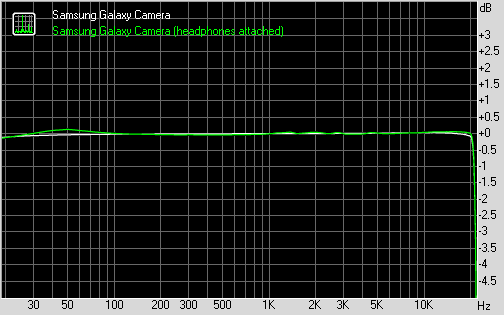
Samsung Galaxy Camera frequency response
You can learn more about the whole testing process here.
The best connected camera
The Samsung Galaxy Camera has quad-band 3G data connectivity and, in some regions, LTE. You can't do voice calls (we tried with a third party dialer), but you can send SMS messages.
If you don't want to pay for network data, you can stick to the dual-band a/b/g/n Wi-Fi. Bluetooth 4.0 and Wi-Fi Direct are supported as well.
AllShare Play comes preinstalled on the Galaxy Camera - it connects to web storage (Sugar Sync or Dropbox, there's free 5GB on Sugar) and your other devices that run the app and you can view content on the current device or push it to another (e.g. a Smart TV).
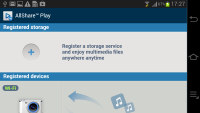
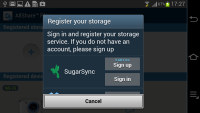
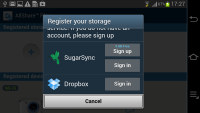
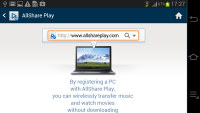
AllShare Play
A microHDMI port allows you to easily show off your photos and videos on an HDTV, though it's at the bottom of the Galaxy Camera, which means you'll have to rest the device on its lens barrel.
On a side note, you can use the Samsung Galaxy Camera for voice conversations as long as you use something like Skype or Viber. We tried it out with Viber and it worked (in loudspeaker mode, obviously, you can't hold the Camera up to your face). The built-in mic didn't work too well for that purpose though, but a wired hands free headset worked like a charm.
A desktop-grade Web browser
With Android Jelly Bean and a quad-core processor, not to mention a large 720p screen, the Samsung Galaxy Camera is quite good at web browsing.

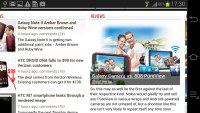
Browsing GSMArena.com on the Samsung Galaxy Camera
The browser offers all the niceties you're used to on an Android phone - multiple tabs, text reflow, find on page, request desktop page and so on. You can also save pages for offline reading and adjust the screen brightness. A neat trick is to pinch zoom out beyond the minimum - that opens up the tabs view.
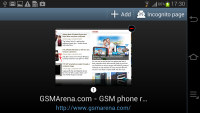
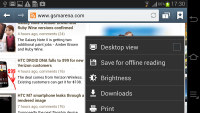
Tabs • Page options and settings
Incognito mode is available (the browser stops recording history and cookies) as is our favorite Labs feature, quick controls.
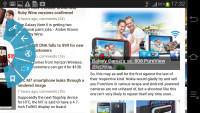
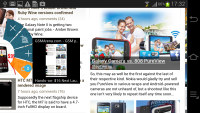
Quick controls
Flash isn't available out of the box, but you can install the APK manually and it will work - both 1080p YouTube videos and games worked fine.

Playing a Flash game
The Chrome browser is also available out of the box - while the stock Browser is very good (most people prefer it), Chrome can sync tabs and bookmarks with other Chrome browsers you're running on your computer, tablet or phone.
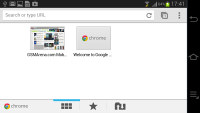
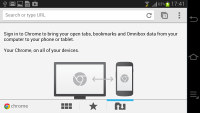
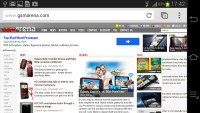
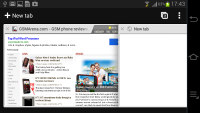
Chrome for Android

Tip us
1.7m 126k
RSS
EV
Merch
Log in I forgot my password Sign up