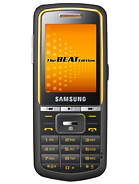
Samsung M3510 Beat b - user opinions and reviews
- Bx4
- vx6
Why can't I move a thing when my headphones are attached? I can't make a call. Please help.
- Anonymous
- PSk
Blitz, 11 Mar 2010need help...
everytime i send a message, don't know where it is stored.
main concern... ... morenew message>options>save and send........hope dat helps
- beat
- IaH
how can i activate shake control for music player?, tnx
- Blitz
- t7X
need help...
everytime i send a message, don't know where it is stored.
main concern... i want to save all my sent msg..
thanks
- Anonymous
- Mfx
JV, 25 Feb 2010Thanks LS for the help.
I need advice again. I tried to transfer music files from PC to the... morego to setting > memmory > default memmory the select.
for music transfer try to set your phone to mass storage. see to it that your memmory card is inserted properly.
- nolievills of philip
- Mfx
this phone is great when it comes to screen and sound quality. ring and message tone are personalized. very light and handy.
- Mahbub
- Pxx
Anis88, 04 Mar 2010Hi brother.....i hope u r well.. I m using gp sim...but when i use aktel sim, my opera mini or... moreBecause gp used edge and aktel used gprs
- Anis88
- Pxx
Anonymous, 01 Mar 2010Connection Name: GP-INTERNET APN: gpinternet Dialing No. *99*# prob is there is no pre-de... moreHi brother.....i hope u r well.. I m using gp sim...but when i use aktel sim, my opera mini or mig33 is not running....i know that i have 2 change my application connection settings but what i will write in APN..or Other options....pls let know....
- Anonymous
- uNV
T, 02 Mar 2010Hi. I am from Bangladesh too. I am using Banglalink SIM. I want to use its modem also. But da ... moresorry, i dont know the exact settings for Banglalink. u can ask the customer care for that info.
- T
- P%%
Anonymous, 01 Mar 2010Connection Name: GP-INTERNET APN: gpinternet Dialing No. *99*# prob is there is no pre-de... moreHi. I am from Bangladesh too. I am using Banglalink SIM. I want to use its modem also. But da same prob. Can u plz tel me da same three numbers of banglalink? It also wants DNS1 & DNS2. I wil be waiting 4 ur help. Thanks in advance.
- Anis88
- Pxx
Anonymous, 01 Mar 2010Connection Name: GP-INTERNET APN: gpinternet Dialing No. *99*# prob is there is no pre-de... moreThanks a lot 4 ur great help....
- Anonymous
- uNV
Anis88, 26 Feb 2010Hi i am Bangladeshi....my handset samsung m3510 beat..my sim grameenphone...i wanna use my set... moreConnection Name: GP-INTERNET
APN: gpinternet
Dialing No. *99*#
prob is there is no pre-defined internet profile for Bangladesh and GP. So, using my phone as modem i don't know my cumulative net usage. That's a problem and Samsung please add this feature !
- Anis88
- Pxx
Hi i am Bangladeshi....my handset samsung m3510 beat..my sim grameenphone...i wanna use my set as a modem....i have downloaded pc studio in my pc..but it needs some number such as APN, DIAL UP NUMBER and so on...pls give me a solution...pls...how i will get this number.....and what process i will follow to use my set as a internet modem.....pls lets me know..
- JV
- sxt
LS, 14 Feb 20101) Settings > Phone Settings > Auto keypad lock > No to disable it. There's no reason... moreThanks LS for the help.
I need advice again. I tried to transfer music files from PC to the phone but it only saved in the phone memory thus making it full right away. Samsung OS is quite confusing. I didn't have this issue with Sony Ericcson and Nokia.
Guys please help again, how to make use of the memory card be the default memory for music files?It's crazy, simple changing of default seems not applicable.
Thank you again in advance!~
- Anonymous
- IaH
pinoy_guy, 21 Dec 2009> hey guys, which is better, skullcandy or beats by dr. dre? > proper internet setting for ... more send SET_GPRS_SAMSUNG M3510 to 211 free of charge just have atleast P1 balance. you will rcv setting in your inbox....
- Hel boy
- vQ1
ariz, 30 Jan 2010are you guys able to install java games on your phone ?? mine doesnt seem to have an option to... moreSo you wanna play games on this device. You Can do it and believe me it's the easiest and great way to play games
on your device. Just follow my steps and you got your phone full of games. LOL!!!
***step 1. you have to download games. To download games you have install a Torrent Installer. I give the the link just
click n download it will take only 2 minutes. download.utorrent.com/2.0/utorrent.exe
***Step 2. Now you have torrent downloader (utorrent). Go to this link -
* www.torrentreactor.net/torrents/1846555/%23-Java-Games-Collection%28Samsung%29
* thepiratebay.org/torrent/3776920/Samsung_D840_D900_E900_U600_Java_Games_240x320
* www.monova.org/details/3235386/SAMSUNG%20JAVA%20GAMES.html
remember there are many sponsor link don't click on them if you click you just don't get for what you came. Look For "(Download).torrent" or " download via torrent" or " Magnet" etc.
Now click on those link or button, it will download a small .torrent file. open it with utorrent. n download will automatically start.
***Step 3. when your download will complete unzip or extract it using winzip or 7 zip if needed. here' s the link - winzip - www.winzip.com/index.htm or 7zip - download.cnet.com/7-Zip/3000-2250_4-10045185.html
when you extract the *.zip you will notice that some of those file extention are in *.jar format. To see file extention go to my computer> tools menu >folder option> view tab> uncheck "Hide extentions from known file types">ok. To hide extention, again check this. Of course *.jar is the main file but Samsung M3510 beat doesn't support *.jar file or you just can't install games/applications using *.jar files. Samsung M3510 beat installes with *.jad files. So now you have to create a *.jad file from *.jar file. Questions is how to do that? Here's the way------
***Step 4. Download this application - - Java Adapter for mobile 2.2 - - link given below:
www.motorolafans.com/forums/attachments/a1200-applications/6841d1196359855-app-java-adapter-jam-2-2-utility-adding-touchscreen-support-java-apps-java_adapter_for_mobile_2.2.zip
install it. open it.
before create *.jad file, check screen size, i recommed you to give it - 240*320 ( M3510 supports it and it will show full screen game.)
Now go to- file menu>give open command>open your desire *.jar file >click adapt jar. It will automatically create a *.jad file for you and also a *.bak (back up file so if you mistake you can restore it!!) in the same folder.
Now copy the *.jar and *.jad file to your phone> install it from *.jad.
Note: M3510 only support files less then 400 KB. If you got message "jar file is over max size" it is the case.
- Pal
- Pxx
hel boy, 24 Feb 2010So you wanna play games on this device. You Can do it and believe me it's the easiest and grea... more@hel boy U Make things complecated. Here is the easy way to install game: 1. Go to mobile9.com 2. Download games of 240x320 3. U have to download ~jad maker~ just search google for it 4. Make jad file for every jar that u have got from mobile9 5. Put both jad n jar in ur sd card 6. Click jad to install it. So this is the easiest way, right?
- hel boy
- vQ1
lhen, 23 Feb 2010anyone who can help me on how to install games?and from what website I will go to download??pl... moreSo you wanna play games on this device. You Can do it and believe me it's the easiest and great way to play games
on your device. Just follow my steps and you got your phone full of games. LOL!!!
***step 1. you have to download games. To download games you have install a Torrent Installer. I give the the link just
click n download it will take only 2 minutes. download.utorrent.com/2.0/utorrent.exe
***Step 2. Now you have torrent downloader (utorrent). Go to this link -
* www.torrentreactor.net/torrents/1846555/%23-Java-Games-Collection%28Samsung%29
* thepiratebay.org/torrent/3776920/Samsung_D840_D900_E900_U600_Java_Games_240x320
* www.monova.org/details/3235386/SAMSUNG%20JAVA%20GAMES.html
remember there are many sponsor link don't click on them if you click you just don't get for what you came. Look For "(Download).torrent" or " download via torrent" or " Magnet" etc.
Now click on those link or button, it will download a small .torrent file. open it with utorrent. n download will automatically start.
***Step 3. when your download will complete unzip or extract it using winzip or 7 zip if needed. here' s the link - winzip - www.winzip.com/index.htm or 7zip - download.cnet.com/7-Zip/3000-2250_4-10045185.html
when you extract the *.zip you will notice that some of those file extention are in *.jar format. To see file extention go to my computer> tools menu >folder option> view tab> uncheck "Hide extentions from known file types">ok. To hide extention, again check this. Of course *.jar is the main file but Samsung M3510 beat doesn't support *.jar file or you just can't install games/applications using *.jar files. Samsung M3510 beat installes with *.jad files. So now you have to create a *.jad file from *.jar file. Questions is how to do that? Here's the way------
***Step 4. Download this application - - Java Adapter for mobile 2.2 - - link given below:
www.motorolafans.com/forums/attachments/a1200-applications/6841d1196359855-app-java-adapter-jam-2-2-utility-adding-touchscreen-support-java-apps-java_adapter_for_mobile_2.2.zip
install it. open it.
before create *.jad file, check screen size, i recommed you to give it - 240*320 ( M3510 supports it and it will show full screen game.)
Now go to- file menu>give open command>open your desire *.jar file >click adapt jar. It will automatically create a *.jad file for you and also a *.bak (back up file so if you mistake you can restore it!!) in the same folder.
Now copy the *.jar and *.jad file to your phone> install it from *.jad.
Note: M3510 only support files less then 400 KB. If you got message "jar file is over max size" it is the case.
- SerbGuy
- T49
Sakib, 23 Feb 2010Is it gud for hearing songs?When using earphones it's excelent, I bought one more than a year, and I'm satisfied.
- Sakib
- vVx
Is it gud for hearing songs?

Tip us
1.7m 126k
RSS
EV
Merch
Log in I forgot my password Sign up