A disappearing act
ZTE Nubia Z9 review: A disappearing act
User interface - Material who?
The ZTE Nubia Z9 runs Android 5.0.2-based software that has been heavily retouched with the Nubia UI 3.0.8. If you have experience with phones aimed at the Chinese market you already have an idea what to expect - a more colorful, app drawer-free experience.
By the way, our unit came from HonorBuy and since it's aimed at the Chinese market it doesn't have Google Play Services (they are blocked over there). So instead you get replacement apps, including a custom app store. With root there are ways to enable Play Services, but this might be more than casual users can accomplish.
Anyway, the lockscreen is standard - you get a dialer and camera shortcuts and can access the notification area. One pretty unique feature allows you to squeeze the phone to unlock it. There are no squeeze sensors, of course, instead it detects your hand as it touches the sides of the screen (thanks to the super slim bezel). Unfortunately, we never did get this gesture to work.
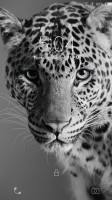
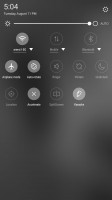
Fairly regular lockscreen
The homescreen deviates from Android standards. It has a special pane on the left, but it's dedicated entirely to neoShare (a feature of the Weibo social network) and shortcuts to the various camera modes. The other homescreen panes hold widgets and shortcuts.
All shortcuts. That's the launcher style popular in China, no app drawer, instead drop everything into the homescreen (like the iPhone, but with widgets). Folders help organize the madness if you have too many apps and you can dock the 4 most used apps at the bottom row.
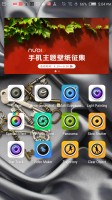
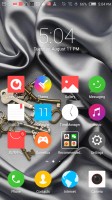
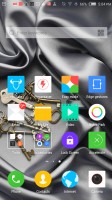
Homescreen: camera shortcuts on the left • shortcuts, folders and widgets to the right
If you don't like the look, you can try out different themes. They change the wallpaper and icons, sounds too.
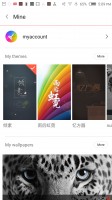
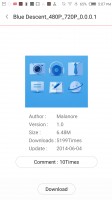
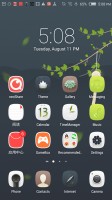
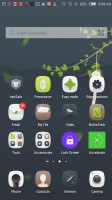
The theme store • checking out a theme • applying a theme
The notification area combines notifications and quick toggles, plus a brightness slider. Only the top three quick toggles are visible at first, the rest are revealed with a second swipe. You can rearrange them so you can make any toggles you like visible by default.
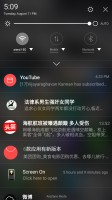
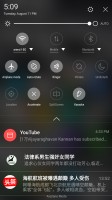
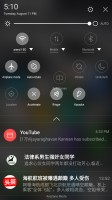
First pull gets the you notifications and 3 quick toggles • second pull gets you the other toggles
The app switcher borrows its design from iOS. It's launched by long pressing the Home key and shows cards with all running apps, their shortcut and name below them. There's also an X that will "Accelerate" your phone by closing running apps. The phone even calculates how much RAM you'll free. Our advice - don't do it. The mantra "free RAM is wasted RAM" applies here.
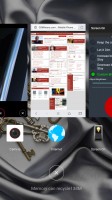
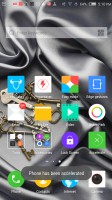
App switcher is not very space efficient • closing apps to free up RAM
One cool gesture is Edge slide - it can work on the left, right or both edges (your choice) and swaps between running apps. You can swipe up and down to move back and forth between apps.
Apps can be muted (excellent if an ad in the browser starts making noise unexpectedly) and you can drag content (text and images) between apps that are sharing a screen.
From the quick toggles you get to enable SplitScreen mode. If you guessed "run two apps at the same time" you get a cookie - the 5.2" is split in two (you can move the division line) and you can run one of several apps.
It's not the best multi-app implementation we've seen, in fact it has some big issues. For one, you can view the homescreen twice, dock and all, which just looks weird. Also, not all apps resize to fit their allotted portion of the screen, most remain a downscaled 16:9 version of themselves, which is often too tiny to use properly.
The good news is that even third-party apps seem to work in this mode and some of them are smarter about resizing than the Nubia's native apps. The swipe gesture to move between apps works, which is quite convenient - almost Galaxy S6 edge like.
You can drag the division line all the way to the bottom, which will minimize that app to a small floating icon that can be used to reopen the app in its split-screen state.
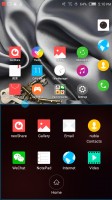
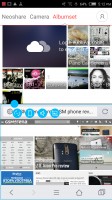
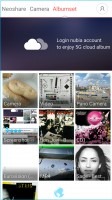
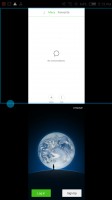
Split-screen mode • not all apps resize properly
An Easy mode is available that shows huge, easy to hit shortcuts, four on a screen plus two docked icons (phone and SMS). The selection of apps is limited to the bare essentials in this mode.
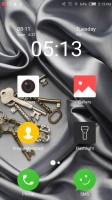
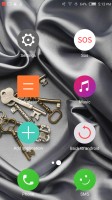
Easy mode
A one-handed mode is available for those that find a 5.2" screen too big (we doubt many would, but still). It scales down the whole screen and puts on-screen copies of the capacitive buttons so they are easy to reach. The small virtual screen can be resized and repositioned as needed.
A word of warning - the ZTE Nubia Z9 software in its current state was really not meant for the western market. Most of the software has an English translation but often it's Google Translate quality. It ranges from odd phrasing to downright incomprehensible. And that's if you're lucky enough to get a translation - the app store, for example, doesn't have a Latin letter in sight.
That's not the end of it. A lot of the apps that are on the phone are China-specific. At best they are not familiar to a western audience, at worst they just plain don't work, like the map app.
ZTE has officially announced that it will be bringing the Nubia Z9 to the US so a more English-friendly version is on its way (should land in Q3). We don't yet know if it will feature the Google Play package or not, but if it does (as it should) it will fix many of our complaints.
Edge gestures
The ZTE Nubia Z9 features a number of gestures enabled by its bezel-less design. The basic gesture is swipe up or down on one side of the screen. That can switch back and forth between apps or launch a couple of apps (one for up, one for down). The left and right edges can be individually set individually to either mode (or disabled).
Swiping on both edges simultaneously can be set to adjust the screen brightness or the volume. An up-down-up-down gesture on one edge can only be set to accelerate the phone, i.e. close running apps.
A different kind of gesture is squeezing the phone. This can be set to unlock the phone (we couldn't get it to work), or if you squeeze twice it can take a screen shot or enable one-handed mode.
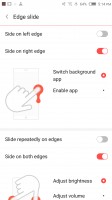
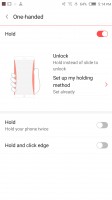
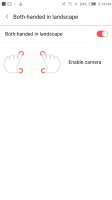
Edge gestures
A tap with one finger on the edge can work as a Shutter key in the camera or for favoriting photos in the gallery.
Launching the camera can also be done with a gesture - hold the phone horizontally, with four fingers touching the side (basically, the natural "taking a photo" grip). Still, we prefer the hardware shutter key for such things.
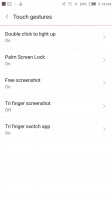
The settings menu has a double tap to wake gesture and a lock gesture which is simply covering the screen with your palm.

Tip us
1.7m 126k
RSS
EV
Merch
Log in I forgot my password Sign up