Galaxy S7 has a native DPI setting, but it’s tucked away somewhere…
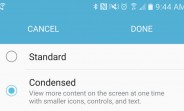
There is a way to access this hidden menu, perhaps Samsung intended to activate the setting in a future software update, but if you want your Galaxy S7 to display more content on the same size screen, you can follow these steps to do just that.
- Download Nova Launcher from the Play Store
- Long-press an empty space in the homescreen and find the Widgets section
- Choose the “Activities” widget and place it on any homescreen page
- Find “Settings” and then pick .DisplayScalingActivity
- Once the new widget shortcut appears, tap on it
- Choose between Standard and Condensed
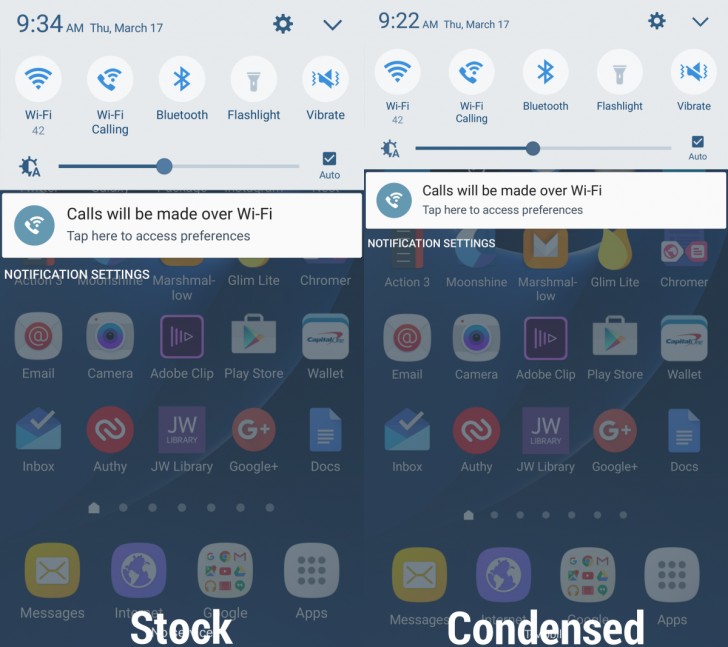
- Enjoy more overall space around the OS, including those oversized statusbar icons that take up half the status bar
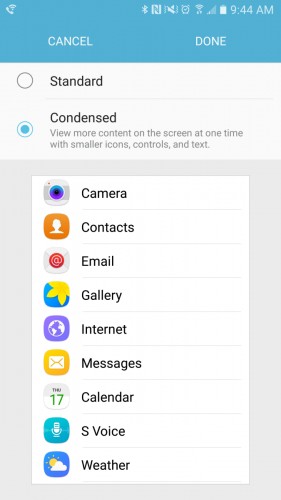
Sure, it’s kind of tedious, but hey, at least neither root nor ADB commands are required in order to enjoy a little more space for your Galaxy S7’s beautiful AMOLED screen.
Here is one example below, but check our more screenshots at the source link from XDA-Developers.
Reader comments
- AnonD-375375
- LaJ
It works on Samsung Galaxy S6 Edge as well, for those who got the Marshmallow update. *Yay*
- Anonymous
- NT9
This is the best! One less reason to need root, as I've always HATED super high resolution screens that had high DPI setting, rendering the extra resolution useless.




Tip us
2.1m 180k
RSS
EV
Merch
Log in I forgot my password Sign up