Exciting start
Samsung Galaxy Exhilarate review: Exciting start
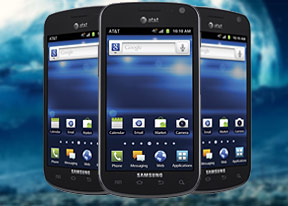
A solid 5MP shooter
The Samsung Galaxy Exhilarate comes with a 5MP camera and an LED flash. It captures photos at a maximum resolution of 2560 x 1920 pixels.
Its interface looks pretty familiar with two shortcut bars on each side of the viewfinder. On the right you get the still camera / camcorder switch, virtual shutter key and the gallery shortcut (which is a thumbnail of the last photo taken)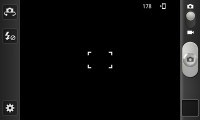
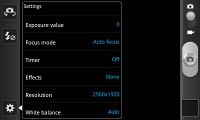
The camera interface
On the left, you get the front/back camera switch and the flash control. You can replace those two and add two more (for a total of four) shortcuts to any option in the Settings menu.
As regards image quality, the Samsung Exhilarate rates on the better part of the scale. The image detail is on a nice level, and there is no excessive digital noise whatsoever. The colors look balanced and natural. The white balance is usually spot on too.
Check out a few samples below.








Video recording is acceptable
The video camera interface is identical to the still camera. You get the same customizable panel on the left with four shortcuts.
The camera shoots 720p video at 30fps. Unlike the still camera, you can't use the video-call camera to shoot videos.

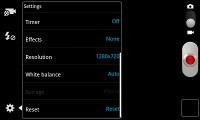
The video camera interface
The videos are shot in .MP4 file format, encoded with a bitrate of 12Mbps. Video quality is nice and the videos are as fluid as they get. A minor annoyance is that diagonal lines too often end up jagged due to some sort of image processing.
Here is a 720p video sample for you.
And here goes an untouched 720p@30fps video clip for download.
Connectivity is well covered
The Samsung Galaxy Exhilarate has quad-band GSM/GPRS/EDGE support and quad-band 3G with HSPA+ (21Mbps downlink and 5.76Mbps uplink).
LTE is undoubtedly the connectivity feature which you should care about the most. We had a great experience with the device in New York City with speeds often exceeding 50Mbps.
Moving on, there's Bluetooth 3.0 for fast local file transfers. Then there's Wi-Fi b/g/n support and a Wi-Fi hotspot option.
The AllShare app allows you to stream content to and from various devices (TV or computer) over DLNA.
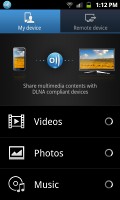

AllShare app
The handset also comes with Kies Air preloaded. The app connects to the local Wi-Fi network (or it can create a Wi-Fi hotspot) and gives you a URL to type into your computer's web browser.
From there you can manage just about anything on the phone - from contacts, messages (including composing messages), to browsing images, videos and other files straight in your desktop browser. You can grant or reject access to computers and see who's connected to the phone at any moment.
The cool thing is you can stream music with handy playback controls. It works for videos too.
A good web browser
The interface of the Android web browser has hardly changed. Its user experience is, as usual, quite good.


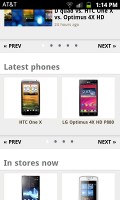
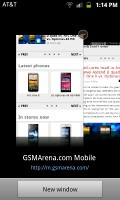
Browsing GSMArena.com
The browser supports both double tap and pinch zooming along with the new two-finger tilt zoom. There are niceties such as multiple tabs, text reflow, and find on page and so on. A neat trick is to pinch zoom out beyond the minimum - that opens up the tabs view.
Yet another neat trick is the browser-specific brightness setting. You can, for example, boost the brightness in the browser to comfortably view your web pages but keep the general brightness low to conserve battery.
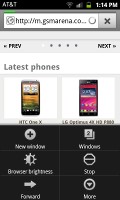
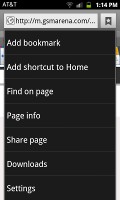
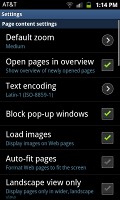
Page options and settings
There's Flash 11 support, which means you can watch YouTube videos right in the browser (videos up to 720p worked smoothly) and play Flash games too.
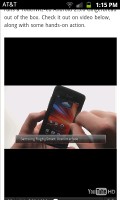
Watching a YouTube video


Tip us
2.1m 180k
RSS
EV
Merch
Log in I forgot my password Sign up