Larger than life
Sony Ericsson XPERIA X10 review: Larger than life

Great phonebook
The XPERIA X10 phonebook has been visually customized but the great functionality remained untouched. As before, the phonebook can store a lot of information.
When adding a new contact you won’t see the standard list of uncountable fields with a plus or minus sign next to them but only 4 empty fields. However, you can add many new fields of any kind.
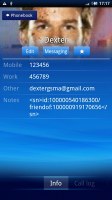
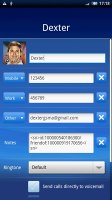
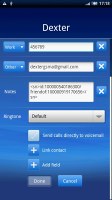
The XPERIA X10 phonebook • Viewing and editing a contact
Also, in each Gmail account there's a special group called "Starred in Android" where these contacts go automatically. Linking contacts to Facebook or Twitter accounts is available too.
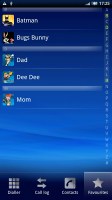

You can also "star" a contact, which puts it in the Favorites tab
There are two contact search options – a dedicated search field on top of the contact list, and an alphabet scroll to jump to names starting with a specific letter.
Adding a photo to a contact is quite easy: when you select a photo, a cropping tool comes up allowing you to use any part of the photo you want. Adding a photo has another pleasing "side effect" - if you put a dialing shortcut for the contact on the screen, it uses the photo as an icon.
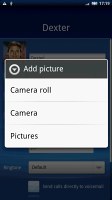


Cropping made easy
Telephony could have been better
The Sony Ericsson XPERIA X10 had no issues with reception and in-call quality. The sound is loud enough so you don’t need to always set the volume to maximum.
Unfortunately, the X10, just like the rest of the Android crowd (except for the HTC Hero and Legend), doesn’t feature smart dialing (or voice dialing for that matter).
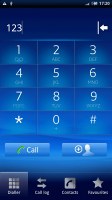
No Smart dialing, again
In Android, the phonebook, call log and dialer are all part of the same application. You can easily search them by flick scrolling. The call log shows all the dialed, received and missed calls all in one list.
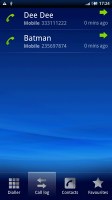
The call log
We also ran our traditional loudspeaker test on the Sony Ericsson XPERIA X10. We weren't overwhelmed but the X10 still snatched an average score. More info on our loudspeaker test as well as other results can be found here.
| Speakerphone test | Voice, dB | Ringing | Overall score | |
| Apple iPhone 3G | 66.1 | 62.1 | 71.7 | |
| Sony Ericsson XPERIA X10 | 66.7 | 66.5 | 68.7 | Average |
| Motorola MILESTONE | 69.7 | 78.0 | 66.2 | Good |
| Google Nexus One | 69.9 | 66.6 | 79.1 | Good |
| HTC HD2 | 75.7 | 72.8 | 78.0 | Very Good |
| LG KF900 Prada | 77.1 | 75.7 | 82.0 | Excellent |
Messaging: now we’re… texting
The Android SMS and MMS departments are quite straightforward and simple - there are no folders here, just a new message button. Under that button is a list of all your messages organized into threads.
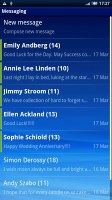
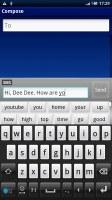
Composing a message
Composing a message is a little frustrating since the text box with the message still occupies a very small part of the screen giving you quite a small part of the text to work with.
Converting an SMS to MMS is logical and easy. When you add multimedia content to the message, it is automatically turned into an MMS. You can just add a photo or an audio file to go with the text or you can choose to go into a full-blown MMS editor, depending on your needs.
Moving on to email, the Gmail app supports batch operations, which allow multiple emails to be archived, labeled or deleted.

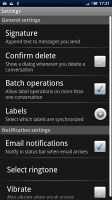
The Gmail app features batch operations
There is also a generic email app for all your other email accounts and it can handle multiple POP or IMAP inboxes. You have access to the messages in the original folders that are created online, side by side with the standard local ones such as inbox, drafts and sent items.
Google Talk handles the Instant Messaging department. The GTalk network is compatible with a variety of popular clients like Pidgin, Kopete, iChat and Ovi Contacts.
Text input options
As for text input options, the X10 offers a couple of on-screen full QWERTY keyboards. Even on the portrait keyboard typing is pretty comfortable, keys are large enough and well spaced.
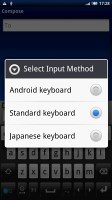
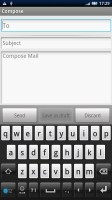
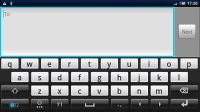
Both of XPERIA X10’s keyboards are pretty comfy
Flipping the phone to landscape however tells a whole new story. The large on-screen keyboard takes more than half the screen and gives you large, easy to press buttons. The X10 is probably as good as you will ever need – in virtual keyboard terms of course. For proper typing, we guess, you should check out the Motorola Milestone.
And when it comes to social networking, the XPERIA X10 is a true expert. With the X10, SNS integration has reached a new level. You will find them everywhere: on the homescreen, in the phonebook, and in the main menu as well.
There is support for some of the most popular social networks (including Facebook, Twitter and the German VZnet). You can update your status, upload images, contact your friends and see what’s going on.


Tip us
2.1m 180k
RSS
EV
Merch
Log in I forgot my password Sign up