GSMArena.com GSMArena.com

Tip us

2.1m
180k
RSS

EV

Merch

Log in

Login

I forgot my password
Sign up
  • Home
  • News
  • Reviews
  • Videos
  • Featured
  • Phone Finder
  • Deals
  • Merch
  • Coverage
  • Contact
ADVERTISEMENT

Windows Phone 7 emulator now available, we give it a spin

  • Post your comment
  • Comments (31)

22 March, 2010

Microsoft Windows Mobile Touch UI

If you are eager to test the new Windows Phone 7 and can't wait until its official launch, there is now a way to do that. Microsoft have released an emulator which gives let's you try out their latest mobile OS straight from your PC.

A standard Windows Phone 7 bin-file comes with the dev kit, but it offers almost nothing except the OS environment. It's intended for developers for testing and debugging their apps.

Shortly after the tools' release however, a new unlocked OS image leaked, packing the Windows Phone 7 OS by Microsoft in its current stage of development. MS are not surprised by the leak but wanted to remind everyone that most of the platform is still in the early stages of its development and none of its parts is even close to a final stage.

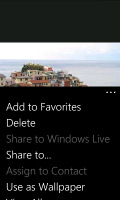
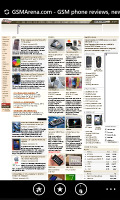
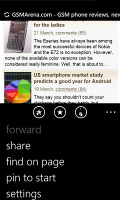
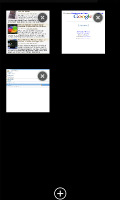
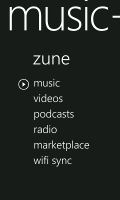
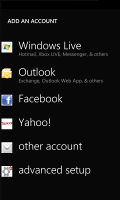
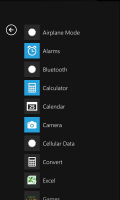
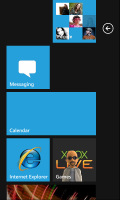
Well, the curiosity is the strongest motivator so we tried it and extracted some nice screenshots. As was to be expected, the performance is far from perfect so we can hardly pass a verdict but at least we get the idea what to expect.

Windows Phone 7 Windows Phone 7 Windows Phone 7 Windows Phone 7 Windows Phone 7 Windows Phone 7 Windows Phone 7 Windows Phone 7 Windows Phone 7 Windows Phone 7 Windows Phone 7 Windows Phone 7
Windows Phone 7 OS screenshots

If you want to try the emulation for yourself you need to have a Windows Vista or 7 PC and you should follow these steps:

  • You must install Microsoft's Visual Studio 2010 Express for Windows Phone CTP from here (the process requires system reboot).
  • Download this image file.
  • Unrar the downloaded bin into C:\Program Files\Microsoft SDKs\WindowsPhone\v7.0\Emulation\Images\ .
  • Go to C:\Program Files\Microsoft XDE\1.0\ and find the XDE.exe. Right click on it and then select "Create Shortcut" (you may be asked to save that shortcut on the desktop).
  • Go to the properties of your new shortcut and modify the Target field as this: "C:\Program Files\Microsoft XDE\1.0\XDE.exe" "C:\Program Files\Microsoft SDKs\WindowsPhone\v7.0\Emulation\Images\WM70Full.bin" .
  • Run the shortcut and be patient.

Note that 64-bit Windows users must select Program Files (x86) folder instead the original Program Files.

Source

Reader comments

u
  • user
  • vtx
  • 16 Apr 2021

i have downloaded windows phone 8.1 elumoter it,s not showing on home scrren of my pc plase help me

  • Reply
f
  • faizan ghani
  • KIJ
  • 27 Feb 2012

The windows phone emulator start,search and back button does not work!!!!!!!! PLEASE HELP ME!!!!!!!
  • Reply
m
  • maysam
  • mg}
  • 26 Mar 2011

does not work as standalone file in win7 64bit

  • Reply
  • Read all comments
  • Post your comment
Total reader comments: 31

Recommended
  • Apple now sells iPhone 18 Pro repair parts Apple now sells iPhone 18 Pro repair parts
  • We are on TikTok, follow us for exclusive content We are on TikTok, follow us for exclusive content
  • India smartphone shipments drop 26% in Q3 to the lowest level since 2016 India smartphone shipments drop 26% in Q3 to the lowest level since 2016
  • Ultrahuman Air is a smart ring that monitors sleep, recovery and more Ultrahuman Air is a smart ring that monitors sleep, recovery and more
ADVERTISEMENT

Phone finder

  • Samsung
  • Apple
  • Huawei
  • Nokia
  • Sony
  • LG
  • HTC
  • Motorola
  • Lenovo
  • Xiaomi
  • Google
  • Honor
  • Oppo
  • Realme
  • OnePlus
  • Nothing
  • vivo
  • Meizu
  • Ulefone
  • Alcatel
  • ZTE
  • RugOne
  • Umidigi
  • Fairphone
  • Oscal
  • Sharp
  • Micromax
  • Infinix
  • Asus
  • Tecno
  • Doogee
  • Blackview
  • Cubot
  • Oukitel
  • Itel
  • TCL

All brands Rumor mill

ADVERTISEMENT

Top 10 by daily interest

  Device Daily hits  
1.Apple iPhone 18 Pro Max18,882
2.Oppo Find X10 Pro Max18,378
3.Samsung Galaxy S26 Ultra15,978
4.Samsung Galaxy A5715,184
5.Xiaomi 18 Pro Max14,877
6.OnePlus 1613,740
7.Samsung Galaxy A1712,554
8.Huawei Pura 90 Plus12,394
9.Apple iPhone Duo11,451
10.Honor X9e Pro11,320

ELECTRIC VEHICLES

Interior of the new BYD Seal 07 reveals a grownup design Interior of the new BYD Seal 07 reveals a grownup design Australia and New Zealand join long list of Cybertruck-less countriesHere's another Multipla-inspired concept from Fiat called Multiplina
ADVERTISEMENT
Ads by Playwire

Home News Reviews Compare Coverage Glossary FAQ RSS Youtube Instagram TikTok Facebook Twitter

© 2000-2026 GSMArena.com Mobile version Android app Tools Contact us Merch store Privacy Terms of use