Apple iOS 14 review
New privacy features
The new iOS 14 comes with enhanced privacy features spanning across the entire operating system. You can now change some of the default Apple apps, get a rich privacy report from Safari, choose what photos to share with apps requiring Photos access, choose what type of location to share with apps requiring your location, and some fan-favorite dot indicators for microphone and camera usage. Let's take a closer look.
With iOS 14 Apple allows you to change the default web browser and the default mail client. It's not very intuitive how to approach this and, at the time of writing, there is a bug that reverts back to Apple's system apps after each restart/shutdown.
Anyway, if you want to swap the default Safari or Mail, you need to go to the Settings and find the app you want to be your new default - say Chrome - open its settings, and you will notice the option to choose Chrome for your default web browser. Same for Mail and say, Outlook.
Now, if we could change the default Maps app, that would have been great, too.
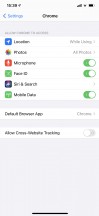

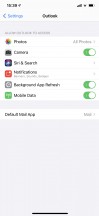

Change default browser • Default browser • Default Mail • Default mail
Safari now offers a cool feature called Privacy Report. You can see it at any time by tapping the two letters on the address bar. It shows all the trackers that are following you across different websites and which one of these Safari has prevented from doing so.

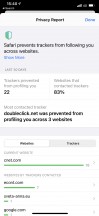
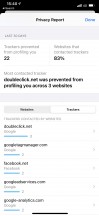
Privacy report in Safari
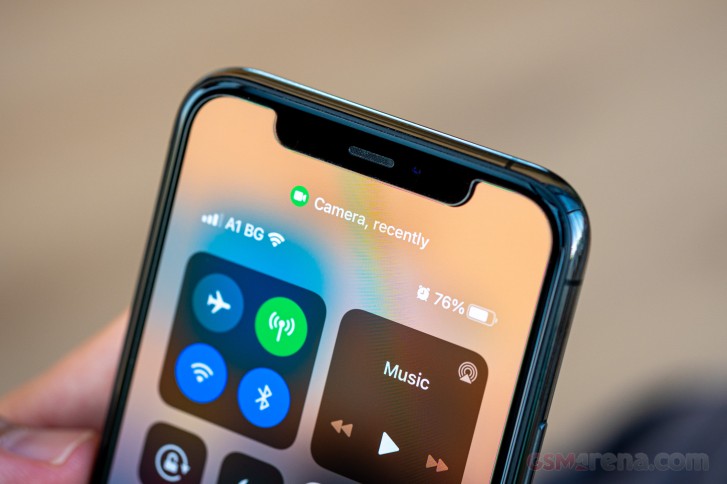
And speaking about privacy, iOS 14 now indicates when your camera or microphone are in use. When there is a camera active, you will see a small green dot next to your cellular bars. If your microphone is in use - you'll notice a small orange dot at the same place.

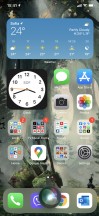
Camera indicator • Microphone indicator
Another new privacy change is when allowing access to your Photo library. You can now choose between Allow access to all photos, Select photos, and Don't allow. The new option - Select photos - will make the app see only the photos you select and nothing else. Neat.


Photo access
Finally, Apple has added one very clever option called Precise Location. Each app that is allowed to access the phone's Location Services now has an additional option that is on by default - Precise Location. If you want to hide your exact location from an app for privacy reasons, just disable this option, and the app would only receive your approximate location instead.


Precise Location
Another privacy-related thing than is not new, but you may have forgotten about, is the option to remove location data from photos before sharing them. From the Photos app choose photos to share, then hit the Share button, and around the top of the screen, you will see Options. Hit it and disable Location.

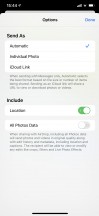
Remove location in Photos before sharing
Apple has already introduced numerous privacy improvements with previous iOS updates, so the new ones are just a refinement of the old ones. But we still appreciate the new options.
Wrap-up
Apple's iOS has seen a ton of updates throughout the years adding new functions, features, reshaping the looks of the OS, and making everything more secure. The latest iOS 14 update is far from groundbreaking even if it holds the potential of making iOS look completely different with the new types of widgets.
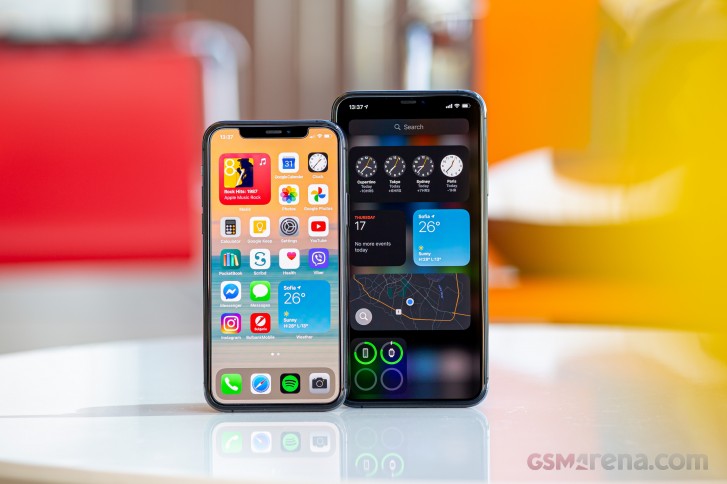
So, the new widgets and app library are welcome additions, and we think the Today page should become optional from iOS 15 onwards until its retirement. The Notification Center could be improved a bit, too, while the Photos app should finally become smarter and do the sorting you are too lazy to do. Maybe Apple should rework the file management. Windows PC users, for one, would be more than happy to have a way of transferring files to Apple devices that doesn't require downloading iTunes. But that's wishful thinking
We liked where Apple is heading with the new iOS, and we hope to see even more long-overdue updates like the full-blown widgets and default app change options. The new iPhones are just around the corner, so you know what to expect from them software-wise. And we see no reason why you shouldn't update your older iPhones right now.
Finally, something worth praising - the iOS 14 update is available for a broad range of iPhones starting with the iPhone 6s that came out back in 2015. Apple is keeping on its promise for five years of guaranteed updates, and despite all efforts by Google in recent years, Apple remains the only maker that can provide this today.


Tip us
2.1m 180k
RSS
EV
Merch
Log in I forgot my password Sign up