Google Pixel 6a review
Android 12 and five years of software support
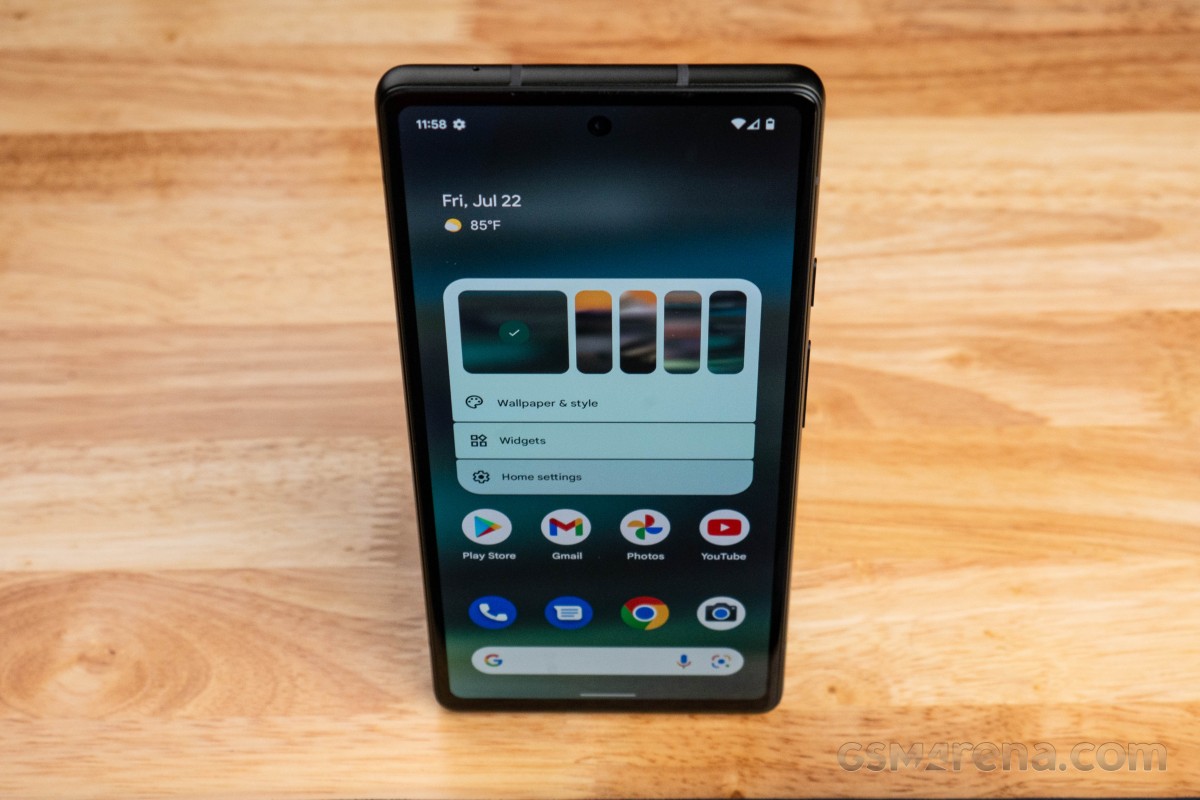
With Android 13 still a few weeks from its release, the Pixel 6a launches with Android 12 out of the box. Starting with the Pixel 6 and 6 Pro, all subsequent Pixels are promised to receive Android OS version updates for three years and security updates for five years from their release dates. The Pixel 6a will be eligible to receive major Android OS updated through July 2025 and security updates until July 2027.
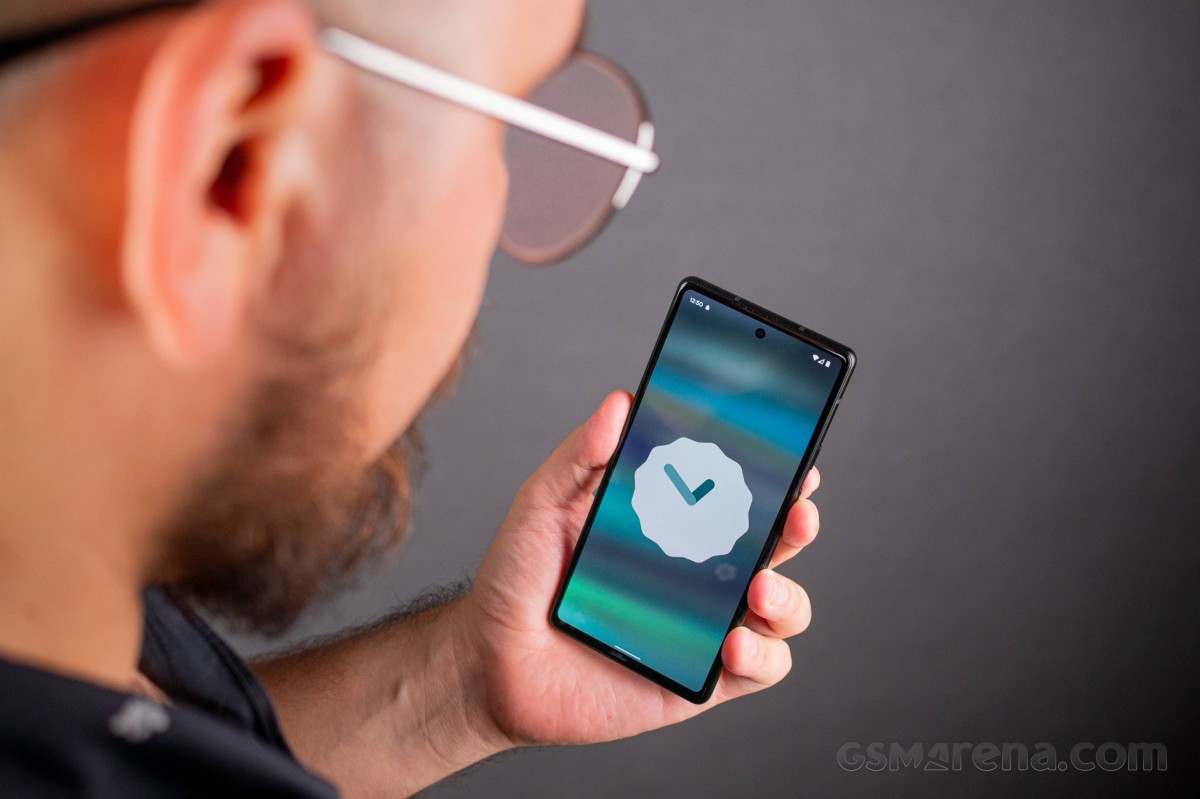
Since this is a Pixel phone, the 6a will also be among the first to receive beta previews for future Android builds - if you're into that. Google also has quarterly "Feature Drop" releases - which can also be beta tested if you opt for Google's QPR beta program.
Android 12 wasn't the smoothest transition for Google's Pixel lineup, with the Pixel 6 and 6 Pro facing numerous bugs within the first several months of their product cycle. Google has had time to refine Android 12 and the Tensor chip's performance since, so we were hoping for far more polished software and smooth operation out of the box.
Upon first booting the Pixel 6a, you'll see option to select the device's language and set up accessibility assistance if needed. You'll also be offered to transfer data from another device using the included "Quick Switch Adapter" before logging in with a Google account.
Then, you'll be asked to enter a lock screen method and to register your fingerprints. After setting up or skipping past Google Assistant settings, you'll select whether you want to use navigation gestures to get around. If you skip past it, you'll revert to the classic navigation bar - but you can change your mind later.

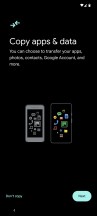
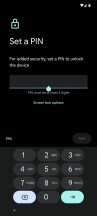




Welcome • Transfer • PIN code • Google Assistant • Navigation gestures • Fingerprint set up
To the left of the home screen is a Google Feed, there's a Google Search bar at the bottom of every home screen page and swiping up will bring the application drawer. Swiping down from anywhere on the launcher will pull the notification shade down so you won't need to always perform calisthenics with your digits to reach the status bar.
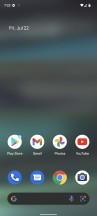

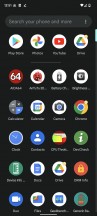
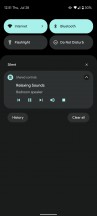
Home screen • Google Feed • App drawer • Notification shade
In the wallpaper selector, you can choose from some color schemes extracted from the background image. There's also an option to change the grid width/height, as well as activate/deactivate the Dark Theme. You can also set the Dark Theme to sync with the sunset/sunrise from the display settings.
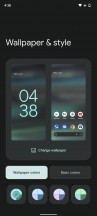
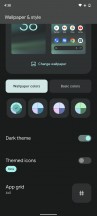
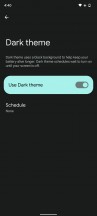
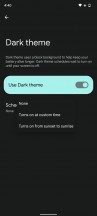
Theme style • Wallpaper colors • Dark theme option: from launcher • from Display settings
Some of the more notable software features on the Pixel 6a are enabled by the Google Tensor chip. Assistant Voice Typing is one of the most compelling, which transcribes voice to text near-instantaneously and without requiring a network connection, leveraging on-device language processing. Typing with Assistant is available in English, German, and Japanese.
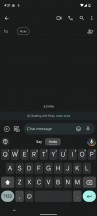
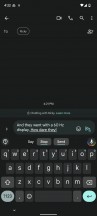
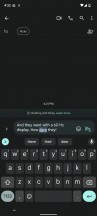
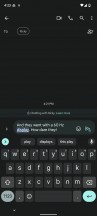
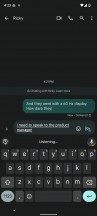
Assistant Voice Typing
Live Captions and Live Translation are useful features as well. Live Caption works in six languages: English, Spanish, French, German, Italian, and Japanese. Live Translation of Live Caption is possible between these same languages.

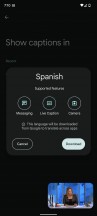
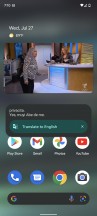
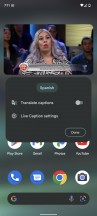

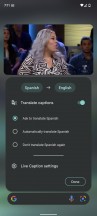
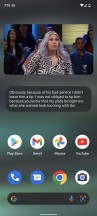
Live Caption and options to translate them
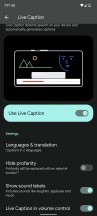
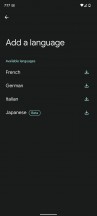
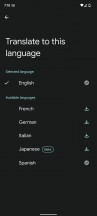
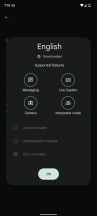
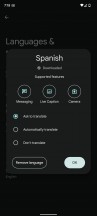
Live Caption settings
If recording lectures or meetings is a regular occurrence in your life, the Pixel 6a's Voice Recording app is an excellent tool with instant transcription and powerful editing tools to make the best use of a voice recording. You can even edit interviews by removing text from the transcription, and the corresponding section of the recording will be updated. Recordings can be automatically backed up to a Google Drive account as well.
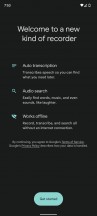
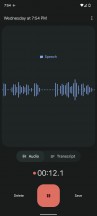
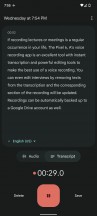
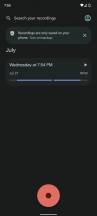
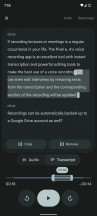
Voice recording app
Google Pixel has some telephony features exclusive to its devices. The most popular one is Call Screen. This one lets you summon Google Assistant to answer a call from an unknown number and you'll get a real-time transcription. You can hop in on the call at any point, send to voicemail, or block number and report as spam.


Call Screen
Live Caption even works for phone calls. The Pixel 6a will transcribe calls and translate the other end's words if needed. Like with playing back content previously, the final translation is not completely accurate, but it should get the point across.
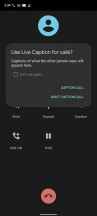

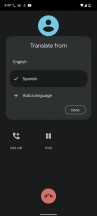
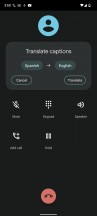
Live caption and translate call
Call Screen is available automatically to all Pixel users in the US in English. It needs to be manually enabled everywhere else Call Screen is available: Australia, Canada, France, Germany, Ireland, Italy, Japan, Spain, and UK.
Haptic feedback
The haptic input on the 6a has noticeably improved over the 5a. We're not sure if this is using the same haptic motor as that of the Pixel 6 or 6 Pro, but we can say that vibration is tight and firm when unlocking with fingerprint and navigating UI. It's also strong with incoming notifications and phone calls. It is set to the highest by default, but you can adjust the intensity of haptic feedback individually for ringtones, notifications, and touch feedback.
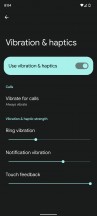
Haptic settings
Performance and benchmarks
The Google Pixel 6a is powered by the same Google Tensor chipset that resulted from a collaboration between Google and Samsung. It's 2+2+4 core configuration remains unique among smartphone SoCs with a different approach to handing tasks.
The first cluster is a pair of Cortex-X1 cores with a maximum clock-speed of 2.8GHz, then another cluster with a pair of Cortex-A76 cores at 2.25GHz, and an efficiency cluster consisting of four Cortex-A55 cores clocked at 1.8GHz. The Tensor chip is tuned to handle medium-level with the X1 cores at a more efficient workload rather than maxing out both Cortex-A76 mid cores. Graphics are handled by the 20-core Mali G78 MP20.
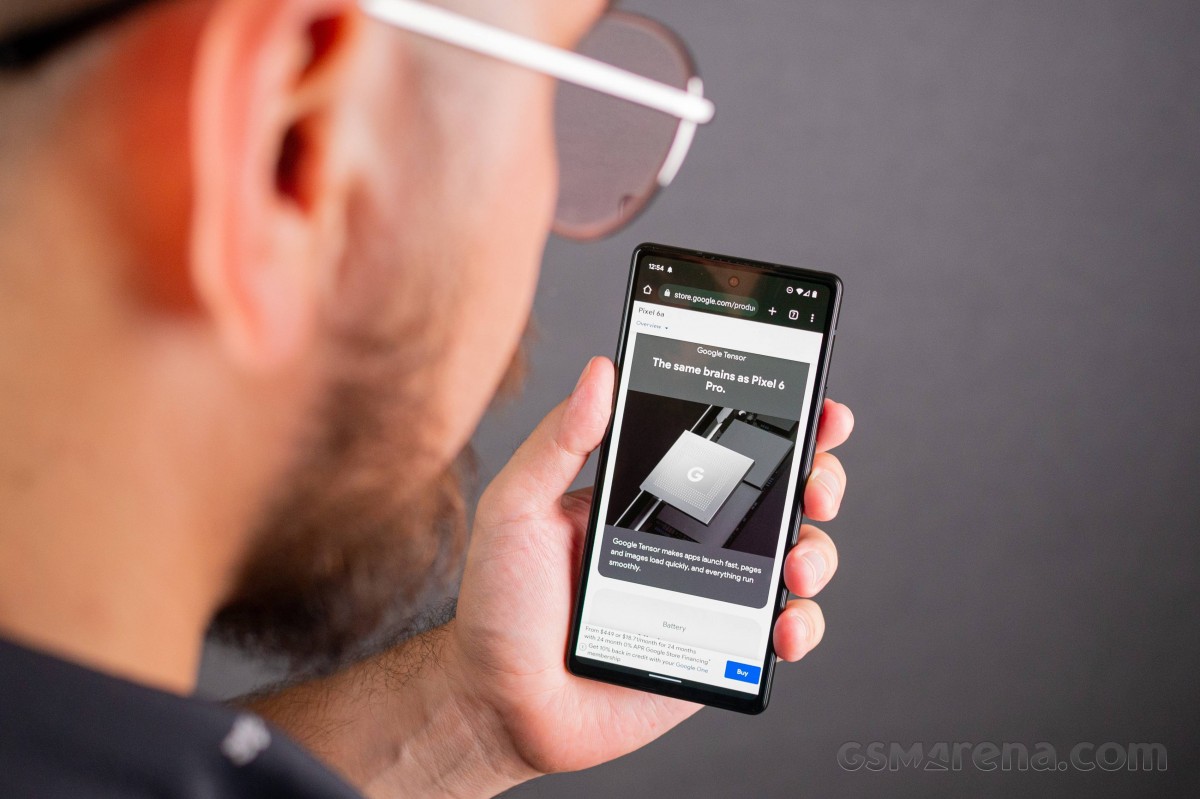
One of the selling points of the Google Tensor was its TPU (Tensor Processing Unit) which leverages a machine learning engine to enable new ways of processing information. There's a modern language processing model for improved speed and accuracy of voice input and usability with Google Assistant.
This machine learning engine also let Google's HDRnet capture video at up to 4K @ 60fps to enable greater color accuracy, though we're not sure if it is present on the Pixel 6a. A "Context Hub" inside also handles some of the Pixel's "ambient experiences" like the Always-on Ambient display and the Now Playing feature without using too much power.
Let's jump into synthetic benchmark tests and see where the Pixel 6a places amongst its competition. The Google Tensor chipset's CPU performance is comparable to the Snadpragon 888 - not quite on top of the charts, but great for the 6a's class. You'll also see the jump in performance from the Pixel 5a' Snapdragon 765.
GeekBench 5 (single-core)
Higher is better
-
Apple iPhone SE (2022)
1729 -
Samsung Galaxy S21 FE 5G
1096 -
Google Pixel 6a
1047 -
Google Pixel 6
1030 -
Asus Zenfone 9 (Dynamic)
927 -
Nothing Phone (1)
820 -
Samsung Galaxy A53 5G
743 -
Xiaomi 11T
742 -
Google Pixel 5a 5G
574 -
OnePlus Nord 2T 5G
493
GeekBench 5 (multi-core)
Higher is better
-
Apple iPhone SE (2022)
4629 -
Asus Zenfone 9 (Dynamic)
3606 -
Samsung Galaxy S21 FE 5G
3049 -
Nothing Phone (1)
3024 -
Google Pixel 6
2899 -
Google Pixel 6a
2876 -
Xiaomi 11T
2834 -
OnePlus Nord 2T 5G
2694 -
Samsung Galaxy A53 5G
1891 -
Google Pixel 5a 5G
1337
AnTuTu 9
Higher is better
-
Asus Zenfone 9 (Dynamic)
783425 -
Apple iPhone SE (2022)
723486 -
Samsung Galaxy S21 FE 5G
719696 -
Google Pixel 6a
712092 -
Google Pixel 6
676831 -
OnePlus Nord 2T 5G
619610 -
Nothing Phone (1)
592789 -
Xiaomi 11T
590837 -
Samsung Galaxy A53 5G
379313 -
Google Pixel 5a 5G
373168
The Pixel 6a performed quite well in graphics testing and its FHD+ resolution display gives it an edge in some of the onscreen tests.
GFX Aztek ES 3.1 High (onscreen)
Higher is better
-
Asus Zenfone 9 (Dynamic)
57 -
Google Pixel 6a
47 -
Google Pixel 6
46 -
Samsung Galaxy S21 FE 5G
38 -
OnePlus Nord 2T 5G
31 -
Xiaomi 11T
30 -
Nothing Phone (1)
23 -
Samsung Galaxy A53 5G
15 -
Google Pixel 5a 5G
13
GFX Aztek ES 3.1 High (offscreen 1440p)
Higher is better
-
Asus Zenfone 9 (Dynamic)
33 -
Google Pixel 6
30 -
Google Pixel 6a
29 -
Samsung Galaxy S21 FE 5G
24 -
OnePlus Nord 2T 5G
22 -
Xiaomi 11T
21 -
Nothing Phone (1)
15 -
Samsung Galaxy A53 5G
10 -
Google Pixel 5a 5G
8.4
GFX Aztek Vulkan High (onscreen)
Higher is better
-
Asus Zenfone 9 (Dynamic)
47 -
Google Pixel 6
43 -
Google Pixel 6a
39 -
Samsung Galaxy S21 FE 5G
38 -
OnePlus Nord 2T 5G
30 -
Xiaomi 11T
29 -
Nothing Phone (1)
23 -
Samsung Galaxy A53 5G
15 -
Google Pixel 5a 5G
11
GFX Aztek Vulkan High (offscreen 1440p)
Higher is better
-
Asus Zenfone 9 (Dynamic)
36 -
Google Pixel 6a
32 -
Google Pixel 6
30 -
Samsung Galaxy S21 FE 5G
25 -
OnePlus Nord 2T 5G
20 -
Xiaomi 11T
20 -
Nothing Phone (1)
16 -
Samsung Galaxy A53 5G
10 -
Google Pixel 5a 5G
8.4
GFX Car Chase ES 3.1 (onscreen)
Higher is better
-
Asus Zenfone 9 (Dynamic)
66 -
Apple iPhone SE (2022)
60 -
Apple iPhone 11
60 -
Google Pixel 6
57 -
Samsung Galaxy S21 FE 5G
56 -
Google Pixel 6a
51 -
OnePlus Nord 2T 5G
42 -
Xiaomi 11T
40 -
Nothing Phone (1)
33 -
Google Pixel 5a 5G
19 -
Samsung Galaxy A53 5G
19
GFX Car Chase ES 3.1 (offscreen 1080p)
Higher is better
-
Apple iPhone SE (2022)
97 -
Apple iPhone 11
76 -
Asus Zenfone 9 (Dynamic)
75 -
Google Pixel 6a
66 -
Google Pixel 6
66 -
Samsung Galaxy S21 FE 5G
57 -
OnePlus Nord 2T 5G
51 -
Xiaomi 11T
47 -
Nothing Phone (1)
37 -
Samsung Galaxy A53 5G
23 -
Google Pixel 5a 5G
21
3DMark Wild Life Vulkan 1.1 (offscreen 1440p)
Higher is better
-
Asus Zenfone 9 (Dynamic)
10178 -
Apple iPhone SE (2022)
9130 -
Google Pixel 6
6832 -
Google Pixel 6a
6066 -
Samsung Galaxy S21 FE 5G
5432 -
OnePlus Nord 2T 5G
4653 -
Xiaomi 11T
4172 -
Nothing Phone (1)
2921 -
Samsung Galaxy A53 5G
2292 -
Google Pixel 5a 5G
1674
The Pixel 6a performs wonderfully for a mid-ranger. We're content that Google made the effort to bring higher performance to a more accessible price point. Though the Google Tensor didn't have the smoothest of releases late last year with buggy software and heavy throttling, we're happy to report there is noticeable improvement with the 6a.
Performance stability test
We are happy to report that Google has greatly improved the thermal performance of the Pixel 6a over the Pixels 6 and 6 Pro. Although the 6a does get warm under moderate use, stability is quite good. Performance was steadily between 85% and 95% for the first few minutes until around the 8-minute mark, where it reached 80% and stayed there for the remainder of the hour-long test.
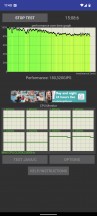
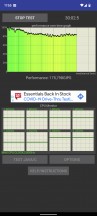
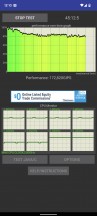
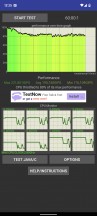
Pixel 6a performance stability
For reference, the Pixel 6 and 6 Pro saw drops down to 60% and below when stressed continuously.
Now let's move on to the Pixel 6a's camera performance.


Tip us
2.1m 180k
RSS
EV
Merch
Log in I forgot my password Sign up