Honor Magic V6 review
Android 16 with MagicOS 10
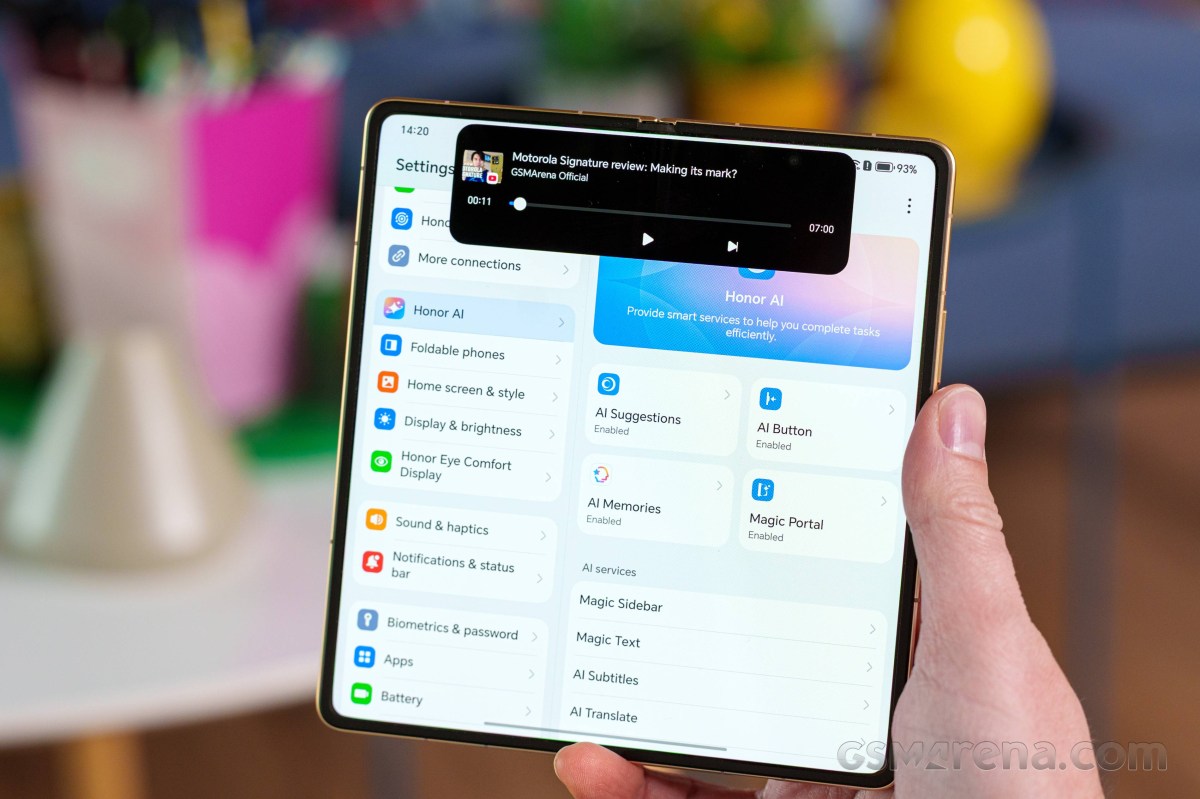
The Honor Magic V6 runs on the latest Android 16 with Honor's own MagicOS 10 interface. Honor promises 7 major Android updates for this foldable.
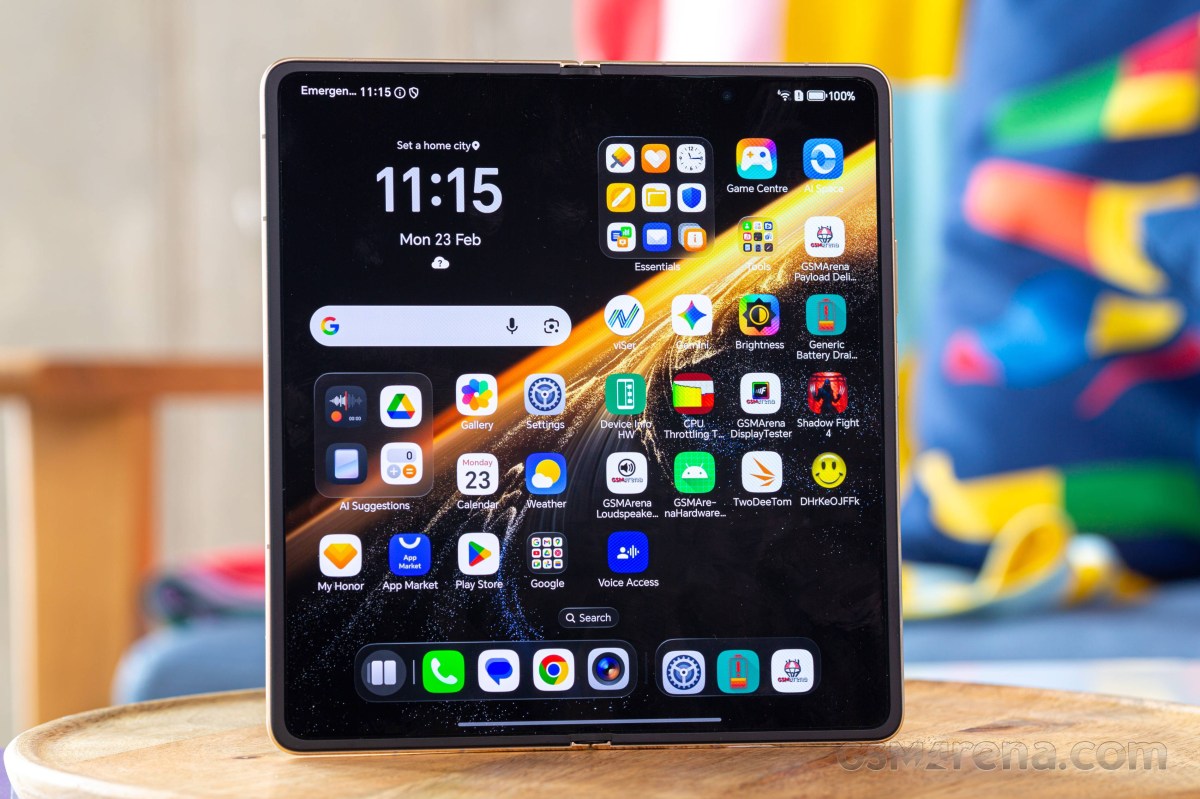
MagicOS 10 doesn't bring a radical redesign compared to its predecessors, but it does arrive with a noticeable layer of added polish. The interface now incorporates iOS-like liquid glass effects, complete with refined translucency and soft blur elements, while the overall experience leans even more heavily into AI-driven features.
Magic OS basics
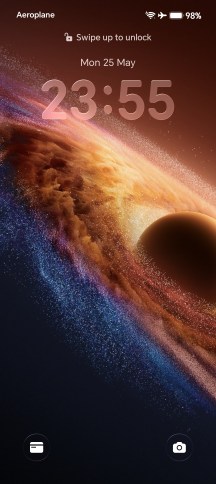
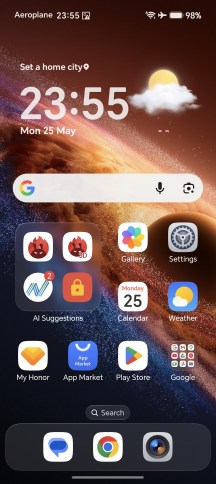
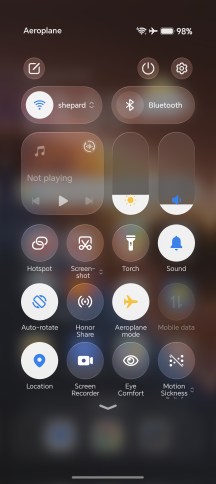
You can fully control the level of transparency, and you can fully customize most parts of the UI, which is quite nice.
You can choose between various themes, fonts, AOD options, there is also Standby mode, and many more.
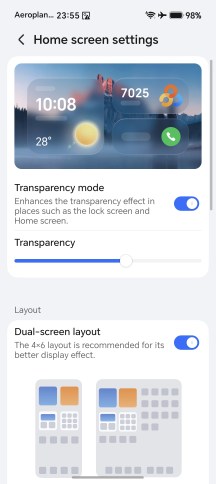
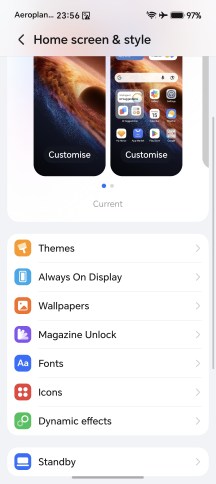
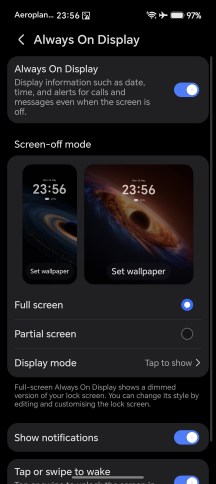
Customizations
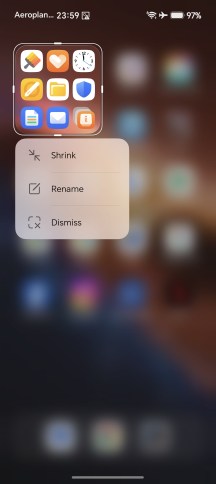
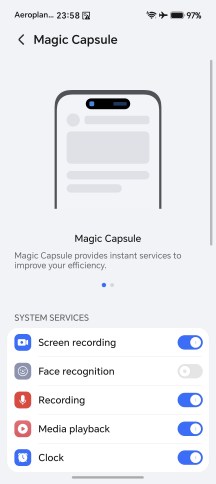
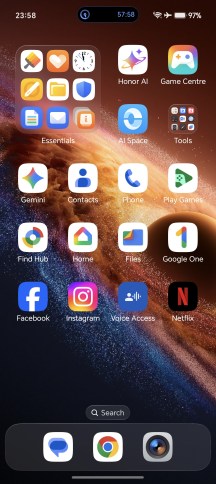
MagicOS has long featured its pill-shaped Magic Capsule notification system, predating the widespread adoption of similar concepts across Android. The launcher also continues to offer some of the more versatile large folder implementations around, with multiple size options going all the way up to a 2x3 footprint on the homescreen, capable of accommodating a 3x5 grid of app icons inside. One feature that seems to have been dropped, however, is the 'cards' system for app widgets, which is no longer available.
More Magic OS
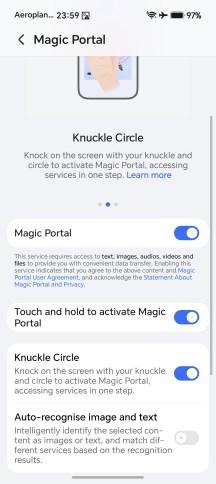
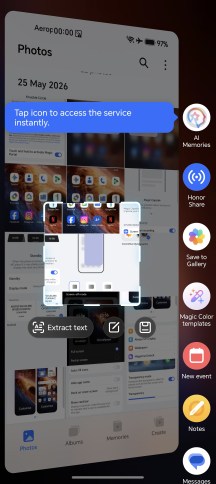
Magic Portal is still here - Honor's take on a system-wide copy-and-paste tool. A long press on content, such as an image, brings up a contextual sidebar with suggested apps and actions, letting you quickly search, send an email, or save a note based on the selected item. The available shortcuts are dynamically changed by AI, adapting to the content and context at hand.
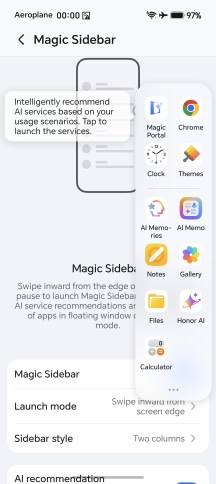
Magic Portal • Magic Portal • Magic Sidebar
Multi-tasking on the cover screen is a typical affair - you have options for split-screen and/or pop-up windows.
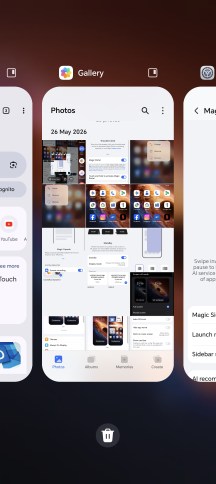
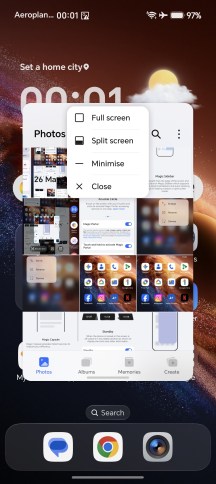
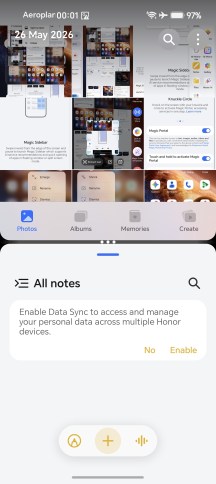
Multi-tasking on the cover screen
The MagicOS looks a bit different on the foldable screen. It has the bottom bar for quicker multi-tasking and app-switching.
Magic OS has great multi-window implementation with intuitive actions and both horizontal and vertical splits with a relatively wide ratio adjustment range (not just 50/50), plus floating windows.
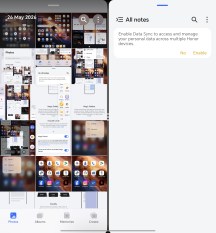
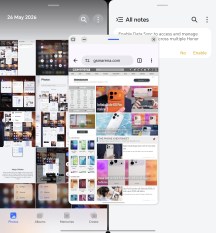
Multi-tasking on the inner screen
There is also a new option called Multi-Flex. You can start three apps from the Dock in this mode and then scroll between the three. We saw a similar feature on the Oppo Find N6, called boundless view.
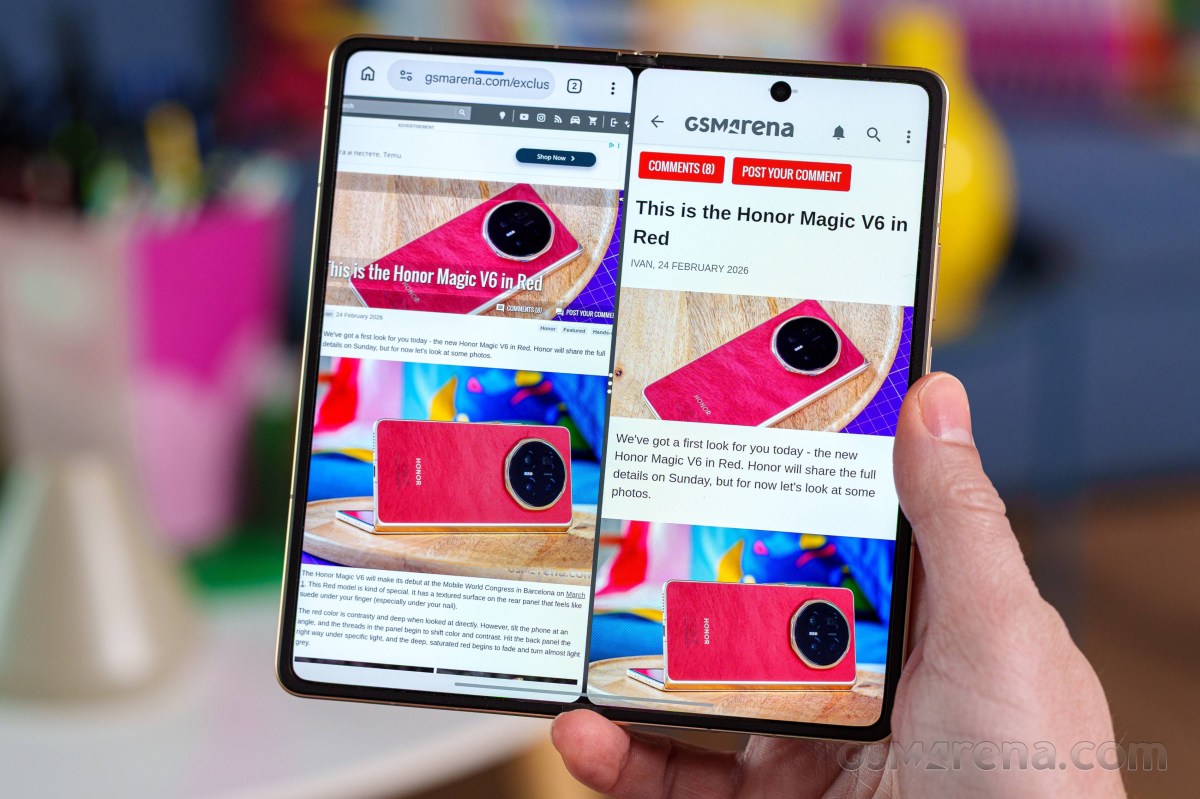
You can have up to four active apps on your screen at the same time - you can open one pop-up window on top of those three apps.
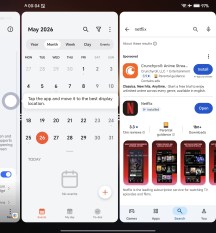
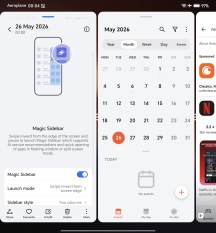
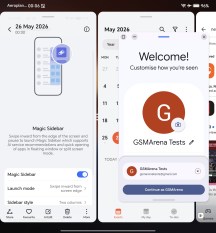
Multi-Flex
These are just some of the features tucked inside Honor's AI menu. There's also AI Subtitles for real-time transcription of video and spoken content, alongside AI Translate for live translation of face-to-face conversations, as well as a dedicated call translation feature for multilingual communication.
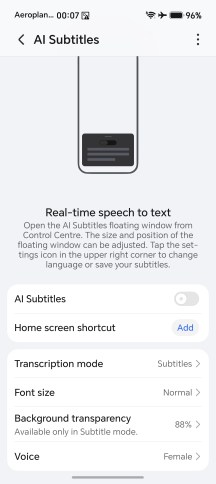
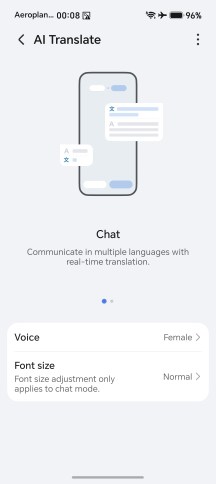
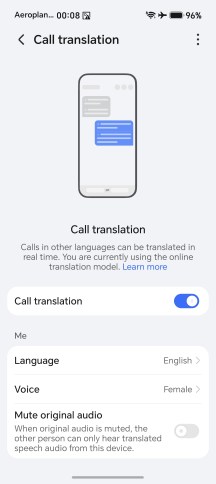
AI Subtitles • AI Translate • Call translation
AI Memories acts as a sort of digital scrapbook, letting you store screenshots and bits of text for later reference, with Magic Text enabling quick extraction of text directly from images. There's also an AI-powered deepfake detection feature, which is now active during video calls.
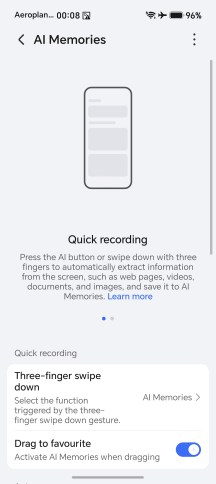
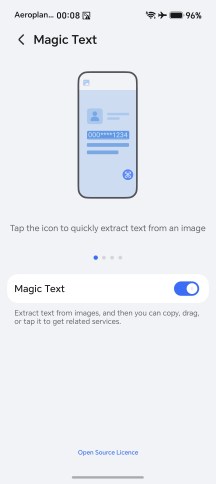

AI Memories • Magic Text • AI Deepfake Detection
While on the subject of AI features, Honor is particularly proud of its Image to Video 2.0 system. It is powered by the industry's first multi-modal video generation model. This means that you can provide up to three reference images for it to work with, alongside detailed description of what should happen in the video. The resulting clips have 3 to 8 second duration.
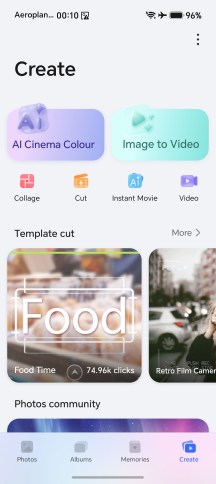
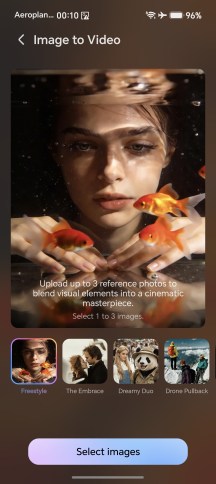
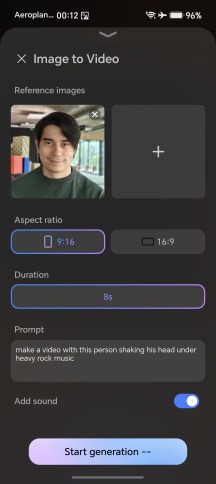
AI Image to Video 2.0
You can decide whether you want a 16:9 or 9:16 video and whether the generation should add sound to it. Judging by Honor's marketing, it sounds like at least some of the work is being done on the device, but the feature still outright refuses to work without an internet connection, so there is also a cloud component. The "Generate" button is accompanied by a small text that says this is a limited free trial of the feature, so there's that.
There are also quite a few AI editing options within the Gallery app.
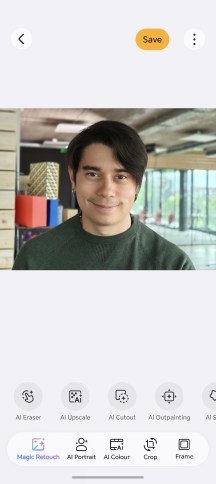
Gallery AI Editor
The AI button on the Magic V6 is the power button but instead of a press, you just need to tap on it. The AI button can be used to summon many of these features, and it recognizes three types of actions, so you can put it to more than one use. Non-AI shortcuts are also available, of course.
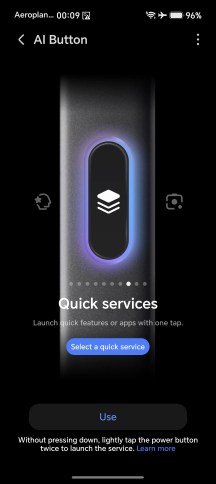
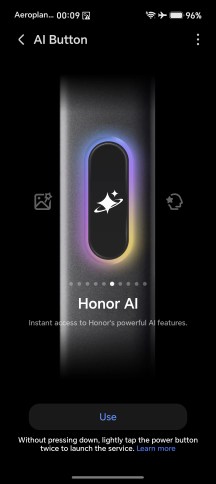
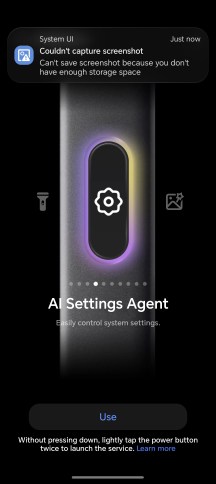
AI Button customization
Lastly, Honor has made great efforts to make the Magic series attractive to Apple users. For starters, you will need to install Honor Connect on your iOS device. And to be logged in with the same Honor account on your iPhone and your Magic. Then you can use AirDrop-like file sharing.
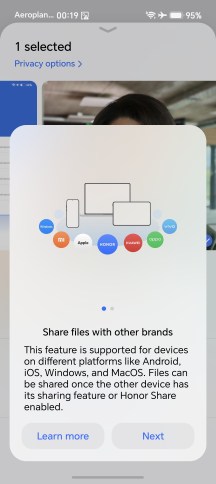
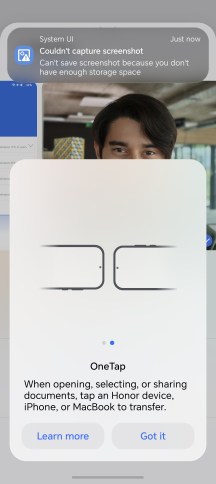
Share
You can also sync notifications between your Magic and your iPhone thanks to this app. This applies to your Apple Watch, too - it can display Honor's notifications.
Finally, if you have macOS device and you install Honor Workstation app, you will not only be able to share files with just one tap but also display and share your Magic's entire screen within macOS. Neat.
Performance and benchmarks
The Honor Magic V6 employs the Snapdragon 8 Elite Gen 5 (3nm) chip - the most powerful Android hardware to this very day.
The new Elite cbhip is based on the 3nm manufacturing process and features third-generation Oryon CPU cores The octa-core CPU configuration is 2+6 with 2x high-performance Oryon V3 Phoenix L cores clocked at 4.6 GHz and 6x Oryon V3 Phoenix M cores running at 3.62 GHz.
The GPU is Adreno 840.
The Honor Magic V6 is available in variety of memory configurations with UFS 4.1 storage and LPDDR5X RAM. The global model comes with 512GB + 16GB RAM, but there are also 256GB/12GB, 512GB/12GB, and 1TB/16GB variants.
The Magic V6 comes with a vapor chamber cooling solution, which should make for better sustained performance.
And now, let's run some tests!
Just like other Honor (and Huawei) phones, the Magic V6 has Performance mode as part of its Battery options. By default, the Magic V6 is set to Balanced and its CPU and AnTuTu scores were halved because of that. We have never seen such performance drop from the processor when using Balanced on any other phone - sure, there was 10%-15% difference, but never that much.
We've run all benchmarks in Performance mode so you can see the maximum Honor Magic V6 is capable of and we'd advise you to use this mode if you have issues with games or apps.
The GPU performance was not affected by the Power mode.
So, using the Performance mode, which does not cap the CPU performance, the Magic V6 pretty much topped our charts or scored as much as the respective chart toppers. Having the best chip on the market usually does that.
GeekBench 6
- Single-core
- Multi-core
 Galaxy S26 Ultra
 Oppo Find N6 (unfolded)
 Honor Magic V6 (cover, perf.)
Honor Magic V6 (perf. mode)
Honor Magic V6 (cover, perf.)
Honor Magic V6 (perf. mode)
 Honor Magic V5
 Galaxy Z Fold7 (Cover display)
Honor Magic V6 (balanced mode)
Honor Magic V6 (cover, balanced)
Galaxy Z Fold7 (Cover display)
Honor Magic V6 (balanced mode)
Honor Magic V6 (cover, balanced)
 Huawei Mate X7
 (cover)
Huawei Mate X7
Huawei Mate X7 (cover)
AnTuTu
- v10
- v11
Honor Magic V6 (cover, perf.)
 RedMagic 11S Pro
Honor Magic V6 (perf. mode)
Oppo Find N6 (cover)
Galaxy Z Fold7
Honor Magic V5
Honor Magic V6 (cover, balanced)
Honor Magic V6 (balanced mode)
Huawei Mate X7 (cover)
Huawei Mate X7
RedMagic 11S Pro
Honor Magic V6 (perf. mode)
Oppo Find N6 (cover)
Galaxy Z Fold7
Honor Magic V5
Honor Magic V6 (cover, balanced)
Honor Magic V6 (balanced mode)
Huawei Mate X7 (cover)
Huawei Mate X7
3DMark
- Wild Life Extreme (Highest)
- Wild Life Extreme (Lowest)
- Solar Bay (Ray Tracing)
RedMagic 11S Pro
Oppo Find N6 (cover)
Oppo Find N6 (unfolded)
Honor Magic V6 (cover, perf.)
Honor Magic V6 (cover, balanced)
Honor Magic V6 (perf. mode)
Honor Magic V6 (balanced mode)
Galaxy Z Fold7 (Cover display)
Huawei Mate X7
Huawei Mate X7 (cover)
The sustained performance when using Balanced mode turned out quite alright, and that's hardly a surprise considering the relatively capped performance.
We also ran the stress tests in Performance mode. Since the CPU was allowed to go to its maximum, the situation was rather bad, with the CPU performance dropping off a cliff to 30% every 2 minutes or so. The GPU situation was even worse - in Performance mode, the Magic V6 couldn’t even finish the demanding graphics stress test due to overheating.
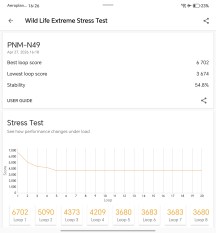
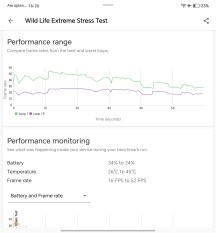
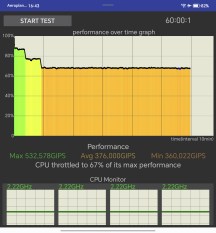
Foldable screen: CPU test • GPU test
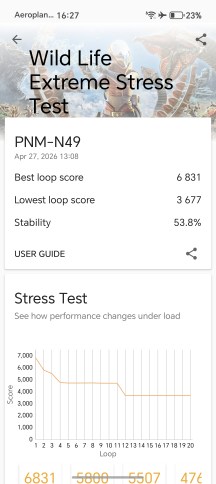
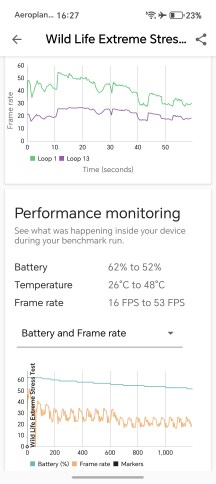
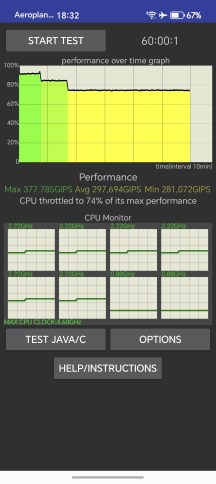
Cover screen: CPU test • GPU test
Honor Magic V6 kept about 70% of its CPU and 55% of its GPU performance during our stress tests and never got hot. While not ideal, those are good results for such a device.


Tip us
2.1m 180k
RSS
EV
Merch
Log in I forgot my password Sign up