Huawei P Smart review
EMUI 8 with Android 8
The Huawei P Smart ships with the latest Android Oreo and Huawei's newest EMUI 8.0 skin over it. Emotion UI is constantly getting better, with behind-the-scenes improvements, like better RAM management, sophisticated battery management, improved miss-touch detection and higher touch accuracy, to name a few. And we appreciate the constantly shrinking amount of bloat, bundled in the ROM (although, there is still fat to trim) and the sheer number and the added convenience of the baked-in features.
Out of the box, there is no app drawer on the EMUI 8 - it's a single tier interface like on the iPhone. However, if you miss it, you can enable it back in the Display settings. There is also a handy search feature, which can be accessed by flicking down on any empty area of any home screen.
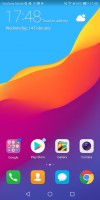
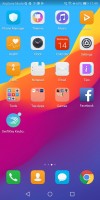
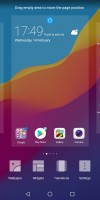
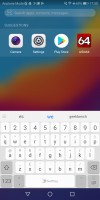
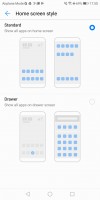
Home screen 1 • Home screen 2 • Home options • Search • Enable drawer
EMUI has something called Magazine lock screen, which rotates through a bunch of wallpapers so you see a different one every time you fire up the display.



The lockscreen
EMUI offers plenty of customization and features like face unlock, smart rotation, and lift to wake. Themes are supported, too, and there is a lot to choose from. There are a few themes to choose from with the option to change the icons, the skin, and wallpaper.
From the Phone Manager app, you can access shortcuts to storage cleanup, battery settings, blocked numbers, Virus scan powered by Avast, and mobile data usage.

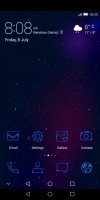


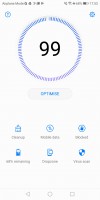
Theme chooser • Theme • Theme • Theme • Phone Manager
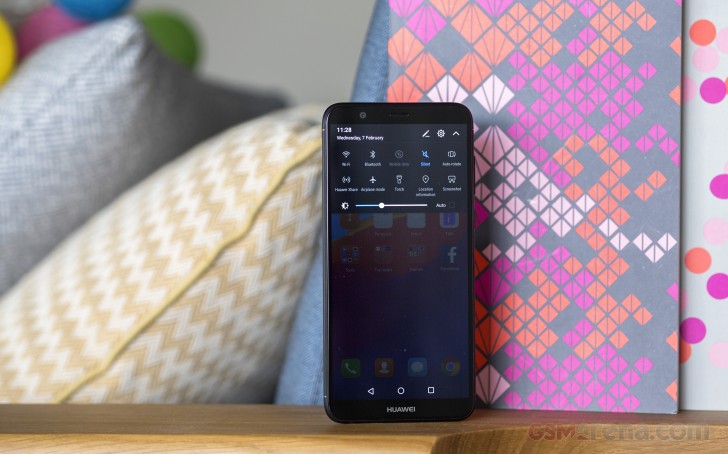
The notification shade is pretty much a standard affair. There's a brightness bar with an Auto toggle - pull down again for more toggles.
Multitasking is pretty standard as well. Tap-holding the Recents key will let you activate split screen.
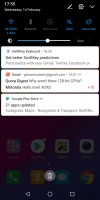
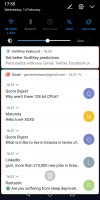
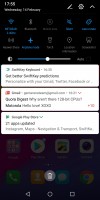
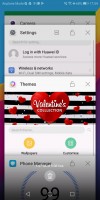
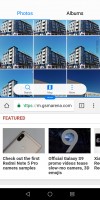
Notification area • Notifications • Toggles • Recent apps • Split scree
Huawei's own Music app is here and offers a way to listen to stored MP3s. An FM radio app is present, and the Gallery is here to stay.
Huawei's Health app is also pre-installed. It offers Google Fit syncing and step counting. There's a file manager app and a note-taking app. There is an abundance of replacements for these in the Play Store, however.

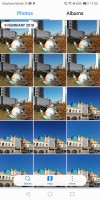
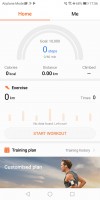
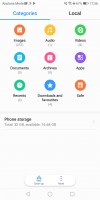
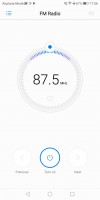
Music Player • Gallery • Huawei Health • Files • FM radio
Performance
The Huawei P Smart employs the same Kirin 659 chipset as the Honor 7X and Mate 10 Lite. They already offered some benchmark numbers and painted a pretty decent and usable picture for the Kirin 659 chipset. It is more of the same with the P Smart. Its scores are pretty much the same (within margin of error).
That being said, you can expect pretty similar conclusions. The Kirin 659 has a total of four Cortex-A53 cores. Four of those take the heavy lifting and work at 2.36GHz, while the other four take care of less power-intensive tasks while ticking at 1.7GHz.
GeekBench 4.1 (single-core)
Higher is better
-
Huawei P Smart
939 -
Huawei Mate 10 Lite
913 -
Huawei Honor 7X
904 -
Xiaomi Mi A1
877 -
Xiaomi Redmi 5 Plus
874 -
HTC U11 Life
873 -
Motorola Moto X4
866 -
Sony Xperia XA2
865 -
Huawei P10 lite
834 -
Sony Xperia L2
679
GeekBench 4.1 (multi-core)
Higher is better
-
Xiaomi Redmi 5 Plus
4309 -
Xiaomi Mi A1
4292 -
Sony Xperia XA2
4215 -
HTC U11 Life
4140 -
Motorola Moto X4
4136 -
Huawei P Smart
3736 -
Huawei Mate 10 Lite
3603 -
Huawei Honor 7X
3535 -
Huawei P10 lite
3344 -
Sony Xperia L2
1932
There are only two Mali-T830 GPU cores inside the P Smart, as on the rest of the budget Huawei phones, and those really struggle with modern graphics loads. But just to be on the safe side, those are still enough to run a huge chunk of the games on the Play Store, but hiccups, low-quality textures, or low fps are to be expected in the more demanding ones.
GFX 3.1 Manhattan (onscreen)
Higher is better
-
Motorola Moto X4
11 -
Sony Xperia XA2
10 -
HTC U11 Life
9.6 -
Samsung Galaxy A5 (2017)
9 -
Xiaomi Mi A1
6.3 -
Sony Xperia L2
6.3 -
Xiaomi Redmi 5 Plus
6.2 -
Huawei P10 lite
5 -
Huawei P Smart
5 -
Huawei Honor 7X
4.7 -
Huawei Mate 10 Lite
4.6
Basemark X
Higher is better
-
Motorola Moto X4
14479 -
Sony Xperia XA2
14312 -
HTC U11 Life
14286 -
Xiaomi Redmi 5 Plus
10484 -
Xiaomi Mi A1
10472 -
Huawei P Smart
8834 -
Huawei Mate 10 Lite
8721 -
Huawei Honor 7X
8616 -
Huawei P10 lite
7588 -
Sony Xperia L2
4307
While the GPU scores might be dismal, the compound benchmarks show the Huawei P Smart and its Kirin 659 to be as capable as the best of mid-rangers - read Moto X4 and Xperia XA2 with their Snapdragon 630 silicon. Huawei once again demonstrated an excellent skills in making a balanced and capable chip.
Basemark OS 2.0
Higher is better
-
Sony Xperia XA2
1545 -
Motorola Moto X4
1532 -
Huawei P Smart
1486 -
Samsung Galaxy A5 (2017)
1417 -
Huawei Mate 10 Lite
1408 -
Huawei Honor 7X
1398 -
HTC U11 Life
1342 -
Huawei P10 lite
1284 -
Xiaomi Mi A1
1262 -
Xiaomi Redmi 5 Plus
1226 -
Sony Xperia L2
816
For being one of the Huawei's budget offers, the P Smart turned out to be very well equipped for the class and won't fail you at any task. It handles organizing tasks hassle-free, and we had no issues playing popular games, though loading takes a while and hiccups do happen.
The Smart runs cool even at full throttle, so don't expect any heat issues no matter how you use it. It isn't a chart topper, sure, not even next to fellow mid-ranges, but the P Smart offers some nicely calculated balanced performance, and that's more than enough.


Tip us
2.1m 180k
RSS
EV
Merch
Log in I forgot my password Sign up