Infinix Note 30 review
XOS 13 on top of Android 13
Infinix has its own XOS Android skin, which has undergone several iterations over the years. XOS is now up to version 13, and that's what the Note 30 is running, along with the latest Android 13 core underneath.
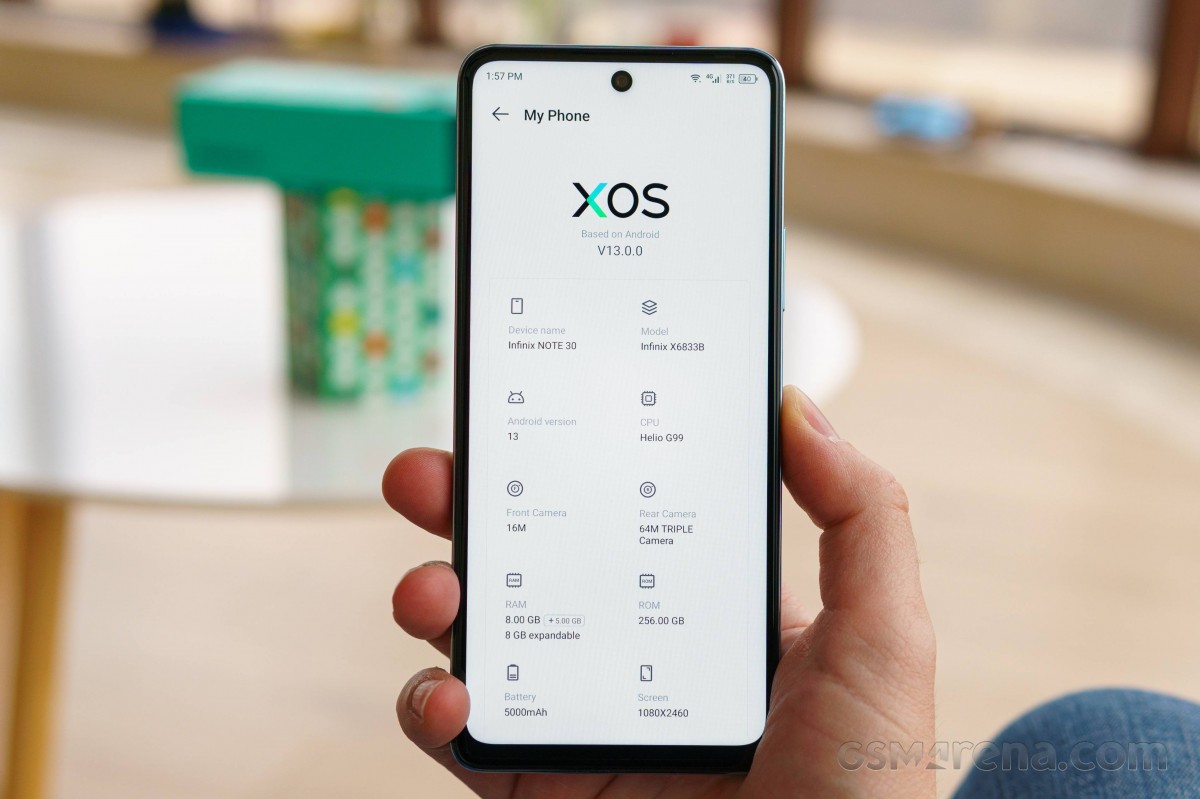
XOS is chock-full of features and options. Perhaps even overwhelmingly so.
Unfortunately, bloatware is abundant, and Infinix has included quite a few of its own apps and third-party ones, often with overlapping feature sets.




A large number of pre-loaded apps
The important thing to note is that XOS 13 works smoothly, with no hiccups or stutters, despite the influx of apps. So Infinix has done its job pretty well on that front.
Customization runs deep. Starting from the lock screen, you get an optional Magazine service. Beyond that, there is powerful Theme support, including video slide shows, custom fonts, and an online Theme repository.




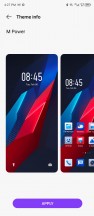
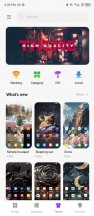
Lock screen • Personalization options
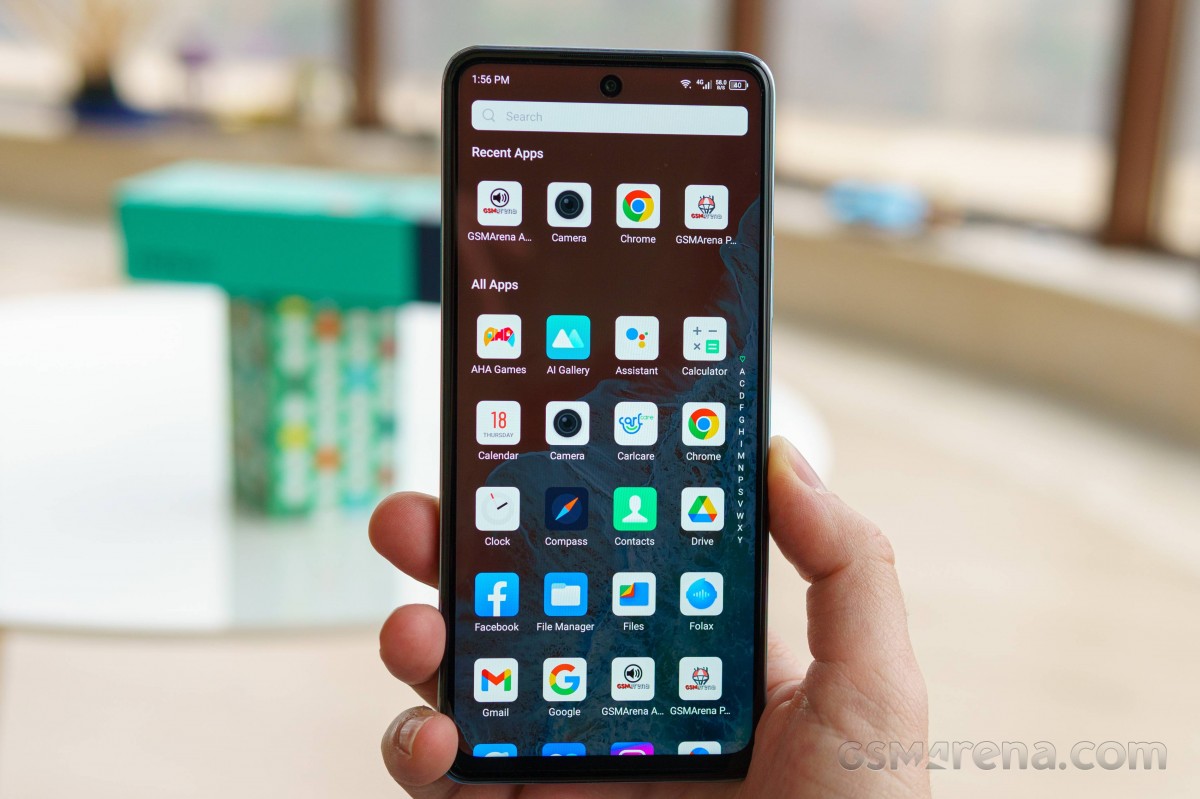
The home screen includes a custom feed as the leftmost desktop pane and big folders to organize and categorize your shortcuts by default. There is an alphabetized app drawer with a search bar and recent apps UI as well. There seems to be no way to disable the app drawer.





Hone screen and app drawer
Sort of making up for that omission, however, XOS includes extremely extensive home screen customization. You can tweak things like grid size, gestures, notification badges. You can even switch to vertical rather than horizontal scrolling for the homescreen and change the text color.
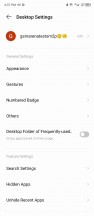


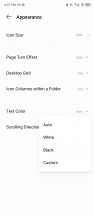
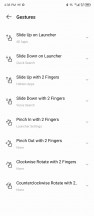

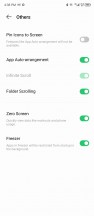
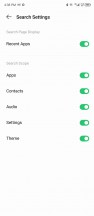
Launcher options and customization
While not new to XOS 13, it is worth noting that the notification shade and control center are separated into two separate entities. Notifications are called up with a swipe down from the top left of the phone, while a top-right swipe reveals quick toggles and other controls.

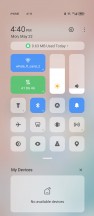



Notifications and quick toggles
We won't be going through every feature and app available in XOS 13, but there are some noteworthy highlights. A dedicated Special function menu houses many of these.
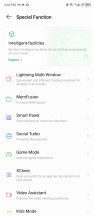
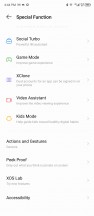
Special functions menu
Lightning Multi-Window has a self-explanatory title. It is a floating window implementation. Far from the best we've seen, but still functional.
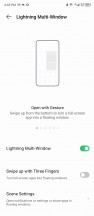


Lightning Multi-Window
You can control the Note 30's virtual RAM through the MemFusion menu. By default, the option is set to 5GB to go on top of the phone's 8GB of physical RAM. You can go down to 3GB, up to 8GB or turn off the feature entirely.

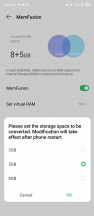
MemFusion
The Smart Panel feature is also pretty self-explanatory. It's among the more customizable implementations of this feature that we have seen.
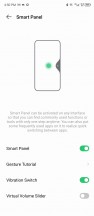


Smart Panel
Social Turbo houses a whole slew of powerful features meant to work on top of WhatsApp and enhance its factory experience.

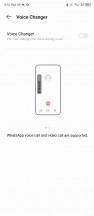
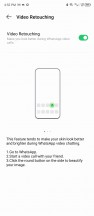
Social Turbo features for WhatsApp
Naturally, you get other things like extensive gestures, app cloning, known as XClone, as well as some gimmicks like Peek Proof, which "hides" parts of the screen for whatever reason.


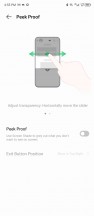
Gestures • XClone • Peak Proof
We couldn't help but notice that MOL - the Infinix offline, system-wide translation engine that was once part of XOS is now absent. It seems to have transitioned into something called Folax Translate, now a part of the company's AI assistant with pretty much intact functionality, so we can't complain.
You get in-depth control over battery endurance and power-saving, too, through the Power Marathon app, including some interesting "smart" AI features.
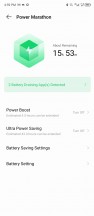
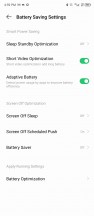
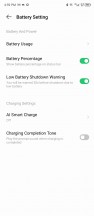
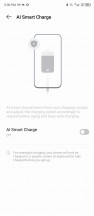
Power Marathon
Speaking of AI features, XOS 13 has a whole menu of these. What was once Ai Assistant seems to have now morphed into the Suggestions feature. It still does mostly the same things and can monitor for a number of triggers, gather all sorts of usage data, and then send out notifications and suggest actions accordingly. Also, place app icons in a special suggested shortcut area. It is definitely worth checking out. So are Smart Scenes, which are pretty self-explanatory and less obscure.

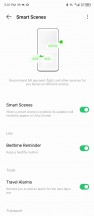

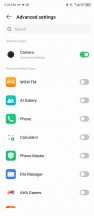
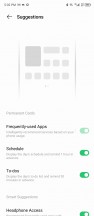
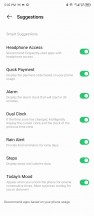
Intelligent-facilities
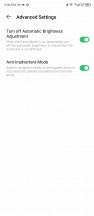
There is a system-wide Game Mode toggle and a Game Mode setting menu to tweak most of the behavior.
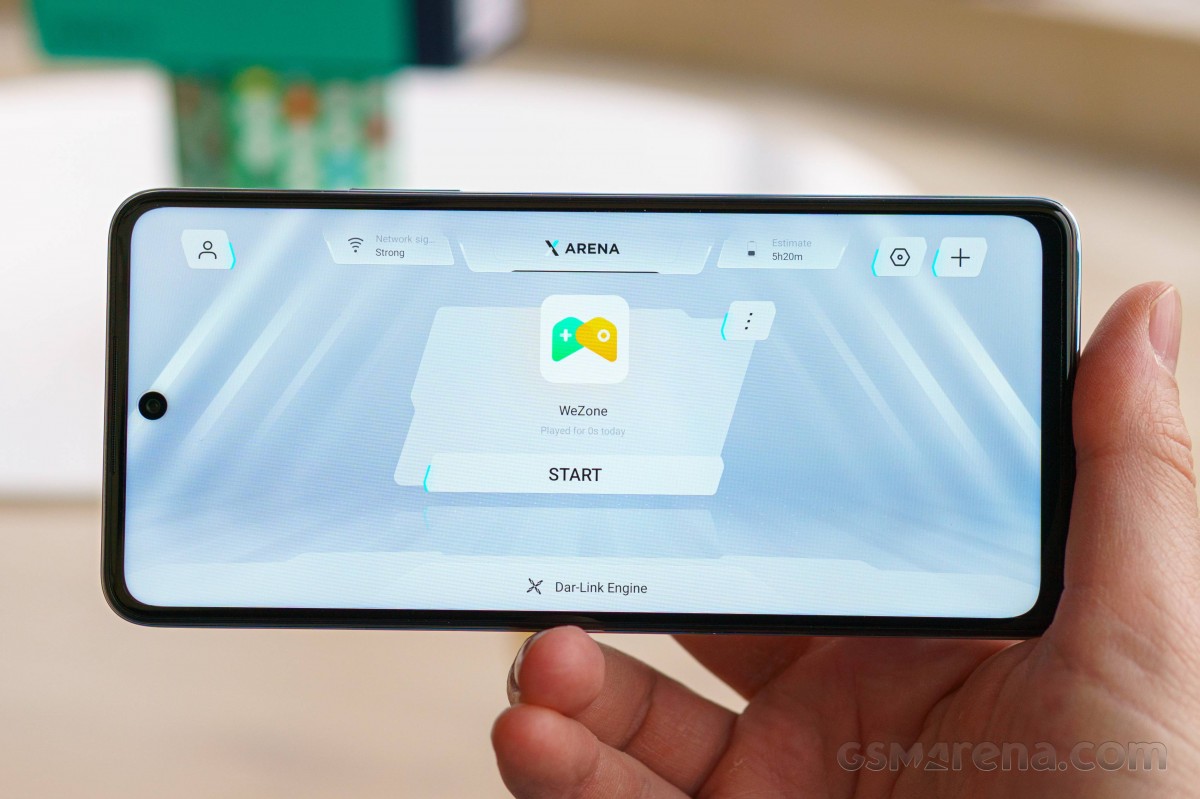
Infinix has quite a few gaming systems on its phones, like Monster Game Kit and Dar-Link, which promises AI-driven optimization of games, including frame rate stability, decreasing touch latency and managing hardware performance and temperature. The Game Mode menu is where Bypass Charging lives as well.

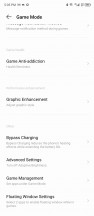


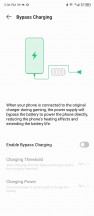
Game Mode
The XArena app is your standard game launcher, complete with various tweaks, like notification suppression. Once you add an app to XArena and start it from there, you also get an in-game toolbar with plenty of convenient shortcuts, including floating app support.






XArena and in-game toolbar
To our surprise, Infinix even includes a key mapping option for its volume up and down keys. You can have these translate to on-screen inputs, which is something you don't really see outside gaming phones.
Infinix clearly exhibits an ambitious software effort. If you need proof of that, consider the Folax voice assistant, which appears to be a totally unique Infinix entry into the niche. A fairly-capable one at that, which doesn't even require a network connection to function.










Folax assistant
Infinix also mentions a PC Connection 2.0 feature for the Note 30. And indeed, when we connect the phone to a PC via USB, the PC connect option pops up. Unfortunately, we couldn't figure out a way to get the Windows PC software to make the connection work on the PC side. The quoted website http://pcconnection.online/ doesn't have any obvious download link for us.
There is truly a lot to cover in XOS, and we barely scratched the surface. If we had to sum up the experience, we would say it is fluent and pleasant from a performance standpoint but quite chaotic. XOS is still in desperate need of some debloating and organization. Thankfully, for the most part, you can do that yourself with a bit of time and tweaking, and the end result could be a solid Android 13 experience.
Performance and benchmarks
A MediaTek Helio G99 chipset powers the Infinix Note 30. It is a 6nm part that represents the very best the Helio line can currently offer, with Dimensity chipsets sitting right above it. The Helio G99 is made on a pretty efficient 6nm development node, as evidenced by the Note 30's excellent battery endurance.
The Helio G99 has a total of eight CPU cores: 2x Cortex-A76 @ 2.2 GHz and 6x Cortex-A55 @ 2.0 GHz. In the GPU department, it is running a Mali-G57 MC2. Nothing that will be topping charts any time soon, but still respectable.
The Helio G99 chipset is paired with 8GB of LPDDR4 RAM and up to 8GB of additional virtual RAM. The Note 30 can either be had with 128GB or 256GB of UFS storage. Our review unit is the higher-end 256GB one.
Let's kick things off with some CPU tests and GeekBench. The Helio G99 holds its own quite well in the CPU department. It clearly outpaces its other Helio siblings like the G88, G95, G96 and even the Dimensity 700, though it kind of trades blow with that chip. The Helio G99 also seems to have the Snapdragon 685 beat but not the newer Snapdragon 695 5G. And speaking of 5G chips, the newer still Snapdragon 4 Gen 1 also has a nice little lead over the G99 in the CPU department.
GeekBench 5 (multi-core)
Higher is better
-
Infinix Zero 5G
2169 -
Poco X5
2088 -
OnePlus Nord CE 3 Lite 5G
2052 -
Redmi Note 12 5G
1998 -
OnePlus Nord CE 2 Lite 5G
1956 -
Galaxy A23 5G
1940 -
Xiaomi Poco M5
1896 -
Motorola Moto G72
1842 -
Poco M4 Pro
1836 -
Redmi Note 12 4G
1797 -
Infinix Note 30
1792 -
Realme 10
1762 -
Galaxy A14 5G
1727 -
Infinix Zero X Pro
1674 -
Galaxy A23
1632 -
Motorola Moto G53
1594 -
Realme C55
1452 -
Tecno Spark 10 Pro
1358
GeekBench 5 (single-core)
Higher is better
-
Infinix Zero 5G
706 -
OnePlus Nord CE 2 Lite 5G
694 -
Poco X5
693 -
OnePlus Nord CE 3 Lite 5G
692 -
Galaxy A23 5G
676 -
Redmi Note 12 5G
588 -
Realme 10
567 -
Motorola Moto G53
557 -
Infinix Note 30
551 -
Xiaomi Poco M5
550 -
Motorola Moto G72
546 -
Galaxy A14 5G
530 -
Poco M4 Pro
523 -
Infinix Zero X Pro
506 -
Redmi Note 12 4G
440 -
Galaxy A23
380 -
Realme C55
374 -
Tecno Spark 10 Pro
359
AnTuTu is a much more compound benchmark that has GPU tests and also takes into account other hardware performance aspects, like memory. It is pretty favorable toward the Infinix Note 30. It, alongside other devices running the Helio G99 chipset, sits pretty high on the chart, rubbing shoulders with Snapdragon 695 devices and even outpacing the Redmi Note 12 5G with its Snapdragon 4 Gen 1 and, surprisingly, the Samsung Galaxy A14 5G with the Helio 700 chip.
AnTuTu 9
Higher is better
-
Infinix Zero 5G
487639 -
OnePlus Nord CE 3 Lite 5G
412006 -
Poco X5
400895 -
OnePlus Nord CE 2 Lite 5G
399306 -
Xiaomi Poco M5
386311 -
Realme 10
385829 -
Motorola Moto G72
383317 -
Infinix Note 30
374263 -
Infinix Zero X Pro
363939 -
Redmi Note 12 5G
360745 -
Redmi Note 12 4G
319219 -
Galaxy A23 5G
318821 -
Poco M4 Pro
318444 -
Motorola Moto G53
314195 -
Galaxy A14 5G
307886 -
Galaxy A23
273554 -
Realme C55
257263 -
Tecno Spark 10 Pro
249938
The Mali-G57 MC2 GPU inside the Helio G99 is a pretty middle-of-the-line GPU for this price range.
GFX Aztek ES 3.1 High (onscreen)
Higher is better
-
Motorola Moto G53
20 -
Infinix Zero 5G
14 -
Infinix Zero X Pro
12 -
Galaxy A23 5G
12 -
OnePlus Nord CE 2 Lite 5G
12 -
OnePlus Nord CE 3 Lite 5G
12 -
Realme 10
10 -
Motorola Moto G72
9.3 -
Xiaomi Poco M5
8.9 -
Infinix Note 30
8.6 -
Galaxy A14 5G
8.3 -
Poco M4 Pro
8.3 -
Redmi Note 12 4G
5.3 -
Realme C55
5.3 -
Tecno Spark 10 Pro
5 -
Galaxy A23
4.7
GFX Aztek ES 3.1 High (offscreen 1440p)
Higher is better
-
Infinix Zero 5G
10 -
OnePlus Nord CE 2 Lite 5G
7.9 -
OnePlus Nord CE 3 Lite 5G
7.9 -
Infinix Zero X Pro
7.6 -
Galaxy A23 5G
7.6 -
Realme 10
6.5 -
Motorola Moto G53
6.4 -
Infinix Note 30
6 -
Motorola Moto G72
6 -
Xiaomi Poco M5
5.9 -
Galaxy A14 5G
5.5 -
Poco M4 Pro
5.5 -
Redmi Note 12 4G
3.5 -
Realme C55
3.5 -
Tecno Spark 10 Pro
3.4 -
Galaxy A23
3.2
GFX Aztek Vulkan High (onscreen)
Higher is better
-
Motorola Moto G53
20 -
Infinix Zero 5G
13 -
Galaxy A23 5G
12 -
OnePlus Nord CE 2 Lite 5G
12 -
OnePlus Nord CE 3 Lite 5G
12 -
Infinix Zero X Pro
11 -
Realme 10
9.3 -
Motorola Moto G72
8.7 -
Xiaomi Poco M5
8.2 -
Infinix Note 30
8 -
Galaxy A14 5G
7.9 -
Poco M4 Pro
7.7 -
Redmi Note 12 4G
5.3 -
Realme C55
4.9 -
Galaxy A23
4.6 -
Tecno Spark 10 Pro
4.5
GFX Aztek Vulkan High (offscreen 1440p)
Higher is better
-
Infinix Zero 5G
9.5 -
OnePlus Nord CE 2 Lite 5G
8.2 -
OnePlus Nord CE 3 Lite 5G
8.2 -
Galaxy A23 5G
8 -
Infinix Zero X Pro
7.5 -
Motorola Moto G53
6.7 -
Realme 10
6.1 -
Infinix Note 30
5.6 -
Motorola Moto G72
5.5 -
Xiaomi Poco M5
5.3 -
Galaxy A14 5G
5.3 -
Poco M4 Pro
5.1 -
Redmi Note 12 4G
3.6 -
Realme C55
3.2 -
Galaxy A23
3.2 -
Tecno Spark 10 Pro
3.1
Don't expect any earth-shattering performance numbers from the Mali-G57 MC2. Then again, none of the chips in this price range is particularly potent in the GPU department. Even so, a Snapdragon chipset with the Adreno 619 seems like a slightly better choice if gaming is your top priority.
GFX Car Chase ES 3.1 (onscreen)
Higher is better
-
Motorola Moto G53
29 -
Infinix Zero 5G
19 -
Infinix Zero X Pro
18 -
Realme 10
17 -
OnePlus Nord CE 2 Lite 5G
17 -
OnePlus Nord CE 3 Lite 5G
17 -
Galaxy A23 5G
16 -
Motorola Moto G72
13 -
Infinix Note 30
12 -
Xiaomi Poco M5
12 -
Galaxy A14 5G
12 -
Poco M4 Pro
12 -
Realme C55
9 -
Tecno Spark 10 Pro
8.1 -
Redmi Note 12 4G
7.5 -
Galaxy A23
6.7
GFX Car Chase ES 3.1 (offscreen 1080p)
Higher is better
-
Infinix Zero 5G
25 -
Infinix Zero X Pro
20 -
OnePlus Nord CE 2 Lite 5G
20 -
OnePlus Nord CE 3 Lite 5G
20 -
Galaxy A23 5G
19 -
Motorola Moto G53
16 -
Infinix Note 30
15 -
Xiaomi Poco M5
15 -
Motorola Moto G72
15 -
Galaxy A14 5G
15 -
Realme 10
14 -
Poco M4 Pro
14 -
Tecno Spark 10 Pro
10 -
Realme C55
10 -
Redmi Note 12 4G
8.6 -
Galaxy A23
8.3
As test difficulty goes down, fps numbers naturally go up, but the overall picture doesn't change much. The Infinix Note 30 still holds its own well in GPU tests. Again, the Adreno 619 does notably better overall. The Helio G95 and its Mali-G76 MC4 also deserve mention here as a more potent GPU option.
GFX Manhattan ES 3.1 (onscreen)
Higher is better
-
Motorola Moto G53
55 -
Infinix Zero 5G
35 -
OnePlus Nord CE 3 Lite 5G
31 -
OnePlus Nord CE 2 Lite 5G
30 -
Infinix Zero X Pro
29 -
Galaxy A23 5G
29 -
Realme 10
28 -
Motorola Moto G72
24 -
Xiaomi Poco M5
22 -
Infinix Note 30
21 -
Galaxy A14 5G
21 -
Poco M4 Pro
21 -
Redmi Note 12 4G
14 -
Realme C55
14 -
Tecno Spark 10 Pro
13 -
Galaxy A23
12
GFX Manhattan ES 3.1 (offscreen 1080p)
Higher is better
-
Infinix Zero 5G
43 -
OnePlus Nord CE 2 Lite 5G
35 -
OnePlus Nord CE 3 Lite 5G
35 -
Infinix Zero X Pro
34 -
Galaxy A23 5G
33 -
Motorola Moto G53
29 -
Infinix Note 30
26 -
Motorola Moto G72
26 -
Realme 10
25 -
Xiaomi Poco M5
25 -
Galaxy A14 5G
25 -
Poco M4 Pro
24 -
Redmi Note 12 4G
16 -
Tecno Spark 10 Pro
16 -
Realme C55
16 -
Galaxy A23
15
GFX Manhattan ES 3.0 (onscreen)
Higher is better
-
Motorola Moto G53
67 -
Infinix Zero 5G
57 -
Infinix Zero X Pro
49 -
Realme 10
44 -
OnePlus Nord CE 2 Lite 5G
43 -
OnePlus Nord CE 3 Lite 5G
42 -
Galaxy A23 5G
39 -
Motorola Moto G72
37 -
Infinix Note 30
35 -
Xiaomi Poco M5
35 -
Galaxy A14 5G
34 -
Poco M4 Pro
33 -
Redmi Note 12 4G
23 -
Realme C55
23 -
Tecno Spark 10 Pro
22 -
Galaxy A23
18
GFX Manhattan ES 3.0 (offscreen 1080p)
Higher is better
-
Infinix Zero 5G
64 -
Infinix Zero X Pro
54 -
OnePlus Nord CE 2 Lite 5G
48 -
OnePlus Nord CE 3 Lite 5G
48 -
Galaxy A23 5G
44 -
Infinix Note 30
41 -
Motorola Moto G72
41 -
Motorola Moto G53
41 -
Realme 10
40 -
Xiaomi Poco M5
40 -
Galaxy A14 5G
40 -
Poco M4 Pro
37 -
Realme C55
26 -
Tecno Spark 10 Pro
25 -
Redmi Note 12 4G
20 -
Galaxy A23
20
3DMark usually offers a more concise and orderly overall GPU performance picture due to its consistent offscreen rendering. Interestingly, it tends to claim that the Mali-G57 MC2 matches or even outpaces the Adreno 619 slightly in some phones. The difference is hardly major, though.
3DMark Wild Life Vulkan 1.1 (offscreen 1440p)
Higher is better
-
Infinix Zero 5G
2035 -
Infinix Zero X Pro
1509 -
Xiaomi Poco M5
1321 -
Realme 10
1320 -
Motorola Moto G72
1255 -
Infinix Note 30
1254 -
OnePlus Nord CE 3 Lite 5G
1213 -
OnePlus Nord CE 2 Lite 5G
1209 -
Galaxy A23 5G
1200 -
Galaxy A14 5G
1197 -
Poco M4 Pro
1099 -
Motorola Moto G53
981 -
Tecno Spark 10 Pro
756 -
Realme C55
740 -
Redmi Note 12 4G
652 -
Galaxy A23
429
3DMark Wild Life Extreme (offscreen 1440p)
Higher is better
-
Xiaomi Poco M5
369 -
Realme 10
366 -
OnePlus Nord CE 3 Lite 5G
363 -
Infinix Note 30
350 -
Motorola Moto G72
347 -
Galaxy A14 5G
331 -
Motorola Moto G53
291 -
Tecno Spark 10 Pro
191 -
Realme C55
189 -
Redmi Note 12 4G
135
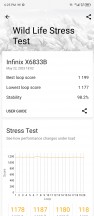
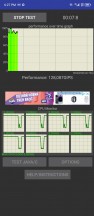
The Infinix Note 30 seems to have pretty good cooling and manages to handle the Helio G99 well. When it inevitably occurs, thermal throttling is gradual and not too severe, which is what we like to see for smooth, long gaming sessions.
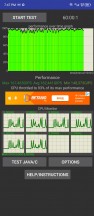
Thermal-throttling
The surface of the phone doesn't get overly toasty, either. There are hotspots on both sides of the middle frame around the height of the power button, but nothing too severe.
While far from a powerhouse, the Note 30 does quite well in the performance department. The MediaTek Helio G99 is a decent chip for its price range, and Infinix is making the most out of it. In practical terms, the Note 30 runs smoothly with no obvious hiccups or slowdowns. It chews through everyday tasks easily and is capable of casual gaming. That's about as much as we can realistically expect from a budget device.


Tip us
2.1m 180k
RSS
EV
Merch
Log in I forgot my password Sign up