OnePlus Pad 4 hands-on review
Software and features
The OnePlus Pad 4 runs on OxygenOS 16 built atop Android 16.
The software experience on OnePlus tablets often feels markedly different and better than it does on the company's phones. For starters, you get a much cleaner out-of-the-box experience, with almost zero bloatware. Even OnePlus' own apps that it usually quite enjoys cramming on its phones are missing here, including things like its own app store, its own browser, the theme store, and the Phone Manager that has an anti-virus and other frivolities. Even the Videos app, which on the phones usually has another tab at the bottom filled with promoted content, only shows local videos on this device.
Unfortunately, these niceties are not extended to smartphone users, apart from the OnePlus Open (R.I.P.) that basically ran the same tablet-like experience as the company's actual tablets. But we digress.

Getting back to the tablet, the most impressive aspect of the software experience continues to be OxygenOS's excellent multitasking capabilities. There is an incredible amount of flexibility on offer with regard to how you can run multiple apps side by side, either by splitting the display or having them floating around in their own windows. It's a shame that Android apps never really rise to the occasion of true desktop-like functionality, and many don't even have a tablet layout in 2026, but if you're not bothered by that, then you can get a good amount of work done on this device, especially if you have the keyboard accessory.
OnePlus has also improved its compatibility with other platforms over the years. There are now apps available for iOS and macOS that let you transfer files to and from those platforms on the OnePlus Pad 4. However, we have now seen brands like Google and Samsung integrate native AirDrop support within Android's Quick Share, and OnePlus's approach with dedicated file transfer apps feels nowhere near as elegant, even if it may offer additional functionality.
The device also gets its fair share of AI features. From options in the photo gallery that let you remove objects and reflections from your images, to tools to let you write and summarize your thoughts in the notes app, the OnePlus Pad 4 has all the basics covered. Along with the stylus, you also get the ability to solve your math problems, turn your handwriting into actual text, or turn hand-drawn charts into proper tables.
So the functionality is all there, but there is a lack of polish and attention to detail. For starters, Live Alerts, which is a rip-off of Apple's Dynamic Island, is also present here. Except that the display does not have a front-facing camera embedded within the display that this UI can anchor around, so it just hangs awkwardly around the top edge of the display.

The volume and especially the brightness adjustment bars in the notifications do not follow the movement of your finger correctly at all, with even a small finger movement making broad sweeping adjustments. The Pad 4 also doesn't offer depth features for the cool new animated lock screens; the option is there, but it just never worked for us. The UI also froze a couple of times while using the device.
Getting to the features side of things, the OnePlus Pad 4 is generally well-equipped. However, there are a few glaring omissions that had to be pointed out.
First of all, four generations in, and there is still no fingerprint sensor on this device. It is genuinely beyond our comprehension why this feature simply does not exist in any form on this device, and why having to manually enter your passcode or using the less secure (and unsupported in apps) face unlock is the only way to unlock this device.
Second, there is also no cellular version of this device. OnePlus has maintained a separate Pad Go series that does get cellular support, but those devices have nowhere near the performance of the standard Pad series, so if you want a flagship tablet from the company with cellular coverage, then you're out of luck once again.
Finally, it would have been nice if the device included an IR blaster. Every OnePlus phone has one now, and it makes interacting with household devices trivially easy. It would have been nice to see it on the tablet as well, so you didn't have to put it aside and reach for the phone just for this one function alone.
Performance
The OnePlus Pad 4 runs on the flagship Qualcomm Snapdragon 8 Elite Gen 5 chipset. It offers a choice of 8GB memory with 256GB of storage or 12GB memory with 512GB of storage. The memory is LPDDR5X in both configurations, and the storage gets an upgrade to UFS 4.1 this generation.
Eagle-eyed readers would have noticed that the memory configuration has changed from last year. Instead of offering 12GB and 16GB capacities, you now start at a much lower 8GB, and 16GB isn't even an option anymore. Regardless of the current memory situation, 8GB on a premium tablet designed for PC-style multitasking simply isn't enough. Our review unit here had 12GB of memory, so we cannot experience what having only 8GB would be like. But neither should you, and if you're going with this device, then we would highly recommend choosing the 12GB model, especially since it also comes with double the storage.
Being a Snapdragon 8 Elite Gen 5 device, performance on the OnePlus Pad 4 is exceptional. You can really stretch the legs of that chip on a device like this, especially when you have a bunch of windows open, and the 8 Elite Gen 5 isn't even breaking a sweat. Once again, we cannot recommend avoiding the 8GB variant enough, as you'll hit the limitations of the memory well before those of the processor.
GeekBench 6
- Single-core
- Multi-core
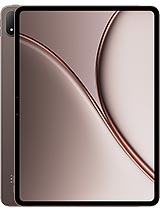 OnePlus Pad 4
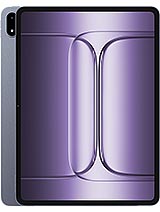 OnePlus Pad 3
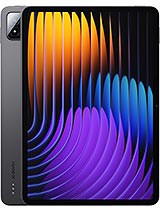 Xiaomi Pad 7 Pro
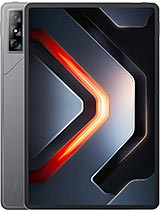 Infinix XPad GT
 MatePad Pro 12.2 (2025)
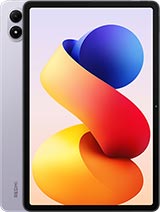 Redmi Pad 2 Pro
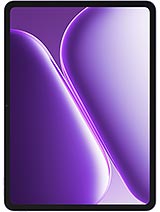 OnePlus Pad Go 2
AnTuTu 11
OnePlus Pad 4
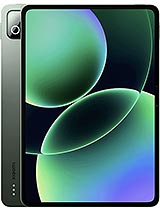 Xiaomi Pad 8 Pro
OnePlus Pad Go 2
3DMark
- Wild Life Extreme (Highest)
- Wild Life Extreme (Lowest)
OnePlus Pad 4
OnePlus Pad 3
Xiaomi Pad 7 Pro
Infinix XPad GT
MatePad Pro 12.2 (2025)
Redmi Pad 2 Pro
OnePlus Pad Go 2
Gaming on the OnePlus Pad 4 is a mixed bag. The performance is clearly there, and some titles can even hit the maximum 144Hz frame rate on the device. However, games on Android are genuinely depressing in both their quality and quantity, and you have nothing close to what you get on the iPad these days. Of course, that's not the OnePlus Pad 4's fault, but if gaming is what you're after, then please do not waste your time and money on a premium Android device in 2026.
On the other hand, if you do decide to play some games, then you'll be glad that the thermal performance of the OnePlus Pad 4 is excellent. The device barely throttles in reasonable ambient temperatures, and you can play games or do some other CPU-intensive task for hours without experiencing performance losses. The tablet barely even gets warm except for a small patch near the top of the back.
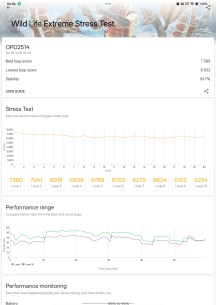
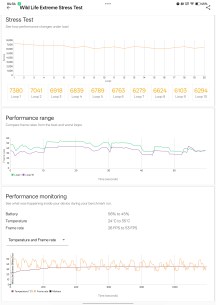
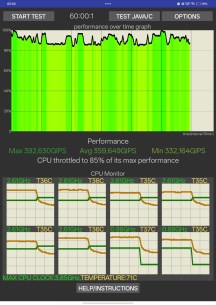
Thermal throttling tests


Tip us
2.1m 180k
RSS
EV
Merch
Log in I forgot my password Sign up