Samsung Galaxy S26+ review
Solid midrange cameras, standout selfies
The theme with this year's Galaxy S-series cameras is keeping changes to a minimum. While the S26 Ultra did switch a few things to almost make a difference (not entirely in a good way), the S26+ and the S26 seem to pretty much be reusing last year's bits, on the back at least.
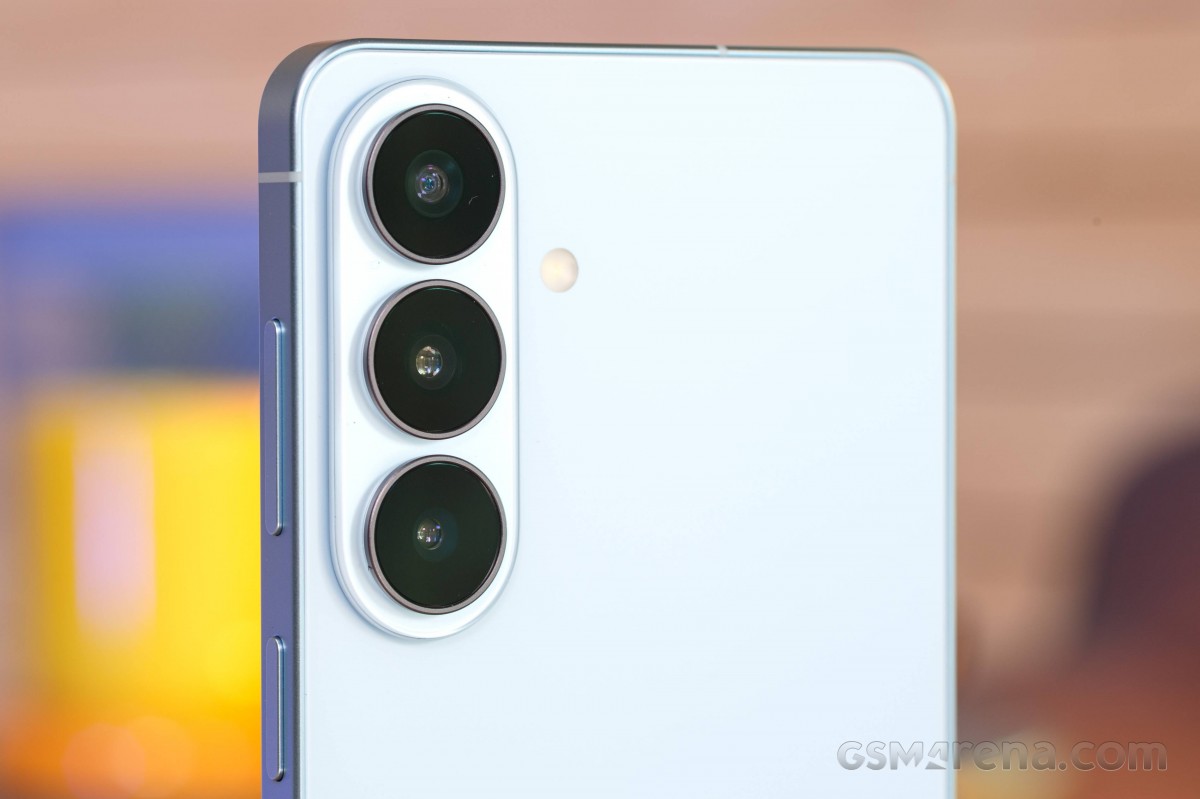
The Galaxy S26+ reports a new sensor for its main camera - GNG. By all accounts, that's an update to the GN3 sensor of yesteryear and it keeps the same chief specs - a 1/1.56" optical format (or 1/1.57", depending on who you ask), 50MP nominal resolution, 1.0µm pixel size. Oddly enough, our vanilla S26 reports the old GN3 and not this new GNG.
The telephoto camera on the non-Ultra S26s uses the same sensor size as last year, at 1/3.94". The S26+ in our hands says it's got the 3LD model inside, the same one as the S26 Ultra we had, while the plain S26 reports the 3K1, which we got on the S25 and S25+. Go figure.
The non-Ultra Galaxy S-series models still keep the conventional RGB sensors for their ultrawide cameras (the Ultras get a Tetrapixel unit for a second generation now). It's the same sensor size regardless of color filter on top though - 1/2.55" or thereabouts. No autofocus on this one, unfortunately.
The selfie camera reports the same sensor as last year, but much like we witnessed on the S26 Ultra, it gets a wider lens this time around. 23mm vs 25mm (some say it was 26mm) doesn't sound like a huge difference, but it does show in images and we appreciate the extra coverage. The otherwise unassuming 1/3.2" sensor has proven very capable, both in the past and on the S26 Ultra, so we're expecting nice results from the S26+ too.
- Wide (main): 50MP Samsung ISOCELL GNG (S5KGNG, 1/1.56", 1.0µm-2.0µm); 23mm, f/1.8, OIS, dual-pixel PDAF (9.5cm - ∞); 8K30/4K60 video recording.
- Telephoto: 10MP Samsung ISOCELL 3LD (S5K3LD, 1/3.94", 1.0µm); 69mm, f/2.4, OIS, PDAF (22cm - ∞); 4K60.
- Ultrawide: 12MP (1/2.55", 1.4µm); 14mm, f/2.2, fixed focus; 4K60.
- Front camera: 12MP Samsung ISOCELL 3LU (S5K3LU, 1/3.2", 1.12µm); 23mm, f/2.2, dual-pixel PDAF; 4K60.
Daylight photo quality
Main camera
The Galaxy S26+ takes great photos with its main camera in daylight. They have very good detail with a relatively natural rendition of random textures. There's a fair amount of grain in the images, particularly in the darker areas - it's not an issue, but they're not exactly clean either. We're getting a nicely likeable level of pop when it comes to colors, and we're not seeing any weird casts. Dynamic range is excellent.















Daylight samples, main camera (1x)
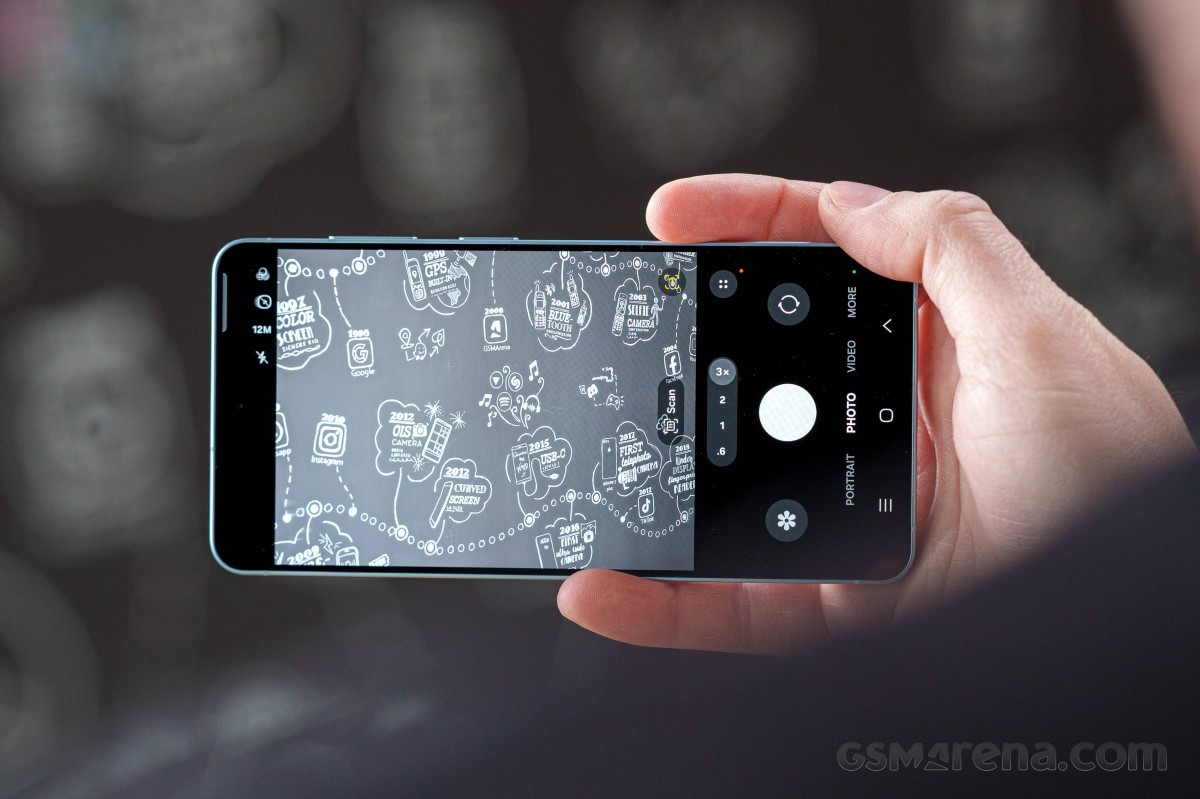
Human subjects get pleasing skin tones and a hint of background separation when shooting in Photo mode. Portrait mode does well with subject detection and adds a moderate amount of computational blur - the viewfinder preview makes it look extreme, but the end result is believable.








Human subjects, main camera (1x): Photo mode • Portrait mode
In bright outdoor conditions you can expect a decent kick in resolved detail if you opt for the 50MP mode. Shadows will tend to be soft though, and indoor scenes will also not be quite as detailed.




Daylight samples, main camera (1x), 50MP
It's somewhat similar with the 2x zoom mode, where you can expect pretty good results in good light and softer photos in dimmer conditions. Still, broadly speaking, the 2x results are solid.














Daylight samples, main camera (2x)
The 2x zoom level is also well suited to portraits. Of course, the 46mm focal length works better for headshots and facial proportions, but the detail is also good enough so you don't have to be thinking twice about quality trade offs. The Portrait mode's bokeh might be a bit much in this case though.








Human subjects, main camera (2x): Photo mode • Portrait mode
Telephoto camera
The telephoto camera's modest hardware produces okay shots. Colors are nice, dynamic range is good, and detail is alright, given the small sensor and 10-to-12MP upscaling. We'de be happy to get a larger-sensor higher-res telephoto camera on a Galaxy S phone, but Samsung's got different priorities.















Daylight samples, telephoto camera (3x)
Portraits are good at 3x too, with that same caveat about the strength of the bokeh effect in the actual Portrait mode shots.








Human subjects, main camera (3x): Photo mode • Portrait mode
Ultrawide camera
The ultrawide camera has its imperfections, the most obvious of which is the fixed focus - any nearby subjects will simply be blurry. Its quality also tends to drop fairly sharply indoors and in the shadows in outdoor shots, where things get quite murky. With a well lit outdoor scene, however, you'll get pretty great results, with very good detail and vivid colors.












Daylight samples, ultrawide camera (0.6x)
Close-ups
The S26+'s close-up shooting capabilities aren't too impressive, but it's better than the Ultra, for what that's worth. The 2x results from the main camera offer good pixel-level quality and very good reproduction ratio, so that's probably your best option.




Closeup samples, main camera (2x)
The telephoto camera can't focus closer than 22cm and that doesn't result in overly exciting images. It's not all too sharp either. We'de be happy to get a proper close-focusing telephoto camera on a Galaxy S phone, but Samsung's got different priorities. Weirdly enough, the 3x telephoto of the S26 non-plus can focus a little closer - go figure.




Closeup samples, telephoto camera (3x)
Selfies
At least the selfies are plenty nice. The S26+ features the same front-facing camera as the S26 Ultra and this year's new setup is even better than before, thanks to the new wider lens that lets you capture more in the frame. The autofocus is most welcome too, a long-standing feature of Samsung selfie cameras. Either way, sharpness is great, dynamic range is wide, colors are excellent. Even low-light shots are quite decent, especially given the small-ish sensor.








Selfie samples
Low-light photo quality
In the dark, the S26+ gets the new Night mode implementation we already saw on the S26 Ultra with no dedicated Night mode, but a multi-tiered Auto approach in Photo mode. The Auto doesn't kick in too often and when it doesn't, you have no way of forcing it on. When the crescent icon does appear, you can let the Auto handle it (in which case there's still no Night mode applied in many instances, i.e. the crescent doesn't turn yellow), or dial it up to a maximum level (also determined by the phone). It's more or less the iPhone way and we're not exactly fans.
If you dig further into it, you'll find out that the Camera Assistant app (a popular add-on, but still a separate download from the Galaxy store, and for those who know of it and do the extra steps) will allow you to reintroduce the dedicated Night mode to your mode carousel. That will get you another level of uncertainty, different shooting behavior, and oftentimes different end results. This can't be the best way there is.
Main camera
The main camera's full auto output has that relaxed processing we're familiar with from the previous generation that leaves a lot of noise and grit alongside the detail, and things look kind of soft overall. Colors are a bit conservative too. It may be a more 'photographic' look, but it's not exactly universally likeable. Dynamic range is great though.








Low-light samples, main camera (1x)
If you max out the auto Night mode, you may get all sorts of results. One option is distorted colors - we got two scenes with that effect, so it wasn't exactly an outlier, but those two images did turn on cleaner and sharper. In another scene there was no dramatic change in any of the image properties. In the fourth scene below the photo looks more or less like a textbook good Night mode shot with a bit more sharpening, good contrast and colors that pop. The indoor scene with the sofa and posters is missing, because the auto Night mode wouldn't kick in at all. The magic of Galaxy low-light photography.




Low-light samples, main camera (1x), max Night mode
For what it's worth, the dedicated Night mode that you can enable through the Camera Assistant utility was a bit more dependable - it didn't suffer from those weird color casts, it reliably produced overall better results than the full auto, and you can use it on any scene, not just when the Galaxy decides it's okay. However, it's several layers removed from the full auto shooting experience that we normally examine. Most other phones, cheap or expensive, do better in this respect.
Moving on the 2x zoom level, the photos turn even softer, which is to be expected. That said, we'd still consider them good for the circumstances, since a lot of phones fall apart at 2x and these aren't nearly as bad.








Low-light samples, main camera (2x)
Maxing out the auto Night mode action does bring improvements too - noise is ironed out, detail gets a sharpening boost.




Low-light samples, main camera (2x), max Night mode
Telephoto camera
The telephoto is also quite noisy and soft at 3x at night, if you leave the phone to its own devices. Dynamic range is still great and colors are on point, so there's that.








Low-light samples, telephoto camera (3x)
Once again, some minor input from you (tapping on the crescent icon and choosing the maximum value) will tend to yield superior results. Why that isn't the default processing still eludes us.



Low-light samples, telephoto camera (3x), max Night mode
Ultrawide camera
The ultrawide's default results in low-light scenarios are, you guessed it, soft and noisy.








Low-light samples, ultrawide camera (0.6x)
More Night mode makes them better.




Low-light samples, ultrawide camera (0.6x), max Night mode
Photo quality verdict
The Galaxy S26+ delivers what we'd call a good midrange performance from a stills photography standpoint. The main camera's daylight results are great, and it does well at 2x. The ultrawide is solid, the telephoto is alright. After dark, Night mode could help the cameras perform better, but its new auto implementation makes it frustrating to use even for an experienced user, and everyone else will probably never get its full benefits. Selfies are top-class, though.
Video quality
The Galaxy S26+ doesn't change much in the video recording field either. Starting with the regular Video mode, the phone can record video up to 4K60 with all of its cameras (front-facing one included). Also available is an 8K30 option at the native focal length of the main camera.
The Pro video mode adds a 24fps frame rate setting for both 4K and 8K on all cameras, but there's no 4K120 as you'd find on the Ultra.
The out-of-the-box setting for the video codec is h.265 (HEVC), and you can further choose between prioritizing for quality (the default state) or smaller file sizes. Alternatively, you can opt for the older and less efficient h.264 codec, where you don't have further quality settings. The high-end APV codec that's the third option on the S26 Ultra is missing here.
There's an option for 10-bit HDR10+ recording, as well as a Log option that can be enabled for both Pro video and regular Video mode. A new addition with this year's model is the selection of pre-loaded LUTs (Standard, Blockbuster, Coming-of-age, Romance and Thriller), but there's no option to import your own LUT. In Pro mode, you also get finer control over focus and exposure (complete with zebras and false color aids), plus mic directionality settings and audio level indicators.
Video stabilization is available in all modes on all cameras, and you can disable it in settings if you have other means of ensuring stability. The S26+ also gets the Horizon lock mode for stabilization, where the phone will shoot a mostly level video, pretty much regardless of which way you rotate it around the axis perpendicular to its plane. Resolution maxes out at 1440p in this mode.
You can check out the playlist below, which includes multiple video samples.
Daylight videos at 1x are very good. Detail is good, dynamic range is great, and colors are on point. 2x clips are quite alright too - softer at 1:1 magnification, yes, but still better than a lot of phones can muster at that zoom level without a dedicated camera. The 3x camera maintains solid global properties, but is soft-ish on a pixel level. The ultrawide is also doing well in terms of dynamic range and colors, but is also relatively sharp in its own ultrawide context.




Samsung Galaxy S26+ video screengrabs, daylight: 0.6x • 1x • 2x • 3x
In the dark, the main camera's 1x clips are good, retaining a lot of detail and having balanced exposures and wide dynamic range. The 2x zoom videos are a lot softer, and the 3x telephoto's footage is no better either. The ultrawide, again, is surprisingly good, though its shadows are pretty soft too.




Samsung Galaxy S26+ video screengrabs, low light: 0.6x • 1x • 2x • 3x
The Galaxy S26 Plus' regular stabilization is generally very good. We found it to stabilize walking shake well on the main camera, and things are quite stable when shooting from a fixed position, though in both cases, there's this very faint residual fidgeting, which, surprisingly, we didn't see on the vanilla Galaxy S26. The ultrawide and the telephoto are well stabilized, with only minor wobble left in the 3x footage. Panning is smooth too.
Video quality verdict
The Galaxy S26+ has almost the same wide-ranging video recording capabilities as the Ultra, including the Horizon Lock mode and the powerful Pro video mode with plenty of options and a 24fps setting (but no 4K120fps option and no pro-grade codec). Video quality is very good from the main camera and the ultrawide in both daytime and low-light scenarios, with the telephoto decent in good light and a lot less so at night. Stabilization is just a notch below being perfect.


Tip us
2.1m 180k
RSS
EV
Merch
Log in I forgot my password Sign up