GSMArena.com GSMArena.com

Tip us

2.1m
180k
RSS

EV

Merch

Log in

Login

I forgot my password
Sign up
  • Home
  • News
  • Reviews
  • Videos
  • Featured
  • Phone Finder
  • Deals
  • Merch
  • Coverage
  • Contact
ADVERTISEMENT
GSMArena Team, 11 October 2025

Samsung Galaxy Tab S11 Ultra review

  • Comments (155)
  • User reviews
  • Galaxy Tab S11 Ultra
  • 4.6

4. Software, performance
  1. 1. Introduction, specs, unboxing
  2. 2. Design, build quality, handling
  3. 3. Our lab tests - display, battery life, charging speed, speakers
  4. 4. Software, performance
  5. 5. Cameras, our verdict, pros and cons
  6.  
  7. Samsung Galaxy Tab S11 Ultra specification
  8. User opinions and reviews
  9. Review comments (155)

Samsung Android Tablets

Android 16 with One UI 8

The Galaxy Tab S11 Ultra boots Android 16 with One UI 8. The interface supports tablet and DeX mode, though both have been reworked and look more similar than the previous iterations. Some users may not like this, as some of the full DeX experience is available only on an external monitor.
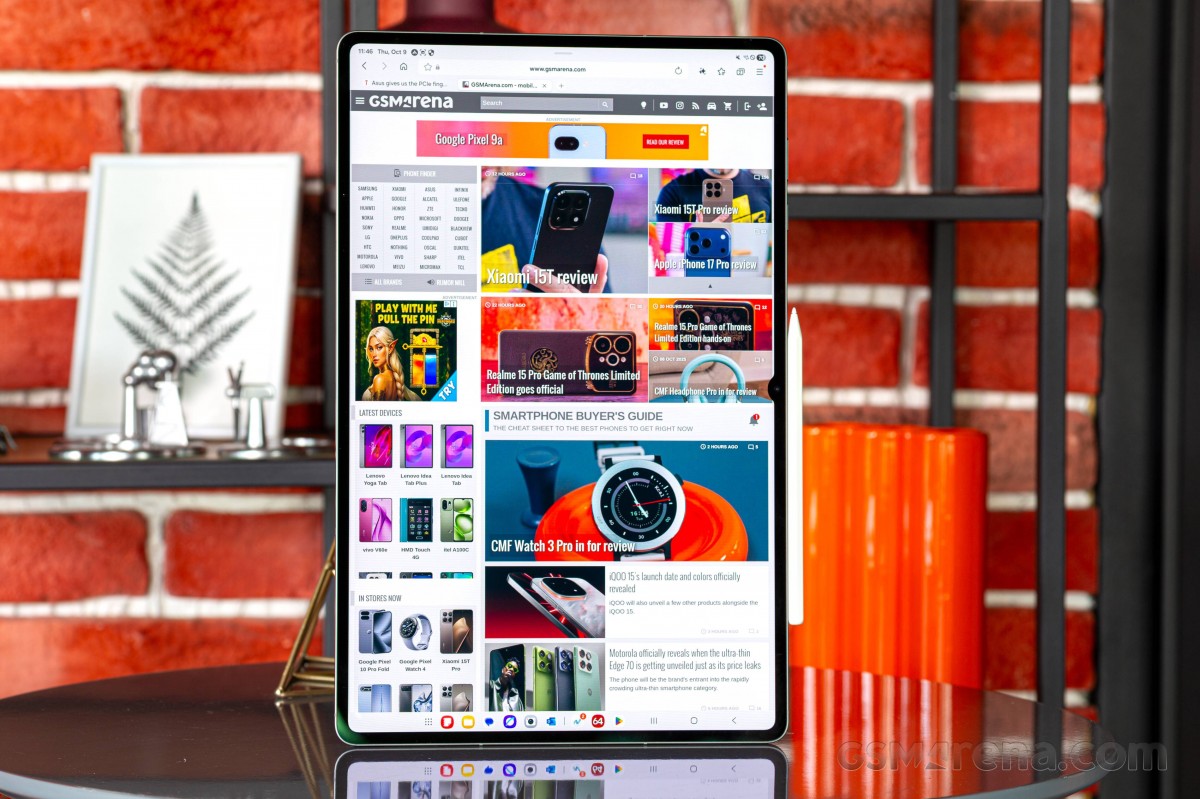
Samsung Galaxy Tab S11 Ultra review

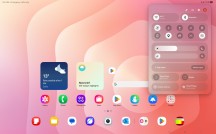
The Galaxy Tab S11 Ultra starts in the default tablet mode. It supports various widgets on the lockscreen.

The homescreens are your typical Android affair with app icons, folders, and widgets. The leftmost page is Google's.

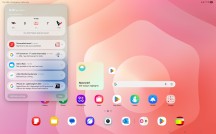
One UI 8 in tablet mode - Samsung Galaxy Tab S11 Ultra review One UI 8 in tablet mode - Samsung Galaxy Tab S11 Ultra review
One UI 8 in tablet mode

Swipe from the top left shows the notification shade, while swipe from the right opens the quick toggles.

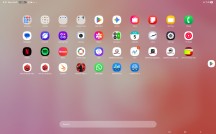
There are also an app drawer and the typical task manager, that was optimized for the large screen. The task managed also supports desktops right from its interface.
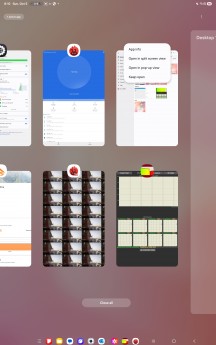
Task Manger - Samsung Galaxy Tab S11 Ultra review App Drawer - Samsung Galaxy Tab S11 Ultra review
Task Manger • App Drawer

You can see the typical Android controls (tasks, home, back) at the bottom right part of the screen.

Multi-tasking is easy here and done as on the Galaxy phones - split-screen and/or pop-up windows.
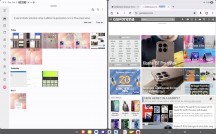
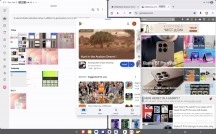
Multi-tasking in tablet mode - Samsung Galaxy Tab S11 Ultra review Multi-tasking in tablet mode - Samsung Galaxy Tab S11 Ultra review
Multi-tasking in tablet mode

Switching to DeX from the Quick Toggles is easy and does not take any time to load. This mode supports both landscape and portrait view. It has a bottom bar with your favorite apps plus a few recently opened apps shortcuts.
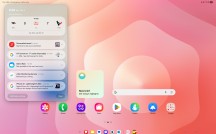
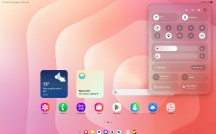
One UI 8 in DeX mode - Samsung Galaxy Tab S11 Ultra review One UI 8 in DeX mode - Samsung Galaxy Tab S11 Ultra review
One UI 8 in DeX mode

The control bar with the Android shortcuts is still at the bottom right.

The notification and quick toggles, as well as the task manager and the app drawer, remain unchanged.
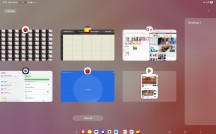
Task Manager - Samsung Galaxy Tab S11 Ultra review
Task Manager

And, finally, the multi-tasking is done differently here - everything launches in windows with your typical shortcuts at the top - minimize (line), maximize (square), close (X). You can move those freely, or snap them left for right, as you would do in, say, Windows OS.
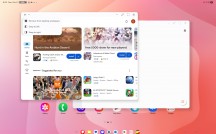
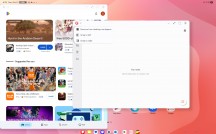
Multi-tasking in DeX mode - Samsung Galaxy Tab S11 Ultra review Multi-tasking in DeX mode - Samsung Galaxy Tab S11 Ultra review
Multi-tasking in DeX mode

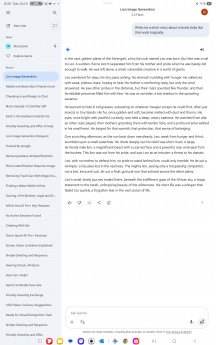
Google's Gemini AI is available on the Galaxy Tab S11 Ultra. You can use Circle to Search, and you can use the full Gemini power within the Gemini app - image generation, write short stories, ask questions, chat, and plenty of other things.
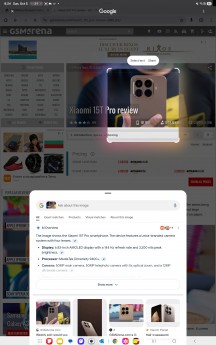
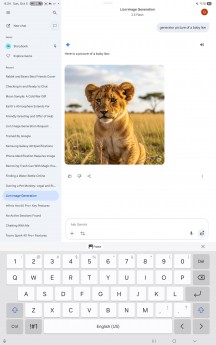
Gemini AI - Samsung Galaxy Tab S11 Ultra review Gemini AI - Samsung Galaxy Tab S11 Ultra review Gemini AI - Samsung Galaxy Tab S11 Ultra review
Gemini AI

Playing around the screen with the S-Pen will bring up the S-Pen shortcut, which then allows you to open the quick menu with Drawing Assist, AI select, Create Note, Screen Write, Penup, and you can add more shortcuts here if you like.
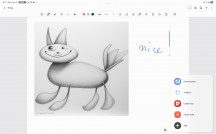
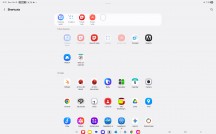
S-Pen menu - Samsung Galaxy Tab S11 Ultra review Add shortcuts here - Samsung Galaxy Tab S11 Ultra review
S-Pen menu • Add shortcuts here

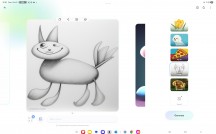
Drawing Assist is a very useful feature, which turns your doodles into masterpieces, you just need to select the drawing style first. You can then paste them wherever you like.
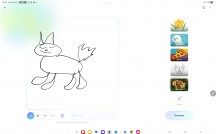

Drawing Assist - Samsung Galaxy Tab S11 Ultra review Drawing Assist - Samsung Galaxy Tab S11 Ultra review Drawing Assist - Samsung Galaxy Tab S11 Ultra review
Drawing Assist

Screen Write is familiar - it takes a screenshot and then you write/draw on it.
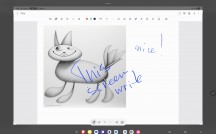
Screen Write - Samsung Galaxy Tab S11 Ultra review
Screen Write

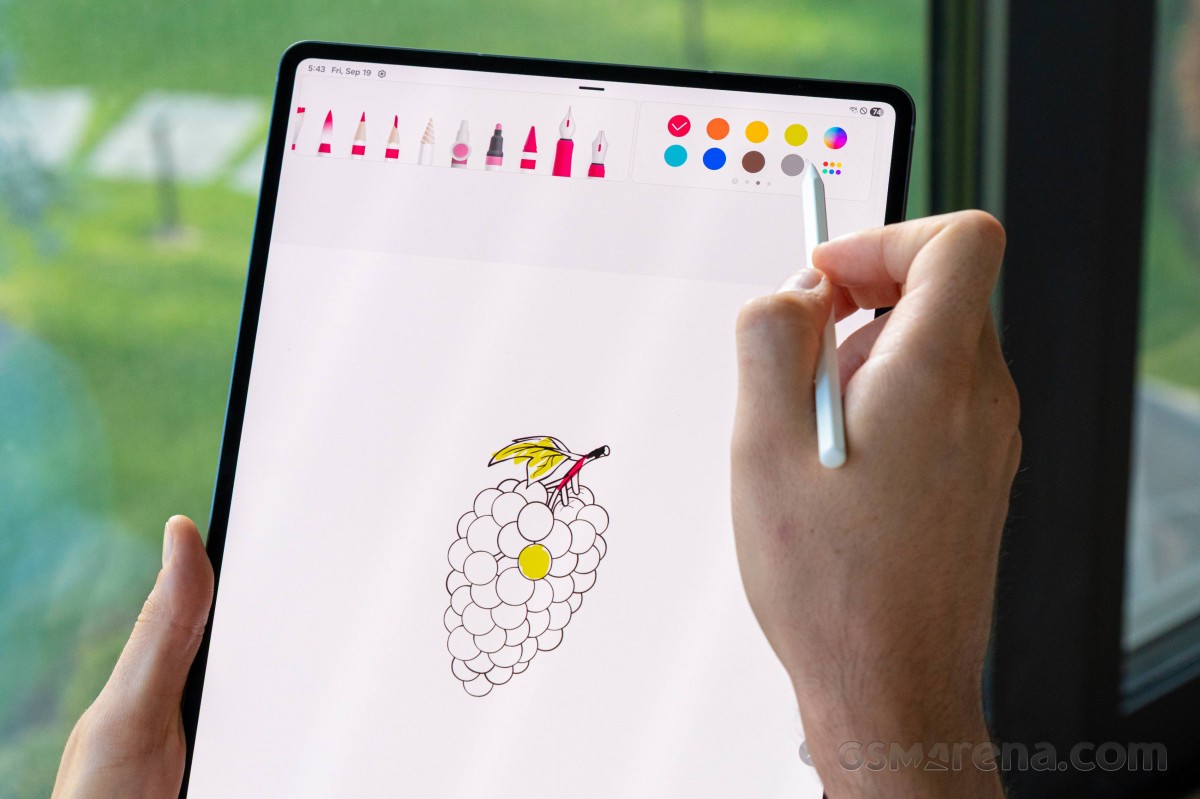
Create Note opens Samsung Notes for quick note creation, it is a powerful app with plenty of features.
Samsung Galaxy Tab S11 Ultra review

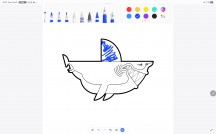
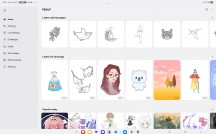
Penup is nice if you like to finish (draw, color) already generated content.
Penup - Samsung Galaxy Tab S11 Ultra review Penup - Samsung Galaxy Tab S11 Ultra review
Penup

Performance and benchmarks

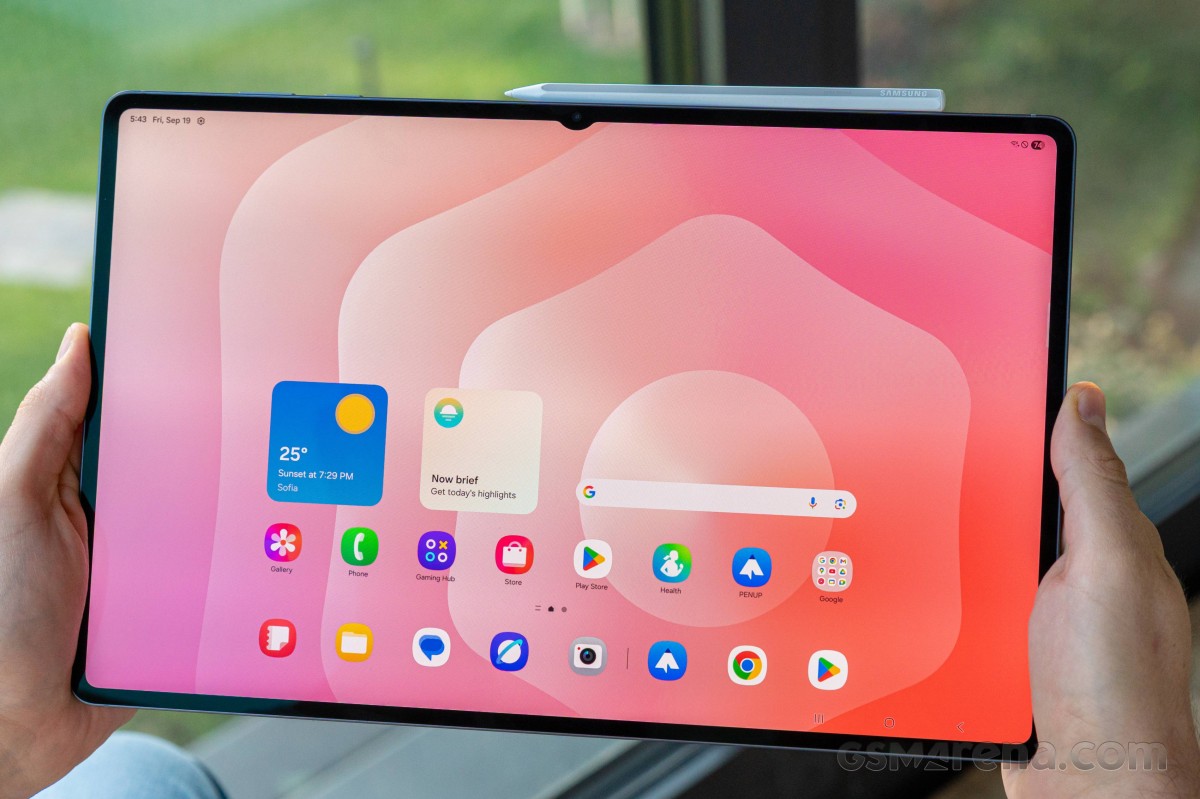
The Galaxy Tab S11 Ultra is powered by the MediaTek's flagship chip - the 3nm Dimensity 9400+, up from 9300+ inside the S10 Ultra.

The processor has an all-big-core CPU design - it uses one 'prime' Cortex-X925 core (up to 3.63GHz), three Cortex-X4 units (3.3GHz), and four Cortex-A720 cores (2.4GHz).

The Immortalis-G925 GPU is in charge of graphics.

The Galaxy Tab S11 Ultra is available in these memory configurations of LPDDR5X/UFS storage -12GB/256GB (ours), 12GB/512GB, and 16GB/1TB. There is a dedicated microSD slot.

The tablet supports Wi-Fi 7 connectivity, Bluetooth 5.4 and if you get the SIM-enabled model, you also get access to 5G networks and GPS.
Samsung Galaxy Tab S11 Ultra review

Let's see some benchmarks now.

GeekBench 6

  • Multi-core
  • Single-core
OnePlus Pad 3 OnePlus Pad 3
9553
Snapdragon 8 Elite 256GB, 12GB RAM
Galaxy Tab S11 Ultra Galaxy Tab S11 Ultra
8861
Dimensity 9400+ 256GB, 12GB RAM
 iPad 11-inch (A16) iPad 11-inch (A16)
6157
A16 Bionic 256GB, 6GB RAM
Galaxy Tab S9 Ultra Galaxy Tab S9 Ultra
5415
Snapdragon 8 Gen 2 SM8550-AC 256GB, 12GB RAM
Xiaomi Pad 7 Pro Xiaomi Pad 7 Pro
5369
Snapdragon 8s Gen 3 512GB, 12GB RAM
Xiaomi Pad 6S Pro 12.4 Xiaomi Pad 6S Pro 12.4
5268
Snapdragon 8 Gen 2 256GB, 8GB RAM
Honor MagicPad 2 12.3 Honor MagicPad 2 12.3

5049
Snapdragon 8s Gen 3 256GB, 12GB RAM
MatePad Pro 12.2 (2025) MatePad Pro 12.2 (2025)
4157
Kirin T92A 512GB, 12GB RAM
MatePad Pro 12.2 2025 (non-Performance) MatePad Pro 12.2 2025 (non-Performance)
3728
Kirin 9020 512GB, 12GB RAM
OnePlus Pad 3 OnePlus Pad 3
3125
Snapdragon 8 Elite 256GB, 12GB RAM
Galaxy Tab S11 Ultra Galaxy Tab S11 Ultra
2741
Dimensity 9400+ 256GB, 12GB RAM
 iPad 11-inch (A16) iPad 11-inch (A16)
2595
A16 Bionic 256GB, 6GB RAM
Galaxy Tab S9 Ultra Galaxy Tab S9 Ultra
2050
Snapdragon 8 Gen 2 SM8550-AC 256GB, 12GB RAM
Xiaomi Pad 7 Pro Xiaomi Pad 7 Pro
1972
Snapdragon 8s Gen 3 512GB, 12GB RAM
Honor MagicPad 2 12.3 Honor MagicPad 2 12.3
1959
Snapdragon 8s Gen 3 256GB, 12GB RAM
Xiaomi Pad 6S Pro 12.4 Xiaomi Pad 6S Pro 12.4
1921
Snapdragon 8 Gen 2 256GB, 8GB RAM
MatePad Pro 12.2 (2025) MatePad Pro 12.2 (2025)
1498
Kirin T92A 512GB, 12GB RAM
MatePad Pro 12.2 2025 (non-Performance) MatePad Pro 12.2 2025 (non-Performance)
1498
Kirin 9020 512GB, 12GB RAM

3DMark

  • Wild Life Extreme (2160p)
  • Solar Bay (1440p)
OnePlus Pad 3 OnePlus Pad 3
6646
Snapdragon 8 Elite Adreno 830 2400 x 3392 px
Galaxy Tab S11 Ultra Galaxy Tab S11 Ultra
6403
Dimensity 9400+ Immortalis-G925 1848 x 2960 px
Galaxy Tab S9 Ultra Galaxy Tab S9 Ultra
3909
Snapdragon 8 Gen 2 SM8550-AC Adreno 740 1848 x 2960 px
Honor MagicPad 2 12.3 Honor MagicPad 2 12.3
3391
Snapdragon 8s Gen 3 Adreno 735 1920 x 3000 px
Xiaomi Pad 7 Pro Xiaomi Pad 7 Pro
3176
Snapdragon 8s Gen 3 Adreno 735 2136 x 3200 px
Xiaomi Pad 6S Pro 12.4 Xiaomi Pad 6S Pro 12.4
2970
Snapdragon 8 Gen 2 Adreno 740 2032 x 3048 px
 iPad 11-inch (A16) iPad 11-inch (A16)
2604
A16 Bionic Apple A16 GPU (4-core) 1640 x 2360 px
MatePad Pro 12.2 (2025) MatePad Pro 12.2 (2025)
1389
Kirin T92A Maleoon 920 2800 x 1840 px
MatePad Pro 12.2 2025 (non-Performance) MatePad Pro 12.2 2025 (non-Performance)
1188
Kirin 9020 Maleoon 920 2800 x 1840 px
OnePlus Pad 3 OnePlus Pad 3
11897
Snapdragon 8 Elite Adreno 830 2400 x 3392 px
Galaxy Tab S11 Ultra Galaxy Tab S11 Ultra
11516
Dimensity 9400+ Immortalis-G925 1848 x 2960 px
Galaxy Tab S9 Ultra Galaxy Tab S9 Ultra
5638
Snapdragon 8 Gen 2 SM8550-AC Adreno 740 1848 x 2960 px
Honor MagicPad 2 12.3 Honor MagicPad 2 12.3
5487
Snapdragon 8s Gen 3 Adreno 735 1920 x 3000 px
Xiaomi Pad 7 Pro Xiaomi Pad 7 Pro
4569
Snapdragon 8s Gen 3 Adreno 735 2136 x 3200 px
Xiaomi Pad 6S Pro 12.4 Xiaomi Pad 6S Pro 12.4
4275
Snapdragon 8 Gen 2 Adreno 740 2032 x 3048 px
 iPad 11-inch (A16) iPad 11-inch (A16)
3605
A16 Bionic Apple A16 GPU (4-core) 1640 x 2360 px

AnTuTu 10

Galaxy Tab S11 Ultra Galaxy Tab S11 Ultra
2406487
Dimensity 9400+ 256GB, 12GB RAM 1848 x 2960 px
OnePlus Pad 3 OnePlus Pad 3
2210000
Snapdragon 8 Elite 256GB, 12GB RAM 2400 x 3392 px
Xiaomi Pad 6S Pro 12.4 Xiaomi Pad 6S Pro 12.4
1539762
Snapdragon 8 Gen 2 256GB, 8GB RAM 2032 x 3048 px
Galaxy Tab S9 Ultra Galaxy Tab S9 Ultra
1533645
Snapdragon 8 Gen 2 SM8550-AC 256GB, 12GB RAM 1848 x 2960 px
Xiaomi Pad 7 Pro Xiaomi Pad 7 Pro
1470415
Snapdragon 8s Gen 3 512GB, 12GB RAM 2136 x 3200 px
Honor MagicPad 2 12.3 Honor MagicPad 2 12.3
1435490
Snapdragon 8s Gen 3 256GB, 12GB RAM 1920 x 3000 px
 iPad 11-inch (A16) iPad 11-inch (A16)
1414489
A16 Bionic 256GB, 6GB RAM 1640 x 2360 px
MatePad Pro 12.2 (2025) MatePad Pro 12.2 (2025)
1062643
Kirin T92A 512GB, 12GB RAM 2800 x 1840 px

The Galaxy Tab S11 Ultra posted excellent scores across the board. It is bested only by the Snapdragon 8 Elite chipset inside the OnePlus Pad 3, and not by a large margin.

The two stress tests returned excellent stability scores - the Tab S11 Ultra kept 78% of its maximum processor and 71% of its maximum graphics performance. It never got unpleasantly hot.
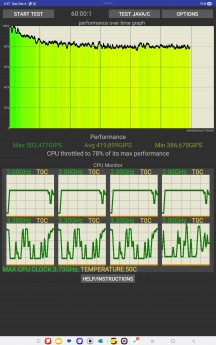
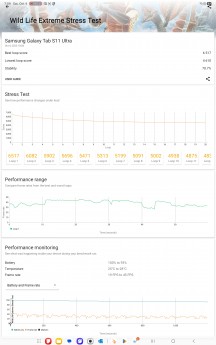
CPU test - Samsung Galaxy Tab S11 Ultra review GPU test - Samsung Galaxy Tab S11 Ultra review
CPU test • GPU test

Overall, the Galaxy Tab S11 Ultra has the performance and the operating system to deliver a laptop-like experience, no matter if it's gaming, office, video processing, or multimedia scenarios.

Next Page » 5. Cameras, our verdict, pros and cons
4. Software, performance
  1. 1. Introduction, specs, unboxing
  2. 2. Design, build quality, handling
  3. 3. Our lab tests - display, battery life, charging speed, speakers
  4. 4. Software, performance
  5. 5. Cameras, our verdict, pros and cons
  6.  
  7. Samsung Galaxy Tab S11 Ultra specification
  8. User opinions and reviews
  9. Review comments (155)

Reviews Samsung Galaxy Tab S11 Ultra reviewPage 4
  • Comments (155)
  • User reviews
  • Galaxy Tab S11 Ultra

Phone finder

  • Samsung
  • Apple
  • Huawei
  • Nokia
  • Sony
  • LG
  • HTC
  • Motorola
  • Lenovo
  • Xiaomi
  • Google
  • Honor
  • Oppo
  • Realme
  • OnePlus
  • Nothing
  • vivo
  • Meizu
  • Ulefone
  • Alcatel
  • ZTE
  • RugOne
  • Umidigi
  • Fairphone
  • Oscal
  • Sharp
  • Micromax
  • Infinix
  • Asus
  • Tecno
  • Doogee
  • Blackview
  • Cubot
  • Oukitel
  • Itel
  • TCL

All brands Rumor mill

ADVERTISEMENT

Popular reviews

Oppo Find X10 Pro Max review
Apple iPhone 18 Pro Max review
Apple iPhone 18 Pro review
ADVERTISEMENT

ELECTRIC VEHICLES

Here's how expensive Ford's upcoming Fathom electric truck will get Here's how expensive Ford's upcoming Fathom electric truck will get Cheap hatchbacks and Chinese partnerships are propping up the Stellantis EV strategy2026 Volvo EX90 Twin Motor Performance real life range test with 21-inch wheels and summer tires
ADVERTISEMENT
Ads by Playwire

Home News Reviews Compare Coverage Glossary FAQ RSS Youtube Instagram TikTok Facebook Twitter

© 2000-2026 GSMArena.com Mobile version Android app Tools Contact us Merch store Privacy Terms of use