First look
Sony Ericsson Satio (Idou) preview: First look
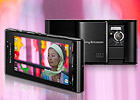
This article is outdated. We have already published a full review.
Media center
The Sony Ericsson Satio Media center is a replica of what you usually find on the company's feature phones - an attractive and convenient way of accessing the media content on your phone.
Sony Ericsson decided to minimize the Media shortcuts (at least at this stage) and there are only three of the usual suspects, which build the main media center menu - Photo, Music and Video. As you may already guessed the first one will lead you to the main gallery with various options available, the second give access to all playlist and the Walkman and finally the third one will show you all video clips stored in the Satio.
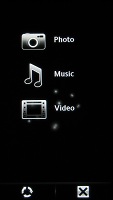
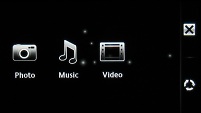
The media center in portrait and landscape modes
Image gallery
The photo gallery is definitely among the best we've seen with great customization capabilities and features. Some of those options include: one-click access to the latest snapshot you've taken, timeline view for your images and tags.
Tags are a very helpful feature offering better ways to make albums - one photo can belong to more than one tag, which you can't do with folders.
Viewing photos is a joy with the Satio, especially when browsing images fullscreen. When you want to go to the next in line, it doesn't simply pop up but instead slides in from left or right. Selecting a photo zooms it in to fill the screen.
Tapping on the screen reveals the full list of available options - delete, edit, use as, assign to contact, slideshow, print tag, rotate, information, etc.
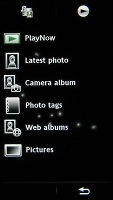
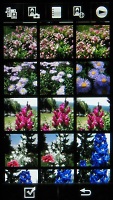

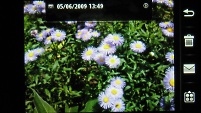
The image gallery • landscape mode
There is also a Pictures section, which stores all the preloaded images that were not taken with the phone's camera.
Walkman player
The Sony Ericsson Satio comes with the Walkman music player with all its extras and eye-candy. Much like the rest of the media menu, the accelerometer is used here for automatic rotation of the display.
Naturally the music player also offers step-by-step filtering of the tracks you want to hear. The "Now playing" screen is simple but offers all the needed controls and information. The tracks are controlled by comfortably large and thumbable on-screen keys at the bottom. Above them is the current track info such as album art, running time, track name, performer and album.
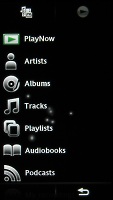
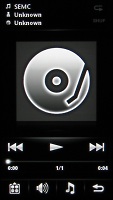
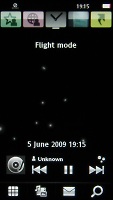
Music menu • Walkman music player • the homescreen controls
Strangely enough the Satio offered neither equalizers nor alternative visualizations. Those are however quite likely to appear in the final version of the handset.
Video player
The video player on the Sony Ericsson Satio has pretty limited functionality compared to the one found on the company's features phones. It has neither slow-mo playback nor screenshot capabilities.
Our real grudge with the video player however is that there's no DivX and XviD support - what can we say, LG and Samsung handsets have definitely spoiled us.
Missing support for the extremely popular codecs means that all the videos need to be converted for watching on the excellent widescreen display. We suppose MediaGo will fill in that purpose with all the imposed limitations of course.
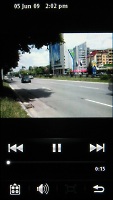


The video player needs improvement
When it comes to the watching experience itself, the Satio is nothing short of flawless. High resolution, excellent image quality and 16:9 aspect ratio make for a really nice video combo indeed.


Tip us
2.1m 180k
RSS
EV
Merch
Log in I forgot my password Sign up