vivo V23 review
Funtouch OS 12 now on top of Android 12
Vivo has been making strides in the software department latterly. As things currently stand, the company already has its "next-gen" OriginOS out and about, but only limited to the Chinese market. Meanwhile, international units still get Funtouch OS, which is now up to version 12. Just because vivo's focus is split between the two custom OS flavors doesn't mean Funtouch is being neglected, though. On the contrary, just recently, Funtouch OS 12 started shipping with the latest Android 12 core underneath. This is what the vanilla V23 and the V23 Pro, and the X70 flagship family of devices are all running.
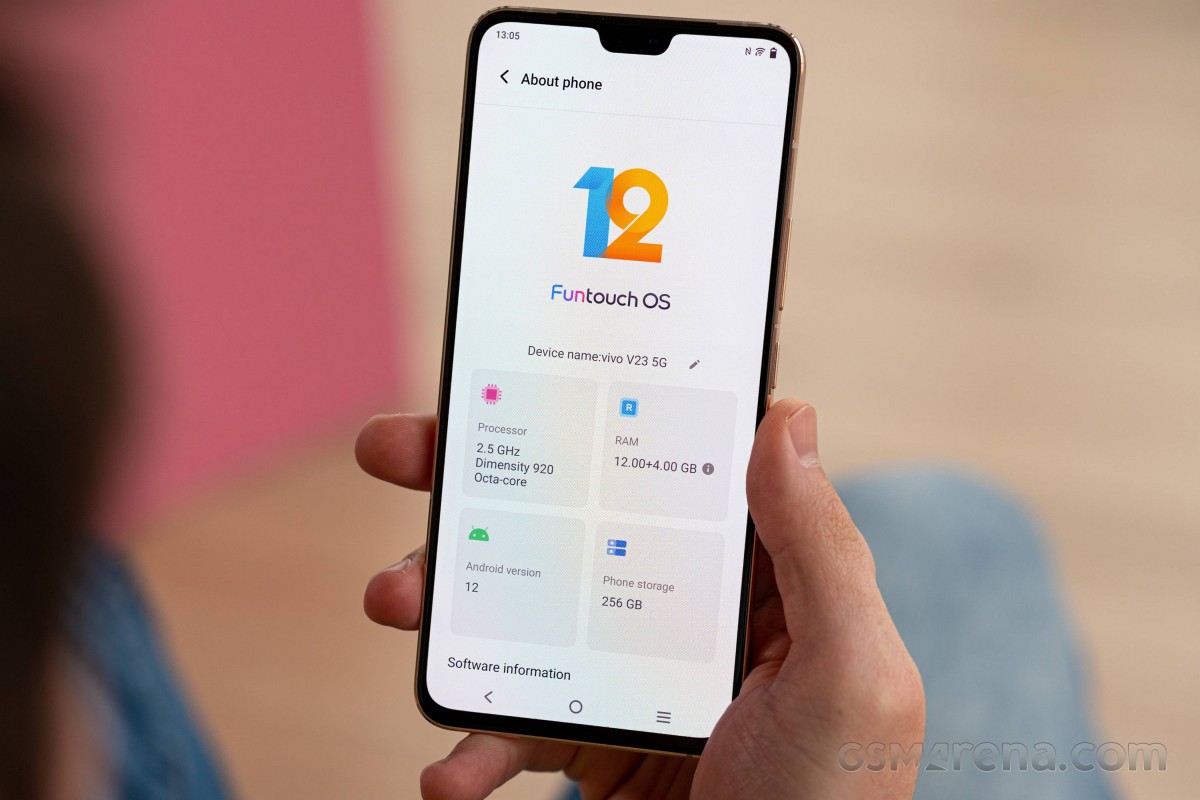
Generally speaking, you can see some new Android 12 features poke through here and there, like Google's new privacy-focused green notification dot that indicates when the camera or microphone are being used or the increased "bounce back" animations on most UI components. Overall, however, the UI and UX are distinctly custom, which comes courtesy of Funtouch OS 12.
If you had some past experience with Funtouch OS 11 or older, many of its stock-ish-looking UI elements, which were kind of the norm, are gone and have been substituted with a highly customized and customizable UI. Some of the changes are pretty nifty, too, including the system menus being tailored towards a single-handed use. Some of the menus' content moves to the lower half of the screen when you swipe down, but not all, which is odd. Vivo has revamped its default selection of widgets to make them more intuitive and easier to use as well.




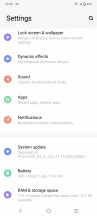
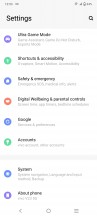
Lockscreen • Homescreen • Folder view • Settings menu
The recent apps menu, for example, has one of those useful proprietary features. You can choose between the standard carousel formation and a horizontal tiles layout - sort of like MIUI, only scrollable horizontally.
The app drawer, although stock-ish looking, has an expandable recommended apps category on the top (most commonly used ones), whereas using the vertical scroller on the right would highlight the apps beginning with the selected letter.


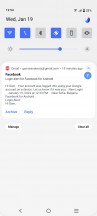
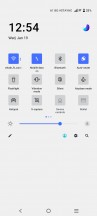
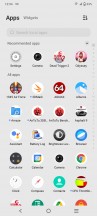

Recent apps • Recent apps • Notification shade • Quick toggles • App drawer
The notification shade has been revamped too, in terms of looks mostly - the quick toggles are now square-shaped, and the accent color around the menus (including the quick toggles icons) is blue, and there's no way to change either. Applying different themes would only change the icon pack and wallpaper. At least the theme store is quite rich.

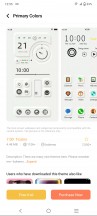

Themes
The rest of the UI gets plenty of love too. In the Dynamic effects sub-menu, vivo has grouped quite a few customizable aspects of the home screen, lock screen, animation effects, etc. There are even various charging and facial recognition animations.
The Ambient light effect gets more granular control with the option to enable it only during a limited time period, or you can choose which apps to trigger it.
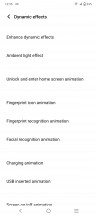
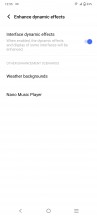
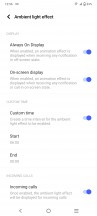
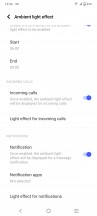
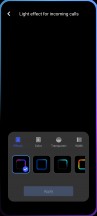
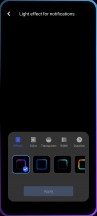
Dynamic effects • Ambient light effect
The always-on display settings are in a different sub-menu, however, but the phone still gives you plenty of options to tinker with - a wide selection of animations, clock styles, colors, backgrounds, the lot.
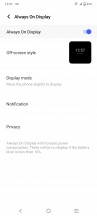
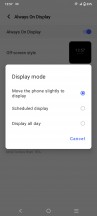
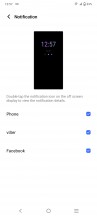
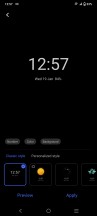
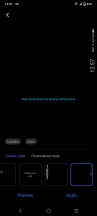
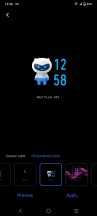
Always-on display
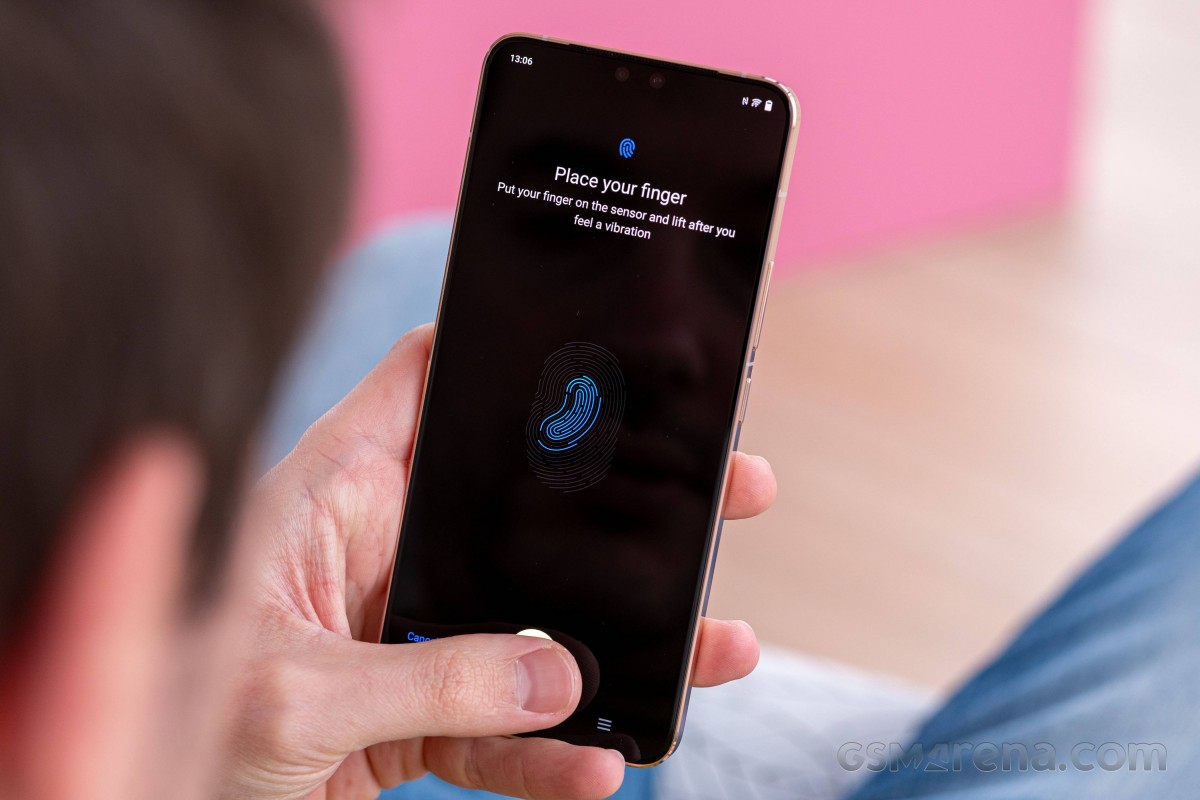
The vivo X70 Pro had a rather annoying issue with its fingerprint reader. There used to be no way to summon the icon on a locked screen unless you triggered the motion sensor. This thankfully appears to be fixed on the V23 pair. Now, waking the display simply brings up the fingerprint reader as well. However, we are still not particularly happy that the double-tap-to-wake function is buried in the Smart motion menu.
The Sound menu holds a few pleasant surprises. Just like Samsung, vivo is paying attention to people with hearing problems, and you can calibrate the sound to be heard by elderly people or those with impaired hearing. Additionally, notifications and calls get separate volume sliders. The vibration intensity can be adjusted for calls and notifications independently. No system-wide eq is available for the loudspeaker, though, which could be both a negative and a positive depending on how you look at it.
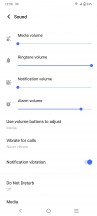
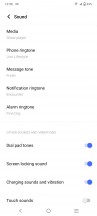
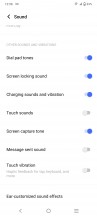
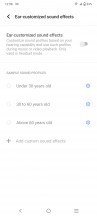
Sound options
The previously mentioned Smart motion menu holds a handful of familiar screen-on and screen-off gestures along with some new additions. One of those requires you to wave in front of the screen during an incoming call to answer hands-free - useful if you're cooking, for example.

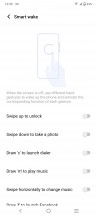
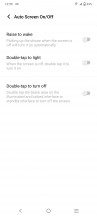

Smart motion menu
Holding the volume down key can be used to launch an app or do a certain task, although the list of the latter is limited to launching the camera app, turning on/off the torch or starting recording audio. The so-called Quick action feature doesn't work when playing music for obvious reasons. Why isn't there a double-press option for Quick action, though?
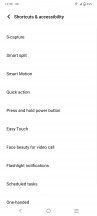
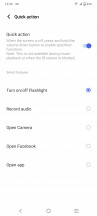
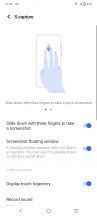
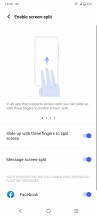

Shortcuts and accessibility • Quick action • S-capture • Screen-split • Easy Touch
All of these customizable gestures, actions and additional features are great to have around, but we feel like vivo could have organized them a bit better. As things currently stand, it is hard to find certain options, even when you know for a fact that they exist and consequently, discovering new things is even harder.
Lastly, there's a little something for the gamers. A dedicated Ultra Game Mode is available, and it has it all. Most of the features mitigate disturbance during gameplay or let certain apps display heads-up notifications. One of the most intriguing features that have been around on vivo phones for a while is the ability to turn off the screen and keep the game running in the background. Especially useful for turn-based games or those requiring some sort of "farming" and "grinding".
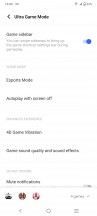
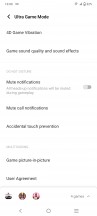
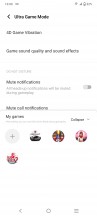
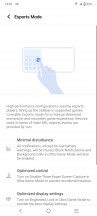
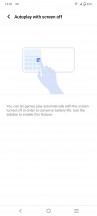

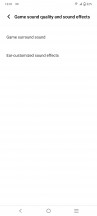
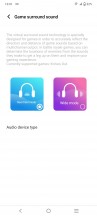
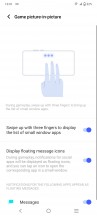
Ultra Game mode
Interestingly enough, the "Eagle eye" option from the V23 Pro is missing on the regular V23. Since it works by hooking into the graphical pipeline and applying some tweaks to things like contrast and memory handling, we can only assure that it is hardware-dependent, at least to some degree. Vivo probably couldn't or didn't want to spend the effort to make it work on the MediaTek Dimensity 920 chipset.
All things considered, Funtouch OS 12 offers a modern and highly-customizable experience. It also works well and feels snappy on the Dimensity 920 chipset. Vivo even gives you the option the speed up transitions further, which is just another option to add to the myriad of customization available here. If you can appreciate a custom Android experience with all of its specifics and particulars, then you should definitely enjoy this one. However, those who want to use Android as Google intended might not be okay with the colorful iconography and the highly customized system menus and animations.
Synthetic benchmarks
The regular V23 is running a very recent Dimensity 920 chipset. In contrast, the V23 Pro uses the well-established and proven Dimensity 1200 chip.
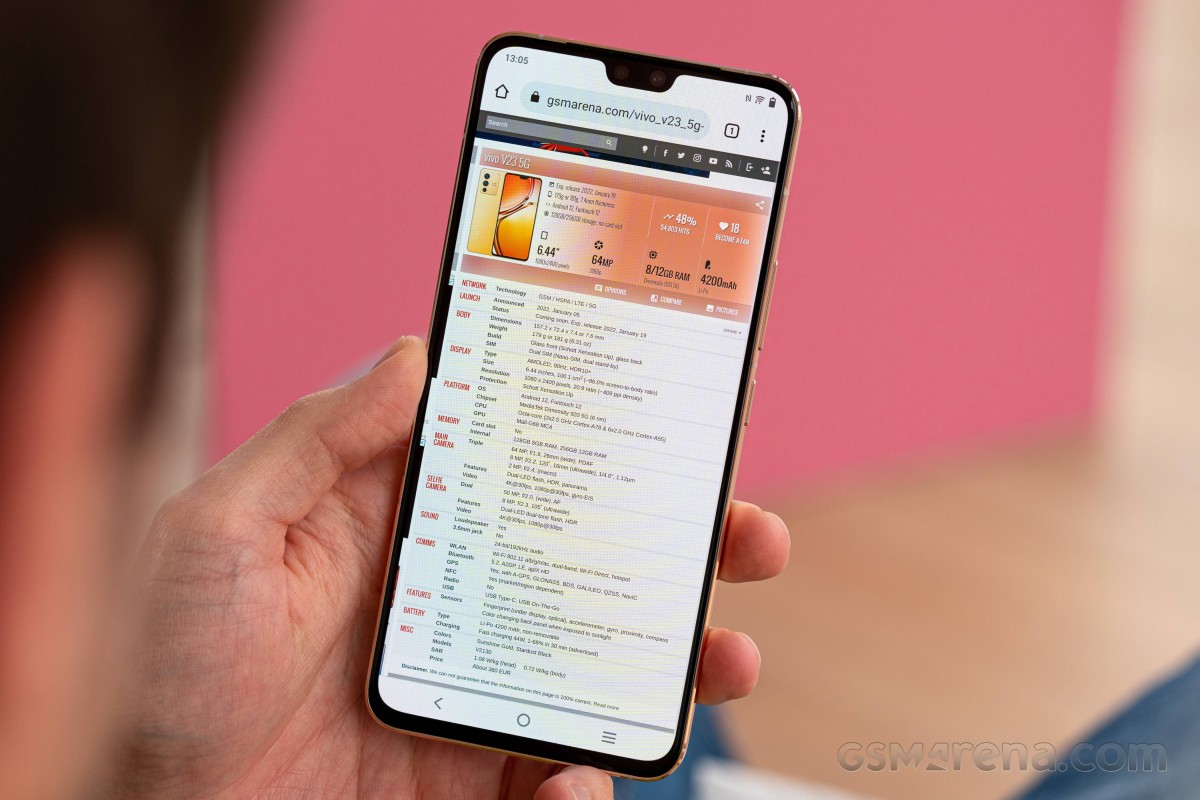
As we mentioned, this is the first time we are seeing a Dimensity 920 phone at the office. The 6nm chip already managed to impress us nicely in terms of battery efficiency, and we have experienced excellent responsiveness with everyday tasks while using the V23. We are still quite interested in putting the Dimensity 920 through its benchmark paces just to see how well it holds up in raw numbers.
Before we get to that, however, a few words on the specs of the Dimensity 920 are in order. The Dimensity 920 is pretty similar to the Dimensity 1200 and 1100. It is based on the same TSMC N6 process and also uses the same "big" ARM Cortex-A78 cores and "LITTLE" Cortex-A55 ones. The Dimensity 920 has a total of two big CPU cores, clocked at up to 2.5 GHz and six more Cortex-A55 ones, working at up to 2.0 GHz. Compared to the Dimensity 1100 and 1200, which both have four Cortex-A78 performance cores each. That's one difference to consider.
Another major difference is the Mali-G68 GPU cores used inside the Dimensity 920. This is the first time we are encountering these as well. The Dimensity 920 has a total of four GPU cores, clocked at 950 MHz. Our vivo V23 review unit is the higher-tier variant that pairs the chipset with 12GB of RAM and 256GB of storage.
Let's kick things off with GeekBench and some pure CPU tests. Rather expectedly, the Dimensity 920 sits around the middle of the pack of diverse devices with varying chipsets we chose out to compare against. Having two instead of four beefy cores understandably puts the Dimensity 920 at a disadvantage compared to the Dimensity 1200, as seen inside the vivo V23 Pro. Particularly in multi-threaded workloads.
GeekBench 5 (multi-core)
Higher is better
-
vivo X60 Pro
3490 -
vivo X70 Pro+
3469 -
vivo V23 Pro
3021 -
vivo X70 Pro
2956 -
Samsung Galaxy A52s 5G
2801 -
OnePlus Nord 2
2792 -
Poco X3 Pro
2574 -
vivo V23 5g
2140 -
Realme 8i
1886 -
Realme 8s 5G
1842 -
Samsung Galaxy A52 5G
1820 -
Poco M4 Pro 5G
1797 -
Realme 8 5G
1784 -
Xiaomi Redmi Note 10 Pro
1780 -
Realme 8
1690 -
Xiaomi Redmi Note 10
1599 -
Samsung Galaxy A52
1577 -
Poco M3
1398 -
Xiaomi Redmi 10
1294 -
Samsung Galaxy A32
1277
GeekBench 5 (single-core)
Higher is better
-
vivo X70 Pro+
1106 -
vivo X60 Pro
1034 -
vivo X70 Pro
875 -
vivo V23 Pro
850 -
OnePlus Nord 2
814 -
Samsung Galaxy A52s 5G
771 -
vivo V23 5g
739 -
Poco X3 Pro
735 -
Samsung Galaxy A52 5G
636 -
Realme 8s 5G
616 -
Poco M4 Pro 5G
597 -
Xiaomi Redmi Note 10 Pro
569 -
Realme 8 5G
569 -
Realme 8i
539 -
Xiaomi Redmi Note 10
534 -
Realme 8
533 -
Samsung Galaxy A52
525 -
Samsung Galaxy A32
361 -
Xiaomi Redmi 10
361 -
Poco M3
308
The same logic applies to other chipsets like the Snapdragon 860, 778G and 870, all of which have the Dimensity 920 beat in raw performance. Out of these, the Snapdragon 860 seems to be the closest Snapdragon competitor in terms of overall CPU performance. While the Snapdragon 778G has a clear edge in multi-threaded loads, when it comes to single-threaded tasks, it is also quite close to the Dimensity 920. All the while, the newer MediaTek chip handily beats out the Dimensity 810 and, naturally, the Dimensity 700 series silicon, as well as all the lower-end MediaTek G models. That's a pretty great place to be in if you ask us.
AnTuTu and its more compound benchmarking suite paint a very similar overall picture, this time for the vivo V23 as a whole. That includes testing things like RAM and storage, as well as the GPU. The V23 is clearly holding its own as an excellent mid-range performer.
AnTuTu 8
Higher is better
-
vivo X60 Pro
639612 -
vivo V23 Pro
635060 -
Poco F3
631850 -
OnePlus Nord 2
512164 -
Poco X3 Pro
453223 -
Samsung Galaxy A52s 5G
429675 -
vivo V23 5g
406498 -
Samsung Galaxy A52 5G
334981 -
Realme 8s 5G
329661 -
Realme 8 5G
302059 -
Realme 8
298328 -
Poco M4 Pro 5G
296721 -
Xiaomi Redmi Note 10 Pro
295442 -
Realme 8i
293507 -
Samsung Galaxy A52
261282 -
Xiaomi Redmi Note 10
218788 -
Poco M3
177904 -
Samsung Galaxy A32
174332
AnTuTu 9
Higher is better
-
vivo X70 Pro+
837833 -
vivo X60 Pro
720352 -
vivo V23 Pro
716766 -
vivo X70 Pro
694499 -
OnePlus Nord 2
598022 -
Samsung Galaxy A52s 5G
506432 -
vivo V23 5g
476058 -
Samsung Galaxy A52 5G
386474 -
Realme 8s 5G
383409 -
Realme 8 5G
361505 -
Realme 8
357488 -
Poco M4 Pro 5G
353663 -
Realme 8i
308544
The Mali-G68 MC4 GPU is a bit less impressive than the CPU part of the Dimensity 920, but still holds its own. Looking at some off-screen GFXBench runs, since those are not influenced by the device display resolution, it is clear that the Snapdragon 778G with its Adreno 642L and even more so the Snapdragon 860 and its Adreno 640 have the Dimensity 920 handily beat.
GFX Manhattan ES 3.0 (onscreen)
Higher is better
-
vivo X70 Pro
108 -
vivo X70 Pro+
94 -
Poco X3 Pro
93 -
vivo V23 Pro
89 -
Samsung Galaxy A52s 5G
69 -
vivo V23 5g
63 -
OnePlus Nord 2
59 -
Realme 8
48 -
Samsung Galaxy A52 5G
39 -
Poco M4 Pro 5G
37 -
Samsung Galaxy A52
35 -
Realme 8 5G
35 -
Realme 8i
33 -
Realme 8s 5G
28 -
Xiaomi Redmi Note 10
21 -
Samsung Galaxy A32
21 -
Poco M3
17
GFX Manhattan ES 3.0 (offscreen 1080p)
Higher is better
-
vivo X70 Pro+
147 -
vivo V23 Pro
140 -
vivo X70 Pro
129 -
OnePlus Nord 2
123 -
Poco X3 Pro
102 -
Samsung Galaxy A52s 5G
77 -
vivo V23 5g
68 -
Realme 8
53 -
Samsung Galaxy A52 5G
43 -
Realme 8s 5G
41 -
Poco M4 Pro 5G
40 -
Samsung Galaxy A52
39 -
Realme 8 5G
38 -
Realme 8i
37 -
Xiaomi Redmi Note 10
24 -
Samsung Galaxy A32
24 -
Poco M3
19
To be fair, the delta between these chips shrinks quite a bit as test difficulty ramps up and we move on to the newer OpenGL ES 3.1. This definitely makes sense, since we expect newer chips to get more optimized drivers and consequently make better use of newer renderers.
GFX Car Chase ES 3.1 (onscreen)
Higher is better
-
vivo V23 Pro
45 -
vivo X70 Pro
40 -
Poco X3 Pro
38 -
OnePlus Nord 2
38 -
vivo X70 Pro+
33 -
Samsung Galaxy A52s 5G
28 -
vivo V23 5g
22 -
Realme 8
18 -
Samsung Galaxy A52 5G
16 -
Xiaomi Redmi Note 10 Pro
16 -
Samsung Galaxy A52
15 -
Realme 8s 5G
14 -
Poco M4 Pro 5G
13 -
Realme 8 5G
13 -
Realme 8i
11 -
Samsung Galaxy A32
8.1 -
Xiaomi Redmi Note 10
7.9 -
Poco M3
5.9
GFX Car Chase ES 3.1 (offscreen 1080p)
Higher is better
-
vivo X70 Pro+
66 -
vivo V23 Pro
53 -
OnePlus Nord 2
46 -
vivo X70 Pro
45 -
Poco X3 Pro
45 -
Samsung Galaxy A52s 5G
33 -
vivo V23 5g
27 -
Realme 8
20 -
Samsung Galaxy A52 5G
19 -
Xiaomi Redmi Note 10 Pro
19 -
Samsung Galaxy A52
17 -
Poco M4 Pro 5G
16 -
Realme 8s 5G
16 -
Realme 8 5G
15 -
Realme 8i
14 -
Xiaomi Redmi Note 10
9.3 -
Samsung Galaxy A32
9.3 -
Poco M3
7.2
GFX Manhattan ES 3.1 (onscreen)
Higher is better
-
vivo V23 Pro
79 -
vivo X70 Pro
77 -
Poco X3 Pro
67 -
vivo X70 Pro+
58 -
OnePlus Nord 2
57 -
Samsung Galaxy A52s 5G
49 -
vivo V23 5g
40 -
Realme 8
29 -
Samsung Galaxy A52 5G
28 -
Samsung Galaxy A52
26 -
Realme 8s 5G
24 -
Poco M4 Pro 5G
23 -
Realme 8 5G
22 -
Realme 8i
22 -
Xiaomi Redmi Note 10
15 -
Samsung Galaxy A32
13 -
Poco M3
11
GFX Manhattan ES 3.1 (offscreen 1080p)
Higher is better
-
vivo X70 Pro+
105 -
vivo V23 Pro
91 -
vivo X70 Pro
85 -
Poco X3 Pro
75 -
OnePlus Nord 2
75 -
Samsung Galaxy A52s 5G
56 -
vivo V23 5g
45 -
Realme 8
33 -
Samsung Galaxy A52 5G
32 -
Samsung Galaxy A52
29 -
Realme 8s 5G
27 -
Poco M4 Pro 5G
26 -
Realme 8 5G
25 -
Realme 8i
24 -
Xiaomi Redmi Note 10
17 -
Samsung Galaxy A32
15 -
Poco M3
13
With mostly the same logic in mind, it is also worth mentioning once again that the V23 is running Android 12, as opposed to some of the other devices on these charts, at the time of their respective reviews. The newer Android in itself likely offers some performance benefit as well.
Speaking of which, with Vulkan as the renderer, the Dimensity 920 can, at times, outpace the Snapdragon 778G, at least as found inside the Samsung Galaxy A52s 5G at the time of its review.
GFX Aztek ES 3.1 High (onscreen)
Higher is better
-
vivo V23 Pro
34 -
vivo X70 Pro
31 -
OnePlus Nord 2
30 -
Poco X3 Pro
26 -
vivo X70 Pro+
25 -
Samsung Galaxy A52s 5G
19 -
Realme 8
12 -
vivo V23 5g
11 -
Samsung Galaxy A52 5G
11 -
Samsung Galaxy A52
10 -
Realme 8s 5G
9.7 -
Xiaomi Redmi Note 10
5.6 -
Samsung Galaxy A32
5 -
Poco M3
2.8
GFX Aztek ES 3.1 High (offscreen 1440p)
Higher is better
-
vivo X70 Pro+
27 -
vivo V23 Pro
23 -
vivo X70 Pro
21 -
OnePlus Nord 2
21 -
Poco X3 Pro
17 -
vivo V23 5g
16 -
Samsung Galaxy A52s 5G
13 -
Realme 8
7.7 -
Samsung Galaxy A52 5G
7.2 -
Samsung Galaxy A52
7 -
Realme 8s 5G
6.2 -
Xiaomi Redmi Note 10
3.7 -
Samsung Galaxy A32
3.3 -
Poco M3
2.8
GFX Aztek Vulkan High (onscreen)
Higher is better
-
vivo V23 Pro
32 -
vivo X70 Pro
29 -
Poco X3 Pro
27 -
vivo X70 Pro+
26 -
OnePlus Nord 2
26 -
Samsung Galaxy A52s 5G
20 -
Samsung Galaxy A52 5G
11 -
Realme 8
11 -
vivo V23 5g
10 -
Samsung Galaxy A52
10 -
Realme 8s 5G
8.9 -
Xiaomi Redmi Note 10
5.3 -
Samsung Galaxy A32
4.4 -
Poco M3
4.1
GFX Aztek Vulkan High (offscreen 1440p)
Higher is better
-
vivo X70 Pro+
29 -
vivo V23 Pro
21 -
vivo X70 Pro
20 -
OnePlus Nord 2
20 -
Poco X3 Pro
18 -
vivo V23 5g
15 -
Samsung Galaxy A52s 5G
14 -
Samsung Galaxy A52 5G
7.5 -
Realme 8
7.5 -
Samsung Galaxy A52
7 -
Realme 8s 5G
5.8 -
Poco M3
4.2 -
Xiaomi Redmi Note 10
3.5 -
Samsung Galaxy A32
2.9
3DMark and its Slingshot Extreme test shows mostly the same trend with the vivo V23 scoring quite close to the Samsung Galaxy A52s 5G with Vulkan doing the rendering instead of OpenGL ES.
3DMark SSE ES 3.1 (offscreen 1440p)
Higher is better
-
Samsung Galaxy A52s 5G
5010 -
vivo V23 5g
4170 -
Realme 8
2610 -
Realme 8s 5G
2567 -
Samsung Galaxy A52
2529 -
Xiaomi Redmi Note 10
1471 -
Samsung Galaxy A32
1323 -
Poco M3
1175
3DMark SSE Vulkan 1.0 (offscreen 1440p)
Higher is better
-
Samsung Galaxy A52s 5G
4231 -
vivo V23 5g
4040 -
Realme 8
2639 -
Realme 8s 5G
2439 -
Samsung Galaxy A52
2406 -
Xiaomi Redmi Note 10
1372 -
Samsung Galaxy A32
1371 -
Poco M3
1106
3DMark Wild Life Vulkan 1.1 (offscreen 1440p)
Higher is better
-
vivo X70 Pro+
5332 -
vivo V23 Pro
4713 -
OnePlus Nord 2
4224 -
vivo X70 Pro
4148 -
Poco X3 Pro
3401 -
Samsung Galaxy A52s 5G
2491 -
vivo V23 5g
2315 -
Realme 8
1486 -
Poco M4 Pro 5G
1232 -
Realme 8s 5G
1231 -
Samsung Galaxy A52 5G
1107 -
Realme 8 5G
1104 -
Realme 8i
1102 -
Samsung Galaxy A52
1040 -
Samsung Galaxy A32
686 -
Xiaomi Redmi Note 10
482 -
Poco M3
368
In any case, the Dimensity 920 and its Mali-G68 MC4 GPU offer solid graphical performance better than that on Dimensity 800 and 700 series of chips, as well as the G ones, plus most of the Snapdragon 700 ones and lower.
Since the Dimensity 920 is making its first appearance at the office, we also made sure to run a thermal-throttling test on the vivo V23. The phone itself never got too hot, not even with torture testing. Its big metal frame, naturally, soaked up most of the heat from the internals and did get noticeably warm but never uncomfortable to hold. That speaks well of the thermal design vivo has in place here, as well as the reasonable amount of heat that the Dimensity 920 puts out in general. After a full hour of CPU testing, it still managed to maintain most of its performance with no jarring stutters or sudden drops. Perfect behavior overall!
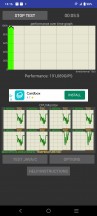
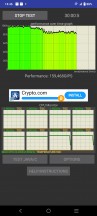
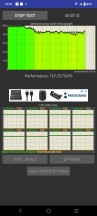
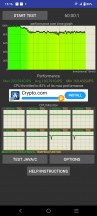
CPU throttling test
Looking at the overall performance picture of the Dimensity 920 and the vivo V23 it powers, we see a solid, all-around performer. The Dimensity 920 looks like a solid addition to MediaTek's mid-range lineup. It offers a reasonable step down in performance compared to the popular Dimensity 1200 without sacrificing some obvious features like connectivity or DSP. As for the V23 itself, vivo did an excellent job with its latest Funtouch OS 12 and Android 12 combo. It runs well with practically no hiccups.


Tip us
2.1m 180k
RSS
EV
Merch
Log in I forgot my password Sign up