vivo X70 Pro+ review
Brand new Funtouch 12 with good old Android 11
Even though vivo is launching the X70 series pretty close to the Android 12 release, they are still running a custom build of Android 11. The proprietary software's version has been bumped up to 12. It's still the Funtouch flavor, as their OriginOS remains exclusive for the Chinese market for now.
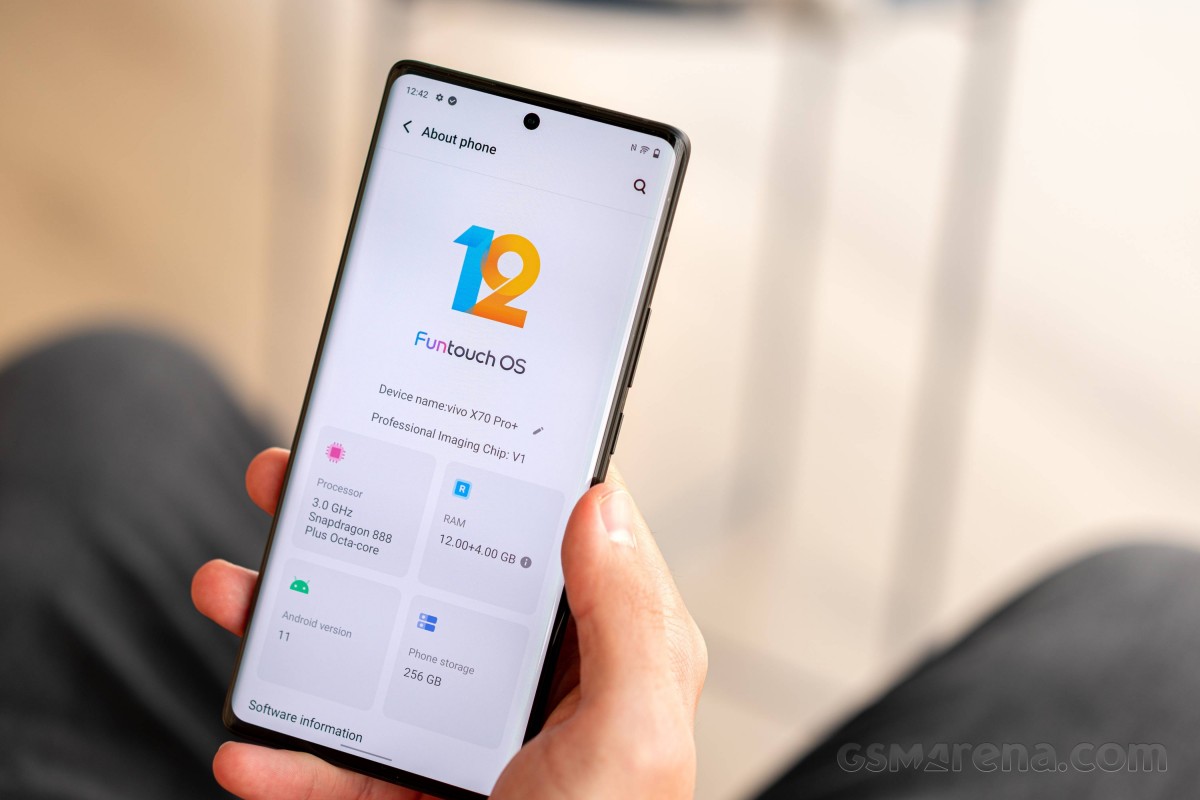
Funtouch 12 significantly departs from Funtouch 11's "core values". The stock-ish looking and functioning main UI elements and menus have been substituted with a highly customized and customizable UI. Some of the changes are pretty nifty, too, including the system menus being tailored towards a single-handed use. Some of the menus' content moves to the lower half of the screen when you swipe down, but not all, which is odd.



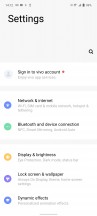
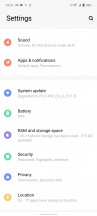
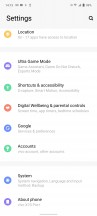
Lockscreen • Homescreen • Folder view • Settings menu
The recent apps menu, for example, has one of those useful proprietary features. You can choose between the standard carousel formation and a horizontal tiles layout - sort of like MIUI, only scrollable horizontally.
The app drawer, although stock-ish looking, has an expandable recommended apps category on the top (most commonly used ones), whereas using the vertical scroller on the right would highlight the apps beginning with the selected letter.


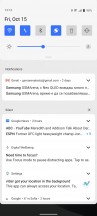



Recent apps • Recent apps • Notification shade • Quick toggles • App drawer
The notification shade has been revamped too, in terms of looks mostly - the quick toggles are now square-shaped, and the accent color around the menus (including the quick toggles icons) is blue, and there's no way to change either. Applying different themes would only change the icon pack and wallpaper.
The rest of the UI gets plenty of love too. In the Dynamic effects sub-menu, vivo has grouped quite a few customizable aspects of the home screen, lock screen, animation effects, etc. There are even various charging and facial recognition animations.
The Ambient light effect gets more granular control with the option to enable it only during a limited time period, or you can choose which apps to trigger it.
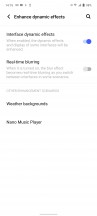
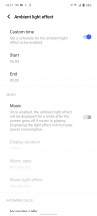
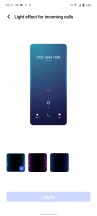
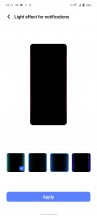
Dynamic effects • Ambient light effect
The always-on display settings are in a different sub-menu, however, but the phone still gives you plenty of options to tinker with - a wide selection of animations, clock styles, colors, backgrounds, the lot.
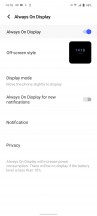
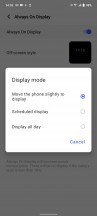

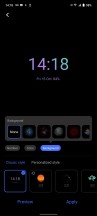
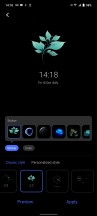

Always-on display
To our surprise, there's no way to summon the fingerprint reader icon on a locked screen unless the motion sensor detects movement - sure, it's very sensitive, but still. Single tap doesn't work, whereas the double-tap-to-wake function is buried in the Smart motion menu. However, if you get familiar with the scanner's position, you can just rest your fingertip on top and wait for the unlock. Which, by the way, is snappy and reliable. No issues there.
The Sound menu holds a few pleasant surprises. Just like Samsung, vivo is paying attention to people with hearing problems, and you can calibrate the sound to be heard by elderly people or those with impaired hearing. Additionally, notifications and calls get separate volume sliders. The vibration intensity can be adjusted for calls and notifications independently.
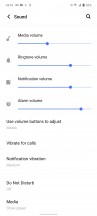




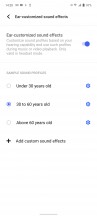
Sound options
The previously mentioned Smart motion menu holds a handful of familiar screen-on and screen-off gestures along with some new additions. One of those requires you to wave in front of the screen during an incoming call to answer hands-free - useful if you're cooking, for example.



Smart motion menu
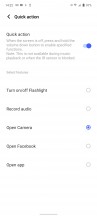
Holding the volume down key can be used to launch an app or do a certain task, although the list of the latter is limited to launching the camera app, turn on/off the torch or start recording audio. The so-called Quick action feature doesn't work when playing music for obvious reasons. Why isn't there a double-press option for Quick action though?
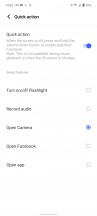
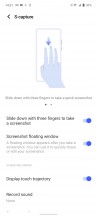


Quick action • S-capture • Screen-split • Easy Touch
Lastly, there's a little something for the gamers. A dedicated Ultra Game Mode is available, and it has it all. Most of the features are about mitigating disturbance during gameplay or letting certain apps display heads-up notifications. One of the most intriguing features that have been around on vivo phones for a while is the ability to turn off the screen and keep the game running in the background. Especially useful for turn-based games or those requiring some sort of "farming" and "grinding".
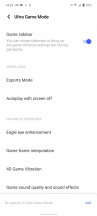

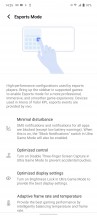



Ultra Game mode
All in all, the new Funtouch 12 runs great, and you can even make it snappier by disabling most of the animations and speeding up the transitions. Yes, Funtouch 12 gives you the freedom to do so. However, those that want to use Android as Google intended might not be okay with the colorful iconography and the highly customized system menus and animations.
Performance and benchmarks
The X70 Pro+ is is equipped with the Snapdragon 888+, the mid-cycle refresh to Qualcomm's top-tier chipset for 2021. It comes with a higher-clocked prime core (up to 3.0GHz instead of 2.84Hz) but maintains the same clock rate for the other seven clocks in the 1+3+4 CPU. The Adreno 660 GPU is unchanged.
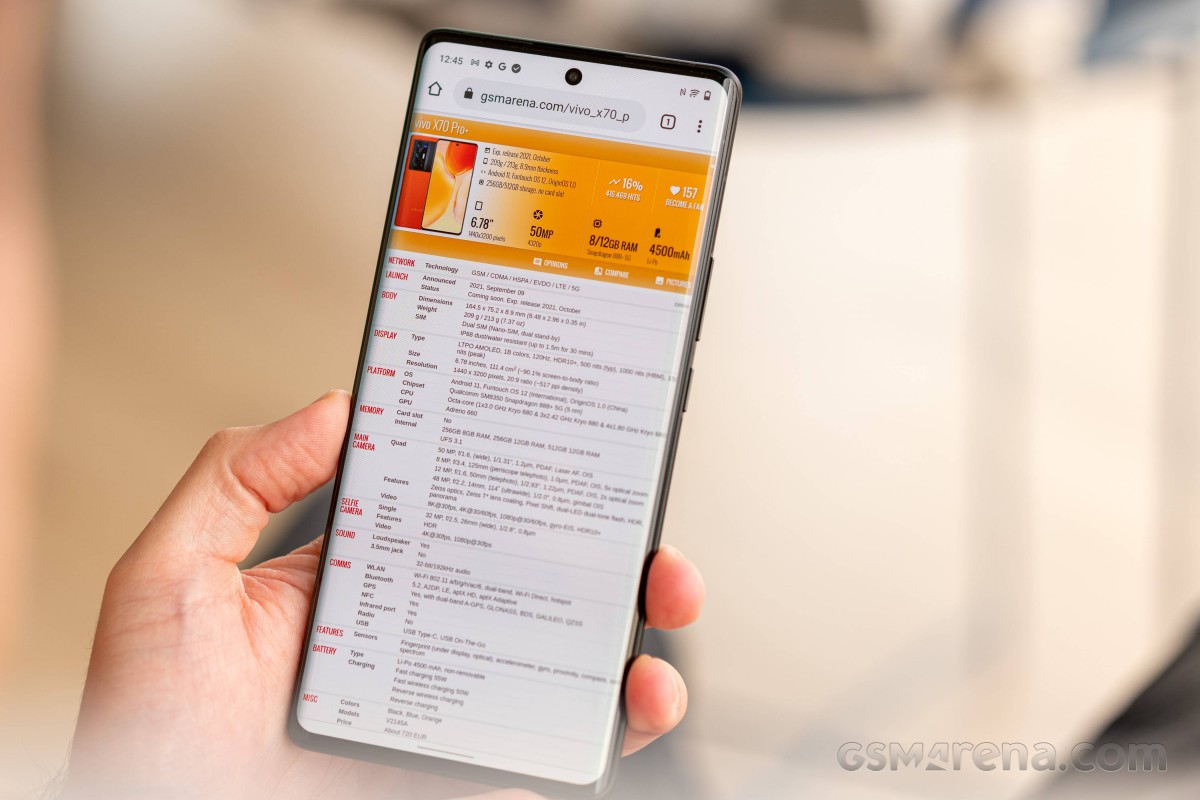
The phone is available in three memory and storage configurations - 8/256GB, 12/256GB, and 12/512GB and our review unit is the middle option. There's also 'virtual' RAM, as if 12GB isn't enough, for your phone to dump less immediately important apps and processes without entirely closing them.
In GeekBench, the supposed advantage of the SD888+ over the SD888 doesn't materialize, and the X70 Pro+ is on par with other SD888-powered handsets as well as the Exynos Galaxy S21s. It's still a very potent CPU, of course, under both single-core and multi-threaded loads.
GeekBench 5 (multi-core)
Higher is better
-
vivo X60 Pro+
3749 -
vivo iQOO 7 Legend
3715 -
Asus Zenfone 8 Flip
3673 -
nubia Red Magic 6S Pro
3660 -
OnePlus 9 Pro
3636 -
ZTE Axon 30 Ultra 5G
3582 -
Realme GT 5G
3555 -
Asus ROG Phone 5s Pro
3521 -
Galaxy S21 Ultra 5G
3518 -
Sony Xperia 1 III
3515 -
vivo X60 Pro
3490 -
Xiaomi Mi 11
3489 -
Galaxy S21+ 5G
3476 -
vivo X70 Pro+
3469 -
Oppo Find X3 Pro
3316 -
Galaxy S21 Ultra 5G (Snapdragon)
3244 -
Xiaomi Mi 11 Ultra
3191 -
Motorola Edge 20 Pro
3140 -
OnePlus 9R
3117 -
Realme GT Explorer Master
3050 -
vivo X70 Pro
2956 -
Xiaomi 11T
2834
GeekBench 5 (single-core)
Higher is better
-
vivo X60 Pro+
1143 -
vivo iQOO 7 Legend
1142 -
nubia Red Magic 6S Pro
1140 -
Realme GT 5G
1139 -
Sony Xperia 1 III
1130 -
OnePlus 9 Pro
1126 -
Xiaomi Mi 11 Ultra
1126 -
Asus Zenfone 8 Flip
1126 -
ZTE Axon 30 Ultra 5G
1124 -
Asus ROG Phone 5s Pro
1117 -
Galaxy S21 Ultra 5G (Snapdragon)
1109 -
Galaxy S21 Ultra 5G
1107 -
vivo X70 Pro+
1106 -
Galaxy S21+ 5G
1091 -
Xiaomi Mi 11
1085 -
vivo X60 Pro
1034 -
Realme GT Explorer Master
1020 -
Motorola Edge 20 Pro
972 -
OnePlus 9R
969 -
Oppo Find X3 Pro
926 -
vivo X70 Pro
875 -
Xiaomi 11T
742
Antutu does allow the vivo to shine, posting one of the highest scores we've seen, if not quite as high as dedicated gaming efforts like the Red Magic 6S Pro. Then again, the predecessor, X60 Pro+, is right up there with the new model.
AnTuTu 9
Higher is better
-
nubia Red Magic 6S Pro
866437 -
vivo X70 Pro+
837833 -
vivo X60 Pro+
836826 -
Realme GT 5G
810433 -
ZTE Axon 30 Ultra 5G
804626 -
Asus Zenfone 8 Flip
797484 -
Xiaomi Mi 11 Ultra
794016 -
Sony Xperia 1 III
749132 -
Asus ROG Phone 5s Pro
735588 -
vivo X60 Pro
720352 -
Realme GT Explorer Master
717879 -
Motorola Edge 20 Pro
711090 -
vivo X70 Pro
694499 -
OnePlus 9R
676913 -
Xiaomi 11T
590837
In graphics benchmarks, the X70 Pro+ returns to the more conservative results we saw in GeekBench, putting out SD888-level scores in the offscreen tests. In onscreen tests, the display's QHD resolution means it's not really competitive with 1080p rivals when it comes to fps count.
GFX Manhattan ES 3.1 (offscreen 1080p)
Higher is better
-
nubia Red Magic 6S Pro
127 -
Asus ROG Phone 5s Pro
120 -
OnePlus 9 Pro
119 -
vivo X60 Pro+
119 -
ZTE Axon 30 Ultra 5G
118 -
Asus Zenfone 8 Flip
118 -
Xiaomi Mi 11 Ultra
116 -
vivo iQOO 7 Legend
114 -
Oppo Find X3 Pro
113 -
Realme GT 5G
112 -
Xiaomi Mi 11
111 -
Sony Xperia 1 III
111 -
Galaxy S21+ 5G
111 -
Galaxy S21 Ultra 5G (Snapdragon)
109 -
Galaxy S21 Ultra 5G
107 -
vivo X70 Pro+
105 -
Realme GT Explorer Master
99 -
OnePlus 9R
93 -
Motorola Edge 20 Pro
92 -
vivo X70 Pro
85 -
Xiaomi 11T
77
GFX Manhattan ES 3.1 (onscreen)
Higher is better
-
nubia Red Magic 6S Pro
107 -
vivo X60 Pro+
105 -
Asus Zenfone 8 Flip
104 -
Asus ROG Phone 5s Pro
103 -
vivo iQOO 7 Legend
101 -
Galaxy S21+ 5G
100 -
ZTE Axon 30 Ultra 5G
93 -
Sony Xperia 1 III
91 -
Motorola Edge 20 Pro
83 -
vivo X70 Pro
77 -
Xiaomi 11T
72 -
Xiaomi Mi 11 Ultra
60 -
Realme GT 5G
60 -
OnePlus 9R
60 -
Realme GT Explorer Master
60 -
vivo X70 Pro+
58 -
Galaxy S21 Ultra 5G
58 -
Galaxy S21 Ultra 5G (Snapdragon)
58 -
Xiaomi Mi 11
57 -
OnePlus 9 Pro
57 -
Oppo Find X3 Pro
55
GFX Car Chase ES 3.1 (offscreen 1080p)
Higher is better
-
nubia Red Magic 6S Pro
74 -
vivo X60 Pro+
71 -
OnePlus 9 Pro
70 -
Oppo Find X3 Pro
70 -
vivo iQOO 7 Legend
70 -
Asus ROG Phone 5s Pro
70 -
Xiaomi Mi 11 Ultra
69 -
ZTE Axon 30 Ultra 5G
69 -
Asus Zenfone 8 Flip
69 -
Sony Xperia 1 III
68 -
Xiaomi Mi 11
67 -
vivo X70 Pro+
66 -
Galaxy S21+ 5G
66 -
Galaxy S21 Ultra 5G (Snapdragon)
66 -
Realme GT 5G
65 -
Galaxy S21 Ultra 5G
64 -
Realme GT Explorer Master
59 -
OnePlus 9R
57 -
Motorola Edge 20 Pro
57 -
Xiaomi 11T
47 -
vivo X70 Pro
45
GFX Car Chase ES 3.1 (onscreen)
Higher is better
-
vivo X60 Pro+
62 -
vivo iQOO 7 Legend
62 -
Asus Zenfone 8 Flip
62 -
nubia Red Magic 6S Pro
62 -
Asus ROG Phone 5s Pro
59 -
Realme GT 5G
55 -
ZTE Axon 30 Ultra 5G
54 -
Sony Xperia 1 III
54 -
Galaxy S21+ 5G
54 -
Realme GT Explorer Master
50 -
OnePlus 9R
49 -
Motorola Edge 20 Pro
49 -
vivo X70 Pro
40 -
Xiaomi 11T
40 -
OnePlus 9 Pro
36 -
Xiaomi Mi 11 Ultra
34 -
Xiaomi Mi 11
33 -
Oppo Find X3 Pro
33 -
vivo X70 Pro+
33 -
Galaxy S21 Ultra 5G
33 -
Galaxy S21 Ultra 5G (Snapdragon)
33
3DMark Wild Life Vulkan 1.1 (offscreen 1440p)
Higher is better
-
vivo iQOO 7 Legend
5873 -
Realme GT 5G
5872 -
nubia Red Magic 6S Pro
5865 -
Sony Xperia 1 III
5807 -
Galaxy S21+ 5G
5757 -
ZTE Axon 30 Ultra 5G
5714 -
OnePlus 9 Pro
5701 -
vivo X60 Pro+
5695 -
Galaxy S21 Ultra 5G
5691 -
Asus Zenfone 8 Flip
5677 -
Xiaomi Mi 11 Ultra
5676 -
Xiaomi Mi 11
5673 -
Oppo Find X3 Pro
5653 -
Asus ROG Phone 5s Pro
5556 -
Galaxy S21 Ultra 5G (Snapdragon)
5547 -
vivo X70 Pro+
5332 -
Realme GT Explorer Master
4255 -
Motorola Edge 20 Pro
4206 -
Xiaomi 11T
4172 -
OnePlus 9R
4154 -
vivo X70 Pro
4148
The X70 Pro+ did quite admirably under sustained CPU load in the CPU Throttling Test app - for a Snapdragon 888(+), that is. Its performance dropped to about 80% of its initial result around 15 minutes into the test, where it settled for the remainder of the one-hour run. I wasn't quite as stable in the 3DMark Wild Life Stress Test, where it only managed a 65% stability rating.
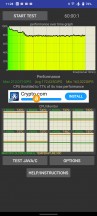
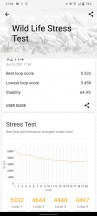
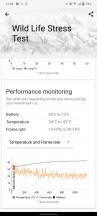
CPU Throttling test • 3DMark Wild Life stress test


Tip us
2.1m 180k
RSS
EV
Merch
Log in I forgot my password Sign up