Tango One
Lenovo Phab2 Pro review: Tango One
Unboxing
The packaging of the Lenovo Phab2 Pro has a neat little window that shows off the Tango sensors. An appreciable way of inviting us to feast our eyes on the unique array of sensors that work together.
Once the lid came off, the packaging's blue, yellow, orange, and green color scheme reminded us a lot of the Galaxy Nexus' retail packaging.
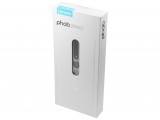
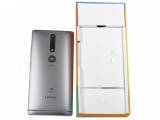
Packaging • The box reminds us of the Galaxy Nexus' packaging
The Phab2 Pro comes with a pair of JBL earbuds (which we expect to sound great with the phone's Dolbly Atmos audio credentials), a microUSB cable, and a proprietary fast charging power adapter that charges the phablet with up to 24W of power (12V @ 2A).
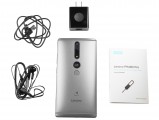
Retail packaging contents (US)
Design and build quality
We like some of the design choices that Lenovo went with for the Phab2 Pro. It reminds us, however, a lot of the Huawei Mate series, more notably the Huawei Mates 8 and 9. Here's some of what it has in common: the physical button placement on the right, the speaker grille arrangement on the bottom, and the headphone jack placement as well. Just check out the devices side by side for yourselves.
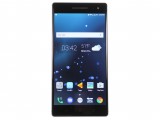
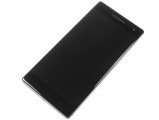
Lenovo Phab2 Pro: Screen on • Screen off
In the hand, the Phab2 Pro has a slight curvature all over the back, which helps with ergonomics while holding the phone. Unfortunately, that same approach was not made to the weight balancing of the phone. The phone is quite hefty to begin with and weighs in at 259g (9.14 oz) measuring 179.8 x 88.6 x 10.7 mm (7.08 x 3.49 x 0.42 in). On top of the (arguably) overwhelming size, the phone is also top-heavy, making it harder to balance with one hand and putting more stress on your balancing-pinky than needed. Then again, we have to give Lenovo a pass, as the phone's Tango setup is parked on the upper half of the back of the Phab2 Pro. Maybe better weight distribution for the next Tango phone? Seriously, this phone is quite difficult to use with one hand without fear of it tipping over.
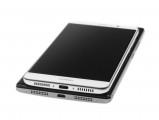
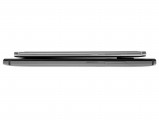
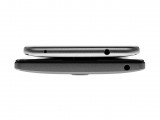

Huawei Mate 9 vs Phab2 Pro: Bottom • Right • Top • Curve on the back
The positioning of the rear-fingerprint sensor, however, is quite awkward. It's at least centered, I'll give it that, but the sensor feels like it's far too low relative to the position of the power button. If you look at the majority of phones with rear-mounted fingerprint sensors, the sensor is usually placed above the power button and that makes sense because your index finger goes farther than your thumb (which is used for the power button). It's not a deal-breaker, just a minor annoyance. Adjust your grip lower, and the fingerprint sensor will feel just fine.
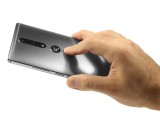
Fingerprint scanner
The camera sensors have been placed up, over the finger print scanner, and there are a few imaging sensors here (in order from nearest to the fingerprint scanner to top): a depth sensor, dual-tone LED flash, IR emitter and IR camera, and a 16MP regular camera sits at the top edge (keep that in mind while taking photos, it's quite easy to cover the camera with your fingers).
The entire back of the phone is covered in a matte paint finish that feels nice, but the paint finish is prone to a bit of smudging. Our Gunmetal Gray model hides these smudges pretty well, though.
There is a bit of palm-digging when holding the phone in one hand, but that probably won't matter as you'll be needing both hands to hold the phone securely.
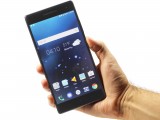
Lenovo Phab2 Pro in the hand
The left side of the phone is home to the hybrid dualSIM card tray. While it does have a microSD card spot, it can also be used for a second SIM. You'll have to choose whether 64GB of internal storage is enough or if you need to use two cellular lines.
The buttons are laid on the right side of the phone. A textured power button sits at the upper-half of the phone and the volume rocker is right above it. For a phone of this size, perhaps the buttons could have been placed a little lower or right at the half-way point for easier reach.
Left • Right
At the top, there is nothing else but a 3.5mm headphone jack, and the bottom view sits in perfect symmetry with the microUSB port right at the middle. There are two speaker grilles on either side of the charger port, and two screws on either side of the entire length of the bottom. The right grille is a loudspeaker and the left grille is an in-call mic.
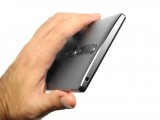
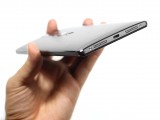
Top • Bottom
Our gunmetal gray model has a black bezel, which blends nicely with the display when it's not turned on. That said, the bezels on either side of the screen are slim, relative to the size of this device. The upper and lower bezels, while large, justify their size. The bottom bezel has three capacitive keys for navigating, rather than using on-screen buttons.
The top of the device is home to the standard array of sensors like proximity and light sensors, as well as a notification LED and 8MP front-facing camera. The earpiece is (almost) flush with the glass, so lint shouldn't collect too much ; the actual insert is made of metal.
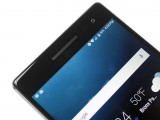
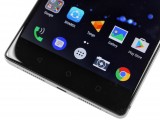
Earpiece and phone's forehead • Capacitive keys and lower front


Tip us
2.1m 180k
RSS
EV
Merch
Log in I forgot my password Sign up