OnePlus Nord 5 review
Familiar OxygenOS 15 on top of Android 15
The OnePlus Nord 5 comes with a familiar OxygenOS 15 on top of Android 15. It's essentially the same as ColorOS 15 and Realme UI 6.
The Nord 5 is entitled to 4 major OS upgrades and 6 years of security patches.
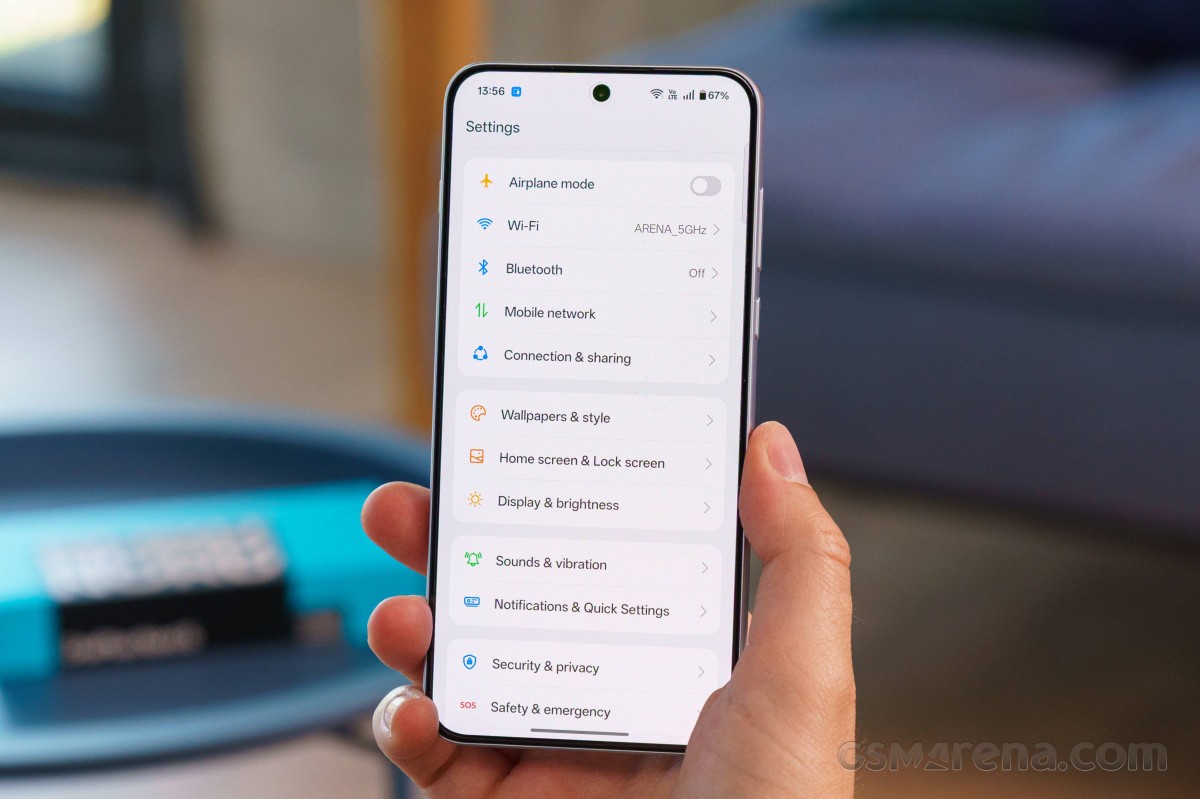
We've seen this software on the OnePlus 13R and the Realme GT 7, so you can check them out for more info.
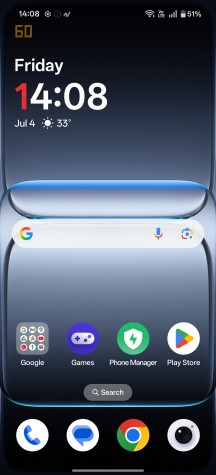
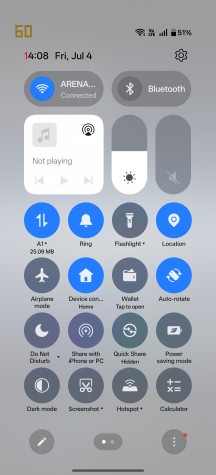

Home screen • Quick toggles • Notification shade
Having said that, several software features debut on the Nord 5, most of which are AI-related. They all fall under the OnePlus AI umbrella, and perhaps one of the most useful AI features we've seen on a phone is the AI Plus Mind. The company advertises it as your personal AI knowledge hub and that sounds on point.
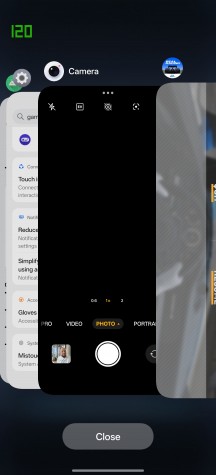
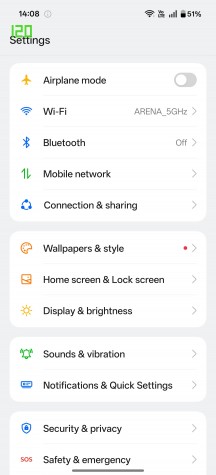
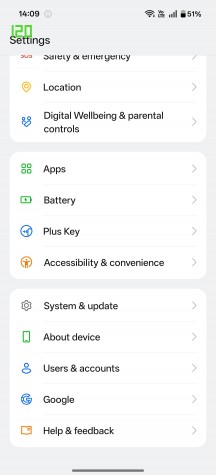
Recent apps • Settings menu
With just a press of the hardware Plus key (more on that later), you can summon the AI assistant, who will analyze the content of the screen and suggest a quick action like adding an appointment to the calendar. More importantly, it will store nearly everything in Mind Space, including content from various apps, articles, photos, videos, and more. Additionally, the AI Plus Mind will then analyze the content so you can later find relevant information quickly and easily. OnePlus promises to expand the feature set related to AI Plus Mind with future updates.
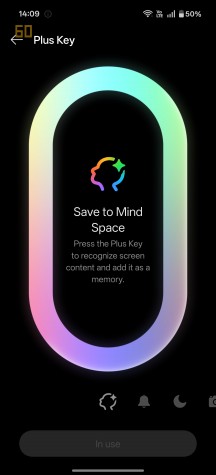

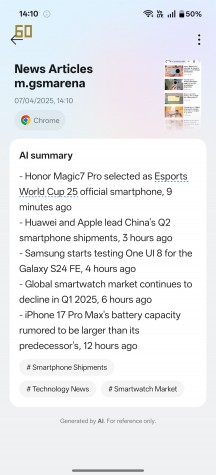
Plus key settings • AI Plus mind
There's a global AI search built in that can search for stuff across the entire phone, be it settings, content, files, apps, information on certain things, etc. The search is deeply integrated into Mind Space too.
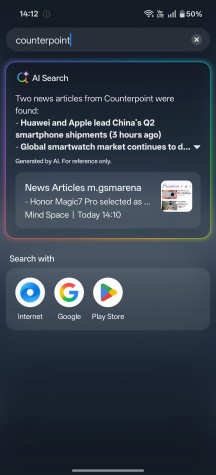
Global AI Search
OnePlus' default dialer can now translate and transcribe in real-time in 20 different languages using AI.
Connectivity and interaction with other ecosystems has also been improved. The "Share with iPhone" feature has been expanded, making it easier to seamlessly transfer files between the Nord 5 and your Mac or Windows PC. The O+Connect app also allows managing your content on the phone remotely from your computer.
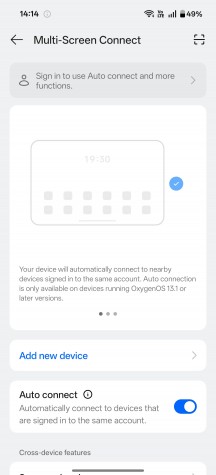
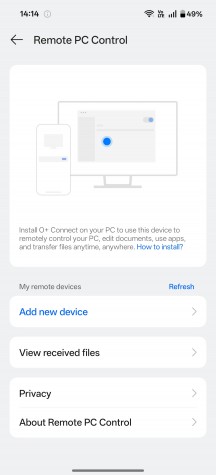
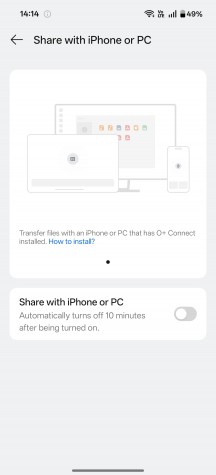
Multi-screen Connect • Remote PC Control • Share with iPhone or PC
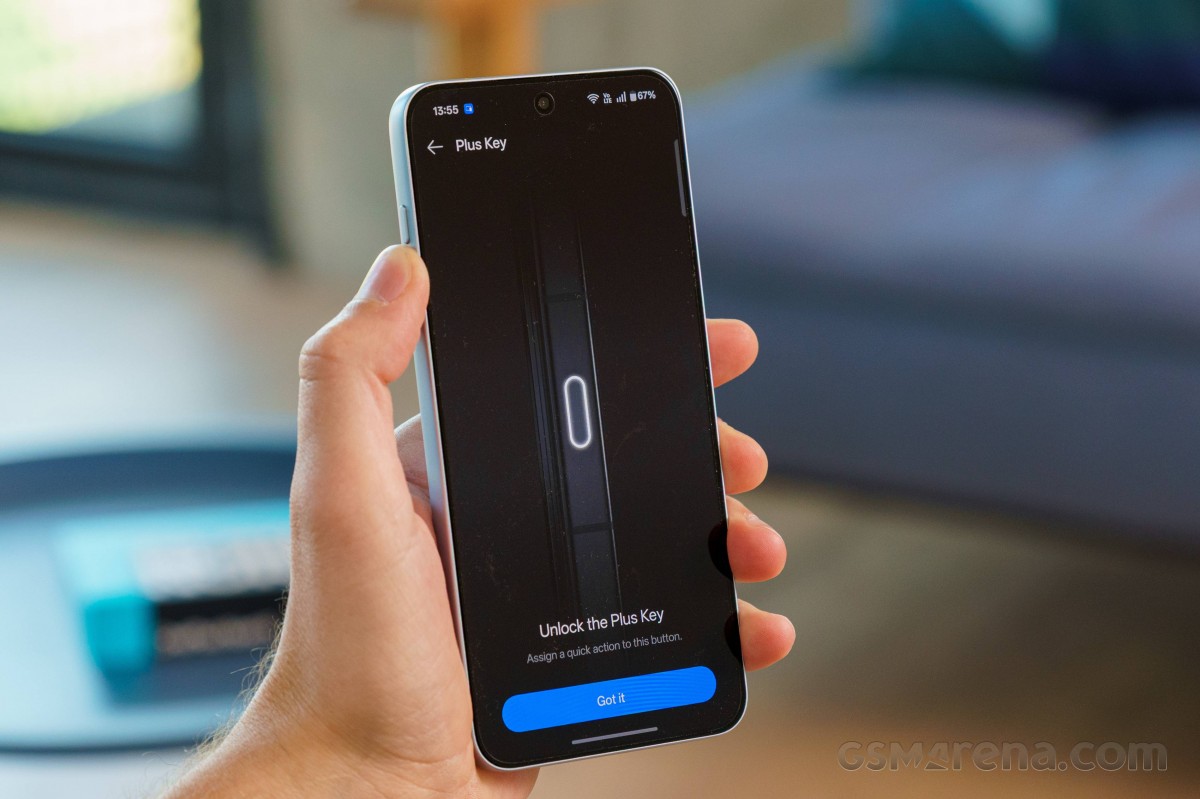
Circling back to the new Plus Key, it's now replaced the good old Alert Slider. It still functions as a switch between different sound profiles by default, but you can assign other actions to it, such as taking a screenshot, translating text, recording audio, launching the camera, activating the flashlight, or summoning the AI Plus Mind tool.
Last but not least, the Nord 5 brings the Open Canvas feature from the OnePlus Open to the smaller screen. You can open up to three apps simultaneously and dock them at the side of the screen and open two more apps in split-screen view. The feature even allows you to drag and drop files between apps.
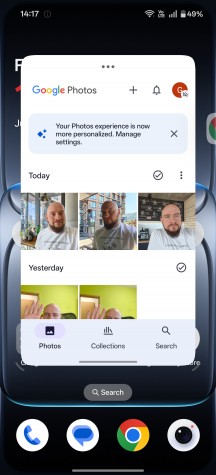
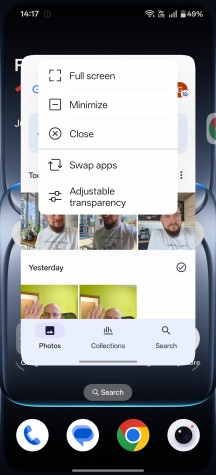
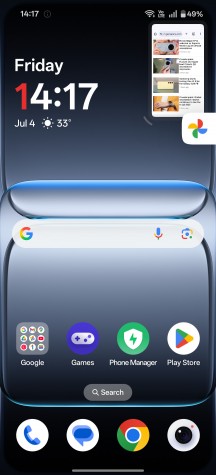
Open Canvas multi-tasking features
When it comes to performance, we had zero issues. The software runs fast and smoothly with no hiccups.
Benchmark performance
The OnePlus Nord 5 is powered by the Snapdragon 8s Gen 3 chipset, which is not an underclocked version of the flagship 8 Gen 3 chip but a somewhat overclocked version of the Snapdragon 7+ Gen 3 SoC that runs inside the previous Nord 4.
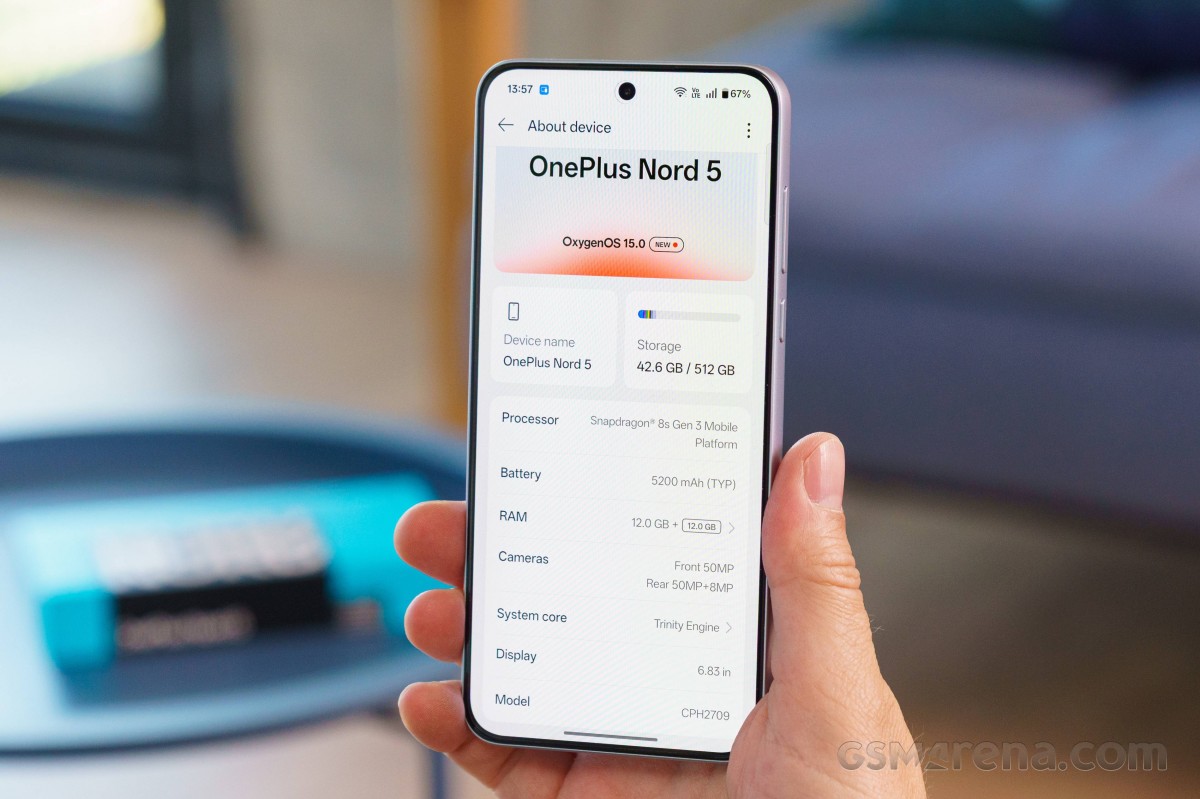
Even though the CPU gains aren't negligible, due to the higher clock speeds, we find the GPU performance gain more important. The Adreno 735 is clocked at 1,100 MHz, up from 950 MHz on the SD7+ Gen 3.
Back to the CPU, the SD8s Gen 3 gets an octa-core CPU with 1x3.0 GHz Cortex-X4 & 4x2.8 GHz Cortex-A720 & 3x2.0 GHz Cortex-A520 cores.
The available memory configurations are 8GB/256GB and 12GB/512GB. The storage is UFS 3.1.
Let's dig into the benchmarks.
GeekBench 6
- Multi-core
- Single-core
 Realme GT 7

 Poco F7 Pro
 Galaxy S24 FE
 OnePlus Nord 5
 OnePlus Nord 4
 Pixel 9a
 Motorola Edge 60 Pro
AnTuTu 10
Realme GT 7
Poco F7 Pro
Galaxy S24 FE
OnePlus Nord 5
Motorola Edge 60 Pro
OnePlus Nord 4
Pixel 9a
3DMark
- Wild Life Extreme (2160p)
- Solar Bay (1440p)
Realme GT 7
Poco F7 Pro
Galaxy S24 FE
OnePlus Nord 5
Motorola Edge 60 Pro
OnePlus Nord 4
Pixel 9a
The OnePlus Nord 5 performs just as expected. The smartphone utilizes the Snapdragon 8 Gen 3 chipset fully and offers a slight performance boost compared to its predecessor. However, we find a handful of similarly priced or even cheaper alternatives that give you more horsepower under the hood.
The Realme GT 7, the Samsung Galaxy S24 FE and the Poco F7 Pro, for example, are all more powerful alternatives that won't break the bank.
Sustained performance
The OnePlus Nord 5 is advertised to have a "Cryo-velocity VC" cooling system, which is a fancy way of saying that the handset incorporates several heat-dissipation layers and a vapor chamber. The total heat-dissipation area is 7,300 mm2 and promises excellent cooling under continuous load. We put that to the test.
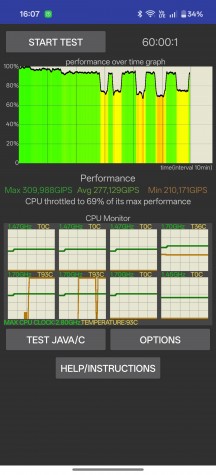
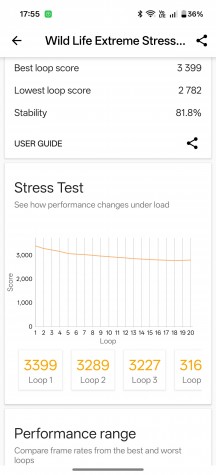
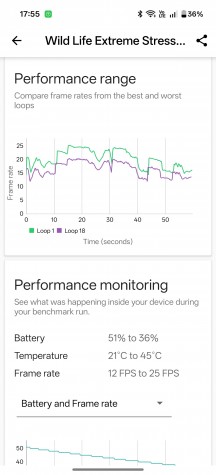
CPU and GPU stress tests
Both the CPU and GPU stress tests returned excellent scores for the performance grade of the chipset. There were several dips in the CPU clock speed throughout the 1-hour test, but the system maintained near-maximal performance for most of the time. The GPU stability in 3DMark's Wild Life Extreme stress test is also solid - almost 86%.
The handset maintained relatively low surface temperatures, with the hottest areas being around the top-end of the device along with the side frame around the Plus Key.


Tip us
2.1m 180k
RSS
EV
Merch
Log in I forgot my password Sign up