GSMArena.com GSMArena.com

Tip us

2.1m
180k
RSS

EV

Merch

Log in

Login

I forgot my password
Sign up
  • Home
  • News
  • Reviews
  • Videos
  • Featured
  • Phone Finder
  • Deals
  • Merch
  • Coverage
  • Contact
ADVERTISEMENT
GSMArena Team, 19 February 2026

Poco Pad M1 review

  • Comments (33)
  • User reviews
  • Poco Pad M1
  • 3.9

4. Software, performance
  1. 1. Introduction, specs, unboxing
  2. 2. Design, build quality, handling, accessories
  3. 3. Our lab tests - display, battery life, charging speed, speakers
  4. 4. Software, performance
  5. 5. Camera, our verdict, pros and cons
  6.  
  7. Xiaomi Poco Pad M1 specification
  8. User opinions and reviews
  9. Review comments (33)

Xiaomi Android Tablets

Android 15 with HyperOS 2

The Poco Pad M1 boots Android 15 and HypeOS 2 on top of it, but it's scheduled to receive Android 16-based HyperOS 3 in early 2026. HyperOS 2 for tablets offers updated visuals, smoother operations thanks to an upgraded HyperCore, Google AI, and most importantly - Workstation mode for PC-like experience.
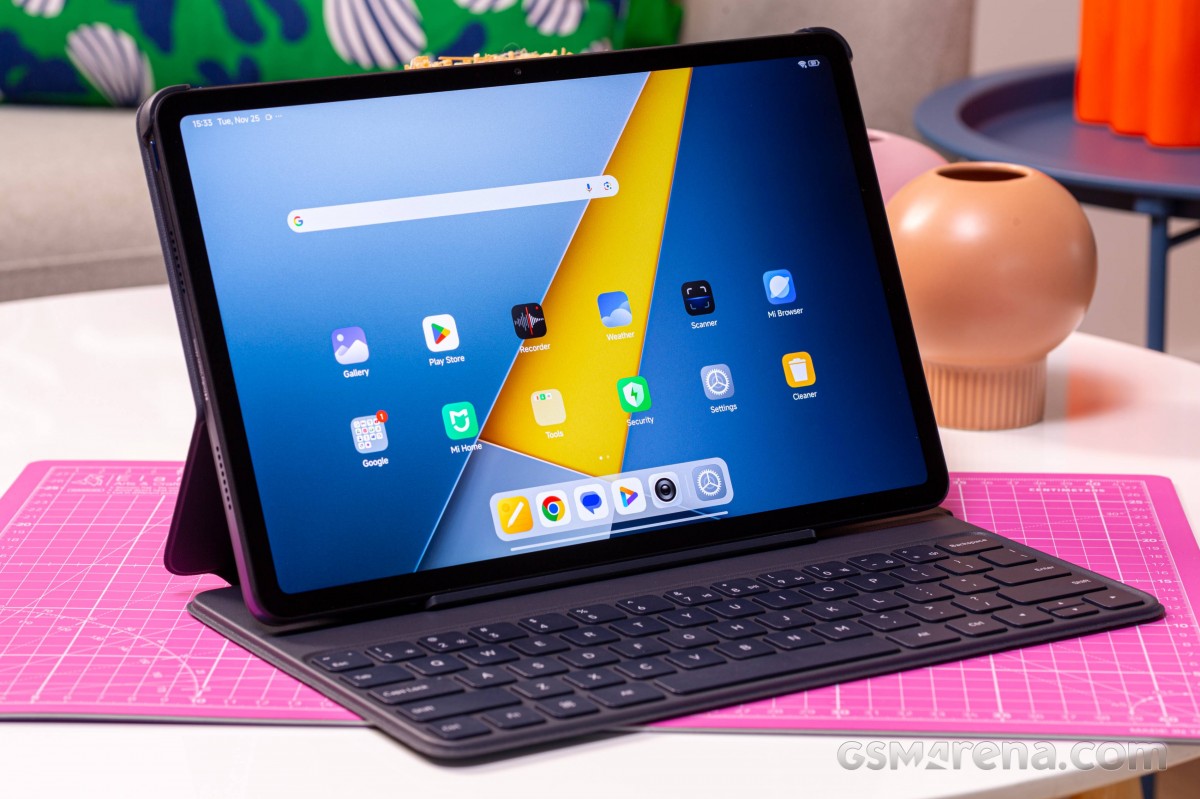
Poco Pad M1 review

HyperOS is not that much different from MIUI on the older tablets, it just looks more modern and has a bit more functionality.

You can enable an app drawer if you prefer, but by default, there is no app drawer, and everything is on the homescreens - apps and widgets alike.
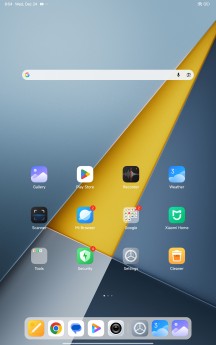
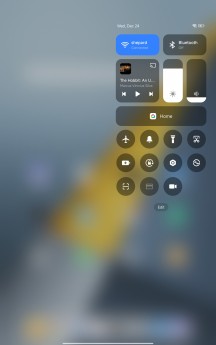
HyperOS 2 - Poco Pad M1 review HyperOS 2 - Poco Pad M1 review HyperOS 2 - Poco Pad M1 review
HyperOS 2

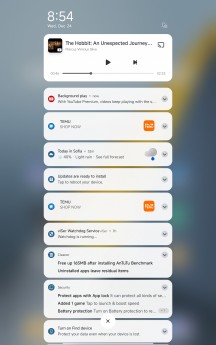
The Notification and Control center are summoned from the left top and right top parts, as before.

And, of course, some convenient multi-tasking options are at your disposal - such as split screen and pop-up windows (up to 4 different apps can be visible at once). The task manager is also optimized for the big screen.
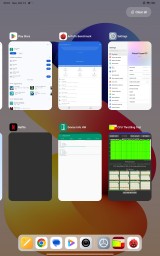
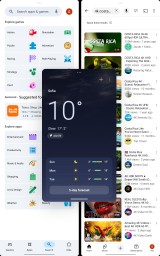
Multi-tasking Multi-tasking - Poco Pad M1 review - Poco Pad M1 review Multi-tasking Multi-tasking - Poco Pad M1review - Poco Pad M1 review Multi-tasking Multi-tasking - Poco Pad M1review - Poco Pad M1 review
Multi-tasking

HyperOS offers deeper integration with connected devices on your home network and devices signed into your personal Xiaomi account. This isn't new for MIUI users, of course, but HyperOS plays even nicer with other Mi Share-capable devices. Xiaomi has put these features under the Interconnectivity umbrella.

With Xiaomi Interconnectivity, you can have the screen of your Xiaomi phone (if you have one) accessible interactively from your tablet screen. You will also receive the notifications that your phone is receiving. The clipboard contents are shared between the two devices. You can exchange files easily, and the phone will automatically share its mobile data connection and its camera with the tablet when needed. And with Hyper OS 2.0, on the tablet, you can open apps that you have opened on the phone and continue directly where you've left off.
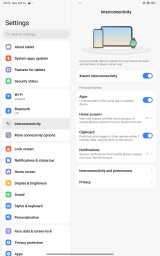
Multi-tasking Interconnectivity - Poco Pad M1review - Poco Pad M1 review
Interconnectivity

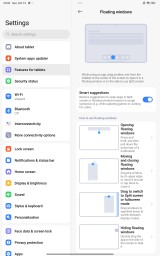
There is a dedicated Features for Tablets menu in settings. Here you can learn some neat multi-tasking gestures for the floating windows and split screen view. There are options for an optimized two-page layout for some apps.

The Stylus and keyboard menu lets you adjust some settings if you've bought one of these optional accessories. There are quite a few options for the keyboard, including handy shortcuts and cursor styles if you have the Poco Pad M1 Keyboard.

The Poco Smart Pen is quite useful for notes and drawings on the go, as well as custom screenshots, and for a handy remote control when needed (i.e. presentations).
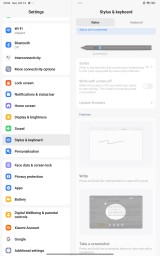
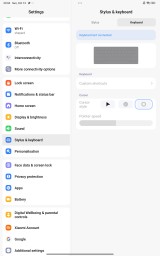
Multi-tasking Stylus and Keyboard - Poco Pad M1 review - Poco Pad M1 review Multi-tasking Stylus and Keyboard - Poco Pad M1 review - Poco Pad M1 review
Stylus and Keyboard

There is no Workstation mode, as on the more powerful Xiaomi tablets.

Finally, let's explore the available AI options.

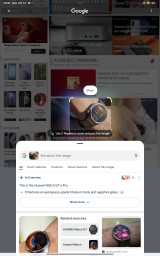
Google Gemini is available as usual. Circle to Search is available, too.
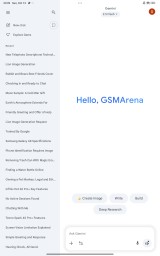
Multi-tasking Gemini - Poco Pad M1 review - Poco Pad M1 review Multi-tasking Circle to Search - Poco Pad M1 review - Poco Pad M1 review Multi-tasking Circle to Search - Poco Pad M1 review - Poco Pad M1 review
Gemini • Circle to Search

Gemini can also generate images for you. There's also a whole lot of AI-based image editing features in the gallery - an object/people remover, you can add bokeh, do content-aware expansion, or change how the sky looks in your shots.


Multi-tasking Image Edit - Poco Pad M1 review - Poco Pad M1 review Multi-tasking Image Edit - Poco Pad M1 review - Poco Pad M1 review Multi-tasking Image Edit - Poco Pad M1 review - Poco Pad M1 review Multi-tasking Image Edit - Poco Pad M1 review - Poco Pad M1 review
Multi-tasking Image Edit - Poco Pad M1 review - Poco Pad M1 review Multi-tasking Image Edit - Poco Pad M1 review - Poco Pad M1 review Multi-tasking Image Edit - Poco Pad M1 review - Poco Pad M1 review
Image Edit

Performance and benchmarks

The Poco Pad M1 employs the Snapdragon 7s Gen 4 (4 nm) chip from Qualcomm. The SoC is a direct successor to last year's SD 7s Gen 3 and offers a virtually unchanged Kryo architecture with the same 1+3+4 core architecture, but with a minor boost in clock speeds.
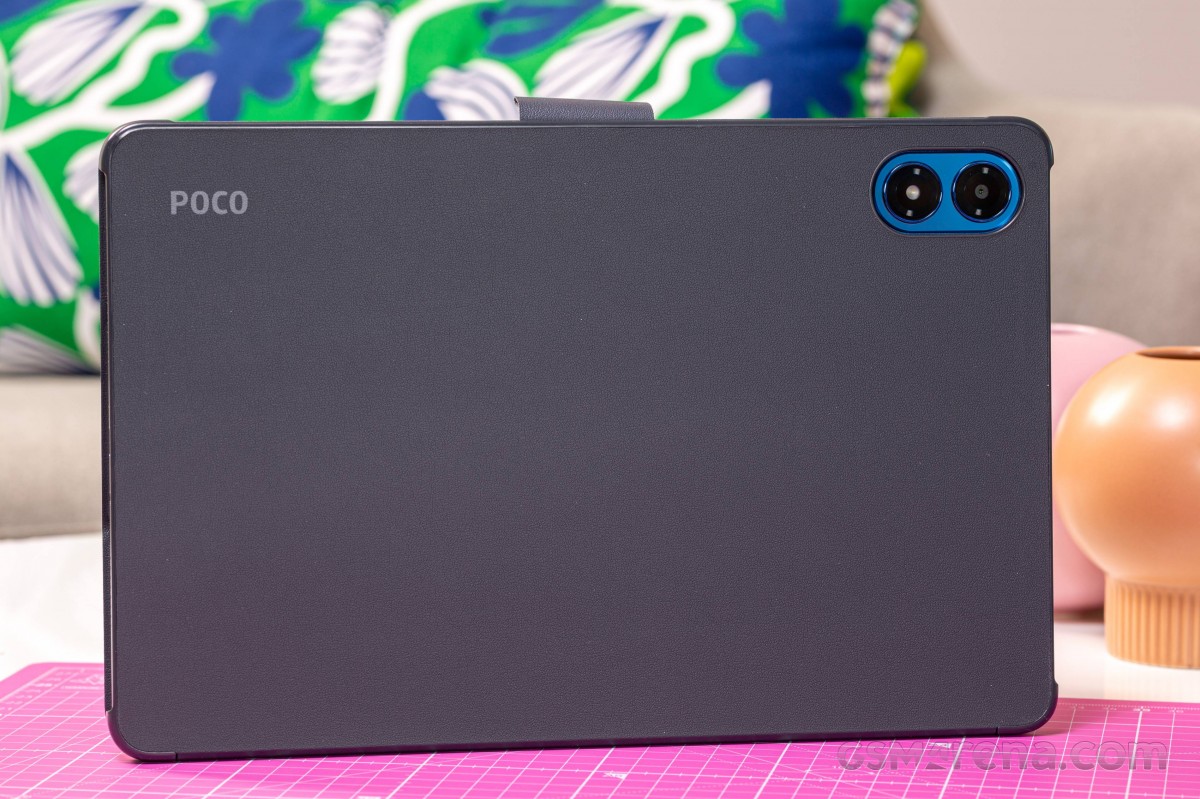
Multi-tasking - Poco Pad M1 review

The processor has 1x Prime Cortex-A720 core now clocked at 2.7 + 3x Cortex-A720 (2.4GHz) units and 4x Cortex-A520 (1.8GHz).

The Adreno 810 brings improved performance, and it has Snapdragon Elite Gaming features like Adaptive Performance Engine 3.0 and Snapdragon Game Super Resolution.

The updated Hexagon NPU offers better AI performance with support for Llama 1B and Qwen 1B and real-time translation. On the connectivity side, the new 7s Gen 4 chip supports Wi-Fi 6E and Bluetooth 5.4. It also brings support for the aptX Lossless and aptX Adaptive audio codecs.

The Poco Pad M1 has only one memory configuration - 8GB LPDDR4X RAM and 256GB UFS 2.2 storage. MicroSD expansion is available.

And now let's see some benchmarks.

GeekBench 6

  • Single-core
  • Multi-core
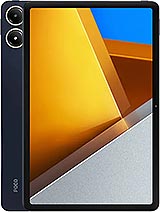
Multi-tasking Poco Pad M1 - Poco Pad M1 review Poco Pad M1
1244
Snapdragon 7s Gen 4 256GB, 8GB RAM
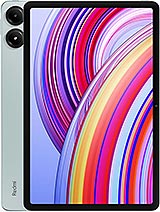
Multi-tasking Redmi Pad 2 Pro - Poco Pad M1 review Redmi Pad 2 Pro
1240
Snapdragon 7s Gen 4 256GB, 8GB RAM
Multi-tasking Poco Pad - Poco Pad M1 review Poco Pad
1033
Snapdragon 7s Gen 2 256GB, 8GB RAM
Multi-tasking Redmi Pad Pro - Poco Pad M1 review Redmi Pad Pro
1014
Snapdragon 7s Gen 2 256GB, 8GB RAM
Multi-tasking Redmi Pad 2 - Poco Pad M1 review Redmi Pad 2
737
Helio G100 Ultra 256GB, 8GB RAM
Multi-tasking Redmi Pad SE - Poco Pad M1 review Redmi Pad SE
413
Snapdragon 680 128GB, 4GB RAM
Multi-tasking Poco Pad M1 - Poco Pad M1 review Poco Pad M1
3285
Snapdragon 7s Gen 4 256GB, 8GB RAM
Multi-tasking Redmi Pad 2 Pro - Poco Pad M1 review Redmi Pad 2 Pro
3195
Snapdragon 7s Gen 4 256GB, 8GB RAM
Multi-tasking Poco Pad - Poco Pad M1 review Poco Pad
2909
Snapdragon 7s Gen 2 256GB, 8GB RAM
Multi-tasking Redmi Pad Pro - Poco Pad M1 review Redmi Pad Pro
2840
Snapdragon 7s Gen 2 256GB, 8GB RAM
Multi-tasking Redmi Pad 2 - Poco Pad M1 review Redmi Pad 2
1975
Helio G100 Ultra 256GB, 8GB RAM
Multi-tasking Redmi Pad SE - Poco Pad M1 review Redmi Pad SE
1439
Snapdragon 680 128GB, 4GB RAM

AnTuTu

  • v10
  • v11
Multi-tasking Poco Pad M1 - Poco Pad M1 review Poco Pad M1
817549
Snapdragon 7s Gen 4 256GB, 8GB RAM 1600 x 2560 px
Multi-tasking Redmi Pad 2 Pro - Poco Pad M1 review Redmi Pad 2 Pro
765105
Snapdragon 7s Gen 4 256GB, 8GB RAM 1600 x 2560 px
Multi-tasking Poco Pad - Poco Pad M1 review Poco Pad
600399
Snapdragon 7s Gen 2 256GB, 8GB RAM 1600 x 2560 px
Multi-tasking Redmi Pad Pro - Poco Pad M1 review Redmi Pad Pro
589889
Snapdragon 7s Gen 2 256GB, 8GB RAM 1600 x 2560 px
Multi-tasking Redmi Pad 2 - Poco Pad M1 review Redmi Pad 2
414128
Helio G100 Ultra 256GB, 8GB RAM 1600 x 2500 px
Multi-tasking Poco Pad M1 - Poco Pad M1 review Poco Pad M1
1042295
Snapdragon 7s Gen 4 256GB, 8GB RAM 1600 x 2560 px

3DMark

  • Wild Life Extreme (Highest)
  • Wild Life Extreme (Lowest)
Multi-tasking Redmi Pad 2 Pro - Poco Pad M1 review Redmi Pad 2 Pro
1105
Snapdragon 7s Gen 4 Adreno 810 1600 x 2560 px
Multi-tasking Poco Pad M1 - Poco Pad M1 review Poco Pad M1
1103
Snapdragon 7s Gen 4 Adreno 810 1600 x 2560 px
Multi-tasking Poco Pad - Poco Pad M1 review Poco Pad
793
Snapdragon 7s Gen 2 Adreno 710 1600 x 2560 px
Multi-tasking Redmi Pad Pro - Poco Pad M1 review Redmi Pad Pro
786
Snapdragon 7s Gen 2 Adreno 710 1600 x 2560 px
Multi-tasking Redmi Pad 2 - Poco Pad M1 review Redmi Pad 2
347
Helio G100 Ultra Mali-G57 MC2 1600 x 2500 px
Multi-tasking Honor Pad X9 - Poco Pad M1 review Honor Pad X9
123
Snapdragon 685 Adreno 610 1200 x 2000 px
Multi-tasking Redmi Pad 2 Pro - Poco Pad M1 review Redmi Pad 2 Pro
1099
Snapdragon 7s Gen 4 Adreno 810 1600 x 2560 px
Multi-tasking Poco Pad M1 - Poco Pad M1 review Poco Pad M1
1097
Snapdragon 7s Gen 4 Adreno 810 1600 x 2560 px

The new mid-range chip is quite capable, and there is a noticeable jump between Gen 2 and Gen 4. At the same time, comparing it to the 7s Gen 3 chip in the Nothing Phone 3a Pro showed no performance benefits in the synthetic benchmarks, even though Qualcomm promises a 7% improvement.

Finally, we ran our usual stress tests on the Poco Pad M1, and we found that it does not throttle at all.
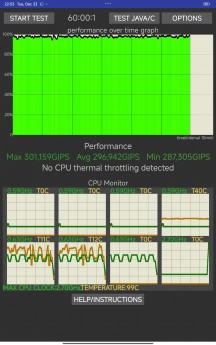
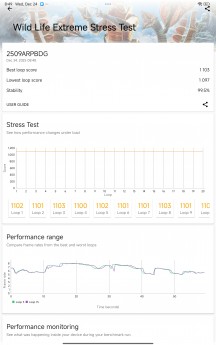
Multi-tasking - Poco Pad M1 review Multi-tasking - Poco Pad M1 review
CPU test • GPU test

The Poco Pad M1 offers solid performance for the mid-range class, and it will do just fine for office apps, multimedia, and even gaming. And that's plenty nice.

Next Page » 5. Camera, our verdict, pros and cons
4. Software, performance
  1. 1. Introduction, specs, unboxing
  2. 2. Design, build quality, handling, accessories
  3. 3. Our lab tests - display, battery life, charging speed, speakers
  4. 4. Software, performance
  5. 5. Camera, our verdict, pros and cons
  6.  
  7. Xiaomi Poco Pad M1 specification
  8. User opinions and reviews
  9. Review comments (33)

Reviews Poco Pad M1 reviewPage 4
  • Comments (33)
  • User reviews
  • Poco Pad M1

Phone finder

  • Samsung
  • Apple
  • Huawei
  • Nokia
  • Sony
  • LG
  • HTC
  • Motorola
  • Lenovo
  • Xiaomi
  • Google
  • Honor
  • Oppo
  • Realme
  • OnePlus
  • Nothing
  • vivo
  • Meizu
  • Ulefone
  • Alcatel
  • ZTE
  • RugOne
  • Umidigi
  • Fairphone
  • Oscal
  • Sharp
  • Micromax
  • Infinix
  • Asus
  • Tecno
  • Doogee
  • Blackview
  • Cubot
  • Oukitel
  • Itel
  • TCL

All brands Rumor mill

ADVERTISEMENT

Popular reviews

Apple iPhone 18 Pro Max review
Apple iPhone 18 Pro review
Galaxy Tab S12 Ultra review
ADVERTISEMENT

ELECTRIC VEHICLES

Volkswagen takes the slow road to hands-off driving in China Volkswagen takes the slow road to hands-off driving in China XPeng sends Mona L05 to customers abroad ahead of Chinese launchAudi announces major restructuring of China operations with brand split
ADVERTISEMENT
Ads by Playwire

Home News Reviews Compare Coverage Glossary FAQ RSS Youtube Instagram TikTok Facebook Twitter

© 2000-2026 GSMArena.com Mobile version Android app Tools Contact us Merch store Privacy Terms of use