Through different eyes
Samsung I9003 Galaxy SL review: Through different eyes

A great web browser
Solid web browsing has been an inherent part of the Android deal since day one. And version 2.2 Froyo is the fastest yet – and then there’s the Flash 10.1 capability, which really opens up the Web (which for better or for worse still relies heavily on Flash for video streaming and navigation).
The user interface is pretty much nonexistent at first sight. Once the page loads, all you see is the URL bar and the bookmark button on a line at the top of the screen. Once you zoom in and pan around though even that line disappears (scroll to the top or press menu to bring it back).
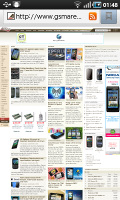
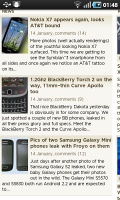
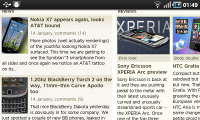
The I9003 Galaxy SL comes with an excellent browser
That way you have the entire 4” screen for web browsing. The Galaxy SL browser supports two zoom methods – double tap and multitouch pinch-zooming.
The browser supports text reflow, but it works only with double tap zooming – a moment after adjusting the zoom level, columns of text adjust to fit the screen width. Without text reflow you will either have to zoom out until the text fits (but then it’s too small to read comfortably) or scroll sideways to read each line.
The minimalist UI is quite powerful – hit the menu key and six keys pop up. You can open a new tab, switch tabs, refresh the page, go forward, and open bookmarks. The final button reveals even more options (text copying, find on page, etc.).
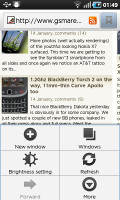
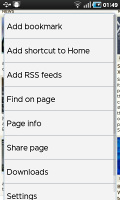
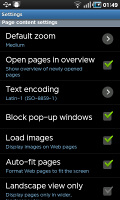
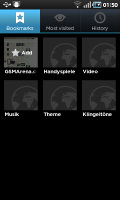
Multiple tabs management • page options and settings • bookmarks
The bookmark list shows a thumbnail of the bookmarked page and you also get a “most visited” list in addition to the history.
One of the best parts of the I9003 Galaxy SL web browser is the full Flash support. YouTube videos played quite smoothly (360p-480p), and so did the games from the mobile section of Kongregate.
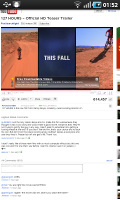
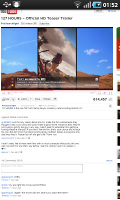

Playing Flash videos in the browser
Quite a few Flash games worked very well in the browser (and are optimized for touch control). The high-quality videos on YouTube and other Flash video services had some dropped frames, but the overall Flash performance turned out pretty decent.
You could use the YouTube app if you find navigating YouTube in the browser hard. The experience on the Galaxy phones such as this one of the best you can possibly get from a smartphone.
Organizer and apps
Quite expectedly the I9003 Galaxy SL comes with the ThinkFree Office pre-installed – it’s both a document viewer and an editor. It works like a charm and is capable of pinch zooming. Both panning and zooming are fast and the overall performance of the Office package is excellent.
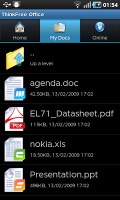
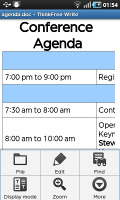
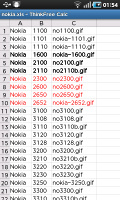
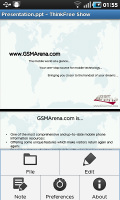
ThinkFree Office for viewing and editing documents comes preinstalled
The calendar has four different types of view - agenda, daily, weekly and monthly. Adding a new event is quick and easy, and you can also set an alarm to act as a reminder.
The agenda view shows a list of all the calendar entries from the recent past to the near future. It’s a very handy tool when you need to check your appointments for the next few days.
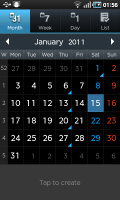
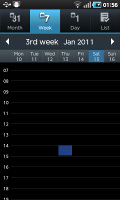
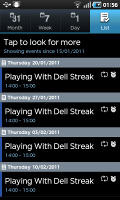
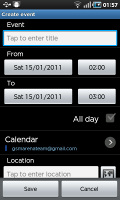
The I9003 Galaxy SL calendar
There is also a calculator aboard. It is nicely touch optimized - the buttons are big enough and easy to hit.
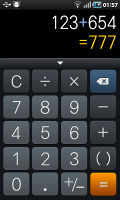
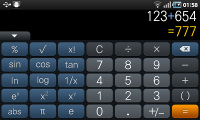
The calculator has two modes
The alarm clock app is descent and allows a huge number of alarms to be set, each with its own start time and repeat pattern.
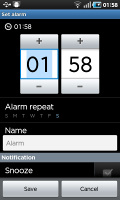
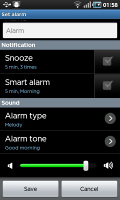
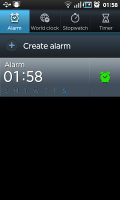
The excellent alarm options
There are also World Clock, Stopwatch, Timer and Voice recorder available.
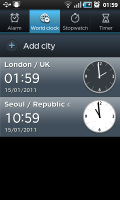
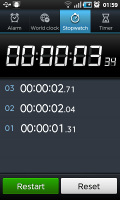
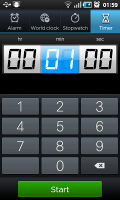
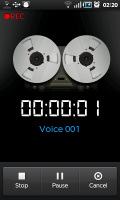
World Clock • Stopwatch • Timer • Voice recorder
As usual Samsung has included the My Files app – a simple to use but functional file manager, which also doubles as an image gallery. It can move, copy, lock and rename files in bulk, even send multiple files over Bluetooth. It will only browse the memory card and the large internal storage (it can’t access the inbuilt memory).
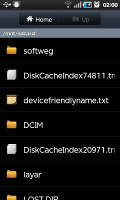
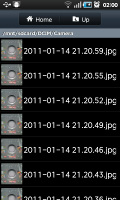
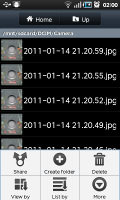
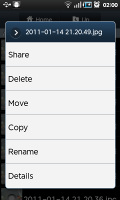
The My Files app


Tip us
2.1m 180k
RSS
EV
Merch
Log in I forgot my password Sign up