Riding shotgun
Samsung I9103 Galaxy R review: Riding shotgun

Android with TouchWiz 4.0 UI
The Samsung Galaxy R runs Gingerbread 2.3.4 with the most recent TouchWiz 4.0 launcher. From a software standpoint, you’re looking at an interface almost identical to that of the Galaxy S II.
Take a look at our video of the device in action.
The lockscreen is the same as ever—swiping in any direction will give you access to the phone. The cool feature where missed events (messages, calls etc) get their own unlock patterns is still here too.

The lockscreen can be removed by swiping in any direction
The homescreen accommodates tons of widgets with lots of functionality. You can have up to 7 homescreens. A pinch zoom brings you to an aggregate view of all homescreen panes, which can be edited: rearranged, deleted or added.
Widgets, shortcuts or folders are pulled onto the homescreen from a drawer that appears at the bottom of the screen once you enter edit mode (press and hold on an empty spot or do Menu > Add).


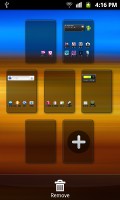

The Galaxy R's homescreen • Editing the homescreen
The numbered dots that identify the homescreen panels serve as a scroll bar too. A press and hold on the dots lets you scroll sideways through the resized images of the available homescreen panes in one short go rather than with several swipes.

Scrolling between homescreens looks great
The app launcher is very similar to the homescreen - you can create folders to go with your shortcuts and you can add, remove and rearrange pages just like you would homescreens.
If you prefer, you can choose List view instead of the default Grid view.


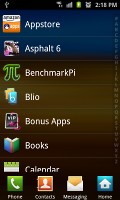
The app launcher • Creating a new folder • Rearranging pages in the app launcher • List view
In typical TouchWiz fashion, there are four shortcuts docked at the bottom of the screen that are visible both on the homescreen and in the app launcher. You can swap the first three with different ones (by default the shortcuts are Phone, Contacts, Messaging). The rightmost is the app drawer/home shortcut used to toggle between the apps menu and the homescreen, so it makes sense to always keep it in the same place.
With the Samsung Galaxy R you get a standard Android task switcher but with one modification - it has a button to launch a task manager.
The custom task manager which Samsung have preinstalled offers a lot of functionality. It also comes with a handy widget which shows you the number of active applications right on your homescreen.


The task manager and its widget
Most of the time, Android does really well when it comes to managing apps by itself (in fact, some claim that using a task manager is detrimental to the performance of a phone), so you would only need the task manager to occasionally kill a buggy app.
Synthetic benchmarks
In the BenchmarkPi test, the Galaxy R does significantly better than the single-core HTC Sensation XL, even though the XL has a 500MHz advantage. As expected, the lower-clocked dual-core 1 GHz processor of the Galaxy R underperforms compared to the faster ones in the Galaxy S II and the Galaxy Note. The S II and Note do better but not by much, considering they are clocked 200MHz and 400MHz higher, respectively.
Linpack sees more of a drastic difference when comparing the Galaxy R to its more powerful siblings, while the Sensation XL scores marginally lower.


In the 3D graphics test, the Galaxy R surprisingly manages to score just 3fps lower than the Galaxy Note. This is probably due to the dedicated GeForce GPU from Nvidia present in the Galaxy R. The Sensaton XL scores a measly 11fps, so you may consider a Galaxy if 3D gaming is your thing.

In terms of JavaScript performance, the finely tuned JavaScript engine by HTC steals the show. The Galaxy R performs markedly worse than the other three phones we tested with SunSpider.
The HTML5+JavaScript benchmark, BrowserMark, puts the HTC well in the lead - again, the effect of good software optimization. The Galaxy R and Galaxy S II run identical software, so the difference we're seeing here is due to CPU performance.




Tip us
2.1m 180k
RSS
EV
Merch
Log in I forgot my password Sign up