Scratching the beat
Samsung M7600 Beat DJ review: Scratching the beat

Easy messaging
As you might have expected, Samsung M7600 handles all common message types. The handset has a shared editor for SMS, EMS, MMS and a separate one for emails. A rich T9 dictionary is at the user's disposal too.
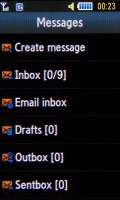
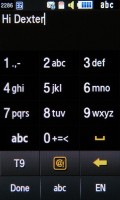
Messages menu • composing an SMS
There is no QWERTY keyboard, just a regular numpad, which is usable enough though.
There's some limited Yahoo/Gmail (market dependent) integration but that boils down to a shortcut to gmail.com, which is loaded in the browser. Things are a little too small there, not so finger-friendly.
Of course, you can always use the native email client instead. It failed to retrieve Gmail settings automatically so we had to enter them manually, but once that's done, emailing is a breeze.
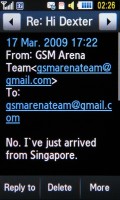
Reading an email
The attachment limit for sending is 5MB, which is enough for most file types. If you receive an office document as an attachment, you will be able to view it as well.
File browser is good
The Beat DJ's file browser can display the files and folders from the phone memory or the memory card, and even both at once.
There are folders for different types of files (images, video, sounds) to let the handset sort the memory contents. However, you are not forced to follow this structure - you can place your files wherever you want and the phone will have no problems handling them.
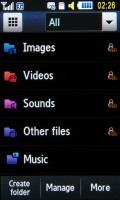
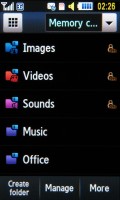
The file browser is quite efficient
You can copy or move files - both one by one or in bulk, and you can create and delete new folders (except the predefined folders, like Images, Sounds and so on).
Files can also be sent via Bluetooth, one by one again or in bulk. Throughout the whole file manager, you can pick files you would like to lock to prevent accidental deletion.
Reading from the memory card is quick and won't bother users at all. Listing the thumbnails of pictures stored in the respective folder on the memory card is quite fast.
Handling memory cards is decent, the initial recognition took about 60-80 seconds for a 16GB card full of thousands of different files. What is more important, working with the files on the memory card once it's initialized is fast enough to satisfy most users.
Superb music player
The unique music player created especially for M7600 will impress you with its simple and attractive interface, and options galore.
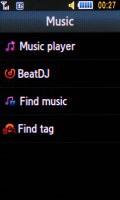
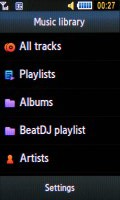
The music menu
Let's take a look at the Now playing screen. At the top we have three virtual buttons - to turn on BeatDJ, view playlists and access settings. Track lists in both BeatDJ and the music player are displayed similarly and can be scrolled by either the touch-sensitive wheel at the bottom or the volume rocker.
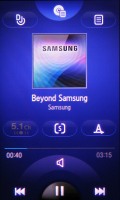
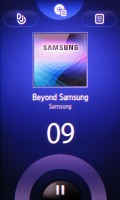
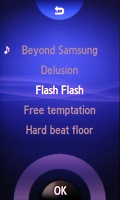
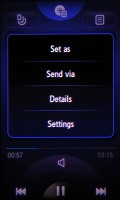
The music player • rewinding a song • the playlist • the settings
The next set of keys in the middle of the screen includes the 5.1 virtual surround on/off button, shuffle and repeat.
The M7600 Beat DJ has a Bang and Olufsen audio amplifier like a number of Samsung music-centered handsets. As usual, it's got nothing to do with sound quality, but only with power consumption efficiency.
The standard music controls are at the bottom - two skip buttons and play/pause. The fast-forward and rewind commands are handled via the touch-sensitive arch that extends over the music keys. It's really fun and amazingly responsive.


Tip us
2.1m 180k
RSS
EV
Merch
Log in I forgot my password Sign up