E-lementary
Sony Xperia E review: E-lementary

Rich connectivity
The Sony Xperia E has quad-band 2G and triple-band 3G connectivity. Mobile data speeds go at 7.2 Mbps of HSDPA and 5.76 Mbps HSUPA.
Local connectivity is covered by Wi-Fi b/g/n with DLNA and Wi-Fi Direct, so you can easily share content from your phone on a DLNA TV or music player. There's also Bluetooth 2.1 with A2DP, but no support for USB on-the-go.
There's a Connected Devices app that also lets you manage DLNA connectivity with the Xperia E. You can either browse content on other DLNA-enabled devices on the same Wi-Fi network, or set the E as a media server for other devices.
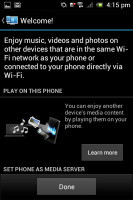
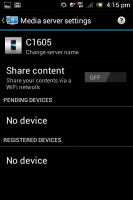
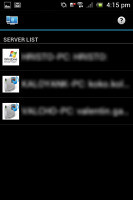
The Connected Devices app
The Xperia E also comes with Sony's Smart Connect app, which replaces the former LiveWare manager, although the functionality remains basically the same. With Smart connect, you can set your device to do a variety of things, like launch an app or set an alarm whenever you connect an accessory, e.g. a headset or a charger.
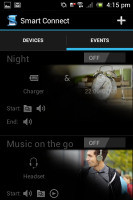
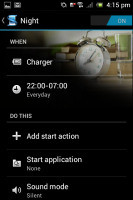
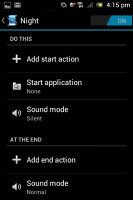
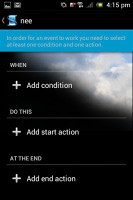
Smart Connect manager can, for example, launch the music player as soon as you connect a headset
You can do Wi-Fi tethering too, as it's part of the default Android functionality.
Android web browser or Google Chrome - the choice is yours
Sony Xperia E has the default Android browser on board. It offers a streamlined interface, incognito browsing and other cool features.
The browser interface is quite minimalistic; all you get is a URL bar with a tabs shortcut. Hitting the Menu key gives you more options - Refresh, Forward, Save to bookmarks, Share page, Find on page, full settings and a couple of more - Request desktop site (no more hunting for that "Desktop" option buried at the bottom of the site) and Save for offline reading.
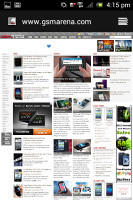
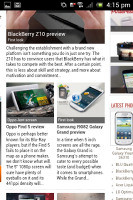
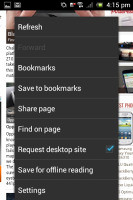
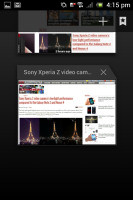
The web browser
The full settings menu includes some really interesting options. For example, you can set your search engine to Yahoo or Bing, you can adjust text size and the amount a double tap will zoom in on a page.
The bowser offers the nice Search Result Preloading feature - when searching for something, if the browser is confident you'll click on a certain search result, it will start preloading that page right away so that it opens faster if you do click it. You can set this feature to work over Wi-Fi only to preserve data.
The other trick is Incognito mode - there's no global setting, but you can open individual Incognito tabs.
Speaking of tabs, the tab switching interface looks exactly like in the Recent apps list. You can even close tabs by swiping them off the screen.
Quick controls (available from the Labs settings) reveal five controls (New tab, Tabs, URL, Bookmarks, More) when you slide your finger in from the side. These really improve the browser experience. Another cool feature from Labs is Full screen, which squeezes out a little more screen real estate by hiding the status bar.

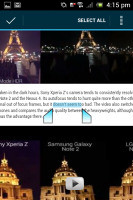
The Quick controls • selecting text
Adobe Flash is officially not supported on Android already, so you can't expect to have it working. You can still find the APK file on the internet, but given the limited processing power available it's not worth the hassle.
You can also opt for the much-improved Google Chrome web browser, which has also been pre-installed. It's pretty smooth, considering the limited hardware it has at its disposal. The interface is pretty simple - you get a combined URL and search bar at the top. To the right of it there's a tab switcher with the number of open tabs on it. Hitting the menu button reveals options like new tab, bookmarks, look at closed tabs on other devices, request desktop site, etc.
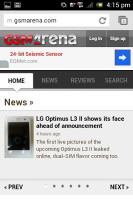
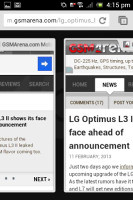
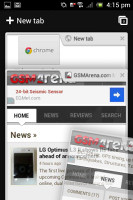
Google Chrome • using tabs
To switch between tabs you just swipe to the left or right to move between various open pages. In the tab interface you can also swipe away tabs you don't want anymore, except this time with a cooler animation.
Chrome offers full synchronization with your Google account. Just type it in and it will immediately connect to all of your devices with Chrome installed. The only thing that doesn't get synced is your passwords.


Tip us
2.1m 180k
RSS
EV
Merch
Log in I forgot my password Sign up