vivo V17 Pro review
Funtouch 9.1 and Android 9
The vivo V17 Pro runs on Funtouch OS 9.1 based on Android 9.0 Pie. And while experience will be familiars to vivo users, at first, it could seem odd to newcomers to vivo's phones.
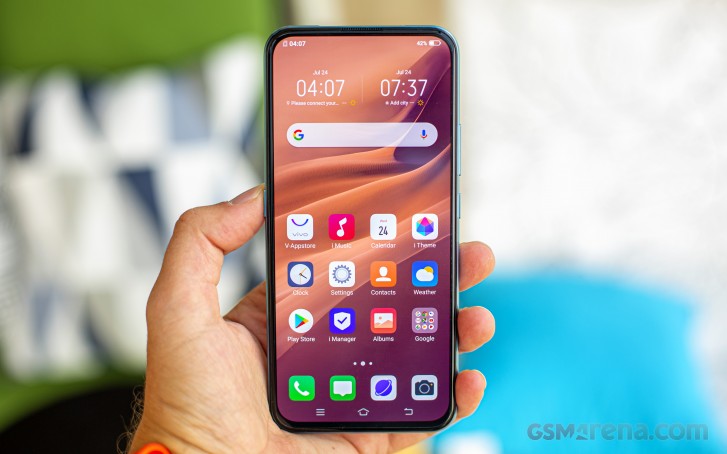
Let's start with the under-display fingerprint sensor. It is an optical one and works fast and accurately. The face unlock works well too although not very secure. The pop-up selfie camera is fast enough to go up, so you won't feel the face unlock sluggish.


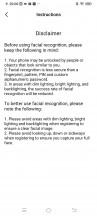
Fingerprint input and facial recognition
The FuntouchOS offers gesture-based navigation. Swiping from the center takes you home and if you swipe and hold, you will see the recent apps menu. Depending on your preference, the back button works as a swipe from the bottom left or bottom right. Swiping from the other side brings out the quick toggles that we've talked about earlier. We found using the onscreen keys, which are the default option, more comfortable though.
There is no app drawer in Funtouch so all your apps are just sitting there on your homescreen, but you can still organize them into folders. Of course, you can always install a third-party launcher if you really miss the app drawer.

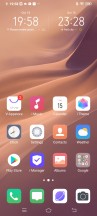




Lockscreen • Homescreen • Homescreen • Cards • Task switcher • Search
Funtouch 9.1 also offers a system-wide Dark Mode, which looks quite good on the OLED screen.

Dark Mode
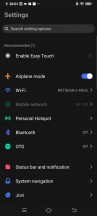
The Lock screen and Home screen settings are interesting as those give you all the options you'd need for customization. The Always-on display setting is in there as well. You can set up a background if you want instead of just a plain clock. Keep in mind that standby battery life will be greatly affected.

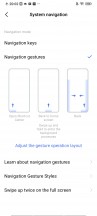

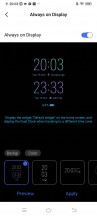
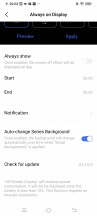
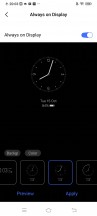
Navigation settings • Navigation • Navigation • Always-on display • Always-on • Always-on
Themes are available in Funtouch via the dedicated iTheme app.



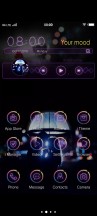
Themes
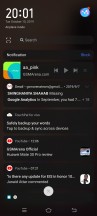
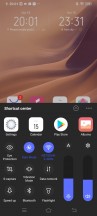
We mentioned that Funtouch may be odd to new users and here is why. A swipe from the top won't bring down the quick toggles, it would only display the current notifications. Swiping from the bottom will summon the quick toggles as part of the Control Center. It gives you control over the volume and the display's brightness. And depending on your app usage, some app shortcuts may end up in that menu as well for quick access.
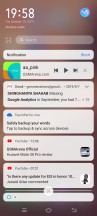
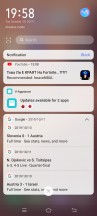
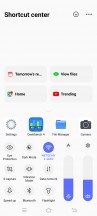
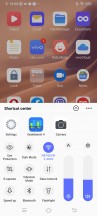
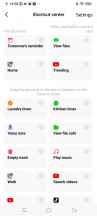
Notifications • Notifications • Control Center • Control Center • Control Center Shortcuts settings
Vivo's Funtouch OS is full of useful and maybe not so useful features. The Smart motion menu - as the name implies - contains a couple of off-screen gestures. Drawing a letter will launch an app immediately from a locked state while sliding upwards will bring out the periscope camera to unlock the device.

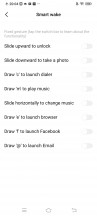


Off screen gestures
Other settings include the usual split-screen mode, one-handed UI mode, advanced screenshot and screen capture options. On top of that, Funtouch comes with tons of proprietary apps, which could be a bit annoying depending on how you look at it. The basics are surely covered with Music listening, Calendar, Clock, Videos, Weather, Gallery Email, Notes, etc. There's also the V-Appstore for additional vivo-related apps and the so-called iTheme that offers a wide variety of themes for your phone.
Funtouch also offers iManager app. It can scan your phone for malware, manage your blacklist, manage or restrict your data usage, configure battery behavior, and free up some RAM. It can also manage the permissions of your installed apps and allows you to define the battery behavior of selected apps and applies restrictions only to the apps you choose.

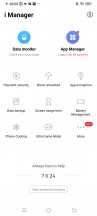
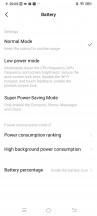


iManager
Funtouch has proprietary multimedia apps called Albums, iMusic, and Video player. In some regions, the music and video app include paid streaming options. A File Manager app is available, too.



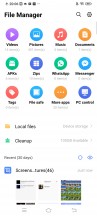
Albums • iMusic • Videos • Fila manager
Performance
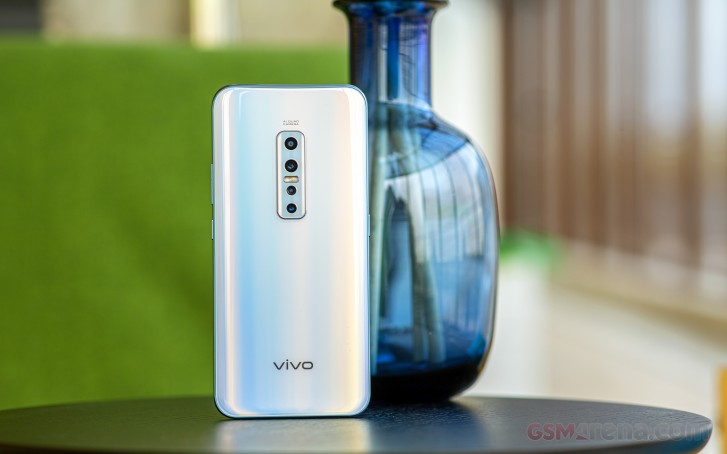
The vivo V17 Pro is powered by the same Qualcomm's Snapdragon 675 chipset we experienced on the V15 Pro. It features an octa-core CPU that consists of 2x Kryo 460 Gold cores (Cortex-A76 derivative) clocked at 2.0 GHz and 6x Kryo 460 Silver cores (Cortex-A55 derivative) ticking at 1.7 GHz.
The GPU inside is Adreno 612 and it should be enough for 1080p content.
The SoC is manufactured using the 11nm node, which is cost-efficient but more advanced than chips from the previous-gen 14nm Snapdragon 600-series. Fun fact, the 11nm (11LPP) process has been developed by Samsung, and it's a mixture between the company's 14nm and 10nm nodes.
The Snapdragon 675 processor is on par with the other mid-range chips such as Snapdragon 730 and a bit faster than S710's. Single-core performance is particularly impressive, too.
GeekBench 4.1 (multi-core)
Higher is better
-
Oppo Reno2
7001 -
Xiaomi Mi 9T
6863 -
vivo V17 Pro
6629 -
vivo V15 Pro
6527 -
Realme XT
6102 -
Realme X
5915 -
Huawei P30 Lite (perf. mode)
5549 -
Google Pixel 3a XL
5176
GeekBench 4.1 (single-core)
Higher is better
-
Oppo Reno2
2547 -
Xiaomi Mi 9T
2537 -
vivo V15 Pro
2386 -
vivo V17 Pro
2382 -
Realme XT
1899 -
Google Pixel 3a XL
1615 -
Huawei P30 Lite (perf. mode)
1576 -
Realme X
1475
The GPU scores, on the other hand, suggest that the Snapdragon 675 won't be that efficient for gaming. The Adreno 612 GPU is just a tad better than the Kirin 710's Mali-G51 MP4 but noticeably less powerful than the Adreno 616 in the S710 and the Adreno 618 in the S730.
GFX 3.1 Manhattan (onscreen)
Higher is better
-
Oppo Reno2
26 -
Redmi Note 8 Pro
24 -
Xiaomi Mi 9T
24 -
Realme XT
23 -
Google Pixel 3a XL
19 -
vivo V17 Pro
14 -
vivo V15 Pro
14 -
Huawei P30 Lite (perf. mode)
13
GFX 3.1 Car scene (onscreen)
Higher is better
-
Redmi Note 8 Pro
14 -
Oppo Reno2
14 -
Realme XT
13 -
Xiaomi Mi 9T
13 -
Google Pixel 3a XL
11 -
vivo V17 Pro
7.3 -
vivo V15 Pro
7.1 -
Huawei P30 Lite (perf. mode)
6.9
3DMark SSE 3.1 Unlimited
Higher is better
-
Oppo Reno2
2573 -
Redmi Note 8 Pro
2439 -
Xiaomi Mi 9T
2329 -
Realme XT
2284 -
Google Pixel 3a XL
1748 -
vivo V17 Pro
1221 -
vivo V15 Pro
1206 -
Huawei P30 Lite (perf. mode)
988
Gaming is very much possible, don't get this the wrong way, it just won't be stellar, and hiccups may occur. But if you are getting it as a daily driver for your web browsing, multitasking and productivity-oriented app usage, the Snapdragon 675 is the way to go. Also, battery tests show that it's fairly power efficient too.
AnTuTu 7
Higher is better
-
Redmi Note 8 Pro
224759 -
Oppo Reno2
214097 -
Xiaomi Mi 9T
211915 -
Realme XT
185193 -
vivo V15 Pro
180774 -
vivo V17 Pro
176791 -
Google Pixel 3a XL
159110 -
Huawei P30 Lite (perf. mode)
141600
The vivo V17 Pro has decent power punch for its price. It is a dependable performer thanks to the Snapdragon 675 chip. It's as good for gaming though not as ideal as some competitors but is perfect for daily operations and browsing the social media. The Android OS and Funtouch UI are fast and fluid on this hardware, although once you populate most apps with your personal content you may notice some prolonged loading times.


Tip us
2.1m 180k
RSS
EV
Merch
Log in I forgot my password Sign up