Xiaomi Mi Note 10 long-term review
Display
The screen is one of the areas in which the Mi Note 10 both is and isn't a flagship. It has a vibrant, bright AMOLED panel, which is also curved. Flagship grade stuff, right? Yes, but the resolution is 'just' FHD+. We still think that most people can't actually tell the difference between that and QHD+ in use, but we'd be remiss if we didn't mention this.
And then there's the fact that the Mi Note 10 launches at a time when high refresh rate displays are starting to become the norm. After all, the much cheaper Redmi K30 (also made by Xiaomi) has a 120fps panel, LCD as it may be. The Mi Note 10 however sticks with the traditional cap of 60fps, and that means you're missing out on some added smoothness. Not just that, but future-proofing too. If all the rumors are correct, practically all the important flagships and 'flagship killers' this year will go above 60fps, which leaves the Mi Note 10 in a weird limbo.
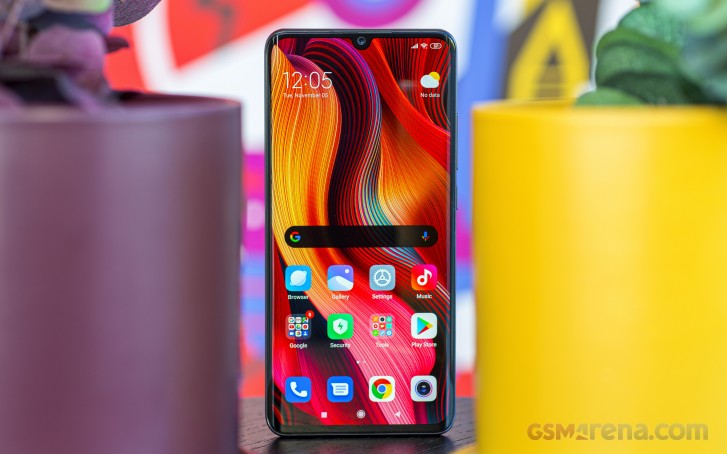
While it is ahead of its time in the camera department, it really isn't in the display area. All that said, it's got a very good FHD+ curved AMOLED. If you want to take a look at our lab tests, head over to our normal review of the Mi Note 10, but let's be clear - we were never left wanting by this panel in any other regard. Higher resolution is an okay box to tick on a spec sheet, but high refresh rate can be important to the overall user experience, and that's just not here.
On the plus side, the screen gets bright enough to be easily readable even in sunlight, and dim enough not to sear your retinas at night. The blue light filter does what it's supposed to, and if you manually take the brightness slider all the way down in Auto mode, you'll reach something Xiaomi confusingly calls Night mode. You can set this in Display settings to be even lower than usual. It ensures an even better experience in low-light scenarios.


Display settings
Speaking of auto-brightness, while it works well for the most part, we have encountered a funny bug where it was basically 'fighting' us when we tried to manually adjust it using the slider that's in the notification shade. We've only encountered this a few times, but it was still annoying trying to manually 'teach' the system to make the screen more or less bright in a specific environment, only for us to immediately see the slider moving by its own accord back to its previous position. And on the topic of that slider, you still have to swipe left or right across it, you can't just tap the specific position you're after - this isn't changed in MIUI 11 and we wish it was.
Always-on display is available and it's one of the best implementations out there, with more customization options than you'll know what to do with. It was fun changing styles, and experimenting with various background images too. You get the date under the clock, and the battery level under that, and then notification icons under that. Sadly OnePlus’ system of actually showing you a notification as it arrives is still unique, and thus not replicated here - it’s only the icon of the corresponding app that pops up.
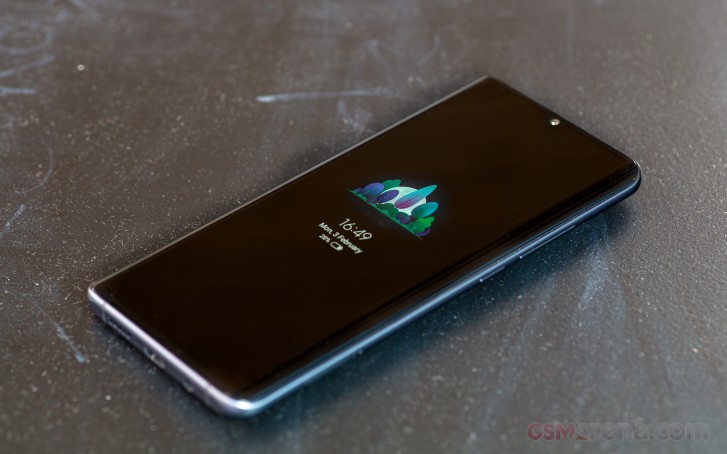
Because it's a curved screen, you can also use the edges to light up in various manners when you get a notification, but this could turn out to be more distracting than useful. Your mileage may vary, obviously.
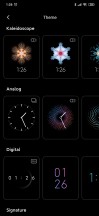
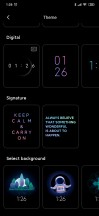


Always on Display settings
The default color scheme results in whites that are way too bluish for our taste, but that's an easy fix in Settings, where we left Auto colors on and just went with Warm color temperature instead. This Auto setting is supposed to adjust colors based on the current ambient lighting, but either that's just a theory or it does its job so subtly that we really couldn't tell.
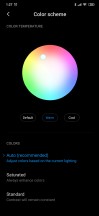
Color temperature settings
In-display fingerprint sensor
Optical in-display fingerprint sensors just keep getting better, and the Mi Note 10's latest-gen one is practically indistinguishable in day-to-day use from a capacitive ones mounted on the back or the side of phones. There's still a minute speed delta, but you won't be able to tell unless you have a phone with a capacitive sensor nearby, and constantly use both.
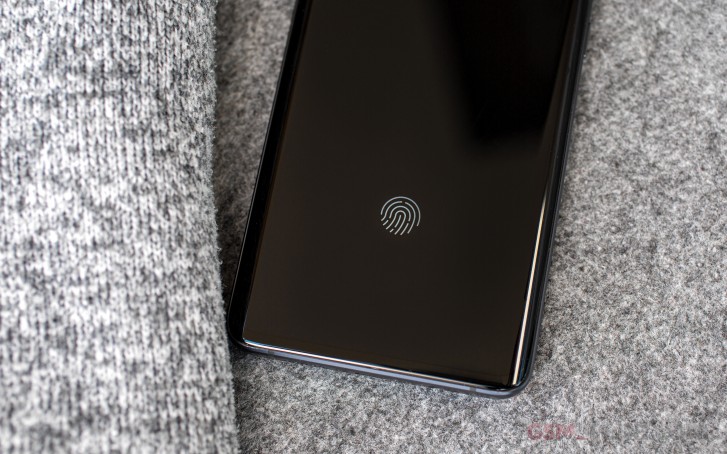
Accuracy has been almost perfect, to the point where we don't even remember if we had a misread. We're sure there were some, but the point is if the number is that small, this is not an issue. The usual cautions apply as with any other optical sensor - we did enroll our fingers in a pitch black environment because at one point that did help with accuracy. We can't say for sure it's still required, but it doesn't hurt to do that just to be on the safe side.
Otherwise there's not really much to say here. The position of the sensor is further away from the bottom bezel than some competing devices (and previous Xiaomi phones too), and we liked that very much. Because of the fact that this is a big phone, if we had to reach a lower point with our thumb it might have required some gymnastics based on how we naturally came to grip the phone. But this sensor is just fine the way it is, and you're unlikely to have any problems with it whatsoever.


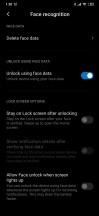
Biometric authentication settings
Note that camera-based face unlock is present and works well, but given how fast and accurate the fingerprint sensor is, we're not recommending using it, as it's much less secure.


Tip us
2.1m 180k
RSS
EV
Merch
Log in I forgot my password Sign up