Something to look forward to
Android 7.0 Nougat review: Something to look forward to
Doze on the go, Data saver
Doze Mode was one of the main new under-the-hood enhancements introduced in Marshmallow, and in Nougat it's been improved further. To complement the 'normal' Doze, Android now has Doze on the go too. This will save battery when you're moving but you're not using your device - say while it's in your pocket or purse. This is handy, because the original Doze only came into effect after your phone or tablet was stationary for a while. With both Doze modes, idle battery drain in Android 7.0 should be smaller, though in real life usage it's not improved so much that you'll be jumping up and down with joy.
Moving on, Android now has its own Data Saver, which works system-wide. This will be a welcome feature wherever data plans are expensive, and it's something that previously required third party apps.


Data Saver
When Data Saver is turned on, background apps aren't able to access cellular data. If you want you can add exceptions to a whitelist, so this is flexible. While the feature works well in practice, your exact savings will depend on precisely what you use your phone for.
Display size
Up until this point you've been able to increase or decrease your device's font size, but starting in Nougat there's an additional handy option - changing Display size. This will alter how big app icons and other objects appear on your screen, including the status bar and the Android navigation buttons. So if you've ever felt that everything you see on your screen is way too big (or too small), now you get a very easy method for tuning things to your liking.
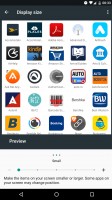
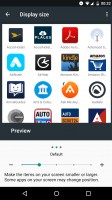
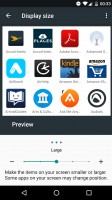
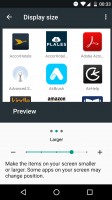
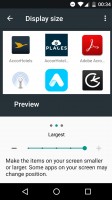
Display size: Small • Default • Large • Larger • Largest
System UI Tuner
The tinkerer-friendly System UI Tuner menu hasn't been removed in Nougat, and like in the previous version of Android it's hidden by default. You make it appear in the Settings list by long-pressing the gear icon inside your Quick Settings pane. As before, the System UI Tuner gives you some additional customization options for the OS, but most of the items inside it have been changed in Nougat.
One thing that's remained the same is having the ability to see the battery percentage at all times inside the battery icon in the status bar. Be aware though that you may encounter a bug which will reset the state of this feature every single time you enter the System UI Tuner.
You can also choose which icons and information to have on the status bar, and whether to show seconds inside the clock or not. You can enable entering the split-screen multitasking mode by swiping up from the square button, and there are a couple of options in there relating to Do Not Disturb mode too.
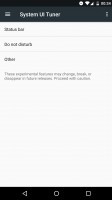
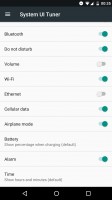
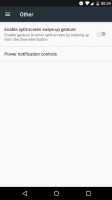
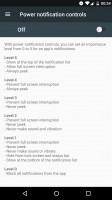
System UI Tuner: Main menu • Status bar options • Split-screen swipe-up • Power notification controls
Perhaps most interesting for those obsessed with controlling every single aspect of their user experience will be the Power notification controls, which give you an incredible amount of say over how each individual app displays notifications.
Aside from the aforementioned wonkiness of the battery percentage feature, all of these things seem to work well, but keep in mind the fact that you may run into issues from time to time - this menu is hidden for a reason, after all.


Tip us
2.1m 180k
RSS
EV
Merch
Log in I forgot my password Sign up