One for Google
HTC One Google Play Edition review: One for Google

UltraPixel camera dressed in stock UI
The HTC One Google Play Edition comes with the spanking new stock camera app. Although mostly looking unchanged it brings an end to the quick settings ring and instead opts for a quick settings arch.
You need to hold a finger anywhere in the viewfinder to get to the quick settings. Using swipe gestures you can toggle HDR, exposure, settings for picture size, white balance, timer, Geo-tagging, scene mode, flash on or off and switching to the front-facing camera.
Quick settings can also be triggered by touching the corresponding icon atop the virtual shutter button. You can choose Camcorder, Panorama and Photosphere through the underlying shortcut.
The viewfinder has the same 16:9 aspect as the camera sensor's. It makes framing the photos quite easy.





The camera app
Photosphere let's you take Street View panoramas of your surroundings. You start by aligning your image and then just move the phone about following a generated dot. After you've covered the entire surrounding scene the device generates a panorama, which can be viewed as a Photosphere in the Gallery and uploaded to Google's servers to be featured in Maps (if it's good enough).
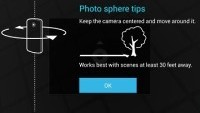

Photosphere
In terms of what you're giving up going for the HTC One sans the Sense camera optimizations is a lot. The majority of shooting modes are gone and we are particularly missing all the cool Zoe functionality.
As far as image quality is concerned the GPE HTC One is doing about as well as its regular sibling. The low resolution of the sensor limits the amount of detail it can resolve in favorable lighting conditions, but along with the OIS greatly benefits its low-light performance.
There are some occasions when 4MP simply isn't enough and if you use your camera to take photos of labels instead of taking notes you might be faced with those more frequently. However, if you are of the kind to only shoot and post photos on social networks the high per-pixel quality and the low resolution might actually be a blessing for you.
Other than that, colors are quite decent and so is dynamic range. And unlike many other smartphones images generally look pretty nice when zoomed at 100%, even if they are a bit noisier than we expected.


HTC One Google Play Edition camera samples
Full HD video camera
The camcorder interface borrows heavily from the camera one. It is, however, very limited in terms of options and gives you settings for white balance, camera preference (front or back), a flash toggle, Geo-tagging and the option to choose the video resolution.


The camcorder UI
You can take full-resolution images while recoding a video, which is great, especially given the fact that the camera does continuous autofocus during video recording.
The Google Play Edition HTC One came up with good 1080p videos - hardly a surprise considering the well-thought out camera tech on board. There's plenty of detail in the videos from the device and natural, if slightly cold colors. The framerate is really smooth.
Here goes a sample.
And here's a 1080p video sample taken straight from the One Google Play Edition.


Tip us
2.1m 180k
RSS
EV
Merch
Log in I forgot my password Sign up