GSMArena.com GSMArena.com

Tip us

2.1m
180k
RSS

EV

Merch

Log in

Login

I forgot my password
Sign up
  • Home
  • News
  • Reviews
  • Videos
  • Featured
  • Phone Finder
  • Deals
  • Merch
  • Coverage
  • Contact
ADVERTISEMENT
GSMArena team, 11 July 2014

Value king


Huawei Ascend Mate2 4G review: Value king
  • Comments (45)
  • User reviews
  • Ascend Mate2 4G

6. Phonebook, telephony, messaging, text inputs
  1. 1. Introduction
  2. 2. Unboxing, design and handling, display
  3. 3. Controls, battery life, connectivity
  4. 4. User interface
  5. 5. Performance
  6. 6. Phonebook, telephony, messaging, text inputs
  7. 7. Gallery, music and video players, FM radio, audio quality
  8. 8. Still and video camera
  9. 9. Web browser, other apps
  10. 10. Conclusion
  11.  
  12. Huawei Ascend Mate2 4G specification
  13. User opinions and reviews
  14. Review comments (45)

Huawei Android

Phonebook

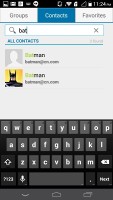
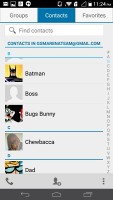
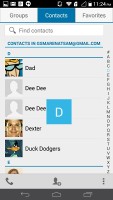
The phonebook is laid out across three tabs that can be navigated by swipes. The one in the middle is the default tab, listing all contacts. Contacts are displayed with a name and a picture to the left. They can be sorted by first or last name and displayed with the first or last name first.

There's a permanent alphabet scroll on the right to jump straight to contacts starting with a certain letter. There's a regular search too.
Huawei Ascend Mate2 Huawei Ascend Mate2 Huawei Ascend Mate2 Huawei Ascend Mate2
The phonebook

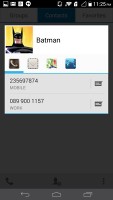
Tapping on the contact image now brings up a tabbed popup. The tabs are phone and email with a list of the available numbers/addresses. These tabs can be swiped sideways too.
Huawei Ascend Mate2
Quick contact

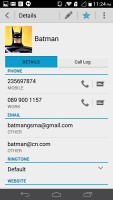
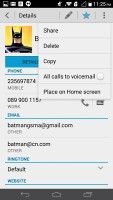
The single contact view top row has a star to favorite a contact, a pencil to edit it, and a Settings button that lets you share, copy or delete a contact as well as set the phone to redirect calls from that contact straight to voice mail.

While editing a contact, you can add new fields of different types to fill in more contact details. You can link contacts too, if you've added the same person on multiple services.
Huawei Ascend Mate2
Editing a contact

The contacts can be filtered by service (e.g. hide all Facebook contacts) and even by group (so you can hide all contacts not in a group, for example).

The other two tabs in the phonebook are Groups and Favorites. Groups are listed by service (e.g. your Gmail account), while favorites are a listed as a grid of large contact photos, which is really thumbable.


Huawei Ascend Mate2 Huawei Ascend Mate2
Favorites

Telephony

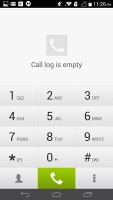
The dialer and the call log share the same screen. The dialer offers smart dialing and it works both with names and numbers; it offers a shortcut to the Contacts app and vice versa.
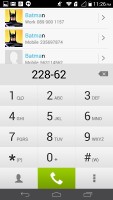
Huawei Ascend Mate2 Huawei Ascend Mate2
The dialer

The in-call quality from the device is superb. We tested the Huawei Ascend Mate2 4G on AT&T's network in the United States.

Messaging

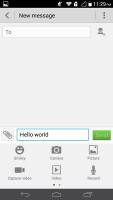
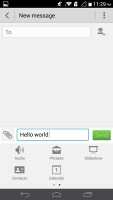
The messaging section is business as usual. All SMS/MMS communication is organized into threads - which can be mass-deleted - and each thread is displayed like an IM chat session, the latest message at the bottom. You can manage individual messages (forward, copy, delete) and even lock them (to prevent deletion). You can use search to find a specific message in all conversations.
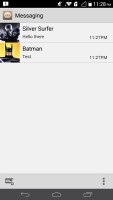

Huawei Ascend Mate2 Huawei Ascend Mate2 Huawei Ascend Mate2 Huawei Ascend Mate2
The messaging menu

You can add multimedia (photos, videos, sounds, etc.), which will convert the message to an MMS. If you need multiple slides or multiple attachments, you can go to a full-blown MMS editor as well.

In addition to Gmail, there is also a generic email app for all your other email accounts and it can handle multiple POP or IMAP inboxes. You have access to the messages in the original folders that are created online, side by side with the standard local ones such as inbox, drafts and sent items.


Huawei Ascend Mate2 Huawei Ascend Mate2 Huawei Ascend Mate2 Huawei Ascend Mate2
The generic email app

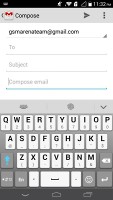
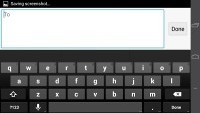
The Huawei keyboard is quite comfortable to type on. The ample screen further helps the typing experience.
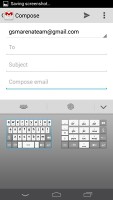

Huawei Ascend Mate2 Huawei Ascend Mate2 Huawei Ascend Mate2
The Huawei keyboard

You can switch to the default Android keyboard too. It is preloaded out of the box.

Huawei Ascend Mate2 Huawei Ascend Mate2
The stock Android keyboard

Next Page » 7. Gallery, music and video players, FM radio, audio quality
6. Phonebook, telephony, messaging, text inputs
  1. 1. Introduction
  2. 2. Unboxing, design and handling, display
  3. 3. Controls, battery life, connectivity
  4. 4. User interface
  5. 5. Performance
  6. 6. Phonebook, telephony, messaging, text inputs
  7. 7. Gallery, music and video players, FM radio, audio quality
  8. 8. Still and video camera
  9. 9. Web browser, other apps
  10. 10. Conclusion
  11.  
  12. Huawei Ascend Mate2 4G specification
  13. User opinions and reviews
  14. Review comments (45)

Reviews Huawei Ascend Mate2 4G reviewPage 6
  • Comments (45)
  • User reviews
  • Ascend Mate2 4G

Phone finder

  • Samsung
  • Apple
  • Huawei
  • Nokia
  • Sony
  • LG
  • HTC
  • Motorola
  • Lenovo
  • Xiaomi
  • Google
  • Honor
  • Oppo
  • Realme
  • OnePlus
  • Nothing
  • vivo
  • Meizu
  • Ulefone
  • Alcatel
  • ZTE
  • RugOne
  • Umidigi
  • Fairphone
  • Oscal
  • Sharp
  • Micromax
  • Infinix
  • Asus
  • Tecno
  • Doogee
  • Blackview
  • Cubot
  • Oukitel
  • Itel
  • TCL

All brands Rumor mill

ADVERTISEMENT

Popular reviews

Oppo Find X10 Pro Max review
Apple iPhone 18 Pro Max review
Apple iPhone 18 Pro review
ADVERTISEMENT

ELECTRIC VEHICLES

Cheap hatchbacks and Chinese partnerships are propping up the Stellantis EV strategy Cheap hatchbacks and Chinese partnerships are propping up the Stellantis EV strategy 2026 Volvo EX90 Twin Motor Performance real life range test with 21-inch wheels and summer tiresBYD is teasing its new Yangwang flagship destined for UAE
ADVERTISEMENT
Ads by Playwire

Home News Reviews Compare Coverage Glossary FAQ RSS Youtube Instagram TikTok Facebook Twitter

© 2000-2026 GSMArena.com Mobile version Android app Tools Contact us Merch store Privacy Terms of use