Fashion Pocket PC
LG KS20 review: Fashion Pocket PC
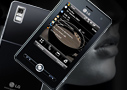
Calling Dexter
The Windows Mobile OS has an unlimited contact list with a plethora of available fields for each entry. Synchronization with MS Outlook is textbook.
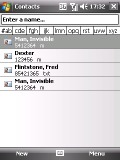
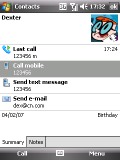
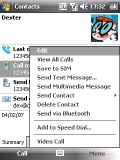
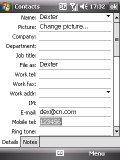
The Contact list has no limitations • in the contact details even the time of the last call made is shown o there are a bunch of fields available to each contact
There is a very practical additional field to each contact - the "Last call". It displays the number and the time the particular contact was last called. A full log is displayed of calls to and from numbers belonging to this contact, as well as call duration and time of call.
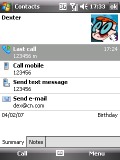
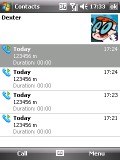
The Last call field and its call log
Sending and receiving messages is done through the centralized Inbox. It has separate folders for SMS, MMS and email. SMS length is virtually unlimited, as well as the memory available for received and sent messages.
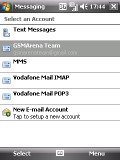
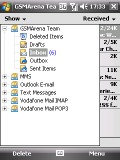
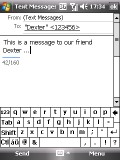
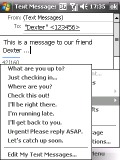
There's one shared Inbox for all messages • typing a text message to our friend Dexter • there is also an editable list of text message templates
Inside the multimedia editor you will find the useful option to create multi-page messages containing more than one melody, image or text. Changing the background color is only one of the available customization options.
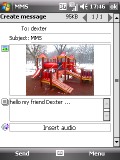
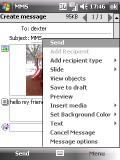
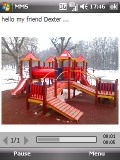
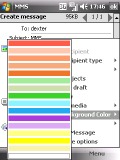
Creating MMS and some of the available options
The Outlook Mobile email client supports POP3 and IMAP accounts. You can have multiple accounts and you can set the client to automatically check mail at regular time intervals. It has full support for sending and receiving attachments.
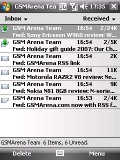
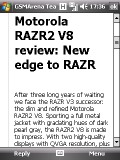
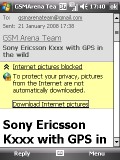
Email folder with some messages • reading an email
There are several text input methods with the LG KS20, which doesn't have a hardware keyboard whatsoever. The most useful and convenient is the virtual QWERTY keyboard. The keys are small enough to force the user to write with the stylus only, but free third party applications offer really large and convenient keyboards, allowing finger typing.
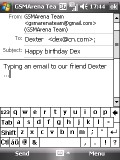
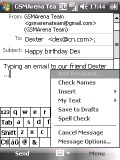
Typing an email to Dexter - the usual experience
Other stylus-optimized typing methods include support for handwriting recognition. The Block Recognizer allows handwriting with single-stroke gestures, so you have to learn how to write that way (writing is done in a special box). The Letter Recognizer offers a more natural way to write, as you can input normal characters (writing again is done in a special box). With Transcriber you can write wherever you want on the screen in whatever style you may wish.
| "... There are several text input methods with the LG KS20, which doesn't have a hardware keyboard whatsoever. The most useful and convenient is the virtual QWERTY keyboard. The keys are small enough to force the user to write with the stylus only ..." | ADVERTISEMENT |
Here is how these keyboards look, when composing a message. We have also installed a free third-party keyboard optimized for finger typing, which has something in common with the iPhone keyboard.
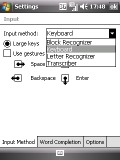
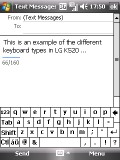
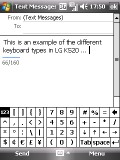
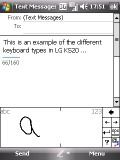
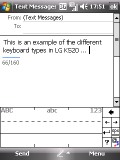
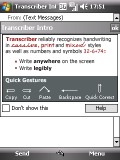
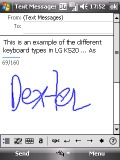
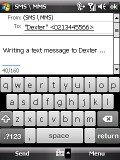
Different keyboard layouts • the iPhone-like keyboard

Tip us
1.7m 126k
RSS
EV
Merch
Log in I forgot my password Sign up