Motorola Edge 70 review
Android 16 with clean Hello UI
The Motorola Edge 70 boots Android 16 with the proprietary Hello UI on top of it. And if you have used any recent Motorola, you will feel right at home with the Edge 70. You can check out our Hello UI/Moto AI video, which we did earlier this year for Edge 60, to get a general feel for it.
Motorola promises "four years of Android OS upgrades plus six years of security updates," which is not a specific number of major OS updates.

All important customizations live in the usual Moto app 'hub'. Things are neatly organized, with the categories that have a lot of entries. There are some cool predefined themes, too.
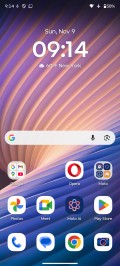

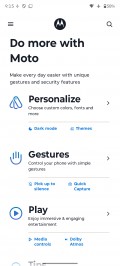
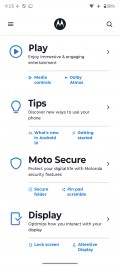
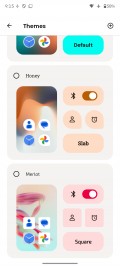
Hello UI and Moto app
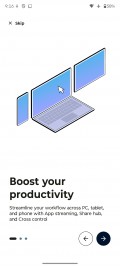
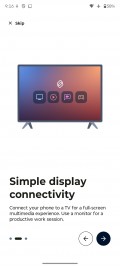
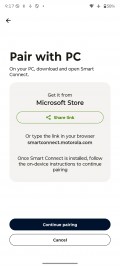
Smart Connect (previously Ready For) is the combined name for the features that involve connecting the phone to a PC, tablet, or standalone displays, be it wired or wirelessly. Streaming, mobile desktop, phone to PC, smart sharing, smart clipboard, cross control and more - all features are here under one roof.
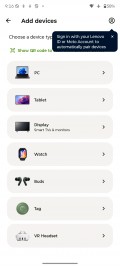
The Smart Connect app is where you would also pair your Moto buds, watch, VR, and tags.

Smart Connect
Moto does AI differently than other manufacturers. You actually have the choice of several different AI models here on one device. Besides Google's Gemini, Motorola also provides its own AI helper, called Moto AI, and it's designed to be accessible from anywhere.
You can summon its chatbar either via the AI key on the left side of the phone, or by tapping on the phone's back (one of the configurable Moto gestures), or even via the optional floating bubble.
Like any other AI chatbot, you can ask Moto AI for pretty much anything on the fly, including how to use or turn on features on the phone itself.
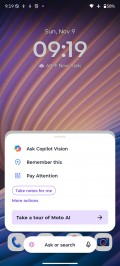

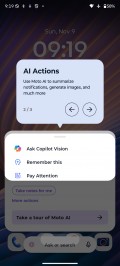
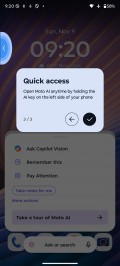
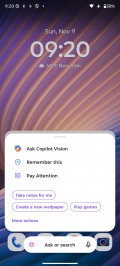
Moto AI
As of recently, Moto AI has also been integrating Copilot Vision, which works similarly to Gemini Live. You can not only converse with it, but also ask it questions about things it sees through the cameras.
Moto AI also gives you the "Explore with Perplexity" option, which is context-sensitive, related to the stuff you have open on your screen. It allows you to do a deep dive into that particular subject.
Besides the chatbots, when you press the AI key, you'll call up a list of specific AI functions. Catch me up is Moto's way of summarizing your notifications into one spot. Then there's Image Studio, a place where you can have the AI produce generated images, stickers and avatars. Pay Attention is Moto's name for its audio recording, transcription and summarization function. Another function is Playlist Studio, where the AI can create a curated music playlist for you based on your input.
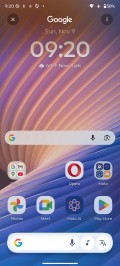
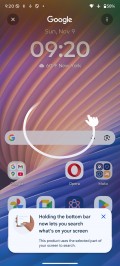
Circle to Search
AI aside, tapping on the phone's back is a nice shortcut gesture. It's called Quick Launch and it's not limited to starting Moto AI specifically. You can alternatively set it to open a specific app, start/stop music playback, or go back to the homescreen or the last used app, among others.
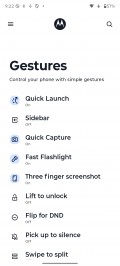
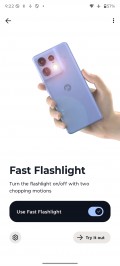
Gestures
As usual, Motorola's UI also offers several other unique physical shortcuts like this, including the karate chop to toggle the flashlight and the quick wrist twist to start the camera.
Motorola has two apps to add on top of Google's - simple-looking yet powerful Notes app leveraging AI, and Moto Unplug to help you ease some stress from notifications and find your balance.
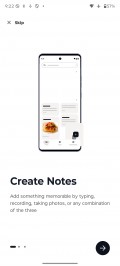
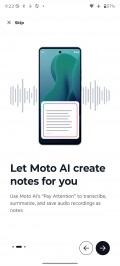
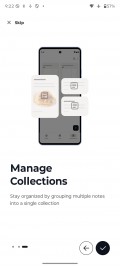
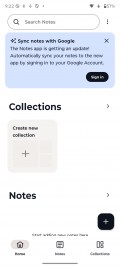

Moto apps
Performance and benchmarks
The Motorola Edge 70 runs on the new Qualcomm Snapdragon 7 Gen 4 (4nm) chipset. It is paired with 12GB of LPDDR5X RAM and 256GB or 512GB of UFS 3.1 storage.
This new chip features an updated Kryo CPU with a 1+4+3 configuration. There's a Cortex-A20 prime core clocked @ 2.8GHz, alongside 4x performance Cortex-720 cores @ 2.4GHz and 3x efficiency Cortex-520 cores @ 1.8GHz. Qualcomm claims 27% faster CPU performance over the SD 7 Gen 3.
The Adreno 722 GPU gets a 30% boost compared to the previous gen chip. Qualcomm is also bringing select Snapdragon Elite Gaming features, including its Adaptive Performance Engine 4.0. The GPU also supports the HDR10, HDR10+, HDR Vivid and HLG codecs.
The updated Hexagon NPU inside the Snapdragon 7 Gen 4 offers a 65% boost in AI tasks with the ability to run Stable Diffusion 1.5 locally.

And now, let's see some benchmarks.
The Snapdragon 7 Gen 4 inside the Motorola Edge 70 is a good mid-range performer. It is a bit faster than the 7 Gen 3 (Edge 50 Pro), but it cannot come close to something like the Galaxy Edge, for instance.
GeekBench 6
- Single-core
- Multi-core
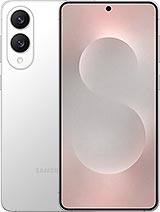 Galaxy S25 Edge
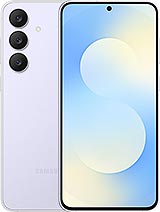 Galaxy S25 FE
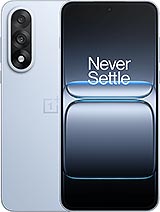 OnePlus Nord 5
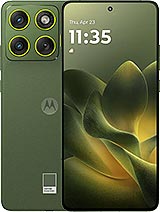 Motorola Edge 70
 Realme 15 Pro
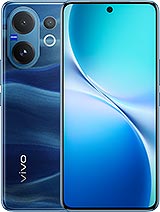 vivo V60
 Motorola Edge 50 Pro
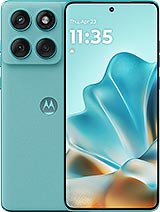 Motorola Edge 60 Fusion
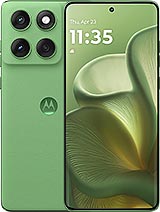 Motorola Edge 60
AnTuTu
- v10
- v11
Galaxy S25 Edge
Galaxy S25 FE
OnePlus Nord 5
Motorola Edge 70
Realme 15 Pro
vivo V60
Motorola Edge 50 Pro
Motorola Edge 60
Motorola Edge 60 Fusion
3DMark
- Wild Life Extreme (Highest)
- Wild Life Extreme (Lowest)
Galaxy S25 Edge
Galaxy S25 FE
OnePlus Nord 5
Motorola Edge 70
Realme 15 Pro
vivo V60
Motorola Edge 50 Pro
Motorola Edge 60 Fusion
Motorola Edge 60
The Motorola Edge 70 did well on our sustained performance tests - it kept 86% of its CPU performance after 1h of stress testing (an amazing score) and 64% of its GPU performance after 20 minutes of 3D mark testing - a solid result.
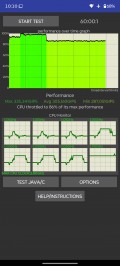
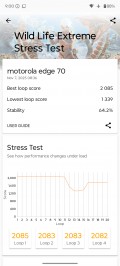
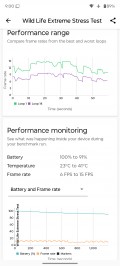
CPU test • GPU test
The phone did get warm during the stress tests, quite warm around the frame, but never too unpleasant.
Overall, the Motorola Edge 70 did very well when it comes to performance, and it's a reliable phone. However, if you prioritize raw performance, phones like Galaxy S25 Edge would offer better-performing chipsets for less money.


Tip us
2.1m 180k
RSS
EV
Merch
Log in I forgot my password Sign up