GSMArena.com GSMArena.com

Tip us

2.1m
180k
RSS

EV

Merch

Log in

Login

I forgot my password
Sign up
  • Home
  • News
  • Reviews
  • Videos
  • Featured
  • Phone Finder
  • Deals
  • Merch
  • Coverage
  • Contact
ADVERTISEMENT
GSMArena team, 14 June 2014

Have a break!


Motorola Moto E review: Have a break!
  • Comments (197)
  • User reviews
  • Moto E

4. User interface
  1. 1. Introduction
  2. 2. Unboxing, 360-degree view, design and build quality, display
  3. 3. Controls, battery life, connectivity
  4. 4. User interface
  5. 5. Benchmarks and performance
  6. 6. Phonebook, telephony, messaging
  7. 7. Galleries, players, FM radio, audio quality
  8. 8. Camera, image quality, video recording
  9. 9. Web browser, other pre-installed apps
  10. 10. Final words
  11.  
  12. Motorola Moto E specification
  13. User opinions and reviews
  14. Review comments (197)

Motorola Android

Moto E runs sweet KitKat

Motorola Moto E runs pure Android 4.4.2 KitKat out of the box. Motorola has started seeding the 4.4.3 bug fix update in early June, so it should be available everywhere by the time you are reading this. Motorola does not provide any custom additions to the vanilla Android, which is one of the reasons the Moto lineup is treated with Nexus-fast Android updates.

There goes our usual demo video to get you started.

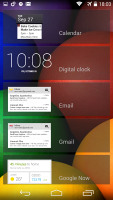
The lockscreen is the usual affair - it supports widgets (one per pane), plus there is a shortcut to the camera at the bottom courtesy of Android KitKat. There are a few available default widgets, but you can always get more from the Play Store.

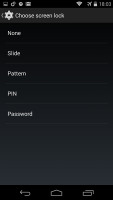
Naturally, you can protect your lockscreen by Face, Pattern, PIN or Password unlock, in ascending order of security.
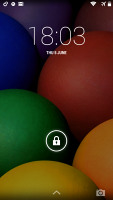
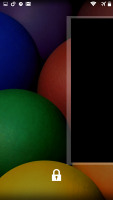
Motorola Moto E Motorola Moto E Motorola Moto E Motorola Moto E
Android 4.4 lockscreen on Moto E

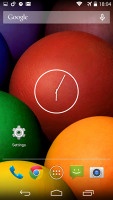
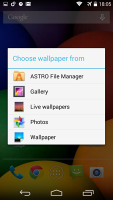
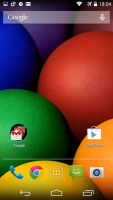
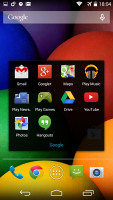
The Moto E allows for five homescreen panes. You can't change their arrangement nor can you add or remove panes. Adding stuff on the homescreen is easy, as is customizing it. You can set various live and static wallpapers, add widgets and shortcuts.
Motorola Moto E Motorola Moto E Motorola Moto E Motorola Moto E
The Moto E homescreen

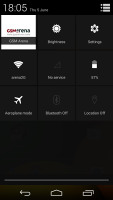
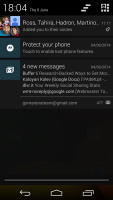
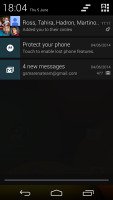
The notification center is the usual stock Android one and Quick toggles are available via a shortcut to the right. You can get straight to these by with a two-finger swipe from the top of the screen. From there you get access to key device settings such as brightness, Wi-Fi, Bluetooth, location, mobile networks and Battery. Some toggles are directly accessible shortcuts to their respected functions in the settings menu.
Motorola Moto E Motorola Moto E Motorola Moto E
The Notification area and the Quick toggles

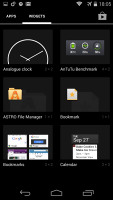
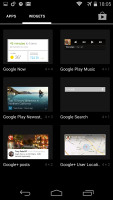
The app drawer is laid out across multiple side-scrollable panes. The apps are sorted alphabetically followed by the available widgets. Moto E doesn't support custom sorting for the app drawer, nor is there an option to remove the widgets panes, which come right after the app ones.
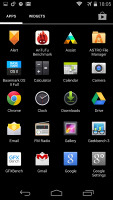
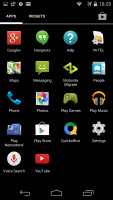
Motorola Moto E Motorola Moto E Motorola Moto E Motorola Moto E
The app drawer • widget panes

The Recent Apps switcher is the same as on any other Android device. It would be nice if Google finally adds a kill all/close all option to this screen.
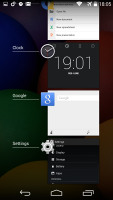
Motorola Moto E
Recent apps list

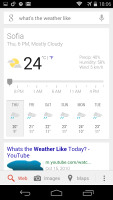
Finally, Google Now integrates with your Google account and can access your daily routine, internet searches, email, etc. and give you information relevant to your interests and daily needs.
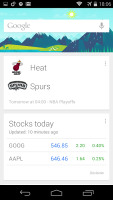
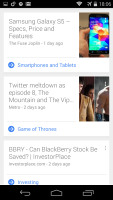
Motorola Moto E Motorola Moto E Motorola Moto E Motorola Moto E
Google Now

It provides traffic information to your work or home, knows the scores of sports teams you follow and gives you the weather forecast for your location. It's great for at-a-glance info, but can handle voice input as well. It also has a dedicated homescreen/lockscreen widget.

Next Page » 5. Benchmarks and performance
4. User interface
  1. 1. Introduction
  2. 2. Unboxing, 360-degree view, design and build quality, display
  3. 3. Controls, battery life, connectivity
  4. 4. User interface
  5. 5. Benchmarks and performance
  6. 6. Phonebook, telephony, messaging
  7. 7. Galleries, players, FM radio, audio quality
  8. 8. Camera, image quality, video recording
  9. 9. Web browser, other pre-installed apps
  10. 10. Final words
  11.  
  12. Motorola Moto E specification
  13. User opinions and reviews
  14. Review comments (197)

Reviews Motorola Moto E reviewPage 4
  • Comments (197)
  • User reviews
  • Moto E

Phone finder

  • Samsung
  • Apple
  • Huawei
  • Nokia
  • Sony
  • LG
  • HTC
  • Motorola
  • Lenovo
  • Xiaomi
  • Google
  • Honor
  • Oppo
  • Realme
  • OnePlus
  • Nothing
  • vivo
  • Meizu
  • Ulefone
  • Alcatel
  • ZTE
  • RugOne
  • Umidigi
  • Fairphone
  • Oscal
  • Sharp
  • Micromax
  • Infinix
  • Asus
  • Tecno
  • Doogee
  • Blackview
  • Cubot
  • Oukitel
  • Itel
  • TCL

All brands Rumor mill

ADVERTISEMENT

Popular reviews

Oppo Find X10 Pro Max review
Apple iPhone 18 Pro Max review
Apple iPhone 18 Pro review
ADVERTISEMENT

ELECTRIC VEHICLES

Cheap hatchbacks and Chinese partnerships are propping up the Stellantis EV strategy Cheap hatchbacks and Chinese partnerships are propping up the Stellantis EV strategy 2026 Volvo EX90 Twin Motor Performance real life range test with 21-inch wheels and summer tiresBYD is teasing its new Yangwang flagship destined for UAE
ADVERTISEMENT
Ads by Playwire

Home News Reviews Compare Coverage Glossary FAQ RSS Youtube Instagram TikTok Facebook Twitter

© 2000-2026 GSMArena.com Mobile version Android app Tools Contact us Merch store Privacy Terms of use