Shining bright
Nokia Lumia 830 review: Shining bright
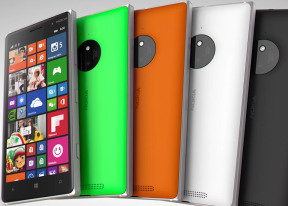
WP8.1 with Update 1 treated with Lumia Denim
The Nokia Lumia 830 is running the latest available Windows Phone 8.1 (with Update 1) out of box, plus the latest Lumia Denim software expansion package comes pre-installed, too. The Windows Phone 8.1 major firmware update has already rolled out to Windows Phone 8 devices, and represents the latest that Microsoft has to offer in a mobile OS. The Update 1 expansion adds folder support, customizable snooze alarms, enables Cortana in UK and China, plus includes some under the hood improvements.
Windows Phone 8.1 brings a plethora of new features and UI improvements. Lumia Denim enriched the user experience with better and faster Lumia Camera app, Moment Capture feature, Rich Capture, Better Glance Screen, among others.
Before we dig into details, here comes our traditional UI walkthrough to get you warmed up.
Let's start our tour with the lockscreen. Nokia's proprietary Glance Screen is back, updated with new features. Now it supports Bing Weather and Bing Health & Fitness app, but you need to be running those on your lockscreen as well. The Glance Screen is basically a monochrome representation of your lockscreen. Double tap to wake option is available as well.
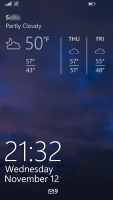
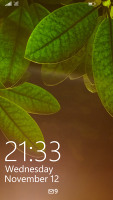
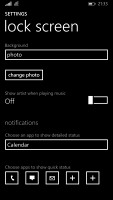
The Lockscreen
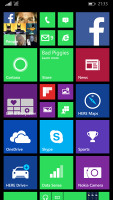
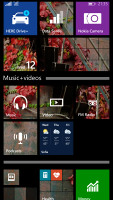
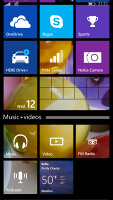
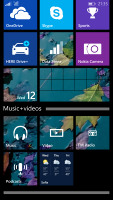
Once you unlock your Nokia Lumia 830, you'll get to the familiar interface with resizable live tiles.
Under Windows Phone 8.1, you can now select a background image to make some of your live tiles look more uniform. This looks great, except that not all live tiles are transparent, which can detract from the overall effect.
The Start background
With Update 1 you can now create folders at your Start page. Using them is easy and intuitive. We have been waiting for this option for a long time.
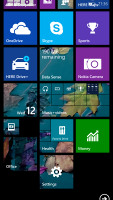
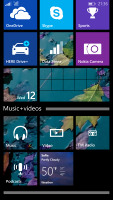
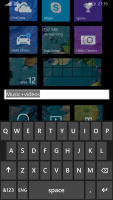
Using a folder
One of the major novelties brought by Windows Phone 8.1 is a unified notification center. Microsoft calls this the Action Center and you access it by pulling down from the top of the screen, just like on Android.
The Action Center lets you access quick toggles as well as various app notifications. You can swipe individual notifications off the screen or you can click the dedicated clean all key to remove them all at once. Sliding down the Action Center also reveals a battery percentage indicator below the battery icon, as well as the date and carrier network below the clock and reception icons, respectively.
The four toggles at the top are fully customizable. The available options include Airplane mode, Bluetooth, brightness, camera, internet sharing, location, project my screen, quiet hours, rotation lock, VPN, Wi-Fi, and more.
The different toggles have different actions, however: a double tap on the Wi-Fi button will get you to the Wi-Fi settings menu, while a double-tap on the Bluetooth - won't. It's a somewhat confusing inconsistency and detracts from the overall usability of the toggle system.
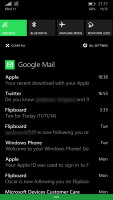
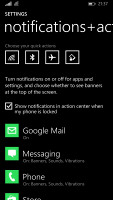
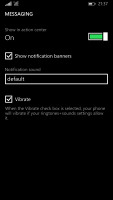
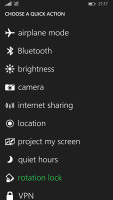
Customizing the notifications • choosing a quick action button
Just like on iOS, here you can customize the notifications - you can choose whether banners, sounds and vibration are available for each notification type.
Microsoft chose Apple's way of handling apps running in background - most of the apps are suspended upon hitting the Windows key and will be resumed once you bring them back. There are others, of course, such as Navigation, Cortana and Battery apps, which will continue to run in background unless you specifically kill them.
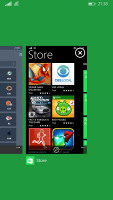
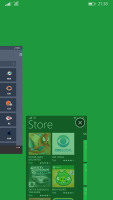
Multi-tasking
Quiet Hours mode is acts much the same as a Do Not Disturb mode - it can be set to block calls and messages over pre-defined time interval, plus it can also go on automatically during events you have marked in your calendar. Just like its competing services, Quiet Hours supports the so-called Inner Circle - the notifications from your Inner Circle will always break through. There is also an option to allow calls from people who call you more than two times in less than three minutes.
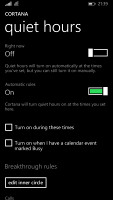
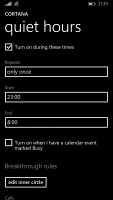
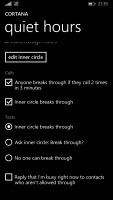
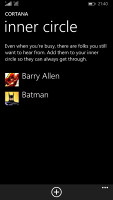
Quiet Hours
Windows Phone 8.1 doesn't offer a full-featured and system-wide file manager out of the box but Microsoft allows you to download their newly released Files app, which would service the purpose of accessing the storage memory and manage all files stored there regardless of which app they are meant for.
Windows Phone, just like iOS and Android, offers Find My Phone option. If you lose your phone, you can log into WindowsPhone.com with your Microsoft ID and try to locate your phone from there. Ring, lock and wipe options are available as well.


Tip us
2.1m 180k
RSS
EV
Merch
Log in I forgot my password Sign up