Perfect frame
Nokia Lumia Icon review: Perfect frame
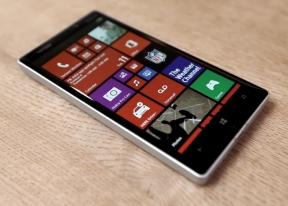
Photos with SkyDrive integration
The Photos hub is also pretty much the same as we left it in Windows phone 7.5. You can set a single photo as a background for the hub (it used to be the last photo viewed) or you can set it to shuffle different photos.
And of course, the point of hubs is that they are the go-to place to do things, instead of apps. Apps can integrate into the Photos hub, so for example, a photo effects app can make its options available right in the hub. Devs need to enable that into apps, however.
The main view of the Photos hub offers four options - camera roll, albums, date and people. A swipe to the left reveals what's new, which displays your Facebook friends and liked pages' new picture galleries. Another swipe shows your favorites section, where the photos you've faved are displayed.

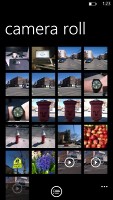
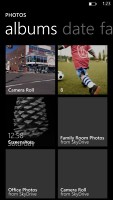

Pictures hub
Albums feature the camera roll, the preloaded system pictures and all of your Facebook albums. A flick to the left shows all your pictures sorted by date. You can't sort individual camera roll photos into albums, though.

Viewing a single image and its options
The people section is where you can select your friends and contacts so that their galleries on Facebook get displayed right there in your Photos hub. It's a nice feature for social network users but will be only an empty section for those that aren't too fond of Facebook.
The camera roll presents your entire collection of photos and videos captured with the device in a 4x5 grid. You cannot change the layout. Viewing a photo can be done in either portrait or landscape mode. Zooming in on a photo is done by either double tap or a pinch. We like it that the camera roll doesn't downsize pictures and you can enjoy them in full resolution.
Sharing options include Bluetooth file transfer, NFC-enabled tap+send, messaging, email, Facebook and the cloud-based SkyDrive.
While uploading photos to Facebook or Windows Live, the OS will detect any untagged faces and allow you to tag them before proceeding with the upload.
Nokia MixRadio, Music, Videos
Nokia is pushing its own music service called MixRadio ahead on the default Music + Video app. It offers free music streaming (it works out of the box) and has an extensive library of tracks. While it is mostly streaming oriented, you can make tracks available offline in Mix Radio (they remain on the device only temporarily though).
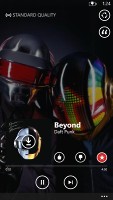
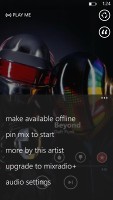
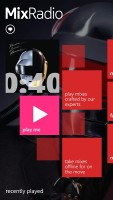
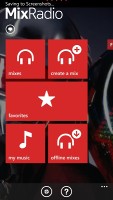
Nokia Mix Radio
But Mix Radio competes with services like Pandora too - you can give it a list of artists you like and it will automatically build a playlist to your taste. Nokia takes pride in real people creating the mixes (including celebrity-made mixes) instead of computer algorithms.
Unlike competing services you can also browse a specific artist and even buy songs to keep if you like. There are plenty of charts (e.g. Top sellers, Best of 2013, Songs for Fall) if you're looking for something new too.
Nokia's app has several other advantages - it has several equalizer presets (including a custom one) and it has Dolby Headphones enhancements. Also, if you like an artist, the app will help you look for gigs close to you.
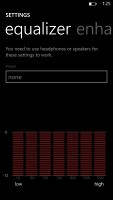
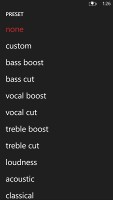
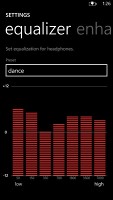
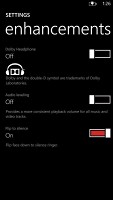
The equalizer and Dolby Headphones settings
The default Windows Phone 8 media players are on-board too. They reside together in the Music + Videos hub, which now bears the Xbox logo or the last played media thumbnail. When you start it, it shows the History, which gives you quick access to the last two items played, or you can go to the full menu and start the music or video player, listen to or watch podcasts, or go to the Marketplace.
The music section is made up of albums, songs, playlists, genres and artists. Videos features all, television, music videos, films and personal - think of them like more of categories you can assign your videos to when syncing with Zune. The third section is where you can store all of your downloaded audio and video podcasts.
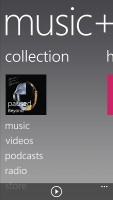
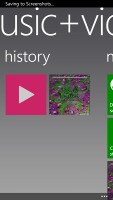
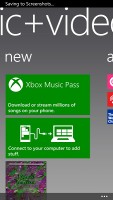
The Music+Video hub
The music hub has a simple and straightforward interface. You won't have any difficulties using it. However there are some things missing, like an equalizer. Another missing feature is the ability to scrub through a song - you have to press and hold on the FF/rewind buttons to simply jump back and forth.
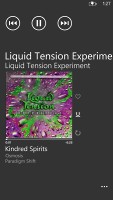
Now playing screen
As a music player, it's pretty standard - your tracks are sorted by artist, album, playlists or you can view all songs. The interface is very similar to that of the stock music player, but under the album art it lists the next three songs to be played - really helpful if you're using shuffle. There's no way to manually reorder the upcoming songs, but you can reshuffle them if there's one you don't like.
The video player is integrated into the Music + Videos hub. It has a very simple interface - you have fast forward and rewind controls, a timeline and a video size button that toggles full-screen viewing.


The Video tab • Video player in action
The video player supports XviD, DivX, MOV and MP4 videos up to 1080p resolution. The few things it won't play are MKV files and videos using the AC3 audio codec. There is no subtitle support at this point.
You can easily upload videos from your computer via the USB mass storage mode. Individual items can be pinned to the homescreen - like a song or video.
Audio output could be better
The Nokia Lumia Icon is a reasonably loud performer when it comes to audio output, but it's far from the cleanest out there.
The Nokia smartphone did decently in the first part of our test, posting good, but unspectacular scores on most readings. However, its intermodulation distortion is rather high and certainly not what we've come to expect from a flagship.
Things aren't spotless when you plug in a pair of headphones either - some extra stereo crosstalk sneaks in, volume levels drop and the distortion remains high. Overall a decent performance, but one not quite worthy of a flagship.
And here go the results so you can see for yourselves.
| Test | Frequency response | Noise level | Dynamic range | THD | IMD + Noise | Stereo crosstalk |
| Nokia Lumia Icon | +0.06, -0.10 | -81.8 | 82.4 | 0.0093 | 0.384 | -80.9 |
| Nokia Lumia Icon (headphones attached) | +0.34, -0.14 | -81.8 | 82.4 | 0.093 | 0.388 | -54.3 |
| Nokia Lumia 1520 | +0.02, -0.04 | -89.3 | 90.0 | 0.0097 | 0.016 | -89.4 |
| Nokia Lumia 1520 (headphones attached) | +0.50, -0.07 | -88.5 | 89.2 | 0.013 | 0.302 | -52.8 |
| LG G2 | +0.03, -0.28 | -91.9 | 91.9 | 0.0097 | 0.011 | -91.3 |
| LG G2 (headphones attached) | +0.07, -0.03 | -91.5 | 91.8 | 0.037 | 0.041 | -54.3 |
| +0.09, -0.01 | -91.8 | 92.0 | 0.0063 | 0.012 | -89.9 | |
| +0.01, -0.15 | -91.7 | 91.7 | 0.098 | 0.049 | -45.6 |
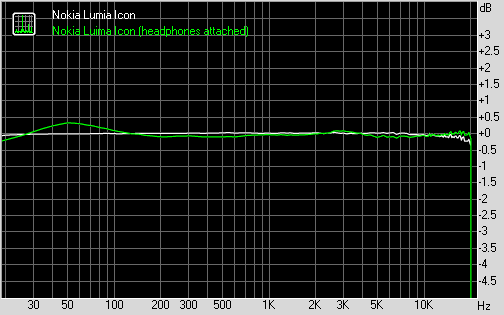
Nokia Lumia Icon frequency response
You can learn more about the whole testing process here.


Tip us
2.1m 180k
RSS
EV
Merch
Log in I forgot my password Sign up