Realme 3 Pro receives stable update to Realme UI and Android 10
Realme UI was officially introduced earlier this week, and today we have the first stable update for a Realme smartphone. The lucky phone is Realme 3 Pro, and users will get an interface that is based on Color OS7 and Android 10 and brings some new design solutions and a trio of fancy new features.
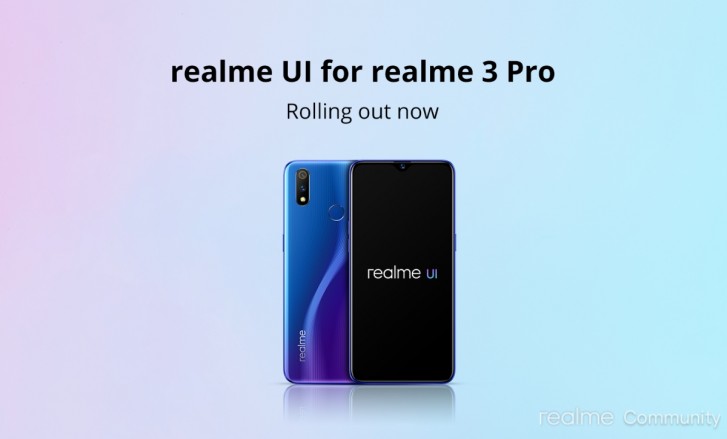
The update for the Realme 3 Pro is rolling out in waves, so if you haven’t received a notification, wait a couple of days. There’s also the possibility to have Automatic Updates turned off, so head to Settings and turn the notification on so you don’t miss out. Usually a small range of devices is getting the first wave, and if there’s nothing critical, all devices should follow. Here’s the complete changelog of the RMX1851EX_11_C.01 package:
- Updated UI to realme UI;
- Brand new Real Design makes visuals more attractive and operation more efficient.
- Optimized user interface and improved one-handed operation;
- Optimized Smart Sidebar: Replaced File Console with File Manager; removed OSIE Visual Effect and No Notification Alerts;
- Drag an app out of Smart Sidebar to open it in Split-screen Mode;
- Added two new features: “Assistive Ball Opacity” and “Hide Assistive Ball on Fullscreen App”;
- Optimized the Floating Window feature for more apps;
- Added Bubbles: A bubble is displayed when you open an app in a floating window from the Smart Sidebar. Tap the bubble to collapse or open the app.
- Optimized 3-Finger Screenshot Gesture: Use 3 fingers to touch and hold the screen, and swipe to take a screenshot of the selected part of the screen (partial screen capture). Use 3 fingers to touch and hold the screen, and swipe your fingers outwards to capture a long screenshot;
- Added screenshot settings: You can adjust the position of the screenshot preview floating window and set the screenshot sound;
- Optimized screenshot preview floating window: After taking a screenshot, drag it up and release it to share it, or drag it down and release to take a long screenshot.
- Optimized New Android 10 navigation gestures;
- Optimized gestures: All gestures are supported in landscape mode.
- Added Focus Mode: Minimizes outside distractions when you are learning or working;
- Added whole new charging animation;
- Optimized the Quick Settings user interface for easier one-handed operation;
- Added pause feature for screen recording;
- Added a floating window and settings for screen recording;
- New sounds added for file deletion, calculator key touches, and compass pointer;
- Optimized system built-in ringtones;
- Added TalkBack floating prompts for Accessibility;
- New management feature for recent tasks: You can view the memory of recent tasks and locked apps.
- Optimized visual interaction for Game Space;
- Optimized loading animation for Game Space.
- Added new live wallpapers;
- Added artistic wallpapers;
- Added option to open Global Search or the notification panel when swiping down on homescreen;
- Added option to customize the size, shape, and style of app icons on homescreen;
- Optimized the graphic design of password unlock to facilitate one-handed operation;
- Support for animated wallpapers on the lockscreen;
- Random MAC address Generator: When your phone is connected to Wi-Fi network system generates a random MAC address to avoid targeted ads and protect your privacy.
- In Quick Settings or Smart Sidebar, you can open Calculator in a floating window;
- Added the trim feature in Recordings;
- Added the Weather (dynamic) ringtone, which automatically adapts to the current weather;
- Added weather-adaptive animations in Weather;
- Added audio source selection for screen recording.
- Optimized the Camera UI for a better user experience;
- Optimized the Timer UI and sound.
- Optimized the Album UI for a clearer structure and photo thumbnails;
- Added Album Recommendations that recognize more than 80 different scenes.
- realme Share now supports sharing files with OPPO, Vivo and Xiaomi devices;
- Optimized the Contacts UI for a more efficient experience.
- Search Settings now supports fuzzy match and contains a search history.
- Added Dual Mode Music Share in realme Lab.
Visuals
Smart Sidebar
Screenshot
Navigation Gestures 3.0
System
Games
Homescreen
Security
Tools
Camera
Photos
Communication
Settings
Music




Reader comments
- Inzamam
- 3rD
Sir I am from India current living in Saudi Arabia everyone getting the android 10 update since 3 months but I have not getting any update still using Android pie plz sir update immediately I am waiting for???
- Ravi
- KAu
After updated android 10 whatapp call lag in real me 3 pro. lagging issue after update. i just roll back to android 10. still not a stable update of real me 3 pro.






Tip us
2.1m 180k
RSS
EV
Merch
Log in I forgot my password Sign up