Samsung Galaxy M30 review
OneUI to rule all Samsungs
The Galaxy M30 arrived at the office with Android Oreo on board and a Pie update waiting in the notification shade. We installed that, and we'll be looking at the Android 9.0-based Samsung OneUI that we're already quite familiar with from other handsets. For practical purposes it's the same software experience you'd get on any recent Samsung phone with Pie on it - effectively, it's as if you have the flagship S10, with a welcome twist - there's no Bixby on the M30.
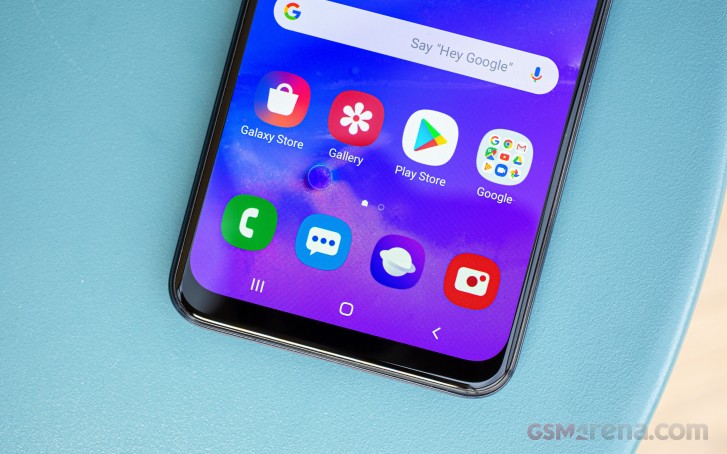
There is an always on display feature, enhanced for OneUI with the option to only show when you double tap on the screen. You can set up a daily schedule as before, or keep it truly always on.
Biometric security on the M30 is two-fold - it has the fingerprint sensor on the back, and then there's a basic, camera-only face unlock. Our experience with fingerprint recognition on the M30 was identical to what we observed on the M20 - the single swipe to enroll is simple but makes us think it might be the type of reader Samsung used to put on its phones a while ago. The recognition success rate was not stellar, but unlock speed was reasonably fast as long as you give the phone a few seconds between the unlock attempts.
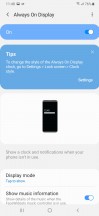
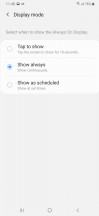
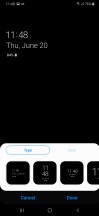
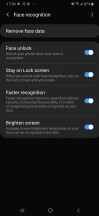
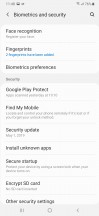

Always on display • Face unlock • Fingerprint reader settings
You're then taken to the homescreen with the large colorful OneUI icons. You'll likely appreciate the fact that the quick toggles pull all the way down for easy reach - one of OneUI's key features. Less handy is the way folders still open full-screen with the apps in them high up - not very easy to reach, no. Another thing that's changed for the worse since the previous Samsung Experience is the handling of multi-window with most of the options now missing, which is on top of the already clunky native Pie implementation, for which Google is to blame.


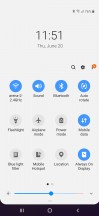
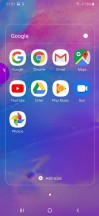
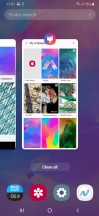

Homescreen • Notifications • Quick toggles • Folder view • Task switcher • Multi window
Pie is all about gesture navigation and Samsung's offering one take on the process. Conventional buttons are replaced by swipes from the bottom of the screen with the swipes doing what the buttons that used to be there did. Similarly to the also available navigation bar, you can swap the back and recent apps keys, and you can also hide the gesture pointers altogether. It's not quite the full-on gesture interaction you can have on a Xiaomi or a Huawei phone, but it's Gesture navigation alright.
Samsung's also implemented a Night mode, which turns UI elements black or dark gray. It works in settings and notifications as well as in-house apps like the Gallery and the Samsung browser. Open the Play Store, for example, though, and the magic is ruined. Until Google implements a system-wide Dark mode with Android Q, you would have to switch each app manually, if it has that capability in the first place.
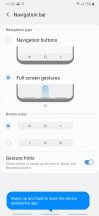

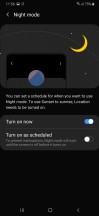


Gesture navigation options • Night mode
In line with the rest of the UI changes, the general Settings menu has been revamped too. It's pretty compact, and some of the settings you might be looking for have ended up elsewhere. For example, the Device care sub-menu now accommodates the Battery settings and information, storage and memory management and the security features.
Tapping on the Battery icon will open up the familiar battery menu full of settings and adjustments. Aside from the usual info and features which you'd find on pretty much every other Android handset, Samsung has added a couple of additional options.
You have three power modes - Optimized, Medium-power saving and Maximum power saving. Optimized is the default one with performance cranked up to the maximum. In the upper right corner of the battery menu sits another sub-menu giving you more granular control over your power consumption.
Google's push for the so-called Digital wellbeing has reached Samsung's One UI too. If you were ever wondering how much time you spend on your phone and which apps you mostly used, the Digital well-being sub-menu would give you the details. It's cool, but it will probably stay unused by most users.
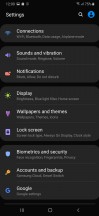
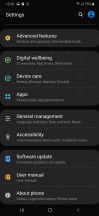
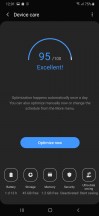
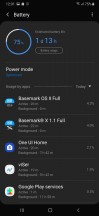
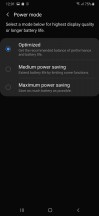
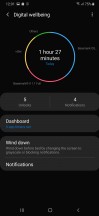
Settings • Device care • Battery modes • Digital wellbeing
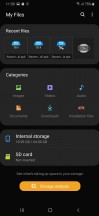
Samsung still uses its in-house Gallery app for browsing photos and videos, while music playback was outsourced to Google Play Music a while ago - but with the help of proprietary Samsung sound enhancements. There is also an FM radio app on board, a proprietary My Files file manager app, the Game launcher utility. What's missing is Bixby.
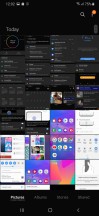

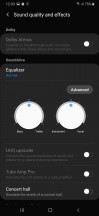
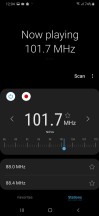
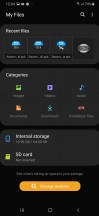

Gallery • GPM • Audio settings • FM Radio • My Files • Game Launcher
Synthetic benchmarks
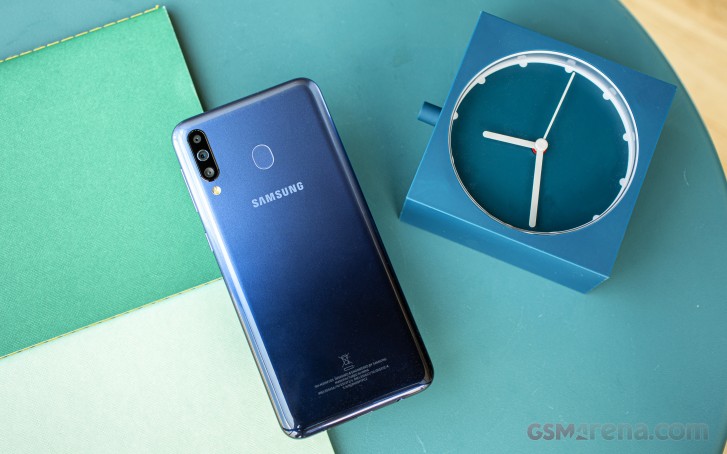
The Galaxy M30 is powered by Samsung's in-house Exynos 7904 chipset, the same SoC you'd find in the M20, A30, and A40. Despite the larger number, it's essentially a downclocked 7885, and that certainly makes sense in some way to someone at Samsung. The CPU has eight cores in a 2+6 configuration - 2xCortex-A73 at 1.8GHz (2.2GHz in the 7885) and 6xCortex-A53 at 1.6GHz. The GPU is Mali-G71 MP2 all the same.
The M30 has two RAM/storage versions, and we have the base 4GB/64GB one, which should be plenty. There's also a more expensive variant with 6GB of RAM and 128GB of storage, but that seems like a waste given the dedicated microSD slot on the M30.
Having reviewed the M20, we knew very well what to expect from the M30's benchmark runs. It delivers a two times improvement over the M10 in single-core GeekBench but is relatively underpowered in such tasks and is bested by Snapdragon 710 Realmes and lagging a lot behind the Snapdragon 675-based bunch. That pretty much the case under multi-core loads too.
GeekBench 4.1 (single-core)
Higher is better
-
Xiaomi Redmi Note 7 Pro
2404 -
Samsung Galaxy A70
2391 -
Motorola Moto Z4
2371 -
Xiaomi Redmi Note 7
1650 -
Xiaomi Mi 8 Lite
1628 -
Huawei P30 Lite
1534 -
Samsung Galaxy A8 (2018)
1532 -
Realme X
1475 -
Realme 3 Pro
1471 -
Samsung Galaxy A40
1325 -
Samsung Galaxy A30
1319 -
Samsung Galaxy M20
1313 -
Samsung Galaxy M30
1311 -
Samsung Galaxy M10
724
GeekBench 4.1 (multi-core)
Higher is better
-
Xiaomi Redmi Note 7 Pro
6620 -
Samsung Galaxy A70
6584 -
Motorola Moto Z4
6515 -
Realme X
5915 -
Xiaomi Mi 8 Lite
5894 -
Realme 3 Pro
5881 -
Huawei P30 Lite
5523 -
Xiaomi Redmi Note 7
5411 -
Samsung Galaxy A8 (2018)
4418 -
Samsung Galaxy M30
4188 -
Samsung Galaxy M20
4160 -
Samsung Galaxy A30
4146 -
Samsung Galaxy A40
4112 -
Samsung Galaxy M10
3662
It's of little consolation that the M30 inches ahead of the A30 in Antutu, when competitors like the Realme 3 Pro and the Redmi Note 7 are so far ahead.
AnTuTu 7
Higher is better
-
Xiaomi Redmi Note 7 Pro
180754 -
Motorola Moto Z4
173234 -
Samsung Galaxy A70
167750 -
Realme 3 Pro
155647 -
Xiaomi Mi 8 Lite
143257 -
Xiaomi Redmi Note 7
139075 -
Huawei P30 Lite
129887 -
Samsung Galaxy M20
108658 -
Samsung Galaxy A40
106388 -
Samsung Galaxy M30
101651 -
Samsung Galaxy A30
96550 -
Sony Xperia L3
78894 -
Samsung Galaxy M10
64144
The M30's GPU isn't really a powerhouse itself, and in GFXBench it hovers around half the number of frames per second that Redmi Note 7 Pro is capable of, with the Realme 3 Pro posting scores three times as high as the Galaxy.
GFX 3.1 Manhattan (1080p offscreen)
Higher is better
-
Realme 3 Pro
23 -
Xiaomi Redmi Note 7 Pro
17 -
Samsung Galaxy A70
15 -
Motorola Moto Z4
15 -
Xiaomi Mi 8 Lite
15 -
Xiaomi Redmi Note 7
15 -
Huawei P30 Lite
14 -
Samsung Galaxy A8 (2018)
9.9 -
Samsung Galaxy A40
8.1 -
Samsung Galaxy A30
8.1 -
Samsung Galaxy M30
8.1 -
Samsung Galaxy M20
8 -
Sony Xperia L3
6.1 -
Samsung Galaxy M10
3.2
GFX 3.1 Manhattan (onscreen)
Higher is better
-
Realme 3 Pro
20 -
Xiaomi Redmi Note 7 Pro
15 -
Motorola Moto Z4
14 -
Huawei P30 Lite
13 -
Samsung Galaxy A70
13 -
Xiaomi Mi 8 Lite
13 -
Xiaomi Redmi Note 7
13 -
Sony Xperia L3
11 -
Samsung Galaxy A8 (2018)
8.7 -
Samsung Galaxy A40
7.4 -
Samsung Galaxy A30
7.4 -
Samsung Galaxy M30
7.3 -
Samsung Galaxy M20
7.1 -
Samsung Galaxy M10
6.3
GFX 3.1 Car scene (1080p offscreen)
Higher is better
-
Realme 3 Pro
13 -
Xiaomi Mi 8 Lite
9 -
Xiaomi Redmi Note 7
9 -
Xiaomi Redmi Note 7 Pro
8.7 -
Samsung Galaxy A70
8 -
Huawei P30 Lite
7.7 -
Motorola Moto Z4
7.2 -
Samsung Galaxy A8 (2018)
6 -
Samsung Galaxy A40
5.2 -
Samsung Galaxy M30
5.2 -
Samsung Galaxy M20
5 -
Samsung Galaxy A30
4.5 -
Sony Xperia L3
2.7 -
Samsung Galaxy M10
2
GFX 3.1 Car scene (onscreen)
Higher is better
-
Realme 3 Pro
11 -
Motorola Moto Z4
8 -
Xiaomi Mi 8 Lite
8 -
Xiaomi Redmi Note 7 Pro
7.9 -
Xiaomi Redmi Note 7
7.7 -
Huawei P30 Lite
7 -
Samsung Galaxy A70
7 -
Samsung Galaxy A8 (2018)
5.2 -
Sony Xperia L3
5 -
Samsung Galaxy A40
4.6 -
Samsung Galaxy A30
4.6 -
Samsung Galaxy M30
4.6 -
Samsung Galaxy M20
4.4 -
Samsung Galaxy M10
3.7
The Galaxy M30 has an adequate processing power with a decently potent CPU and a GPU that's not quite up to the standard of the competition. It's not slow, but if you're looking for performance, the M30 shouldn't be on top of your list. There's the occasional stutter when you play 3D games, and honestly, Samsung could have outfitted its midrangers with more powerful chipsets to keep them more competitive.


Tip us
2.1m 180k
RSS
EV
Merch
Log in I forgot my password Sign up