Sony Xperia L3 review
Android Oreo underneath Xperia launcher
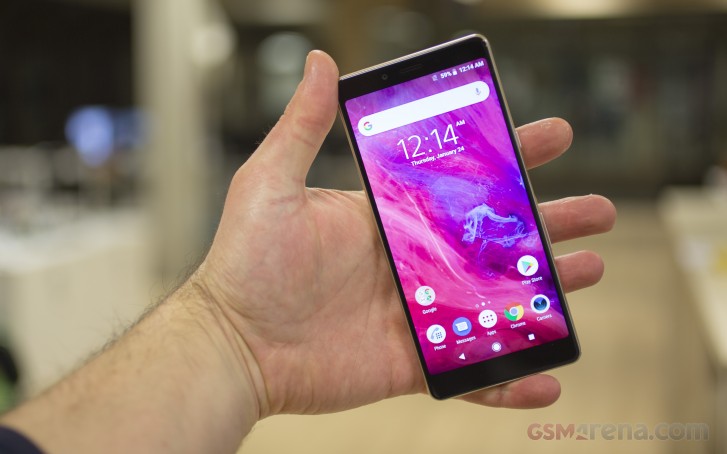
The Sony Xperia L3 runs on Android 8.0 Oreo, which isn't great news seeing how Android Q is coming in three months. Granted few entry-level phones will get that, but there are plenty of Pie-running options out there. Anyway, on top of Oreo is Xperia UI, which is quite familiar as it hasn't been changed in years and it's pretty much the same as what we saw on the XA2 and XA2 Ultra.
During setup, the Xperia Launcher wants your approval to install a big chunk of proprietary apps. If you don't like or need any of the non-essentials, you can simply tick them off the list and never deal with them again - we really appreciate that approach.
The homescreen appears unchanged from previous Xperia generations. It supports a swipe down gesture, which shows a screen of the apps you use the most along with recommendations for new apps to install. The search field is highlighted so you can start typing the app's name immediately. There is also a Google Feed pane, accessible through a left swipe on the home screen.


Xperia launcher
Oddly, there was no Themes support on the Xperia L3.
The notification drawer and the task switcher are very similar to the vanilla Android ones. There is also a Split Screen feature available to a limited number of apps.
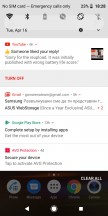
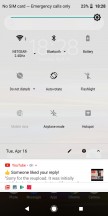
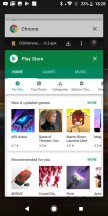
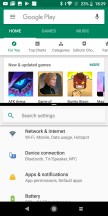
Notification shade • Quick toggles • Task switcher • Split screen
The traditional app drawer is present and even if you opt out of all the additional app installs during setup, you will still end up with at least a few essentials. Sony takes great pride in the A/V prowess of its devices, and the multimedia apps are all custom and feature-rich - Album, Music, Video and FM radio apps.
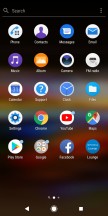



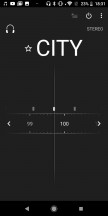
App drawer • Album • Music • Video • FM radio
Finally, in addition to the fingerprint unlock, you can set up Smart Lock. It gives you conditional security - trusted nearby devices, locations, faces, or voices can allow you to skip the security protocol that you have set up on the phone.


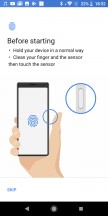

Fingerprint unlock
Performance and benchmarks
The Sony Xperia L3 runs on the feeble Mediatek Helio P22 chipset. It has an octa-core Cortex-A53 processor clocked at 2.0GHz and PowerVR GE8320 GPU. The Xperia L3 packs 3GB of RAM - certainly not a huge amount, but still plenty if you are not going to be cycling through dozens of apps all the time.
Usually we start our benchmark routine with Geekbench, but oddly the app wasn't able to run on our Xperia L3. We expect its processor to run as fine as other Cortex-A53 CPUs, but to be noticeably behind other phones that have more powerful cores like the Realme 3 and its Cortex-A73 units.
The PowerVR GE8320 GPU is nothing to phone home about really. It would do for some arcade gaming and will run a lot of the modern games, but smooth experience and short loading times are out of the question. Still, if the Xperia L3 is your only option and you can live with a few stutters occasional gaming is possible.
GFX 3.1 Manhattan (onscreen)
Higher is better
-
Realme 3
26 -
Motorola Moto G7 Play
14 -
Honor 8X
13 -
Realme 2
12 -
Sony Xperia L3
11 -
Nokia 7.1
9.7 -
Samsung Galaxy A40
7.4
GFX 3.1 Car scene (onscreen)
Higher is better
-
Realme 3
15 -
Motorola Moto G7 Play
7.7 -
Honor 8X
6.7 -
Realme 2
6.3 -
Nokia 7.1
5.9 -
Sony Xperia L3
5 -
Samsung Galaxy A40
4.6
3DMark SSE 3.1 Unlimited
Higher is better
-
Realme 3
1189 -
Samsung Galaxy A40
647 -
Motorola Moto G7 Play
562 -
Realme 2
497 -
Sony Xperia L3
445
The compound AnTuTu test puts the Xperia L3 close to the bottom of our chart, although it's not a huge distance behind.
AnTuTu 7
Higher is better
-
Honor 8X
137276 -
Realme 3
132764 -
Nokia 7.1
117175 -
Samsung Galaxy A40
106388 -
Motorola Moto G7 Play
97230 -
Sony Xperia L3
78894 -
Realme 2
75434
The Xperia L3 chipset is among the least powerful one still in production today and clearly not meant for power users. It's fine for day-to-day operations under Android and will do mostly hiccup-free in streaming videos, music, as well as browsing social networks. Gaming is possible, too, especially arcades, but don't expect the heaviest of games to run smoothly or stutter-free.
On a positive note, being so feeble, the chipset doesn't throttle and can't produce much heat even running at peak performance for a long time.


Tip us
2.1m 180k
RSS
EV
Merch
Log in I forgot my password Sign up