GSMArena.com GSMArena.com

Tip us

2.1m
180k
RSS

EV

Merch

Log in

Login

I forgot my password
Sign up
  • Home
  • News
  • Reviews
  • Videos
  • Featured
  • Phone Finder
  • Deals
  • Merch
  • Coverage
  • Contact
ADVERTISEMENT
GSMArena team, 22 June 2016

Narrow margins


Sony Xperia XA review: Narrow margins

  • Comments (234)
  • User reviews
  • Xperia XA

4. User interface
  1. 1. Introduction
  2. 2. Unboxing, 360° spin, hardware
  3. 3. Display, connectivity, battery life
  4. 4. User interface
  5. 5. Performance
  6. 6. Phonebook, messaging, loudspeaker
  7. 7. Multimedia, audio quality
  8. 8. Camera
  9. 9. Conclusion
  10.  
  11. Sony Xperia XA specification
  12. User opinions and reviews
  13. Review comments (234)

Sony Android

Marshmallow with a dash of Xperia

Sony's new X line of smartphones come with Android 6.0.1 Marshmallow out of the box. As always, Sony brought its own media apps - multimedia is its bread and butter after all - but core changes to Android are relatively few.

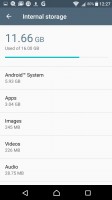
The software does weigh more than the typical AOSP installation. The Xperia XA is available only with 16GB of internal memory and you're left with just 8GB of that (that's 2GB less than a 16GB Nexus 5X). A microSD card is a must as apps, photos, videos and music will quickly eat up the available storage.
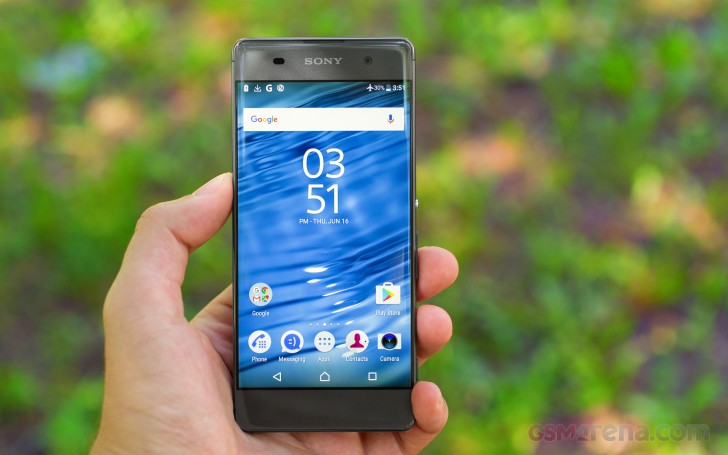
Sony Xperia XA review

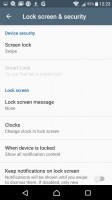
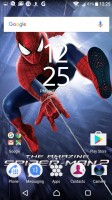
The lockscreen is customized to show off the Xperia theme (the numbers of the clock are see-through so you see the wallpaper through them). You can swipe left or up to unlock, down to view notifications. You can't swipe right to unlock, though that's not much of an issue after the first hour or two with the phone.
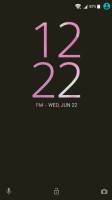
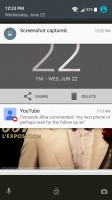
Lockscreen - Sony Xperia XA review Lockscreen - Sony Xperia XA review Lockscreen settings - Sony Xperia XA review
Lockscreen • Lockscreen settings

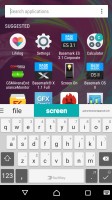
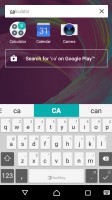
The homescreen appears unchanged. This includes the swipe down gesture, which shows a screen of the apps you use most along with recommendations for new apps to install. A search field is highlighted so you can start typing the app's name immediately.
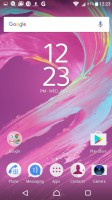
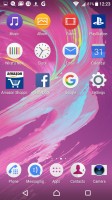
Homescreen - Sony Xperia XA review Homescreen - Sony Xperia XA review App suggestions and search - Sony Xperia XA review App suggestions and search - Sony Xperia XA review
Homescreen • App suggestions and search

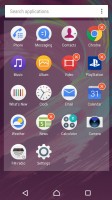
The traditional app drawer is still on board and it features an above average amount of vendor apps. Sony takes great pride in their AV prowess, so there is no way that they could have gone for the stock multimedia apps made by Google.
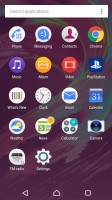
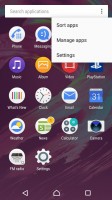
Standard app drawer - Sony Xperia XA review Standard app drawer - Sony Xperia XA review Standard app drawer - Sony Xperia XA review
Standard app drawer

Themes are available (both free and paid) that can customize the look and sound of the Xperia XA interface.
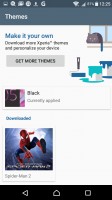
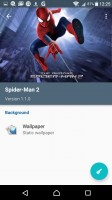
Xperia themes - Sony Xperia XA review Xperia themes - Sony Xperia XA review Xperia themes - Sony Xperia XA review Xperia themes - Sony Xperia XA review
Xperia themes

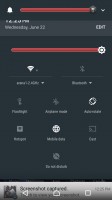
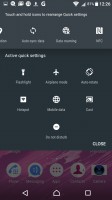
The notification area is plain Android. You can re-arrange the quick toggle tiles and adjust the screen brightness. Note that just like in vanilla Android, there's no toggle for Auto brightness (you need to go into the settings for that). That's the one thing we don't mind skins changing and still, many manufacturers like to keep it stock.

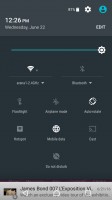
Notification area is vanilla Android - Sony Xperia XA review Notification area is vanilla Android - Sony Xperia XA review Notification area is vanilla Android - Sony Xperia XA review
Notification area is vanilla Android

The app switcher is similarly a vanilla Android affair with the 3D rolodex look. The small apps are gone, however, and there is no longer floating app multitasking.
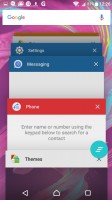
So is the app switcher (note: no small apps) - Sony Xperia XA review
So is the app switcher (note: no small apps)

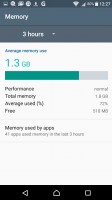
The Smart cleaner feature will periodically empty the cache of apps you haven't used in a while. You can switch this off or just manually tell it not to bother for certain apps.
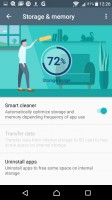
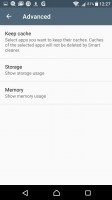
Smart Cleaner frees up memory of both kinds - Sony Xperia XA review Smart Cleaner frees up memory of both kinds - Sony Xperia XA review Smart Cleaner frees up memory of both kinds - Sony Xperia XA review Smart Cleaner frees up memory of both kinds - Sony Xperia XA review
Smart Cleaner frees up memory of both kinds

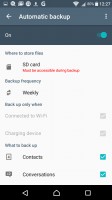
One thing Android has been missing for years is a proper backup solution and Sony gives you one. It can backup applications, contacts, messages, phone settings. The backup info itself can be stored on your Sony online account, on the microSD card or an external USB device.

Backups can be scheduled, including conditions like "Connected to Wi-Fi" and "Charging device", depending on your preferences.
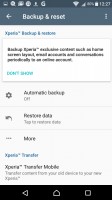
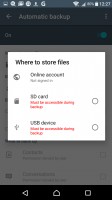
Scheduled backups are the best way to prevent data loss - Sony Xperia XA review Scheduled backups are the best way to prevent data loss - Sony Xperia XA review Scheduled backups are the best way to prevent data loss - Sony Xperia XA review

Scheduled backups are the best way to prevent data loss

Next Page » 5. Performance
4. User interface
  1. 1. Introduction
  2. 2. Unboxing, 360° spin, hardware
  3. 3. Display, connectivity, battery life
  4. 4. User interface
  5. 5. Performance
  6. 6. Phonebook, messaging, loudspeaker
  7. 7. Multimedia, audio quality
  8. 8. Camera
  9. 9. Conclusion
  10.  
  11. Sony Xperia XA specification
  12. User opinions and reviews
  13. Review comments (234)

Reviews Sony Xperia XA reviewPage 4
  • Comments (234)
  • User reviews
  • Xperia XA

Phone finder

  • Samsung
  • Apple
  • Huawei
  • Nokia
  • Sony
  • LG
  • HTC
  • Motorola
  • Lenovo
  • Xiaomi
  • Google
  • Honor
  • Oppo
  • Realme
  • OnePlus
  • Nothing
  • vivo
  • Meizu
  • Ulefone
  • Alcatel
  • ZTE
  • RugOne
  • Umidigi
  • Fairphone
  • Oscal
  • Sharp
  • Micromax
  • Infinix
  • Asus
  • Tecno
  • Doogee
  • Blackview
  • Cubot
  • Oukitel
  • Itel
  • TCL

All brands Rumor mill

ADVERTISEMENT

Popular reviews

Apple iPhone 18 Pro Max review
Apple iPhone 18 Pro review
Galaxy Tab S12 Ultra review
ADVERTISEMENT

ELECTRIC VEHICLES

Volkswagen takes the slow road to hands-off driving in China Volkswagen takes the slow road to hands-off driving in China XPeng sends Mona L05 to customers abroad ahead of Chinese launchAudi announces major restructuring of China operations with brand split
ADVERTISEMENT
Ads by Playwire

Home News Reviews Compare Coverage Glossary FAQ RSS Youtube Instagram TikTok Facebook Twitter

© 2000-2026 GSMArena.com Mobile version Android app Tools Contact us Merch store Privacy Terms of use