Tecno Pova 8 review
HiOS 16 on top of Android 16
The Pova 8 boots Android 16 with Tecno's own HiOS custom software on top. Our review unit arrived with HiOS 16.2, which didn't seem drastically different than the 16.0 version we have previously seen.
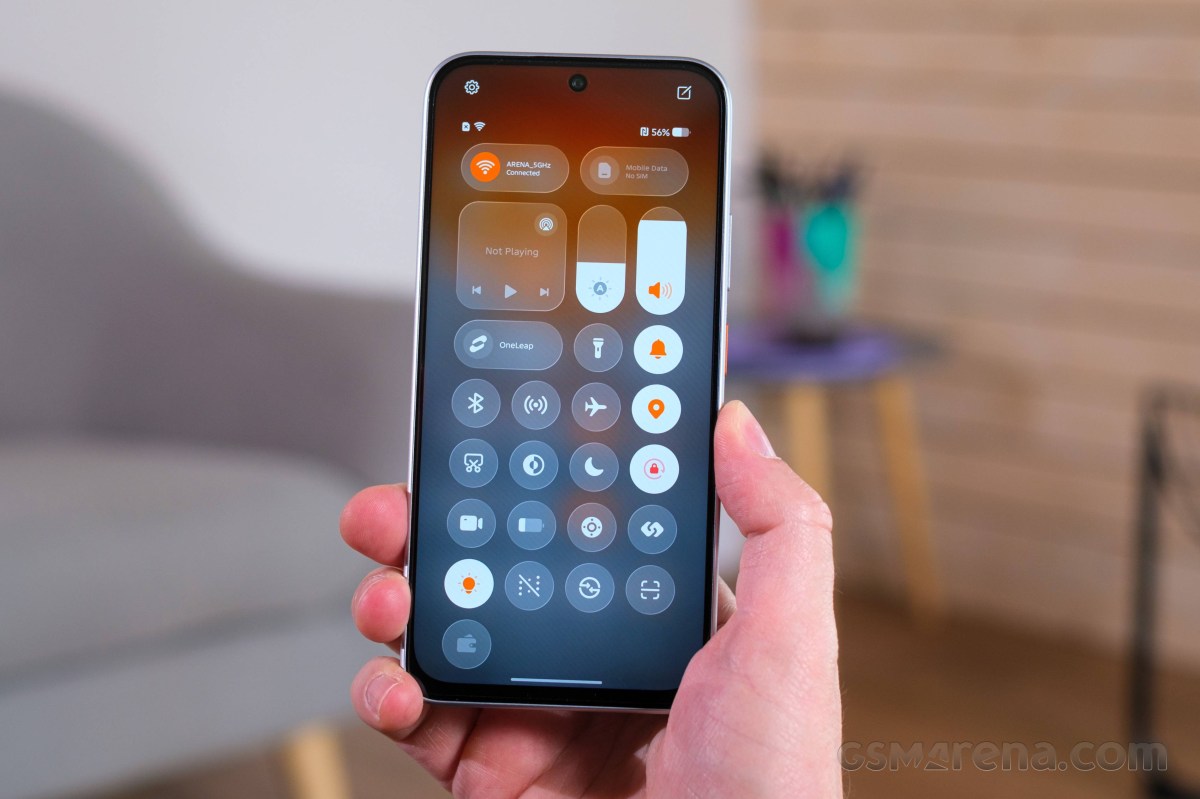
The Pova 8 comes with the promise of two major OS updates and a total of three years of security patches. A pretty modest support cycle by modern standards, if we have to be fair, but still alright for a budget device.
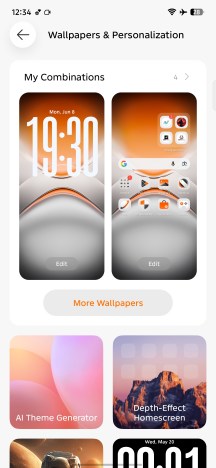
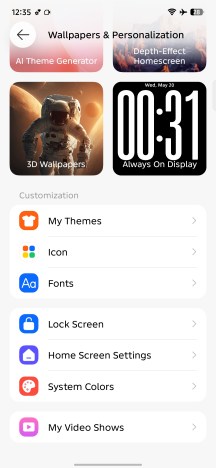
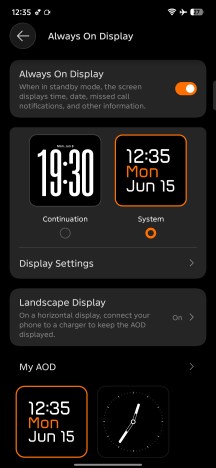
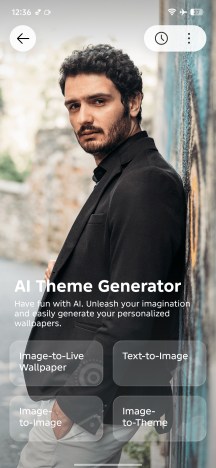
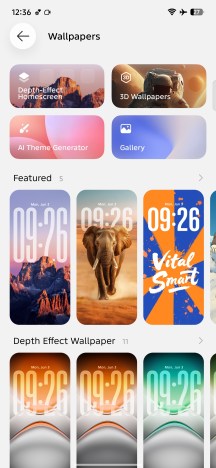
HiOS 16 brings a notable expansion of the customization options. The updated Always-on Display offers a wider selection of styles and personalization features, though it still isn't truly "always on" and only remains visible for up to 15 seconds at a time. The lock screen and home screen customization has also been enhanced with depth effects, allowing for a more modern and personalized look.
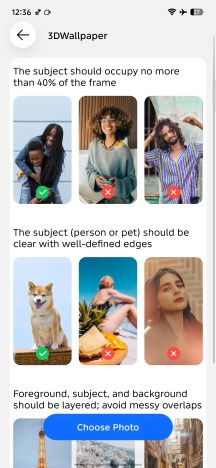
There is also an AI Theme Generator and a 3D Wallpaper generator.
Customization options
The Android OS, even with Tecno's HiOS skin, is pretty straightforward.
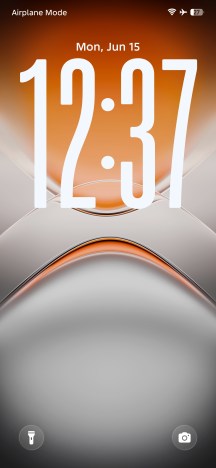
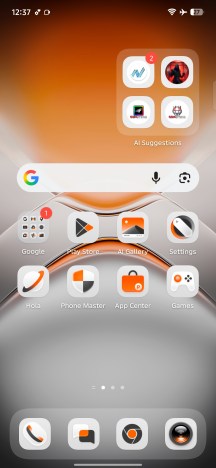
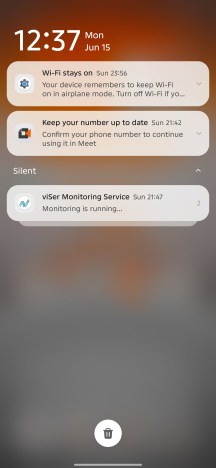
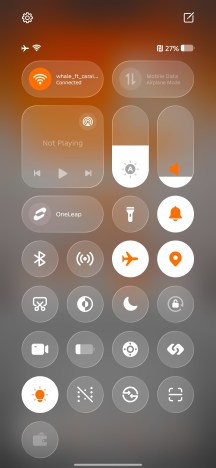
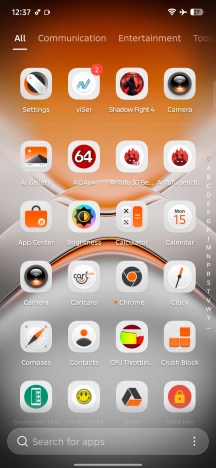
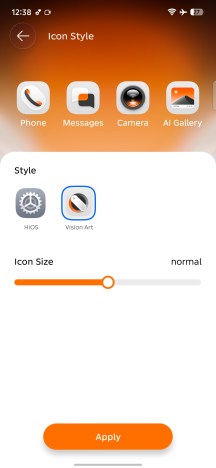
HiOS 16
The lockscreen has a couple of shortcuts on the bottom - one for the camera, and the other for the flashlight.
Multitasking features include split-screen and pop-up window modes for supported apps - nothing out of the ordinary.
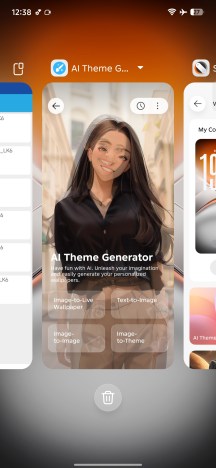
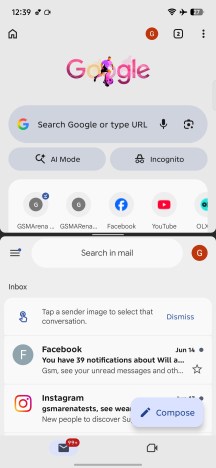
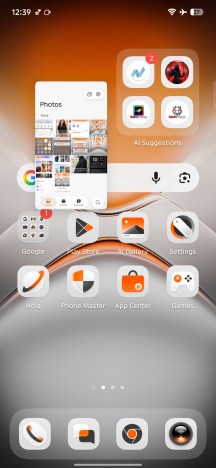
Multi-tasking
HiOS 16 comes with a handful of pre-installed apps and utilities, but the overall software package remains reasonably clean. Tecno includes its own Gallery, Video Player and Browser apps, while notably avoiding the addition of a proprietary app store.
The software also features Tecno's in-house AI assistant, Ella. It supports voice wake-up and spoken responses and offers a broad range of AI-powered tools and features. Most of its functionality relies on an active internet connection to access cloud-based AI models (you can choose between quite a few of them), though basic device controls and system-related tasks can still be handled locally without connectivity.
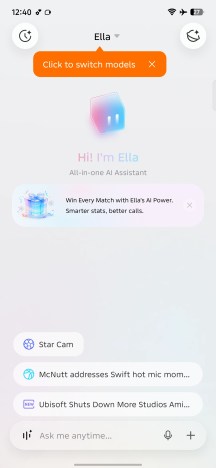
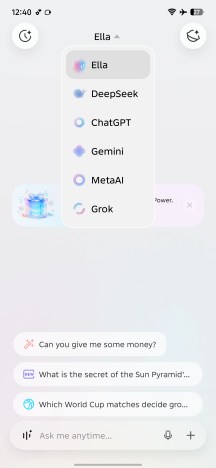
Ella
We already mentioned the Alive Matrix Display briefly, but we should also go over the basic customization options and features it offers. As a refresher - it is a 117-dot white LED matrix on the back of the phone, housed inside what looks like a third camera module.
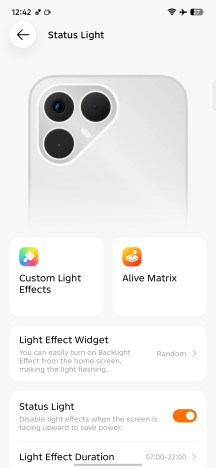
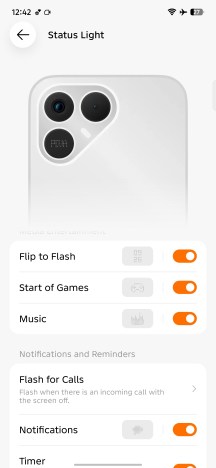
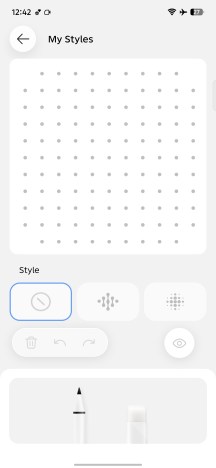
Status Light
You can, of course, use the LED array as a notification light replacement with a little extra sophistication. There are actually 49 predefined "scenarios" for the LED matrix, recognizing and reacting to things like calls, notifications, music, gaming, charging and more. You can adjust the brightness, put the display on a schedule and even design your very own animations using the pretty intuitive tool.
By Tecno's own description, the AI features included with the Pova 8 are meant to be practical and "designed for everyday efficiency". We already took a quick look at the company's own Ella assistant and browsing through its menus, it comes as no surprise that it can actually do quite a few things like write or refine text, generate images and do quite a few tasks with your phone as well, like call people for you.
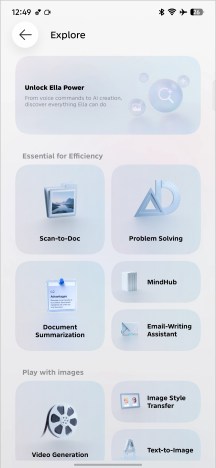
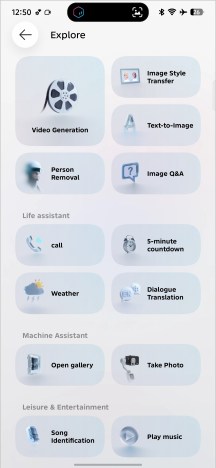
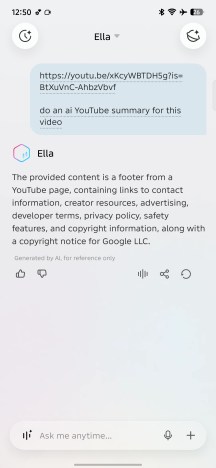
Ella features
One of the more interesting features Tecno advertised to us for the Pova 8 is the AI YouTube summary. However, we didn't really find exactly how to make it work on our unit.
An AI health assistant is also part of the loadout. This one we did spot, but we presume it needs access to a lot of historical stats and data to actually start being useful.
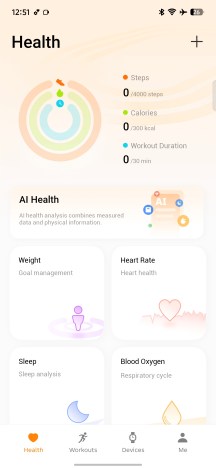

AI Health
We already mentioned the Call Noise Suppression feature, and it is worth revisiting since it is not something you see every day, particularly the "Pure Voice" option that is meant to detect your particular voice based on a voiceprint and only let that come through. We did give it a try ourselves and got mixed but not disappointing results. As long as there isn't too much noise in the environment and only like one or two additional people are talking at the same time as you, ideally not too loud and a bit further away, it works as advertised.
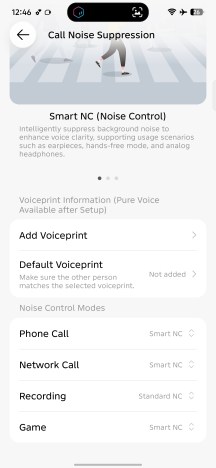
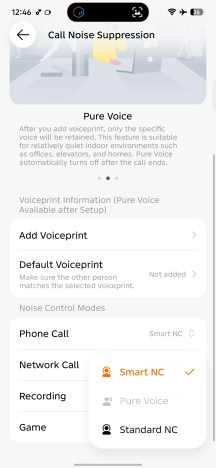
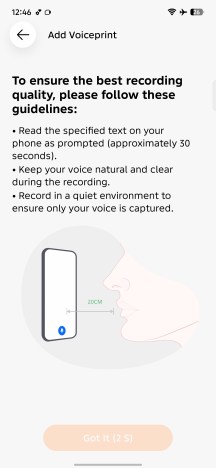
Call Noise Suppression
There are a few more AI tools scattered around, notably in Tecno's native image gallery and particularly the image editor. You can use AI to remove shadows, reflections and flare, as well as delete objects from the frame and generatively expand the size of the image.
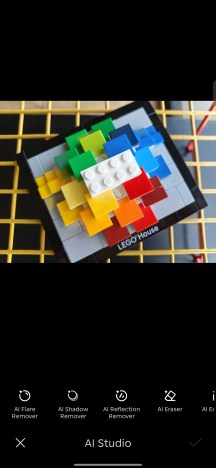
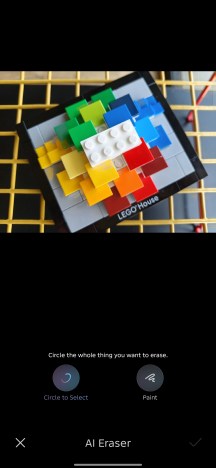
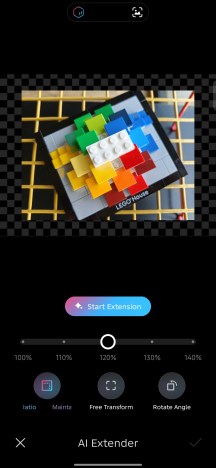
AI image editing tools
Performance and benchmarks
The Pova 8 runs on the MediaTek Dimensity 7100 chipset. It is not a powerhouse by any stretch of the imagination, but it is still a very recent chip with great features and connectivity, made on an efficient 6 nm TSMC node.
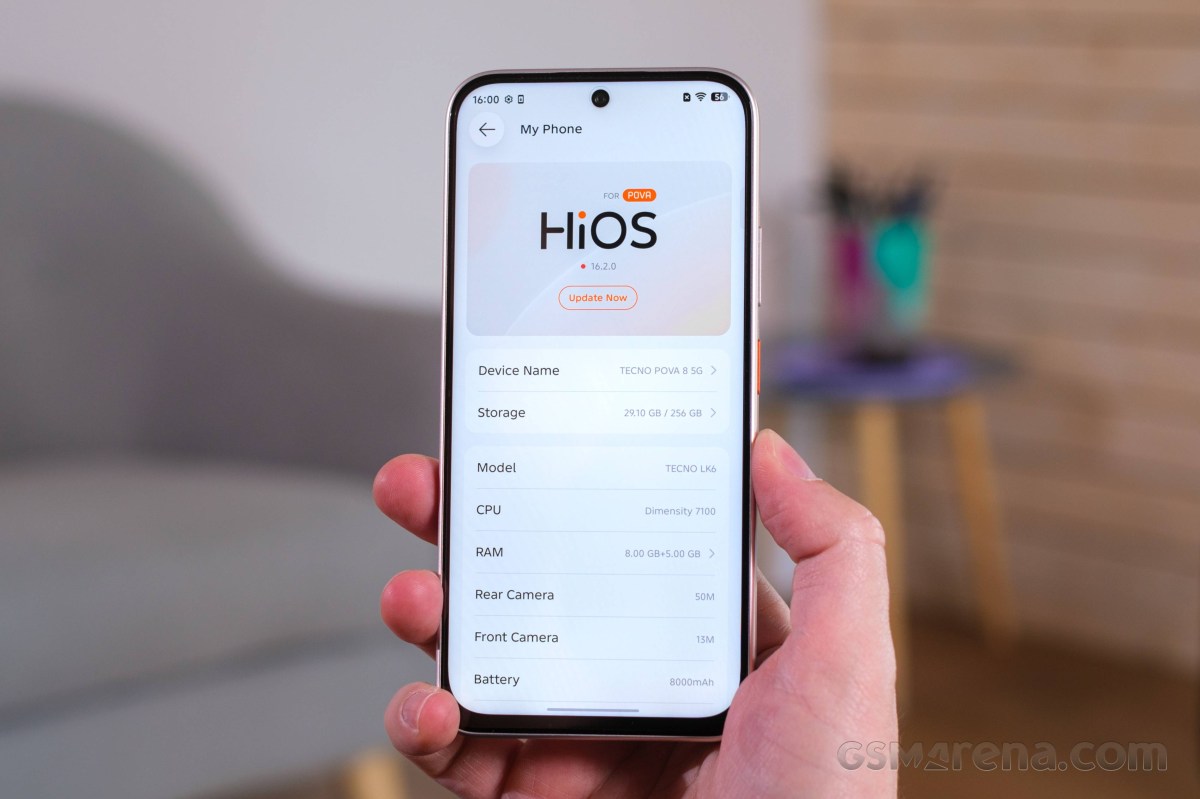
In the CPU department, we find a rather conventional and a bit "old school" symmetric four by four setup with four Cortex-A78 units, working at up to 2.4 GHz and four Cortex-A55 ones, clocked at up to 2.0 GHz. Nothing too fancy. The onboard GPU is a Mali-G610 MC2 clocked at 1.0 GHz.
The Pova 8 starts with 6GB of RAM, but that is just for the base 128GB storage version. If you step up to 256GB, you get 8GB of RAM, and in some markets, an 8GB/128GB version existс as well. The storage chips are of the rather modest UFS 2.2 variety, but we can't really be too mad considering the budget price point. It is also perhaps worth noting that Tecno offers three years of free 256GB cloud storage for Pova 8 users and, in select markets, 3 months of Google AI Plus (2 TB) for free as well.
The actual benchmark results confirm that the Dimensity 7100 is not a particularly powerful chip. You can do a lot better in this price bracket if that is what you are after. That said, it does alright in both the CPU and GPU departments, and beats the likes of Helio G series chips.
GeekBench 6
- Single-core
- Multi-core
 Poco X8 Pro

 Motorola Edge 60 Fusion
 Redmi Note 15 5G
 Tecno Pova 8
 Infinix Note Edge
 Galaxy A07 4G
 Tecno Spark 40 Pro+
AnTuTu
- v10
- v11
Poco X8 Pro
 Infinix GT 30
 Galaxy A37
Tecno Pova 8
Motorola Edge 60 Fusion
Galaxy A37
Tecno Pova 8
Motorola Edge 60 Fusion
 Galaxy A17 5G
Galaxy A07 4G
Galaxy A17 5G
Galaxy A07 4G
3DMark
- Wild Life Extreme (Highest)
- Wild Life Extreme (Lowest)
Poco X8 Pro
Redmi Note 15 5G
Motorola Edge 60 Fusion
Tecno Pova 8
Infinix Note Edge
Galaxy A17 5G
Galaxy A07 4G
Thermal-throttling
The Dimensity 7100 might not be a particularly powerful chip, but on the plus side, it doesn't really put out much heat either. It barely even suffers from thermal throttling. Plus, the phone's surface remains quite comfortable to the touch.
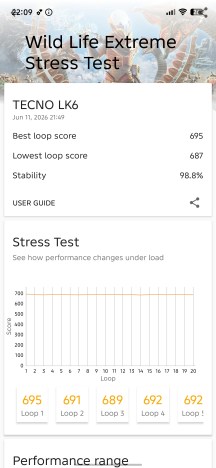
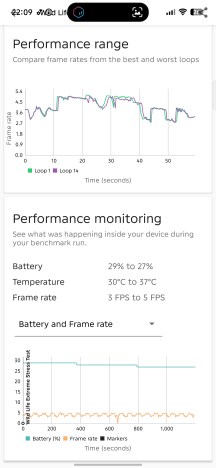
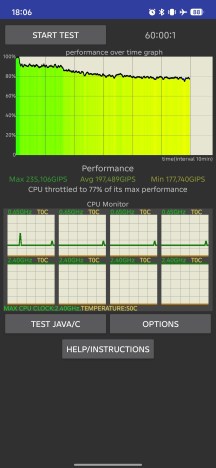
Thermal-throttling


Tip us
2.1m 180k
RSS
EV
Merch
Log in I forgot my password Sign up