GSMArena.com GSMArena.com

Tip us

2.1m
180k
RSS

EV

Merch

Log in

Login

I forgot my password
Sign up
  • Home
  • News
  • Reviews
  • Videos
  • Featured
  • Phone Finder
  • Deals
  • Merch
  • Coverage
  • Contact
ADVERTISEMENT
GSMArena team, 06 May, 2016

Horizons expanding


Vivo V3Max review: Horizons expanding

  • Comments (76)
  • User reviews
  • V3Max

8. Web browser and apps
  1. 1. Introduction
  2. 2. Unboxing, 360° spin, hardware
  3. 3. Display, connectivity, battery life
  4. 4. User interface
  5. 5. Performance
  6. 6. Telephony, multimedia, audio quality
  7. 7. Camera, image quality, video recording
  8. 8. Web browser and apps
  9. 9. Conclusion
  10.  
  11. vivo V3Max specification
  12. User opinions and reviews
  13. Review comments (76)

vivo Android

Two browsers are better than one

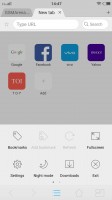
The Vivo V3Max comes with Google Chrome as well as a custom browser. Its interface definitely looks nice, and like everything else in Funtouch OS, it fits well into the general design outline.

The tab selection interface is similar to a desktop browser and eats away screen estate, so it's great that it can be hidden with a toggle in the bottom left corner.

The handy Text-only mode will help cut down on data traffic, while Night mode will reduce strain on your eyes in dark environments.


The default browser interface - Vivo V3Max  review The default browser interface - Vivo V3Max  review The default browser interface - Vivo V3Max  review The default browser interface - Vivo V3Max  review
The default browser interface

The internal browser also supports Night mode, which is useful for those sleepless browsing nights.

The browser supports a handy Night mode - Vivo V3Max  review
The browser supports a handy Night mode

Vivo has also included Google Chrome in the app mix. It is gradually establishing itself as one of the most popular mobile browsers and it should be fairly familiar to anyone who's owned an Android smartphone before.

Other pre-installed apps

Vivo has kept things pretty clean in terms of preloaded applications and, besides the nowadays obligatory Google suite, there are few pre-installed apps. Also, the things that are included in the mix are generally well executed, nicely styled and even, quite convenient.
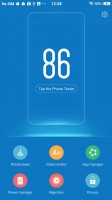
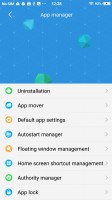
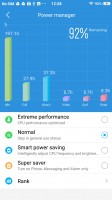
iManager app is pretty powerful - Vivo V3Max  review iManager app is pretty powerful - Vivo V3Max  review iManager app is pretty powerful - Vivo V3Max  review
iManager app is pretty powerful

First up, Funtouch OS has an amazing central management hub, called iManager. It is designed to keep your phone in top shape and generally does a pretty good job of it. It can clean your RAM and storage on request and naturally manage applications.

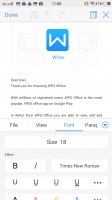
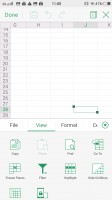
The Vivo V3Max comes with WPS Office preinstalled. It's a full-featured office editor that can handle Word docs, PDFs, Spreadsheets and Presentations. It can link to cloud storage, email files, and create a shared view with other users and more. There's editing enabled, too, so you can get some work done on the go, if need be.
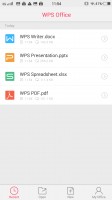
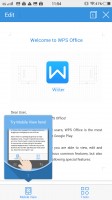
WPS office - Vivo V3Max review WPS office - Vivo V3Max  review WPS office - Vivo V3Max  review WPS office - Vivo V3Max  review
WPS office

Most of the other bundled apps have nothing really spectacular to offer, except, perhaps, slick looks. The calendar is straightforward. It can seamlessly sync with your google account and naturally has events, reminders and all of the standard week, month and daily views, but also a year view.


Pretty calandar app - Vivo V3Max  review Pretty calandar app - Vivo V3Max  review Pretty calandar app - Vivo V3Max  review Pretty calandar app - Vivo V3Max  review
Pretty calandar app

The phone also comes with a very intuitive file manager. It automatically groups things according to type, but also allows traditional folder browsing, as well as searching. Multiple file operations are now possible too.
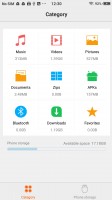
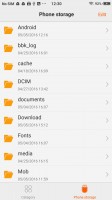
Intuitive file manager - Vivo V3Max  review Intuitive file manager - Vivo V3Max  review

Intuitive file manager

Next Page » 9. Conclusion
8. Web browser and apps
  1. 1. Introduction
  2. 2. Unboxing, 360° spin, hardware
  3. 3. Display, connectivity, battery life
  4. 4. User interface
  5. 5. Performance
  6. 6. Telephony, multimedia, audio quality
  7. 7. Camera, image quality, video recording
  8. 8. Web browser and apps
  9. 9. Conclusion
  10.  
  11. vivo V3Max specification
  12. User opinions and reviews
  13. Review comments (76)

Reviews Vivo V3Max reviewPage 8
  • Comments (76)
  • User reviews
  • V3Max

Phone finder

  • Samsung
  • Apple
  • Huawei
  • Nokia
  • Sony
  • LG
  • HTC
  • Motorola
  • Lenovo
  • Xiaomi
  • Google
  • Honor
  • Oppo
  • Realme
  • OnePlus
  • Nothing
  • vivo
  • Meizu
  • Ulefone
  • Alcatel
  • ZTE
  • RugOne
  • Umidigi
  • Fairphone
  • Oscal
  • Sharp
  • Micromax
  • Infinix
  • Asus
  • Tecno
  • Doogee
  • Blackview
  • Cubot
  • Oukitel
  • Itel
  • TCL

All brands Rumor mill

ADVERTISEMENT

Popular reviews

Oppo Find X10 Pro Max review
Apple iPhone 18 Pro Max review
Apple iPhone 18 Pro review
ADVERTISEMENT

ELECTRIC VEHICLES

Here's how expensive Ford's upcoming Fathom electric truck will get Here's how expensive Ford's upcoming Fathom electric truck will get Cheap hatchbacks and Chinese partnerships are propping up the Stellantis EV strategy2026 Volvo EX90 Twin Motor Performance real life range test with 21-inch wheels and summer tires
ADVERTISEMENT
Ads by Playwire

Home News Reviews Compare Coverage Glossary FAQ RSS Youtube Instagram TikTok Facebook Twitter

© 2000-2026 GSMArena.com Mobile version Android app Tools Contact us Merch store Privacy Terms of use